Unexpected Google authorisation error
Status: Open · Asked by virsingh77 on · 0 views
I received an error while my worflow was entering details into google calendar: Request had invalid authentication credentials. Expected OAuth 2 access token, login cookie or other valid authentication credential. See https://developers.google.com/identity/sign-in/web/devconsole-project.
Strangely there was no change in credentials and the subsequent requests for the same workflow are running smoothly. It happended just for this one off event. What could be the reason? The workflow is 'Ecwid to Sheets' and the Task History ID - IjU3NjUwNTY1MDYzZjA0M2Q1MjZkNTUzMzUxMzI1MTYzNTQzNjBmMzUi_pc
Hi @virsingh77,
Google Calendar connection is token based and the access token refresh happens automatically at the backend. In some cases, the workflow may attempt execution while the token is in the process of expiring/refreshing, and you encounter this error.
However, the token gets refreshed shortly after, and the workflow executes successfully in the re-execution.
Thanks & Regards,
Arshil Ahmad
Customer Support Associate
? Pabbly.com
?Rate your support
Thanks. But why did my workflow not re-execute automatically since i have set it for aut re-excecution?
It looks like you made some changes to your workflow after the task was executed, which is why we’re unable to determine the exact cause of the issue. You also appear to have re-executed the task manually. If you encounter the error again and the workflow does not re-execute automatically, do let us know.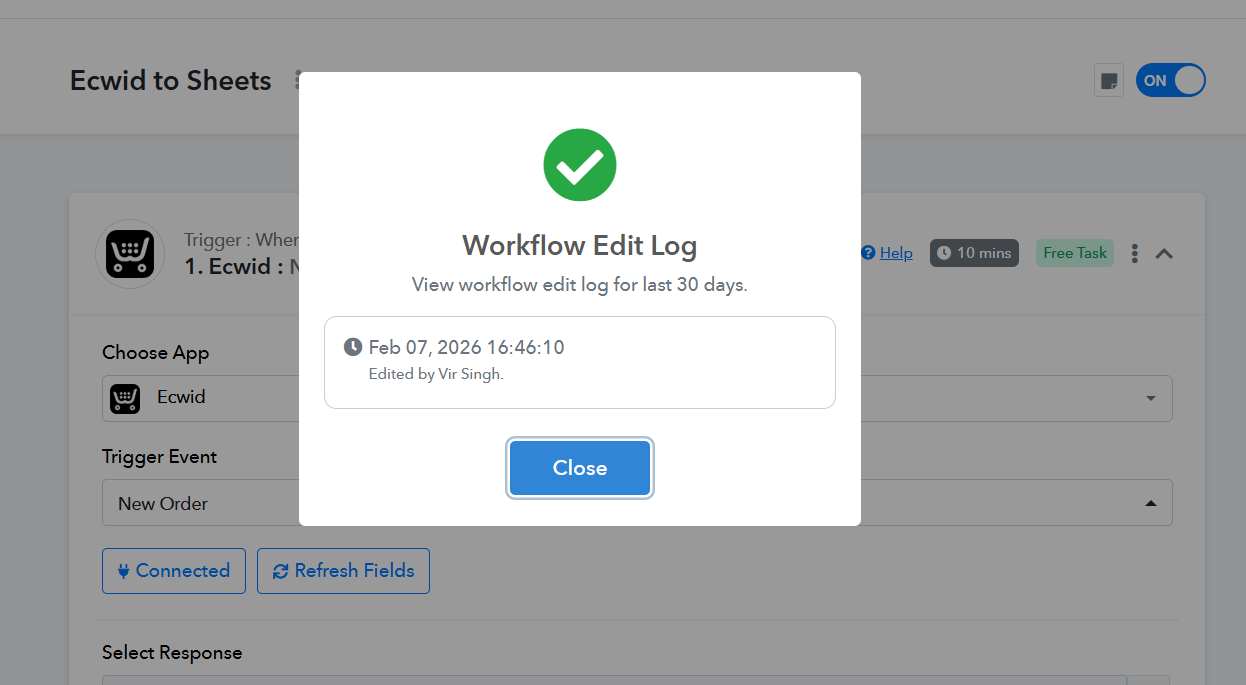
Thanks & Regards,
Arshil Ahmad
Customer Support Associate
? Pabbly.com
?Rate your support
Hi, actually because the workflow didn't re-execute automatically, I had to manually re-execute it. In case you have the timestamps for when it failed and when I manually re-executed it you can tell that it did not re-execute automatically
We did notice that the task was re-executed manually. Please monitor your workflow for some time, and if the re-execution doesn’t work, do let us know—without manually re-executing the task. This will help us diagnose the issue.
Thanks & Regards,
Arshil Ahmad
Customer Support Associate
? Pabbly.com
?Rate your support