Update Google Task title when Microsoft To Do Task is updated
Status: Open · Asked by djtron on · 0 views
Hi, not sure how to achieve this -
When Microsoft To Do task name is changed, how do I update the same Task on Google Tasks side?
Cannot figure it out, tried by ID but they are not the same ID, cannot lookup by name since the name has changed.
Would also like to use this same logic to update importance, due date etc. but for now the actual Title is most important.
Any guidance would be great! thank you
Hi @djtorn,
The use case you are describing would require you to create a Google Sheets spreadsheet to store both MS To-Do Task IDs and Google Tasks Task IDs.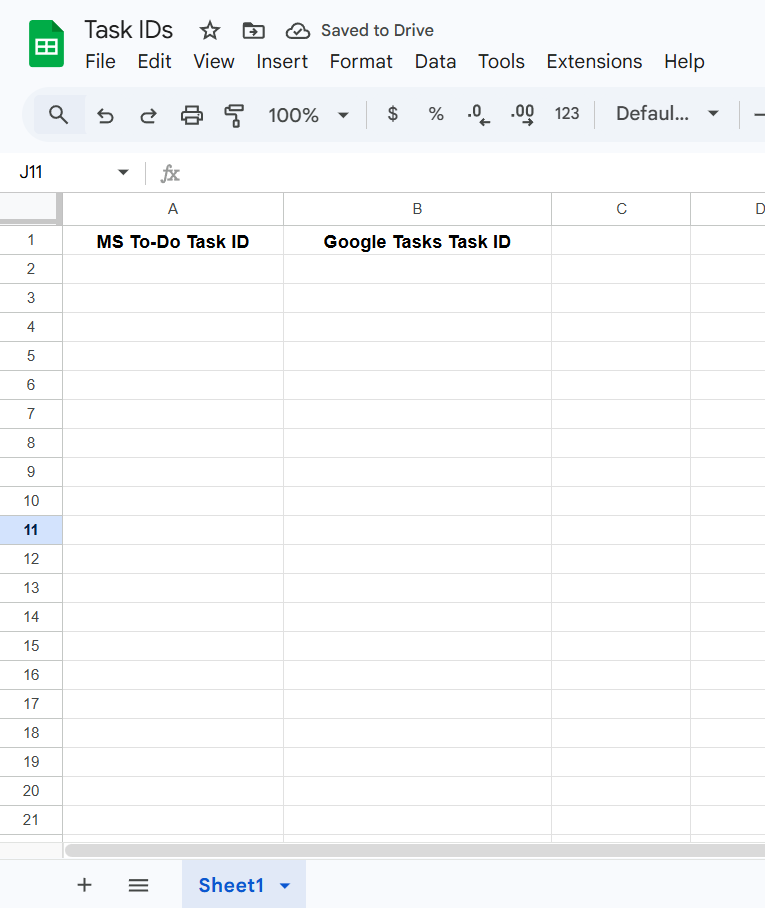
Then, in this workflow, add a Google Sheets: Add New Row action step and map the Task IDs from Step 1 and Step 2. This way, whenever a new task is created in MS To-Do, a corresponding task will be created in Google Tasks, and the IDs of both tasks will be added to the Google Sheets spreadsheet.
https://connect.pabbly.com/workflow/mapping/IjU3NjcwNTZmMDYzMjA0MzA1MjY5NTUzMjUxMzQi_pc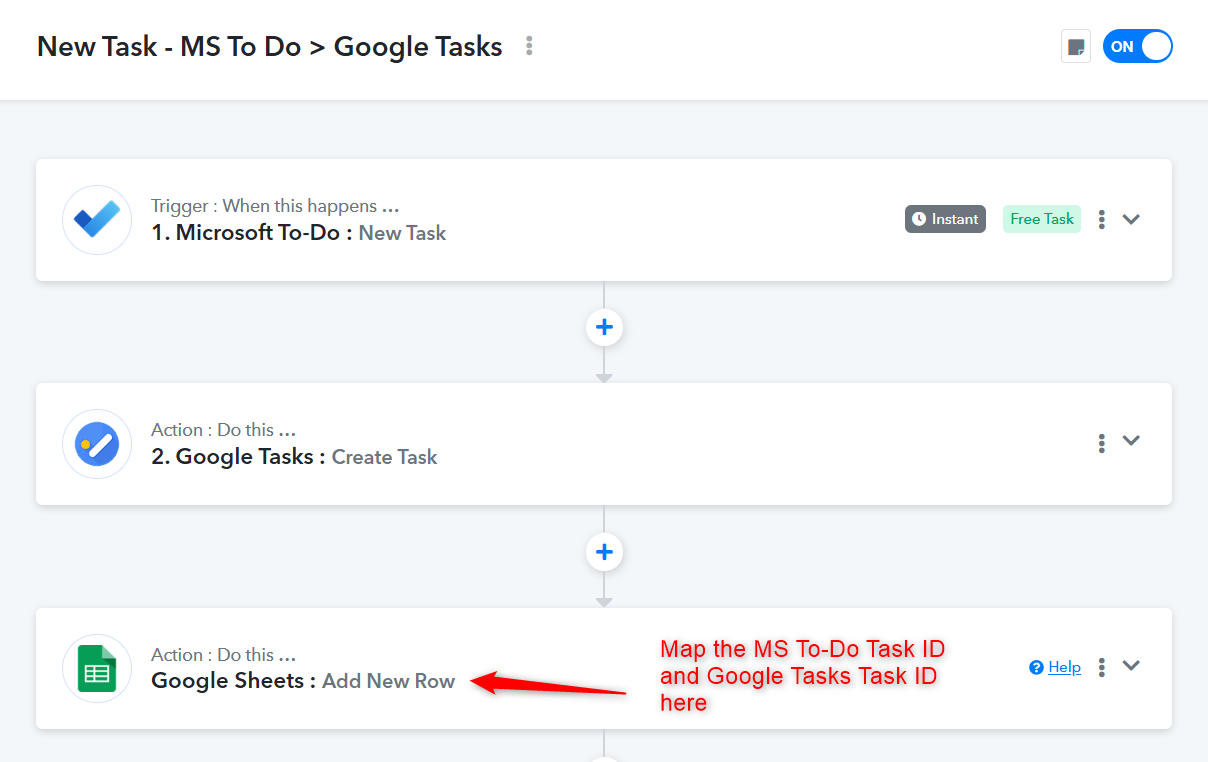
Then, in this workflow, add a Lookup Spreadsheet Rows action step and look up the MS To-Do Task ID. This will return the corresponding Google Tasks Task ID, which you can then use to update the task in Google Tasks.
https://connect.pabbly.com/workflow/mapping/IjU3NjcwNTZmMDYzMjA0MzA1MjY5NTUzMzUxMzAi_pc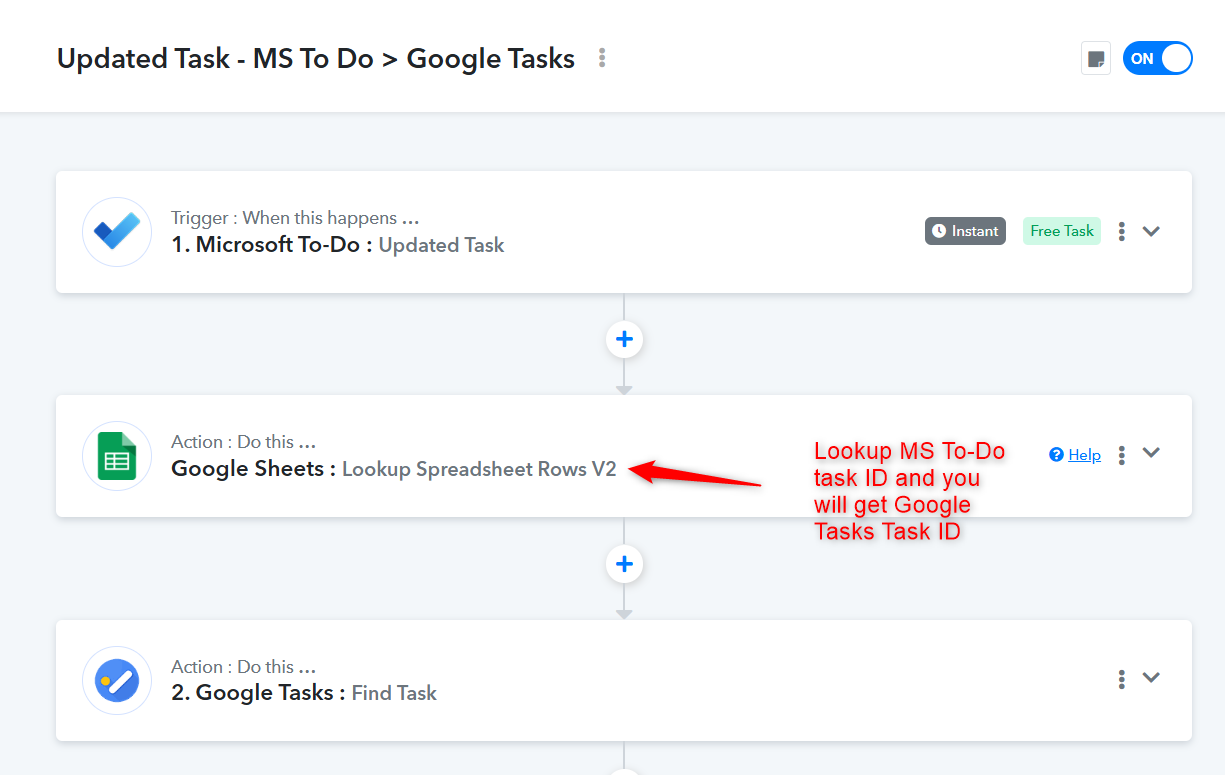
Thanks & Regards,
Arshil Ahmad
Customer Support Associate
? Pabbly.com
?Rate your support
Hi @djtorn,The use case you are describing would require you to create a Google Sheets spreadsheet to store both MS To-Do Task IDs and Google Tasks Task IDs.
Then, in this workflow, add a Google Sheets: Add New Row action step and map the Task IDs from Step 1 and Step 2. This way, whenever a new task is created in MS To-Do, a corresponding task will be created in Google Tasks, and the IDs of both tasks will be added to the Google Sheets spreadsheet.
https://connect.pabbly.com/workflow/mapping/IjU3NjcwNTZmMDYzMjA0MzA1MjY5NTUzMjUxMzQi_pcThen, in this workflow, add a Lookup Spreadsheet Rows action step and look up the MS To-Do Task ID. This will return the corresponding Google Tasks Task ID, which you can then use to update the task in Google Tasks.
https://connect.pabbly.com/workflow/mapping/IjU3NjcwNTZmMDYzMjA0MzA1MjY5NTUzMzUxMzAi_pc
Thanks & Regards,
Arshil Ahmad
Customer Support Associate
? Pabbly.com
?Rate your support
Thank you for this info, really appreciate it!
I am glad I posted here I am sure I would have never gone down this path!
I will give this a shot and report back if I get stuck - thanks again!
Sure, do let us know how it goes. Glad we were able to help.
Thanks & Regards,
Arshil Ahmad
Customer Support Associate
? Pabbly.com
?Rate your support