Use an image in Canva to use in Brand Template with Bulk create
Status: Open · Asked by Wendell Payne on · 0 views
I have a google sheet as shown first line below

I am attempting us brand template with only two fields Title and bgrnImage.
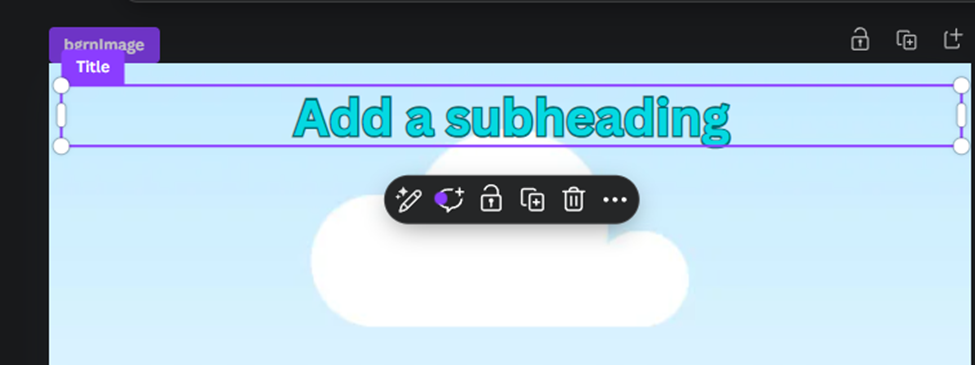
The subheading will be filled in from the google sheet with filed Ttile (column D). In the image column G, I have placed the asset ID from the URL
https://www.canva.com/design/DAGTfWWhU5A/gWO2cYa8XhzO-BZ1M8kQ_Q/edit?continue_in_browser=true
From the google sheet response is: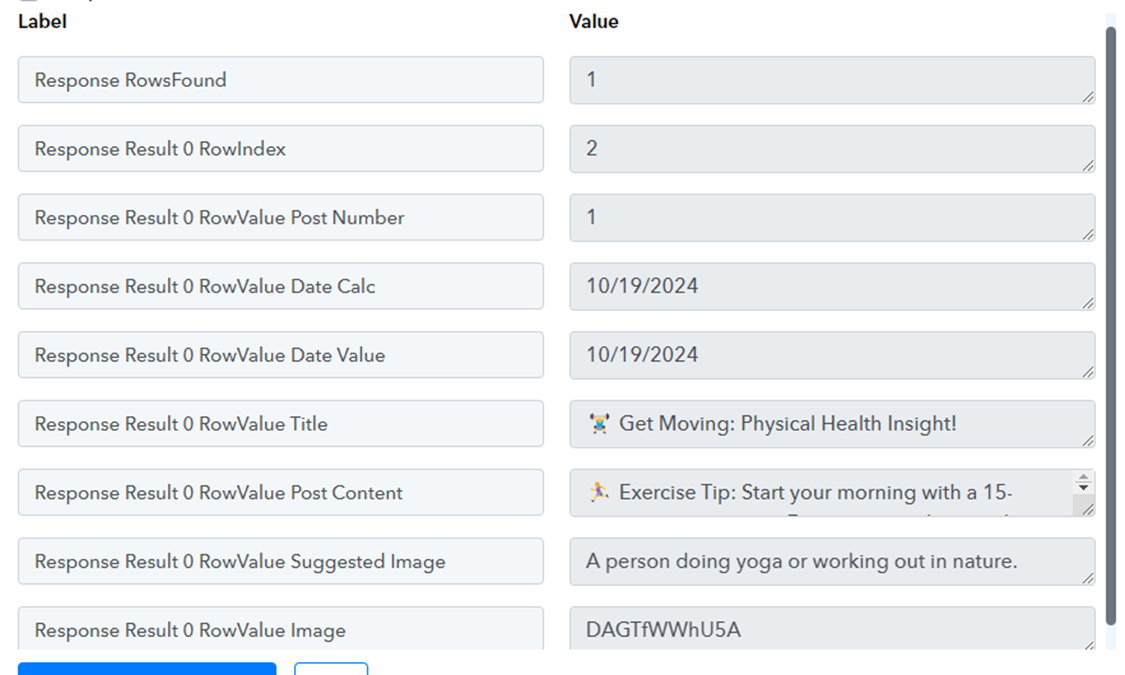
From the “Create Design Autofill Job”
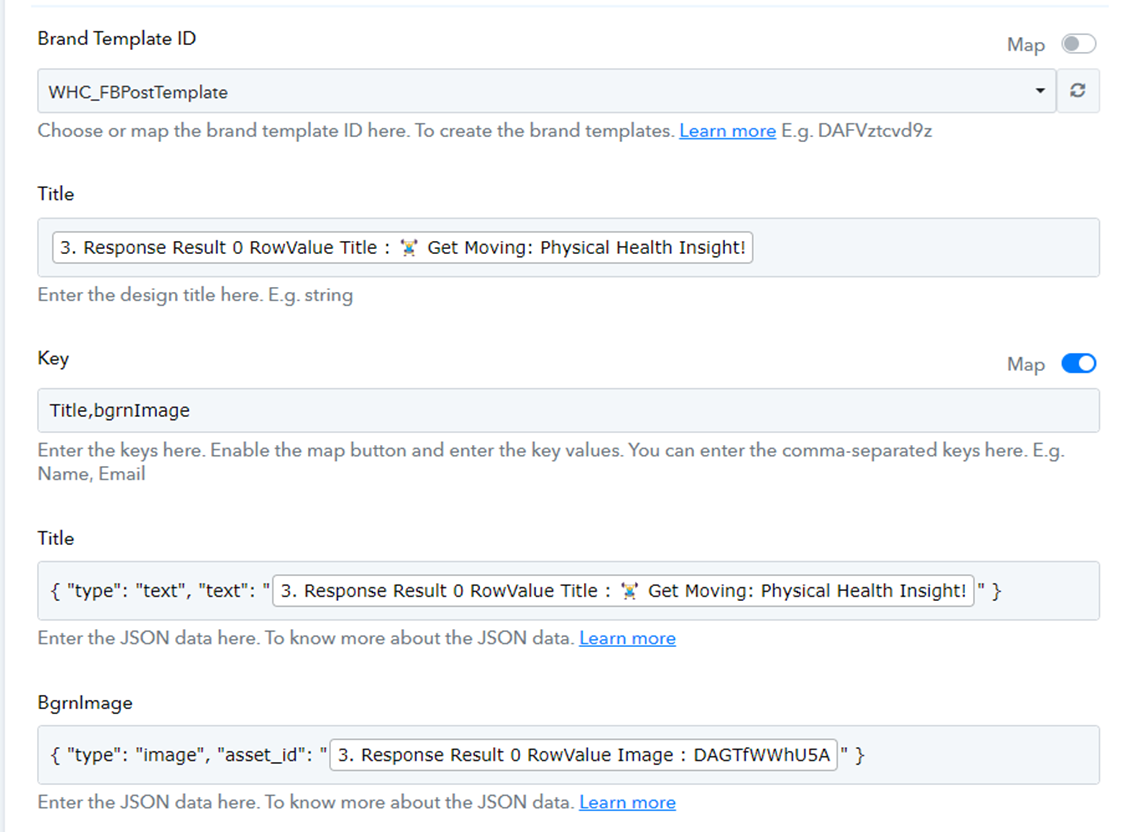
And the response fails as shown below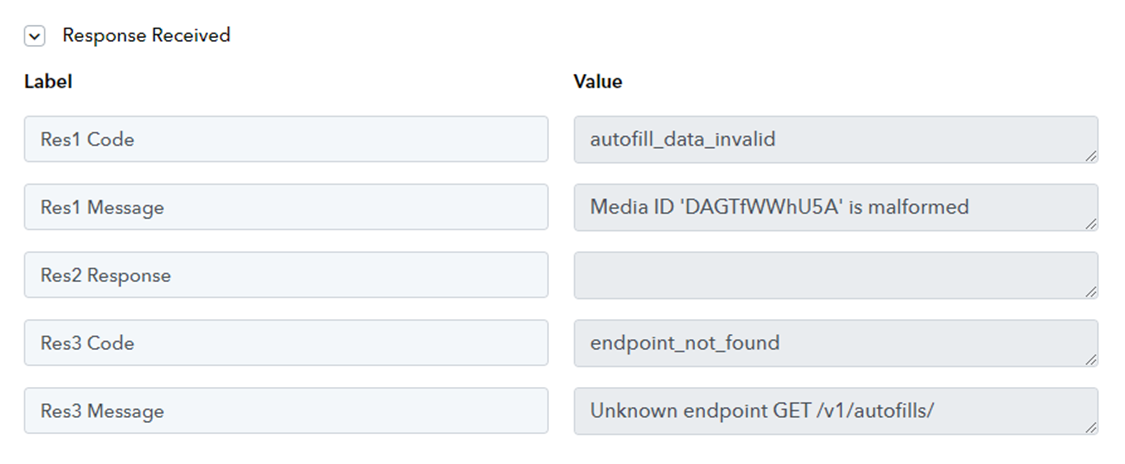
Hi @wendell71,
Please use the 'Upload Asset' action event to upload a file to Canva, which will provide you with the Job ID. Then, try using this Job ID in the 'Create Design Autofill Job' action event and see if that resolves your issue.