Use Gravity Forms to update existing data in HubSpot
Status: Open · Asked by Bobby on · 0 views
The data is getting updated correctly, but there's an issue: when a new entry is added with the same company name, it creates a new company, but the associated contact and task are not linked to it.
https://connect.pabbly.com/workflow/mapping/IjU3NjYwNTZhMDYzNzA0M2Q1MjY1NTUzMTUxMzMi_pc
Why is this happening, and how can I fix it?
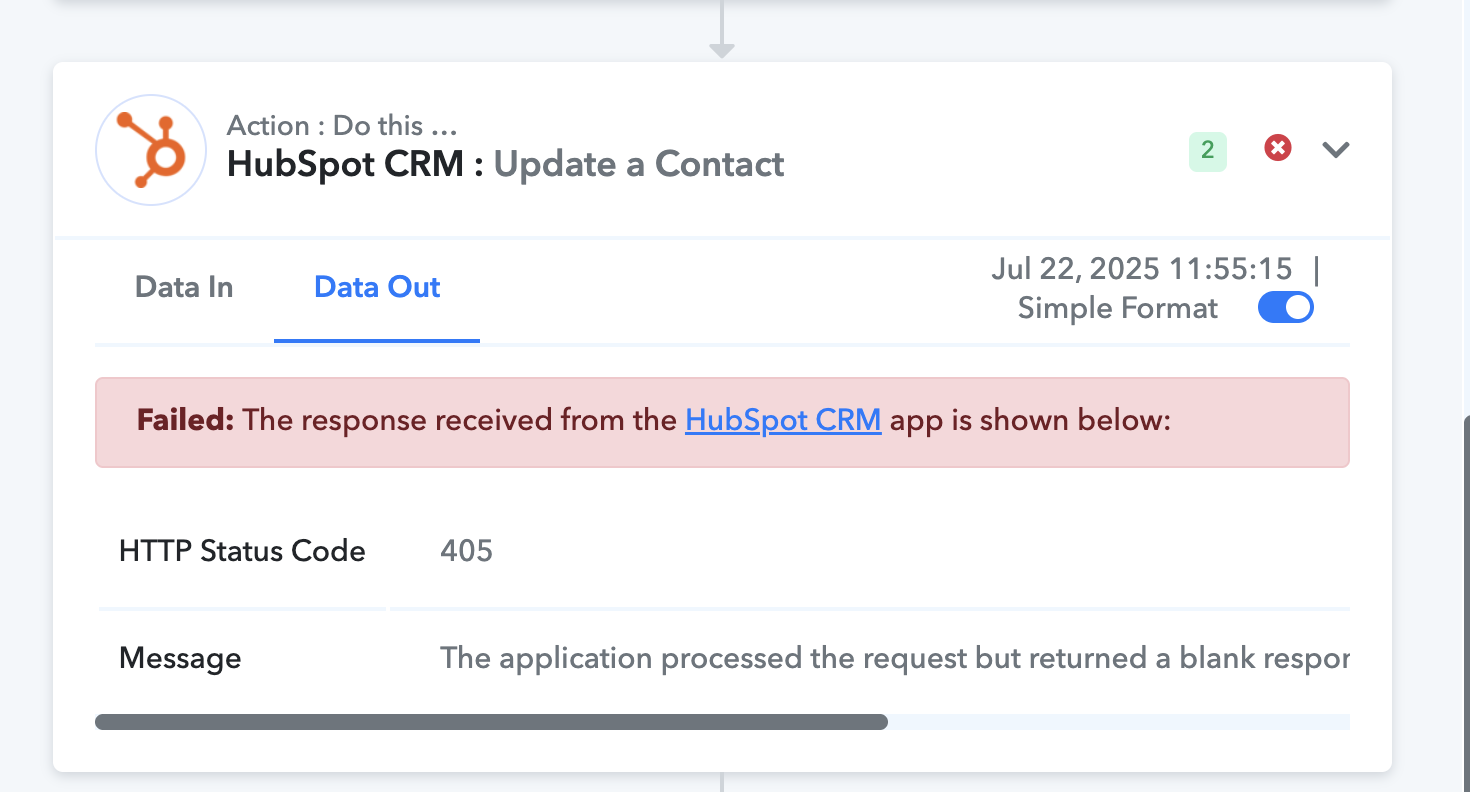
Also, how can I resolve the error that's being shown?
https://forum.pabbly.com/threads/im-facing-an-issue-with-a-workflow-i-created-in-pabbly-to-connect-gravity-forms-with-hubspot.31095/
Kindly check the response, so we can help resolve your issue at the earliest.
it's a different issue please check that again
The data is getting updated correctly, but there's an issue: when a new entry is added with the same company name, it creates a new company, but the associated contact and task are not linked to it.https://connect.pabbly.com/workflow/mapping/IjU3NjYwNTZhMDYzNzA0M2Q1MjY1NTUzMTUxMzMi_pc
Why is this happening, and how can I fix it?
Please create a short screen recording and elaborate a bit more on this specific concern. Also, share the Task History ID where you faced this issue.
Also, how can I resolve the error that's being shown?
Task History ID - IjU3NjUwNTY4MDYzMzA0MzE1MjY4NTUzMTUxMzU1MTY3NTQzNTBmMzAi_pc
Based on your Task History ID, we can see that you searched for a contact that didn’t exist in your HubSpot account. Since the contact didn’t exist, no Contact ID was returned, which was required for the 'Update a Contact' action step, and that’s why you encountered this error.
https://drive.google.com/file/d/1xd7GcOT9EbuvPWjGHt0umzMZaE2F5GiM/view?usp=sharing