User Permission Problems
Status: Open · Asked by Oscar Nihrane on · 0 views
Hey Pabbly,
Whenever I create a new user with the Lead Connector's 'Create User' function, I make everything false except for Opportunities as I ONLY want my clients to be able to see the pipeline part of the Sub-Account however there are some permissions that are still on.
Integrations - There's nothing in Pabbly that allows me to make this part false, which is what I would request to be added.
Marketing - There's a new feature added in December called 'View and manage prospecting'. This one is still active which I would also request to be added to Pabbly so the entire marketing part can be turned off when creating the automation.
Please see the attached picture for further clarification.
Hi @oscarbnihrane,
Could you please share the Workflow URL where you have this concern?
Hello @oscarbnihrane,
Thank you for reaching out to us with your query. The new feature added to the marketing field doesn't appear to be included in the API documentation yet. Unfortunately, until it is added, we won't be able to assist with that.
Regarding the integration feature you're concerned about, you can manage it using the scopes field in the associated action. Please refer to the attached link in the help text for more details.
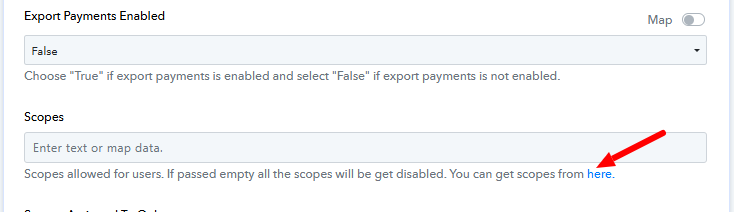
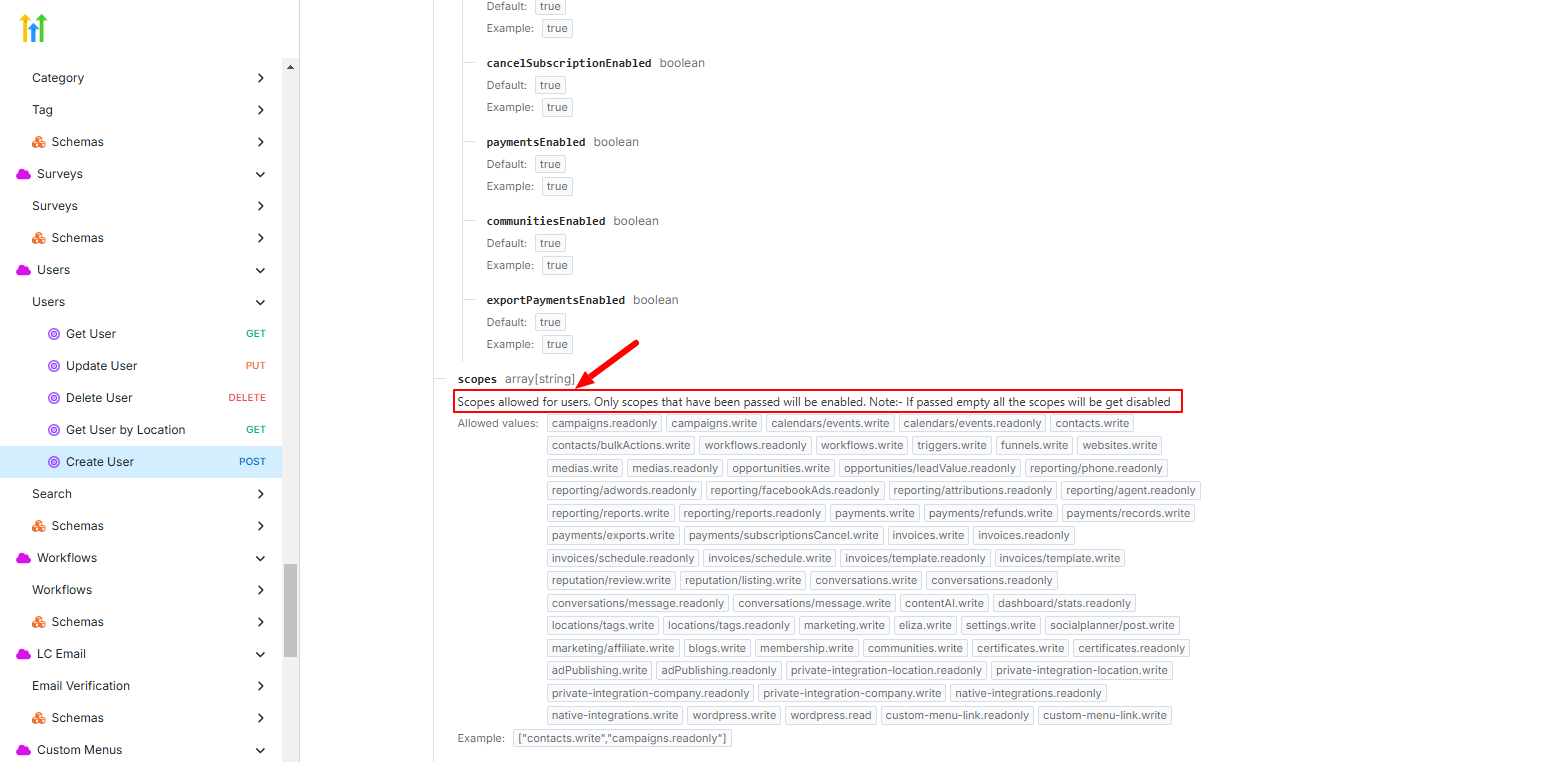
Could you assist me with the scopes field please?
Please allow us some time to look into this concern. We will get back to you with an update soon.
Okay, cool.
Hello @oscarbnihrane,
Our team has made a few changes. Please try performing the action again and let us know if it works fine for you.
Still not working.
I need help, please watch this video: https://www.loom.com/share/0a658005cbfb4dc08b4730100c40b0a3?sid=d028445d-0126-48dd-b653-f9c1f0ae6919
Please allow us some time. We will get back to you shortly.
Coolcool.
Hello @oscarbnihrane
We have replied to your query over ticket ID - #113051
Kindly check your email inbox for the same.
There is no video attached...
@Luv @Preeti Paryani @ArshilAhmad
Was there a resolution for this? I will be doing the same for my users .
Also, not sure if this is related, but this is my first time using the Create User workflow via Leadconnector V2, and the users I am creating are not populating with any permissions, see attached images.
Here is a link to my workflow https://connect.pabbly.com/workflow/share/AEgAMgNUAGMDSVA6BVoGIVhMVlIIUVQxVE0FF1dYVCxSHFQBBEUOZFsXU3EFTgRlURhUPg5SBz0IHAYCAlRSIVROBjpUV1IoURwCeQRRXW4AXgAoA2I#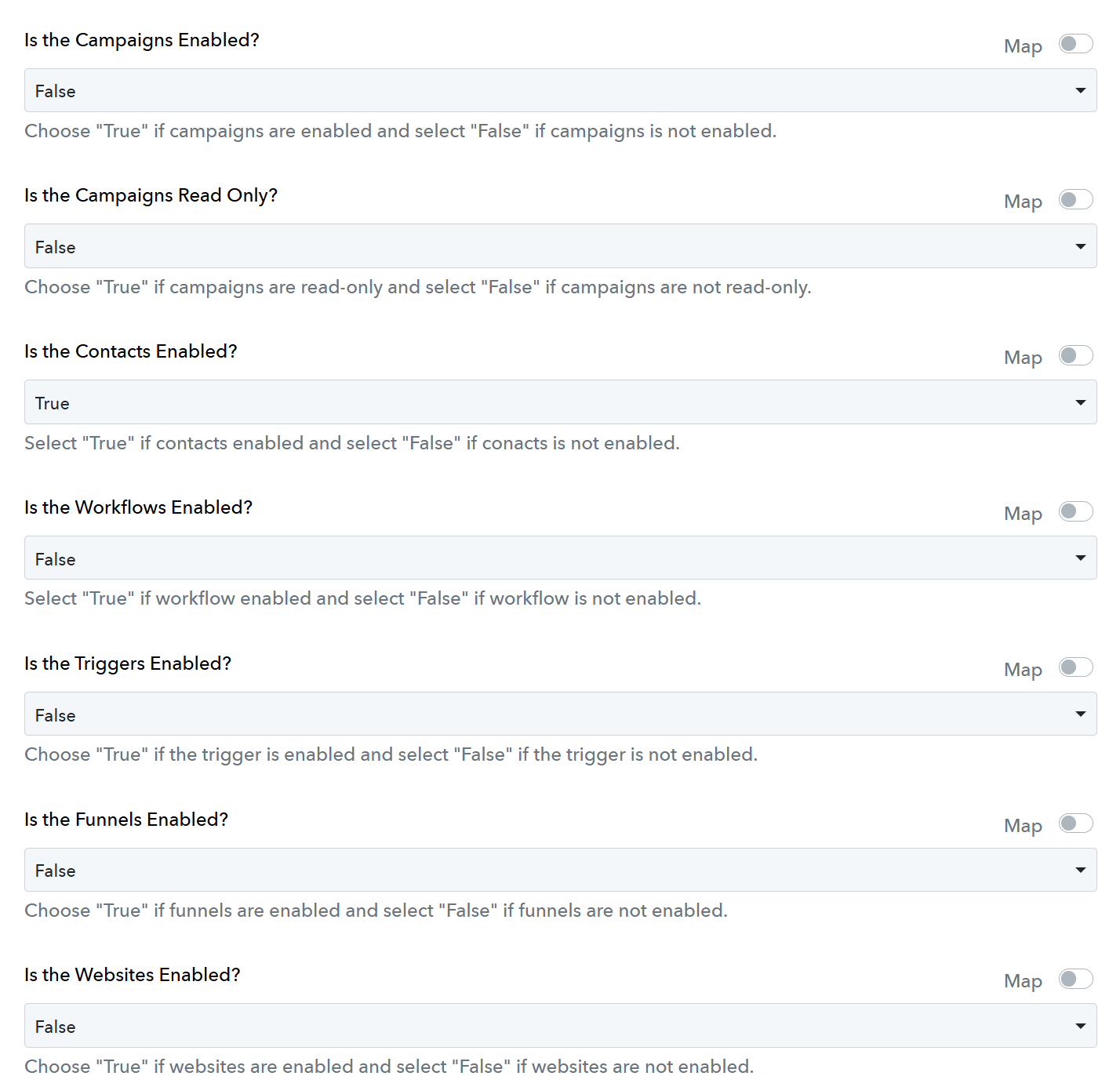
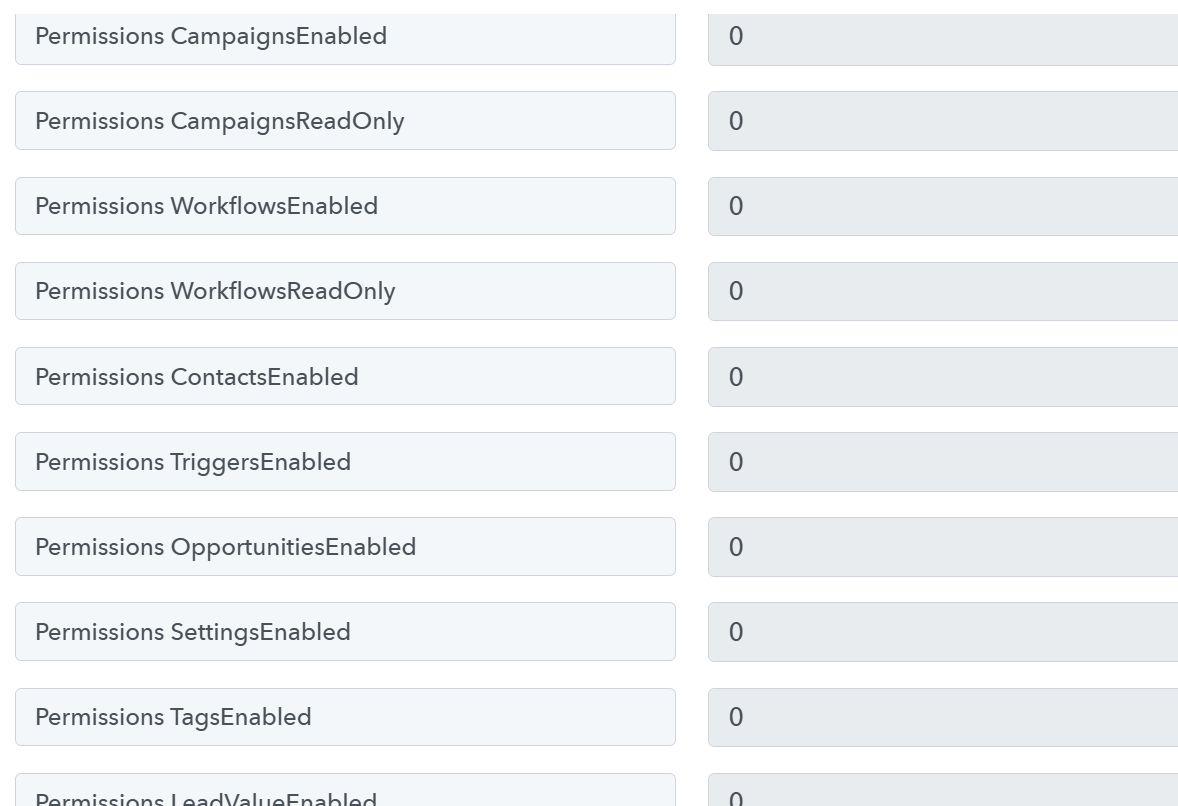
No solution yet.
@Luv @Preeti Paryani @ArshilAhmad
Was there a resolution for this? I will be doing the same for my users .Also, not sure if this is related, but this is my first time using the Create User workflow via Leadconnector V2, and the users I am creating are not populating with any permissions, see attached images.
Here is a link to my workflow https://connect.pabbly.com/workflow/share/AEgAMgNUAGMDSVA6BVoGIVhMVlIIUVQxVE0FF1dYVCxSHFQBBEUOZFsXU3EFTgRlURhUPg5SBz0IHAYCAlRSIVROBjpUV1IoURwCeQRRXW4AXgAoA2I#
I am having this same issue, i am unable to create user and manage my permissions anymore. Please Help!!
Hello,
Please refer to the below-attached video to learn how to properly configure the "Create User" action and let us know if the action then works fine for you.
https://drive.google.com/file/d/1jmVBrnx141-0w1UGa6zzredhcCC0jCXd/view?usp=sharing
Hello,Please refer to the below-attached video to learn how to properly configure the "Create User" action and let us know if the action then works fine for you.
https://drive.google.com/file/d/1jmVBrnx141-0w1UGa6zzredhcCC0jCXd/view?usp=sharing
Thanks, Preeti. That did work. However, how does the mapping work (see attached)? Will it not add permissions if you don't also add in the "scopes"?
Hello @exponexa,
I just want to inform you that some permissions are managed through dropdown selections, while others need to be manually added under the scopes field. I recommend setting the dropdown value to true or false as per your requirement and also adding the necessary permissions under scopes if specified in the API documentation. This ensures that the new user receives the correct permissions.