want to send limited data in webhook
Status: Open · Asked by Parth Nayak on · 0 views
RP Enterprise Indiamart Whatsapp to email
lets say i am getting 15 data points, but i want to forward only 4 data point to webhook in json form, how to do that
Hi @Parth,
To send only limited data in your webhook, you can use the Data Forwarder (Pabbly) action.
Select the action event “Forward Custom Data”, and then manually create only those parameters (keys) that you want to send. Map the required 4 fields there, and only those will be forwarded in the webhook payload (in JSON format).
This way, even if you receive 15 data points, only the selected ones will be sent further.
For better understanding, please refer to the tutorial you shared — it explains the setup clearly.
youtube.com/watch?v=JwjWx7vx0hE:360
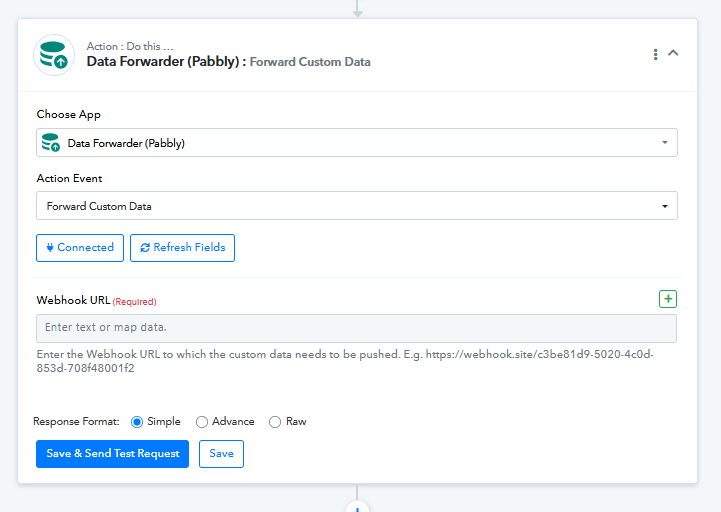
Let us know if you face any issues while configuring it.
we have tried sending details but end user is facing issue
Hey @Parth,
It seems you're trying to send data to a third-party webhook.
Please note that the Data Forwarder (Pabbly) action is primarily used to send data to another Pabbly workflow. For sending data to an external/third-party application, we recommend using the API (Pabbly) module instead.
There, you can structure your JSON body and include only the specific fields (e.g., 4 data points) that you want to pass.
Let us know if you need help setting up the API step.
how to do that step by step, can you guide
Hey @Parth,
Please refer to the attached screencast for a better understanding of how to configure the API (Pabbly) action.
https://www.awesomescreenshot.com/video/51386849?key=cb6ce47327d0d01238bfb480076429f2
Hey @Parth,
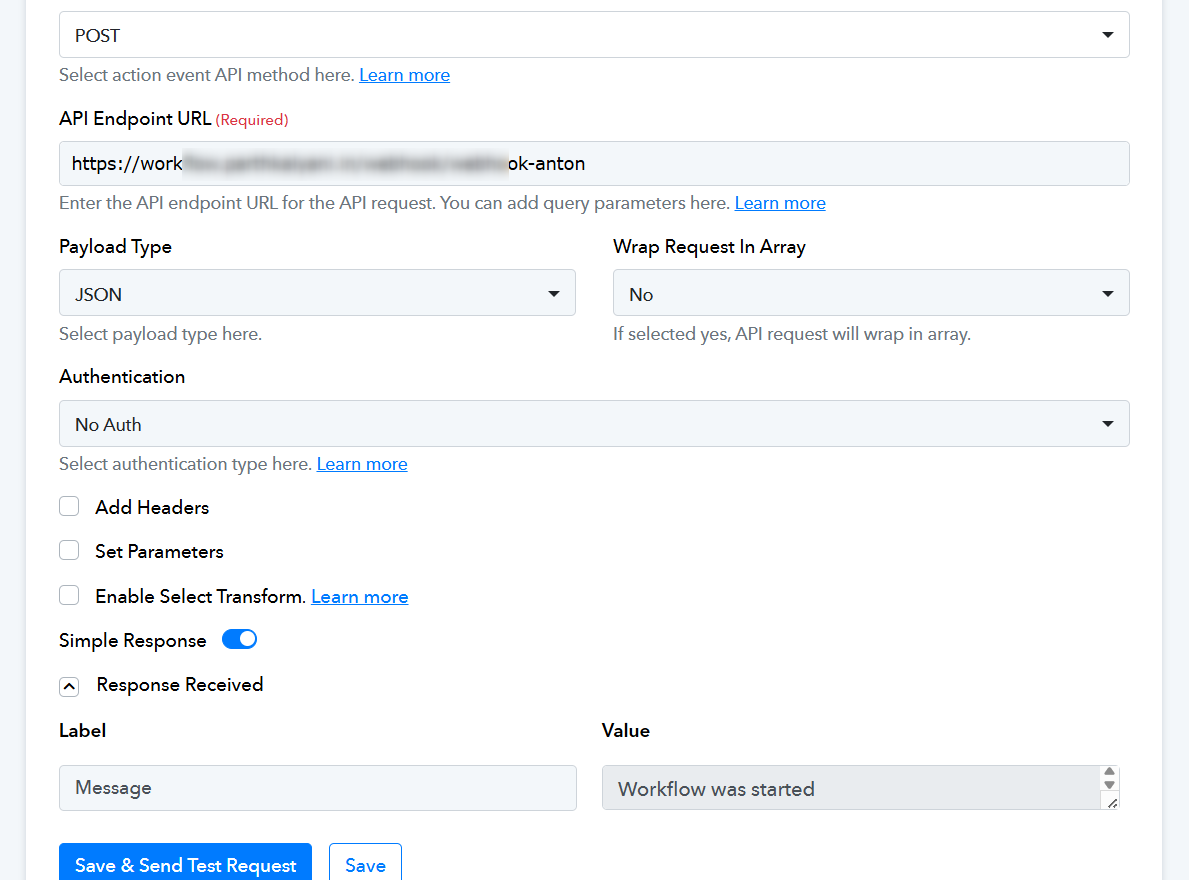
It appears that you have successfully configured the API (Pabbly) action in your workflow, and it seems to be functioning correctly. Can you please confirm if the issue has been resolved or if you need any further assistance?
there is another workflow where i was using data forwarder but based on today's discussion i changed it to API. Can you check if it is set properly. workflow name https://connect.pabbly.com/workflow/mapping/IjU3NjcwNTZjMDYzMTA0M2M1MjZhNTUzNTUxMzYi_pc and
Anton Auto Whatsapp AI Client Contact Image to Text converter
If you want to trigger the webhook without sending any data, then yes, step 2 of your workflow, “API (Pabbly),” has been set up correctly.
Thanks & Regards,
Arshil Ahmad
Customer Support Associate
? Pabbly.com
?Rate your support
Hi @Parth,
The current setup looks correct.
Using the API module in Pabbly Connect is the right approach when sending limited data to an external webhook. Instead of forwarding all 15 fields, you can define a custom JSON body and include only the required 4 data points.
This ensures:
- Clean payload structure
- No unnecessary data sent
- Better compatibility with third-party systems
Your updated workflow configuration appears properly aligned with this method.
Hi @Parth,
Yes, your updated setup looks correct ?
Using the API (Pabbly) module is the right way when sending limited data to a third-party webhook. Instead of forwarding all 15 fields, you just need to create a custom JSON body and include only the 4 required data points.
This helps in keeping the payload clean and avoids unnecessary data being sent.
If your webhook is still facing issues, you may want to double-check:
- Field mapping
- JSON format
- Required parameters from the receiver side