Webhook: missing field in payload
Status: Closed · Asked by Fanny Opti-Biz on · 0 views
Hello,
until yesterday, the webhook was getting data properly, and although sent payload did not change in the source, I am now missing one field / value in the response ("billable": false).
Automation flow: https://connect.pabbly.com/workflow/mapping/IjU3NmMwNTZlMDYzNDA0MzU1MjZlNTUzNyI_3D_pc
Payload example:
{
"eventCreator": {
"id": 468387,
"firstName": "Fanny",
"lastName": "Cattiaut",
"avatar": "https://s3.amazonaws.com/TWFiles/946817/userAvatar/twia_1825ca761224d3e5861d9a950edb686f.png"
},
"time": {
"id": 8410066,
"hours": 2,
"minutes": 0,
"date": "2025-02-10T15:30:00Z",
"dateUserPerspective": "2025-02-10T16:30:00+01:00",
"userId": 468387,
"description": "Planning and Timesheets",
"billable": false,
"invoiceId": 0,
"taskId": 22897138,
"projectId": 455514,
"tags": [],
"dateCreated": "2025-02-10T17:27:09Z",
"dateUpdated": "2025-02-10T17:27:09Z"
}
}
I have tried to send both payloads with "billable" = false and "billable" = true, but nothing changes.
Task history yesterday evening: contains the field: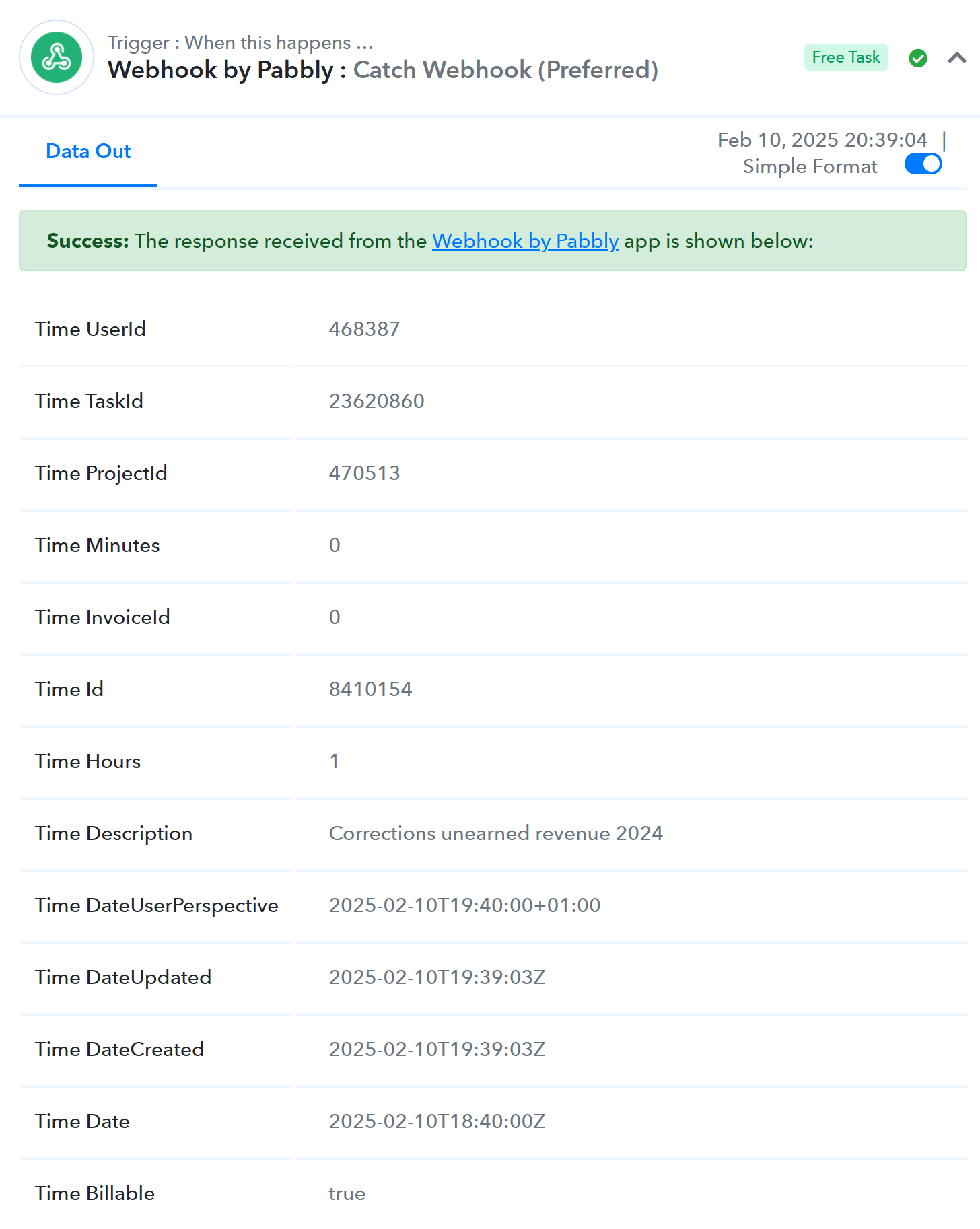
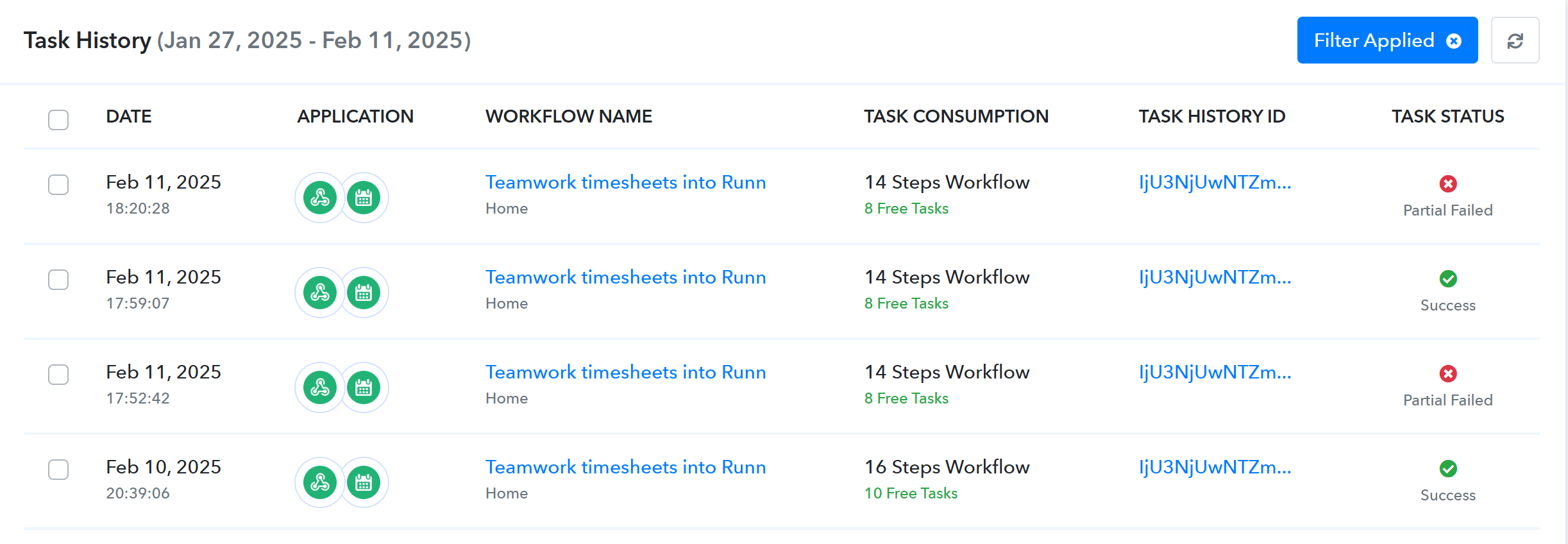
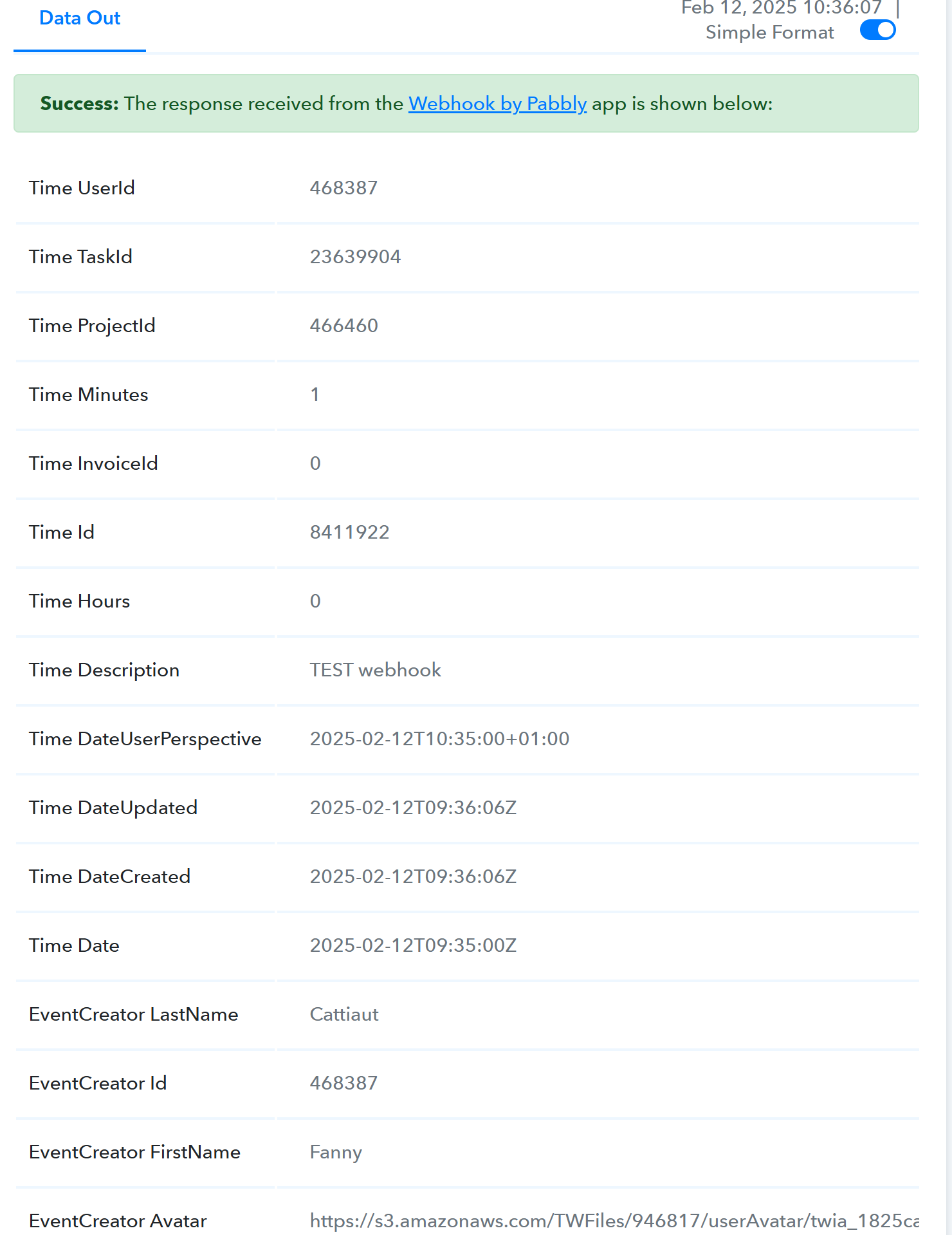
Since today, workflows are failing due to this missing field in response (used in filter in the flow):
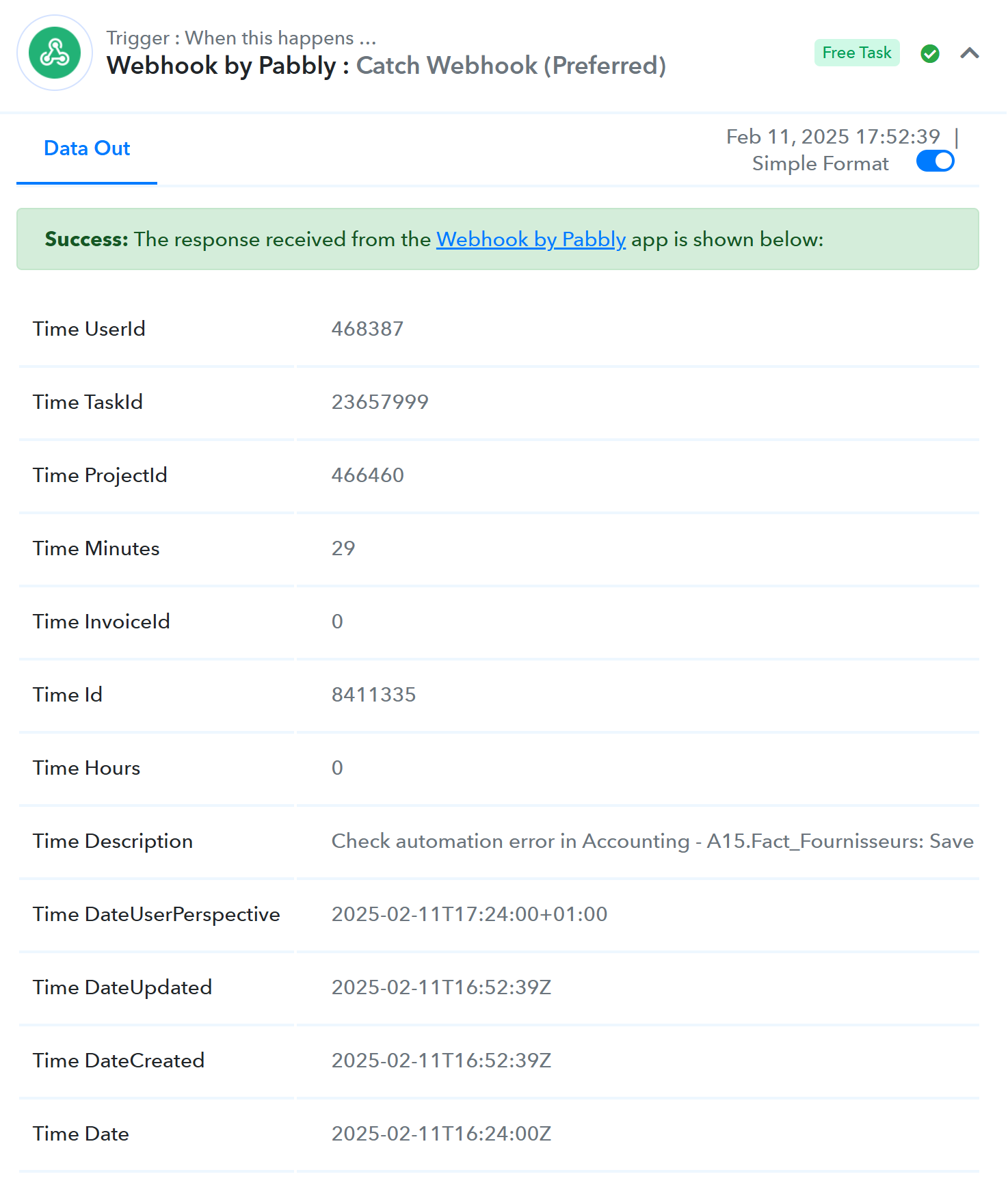
History of today's response not containing the field:
Can you please look into it and let me know how we can fix it ?
Hi @opti-biz,
Webhook by Pabbly is based on descriptive webhooks and captures whatever data the application sends to us. We do not have any control over the data sent by the source application to Pabbly Connect. Since the field is not being sent from the source application its not being displayed in your trigger step.
You can connect your application to webhook.site to verify that the data is indeed being sent in this manner from their end.
Hello,
As indicated in the first lace, the field is sent by the source application, as you can see in the payload.
This is also confirmed by tests using webhook.site: the field in question is received there, while it is not in Pabbly:
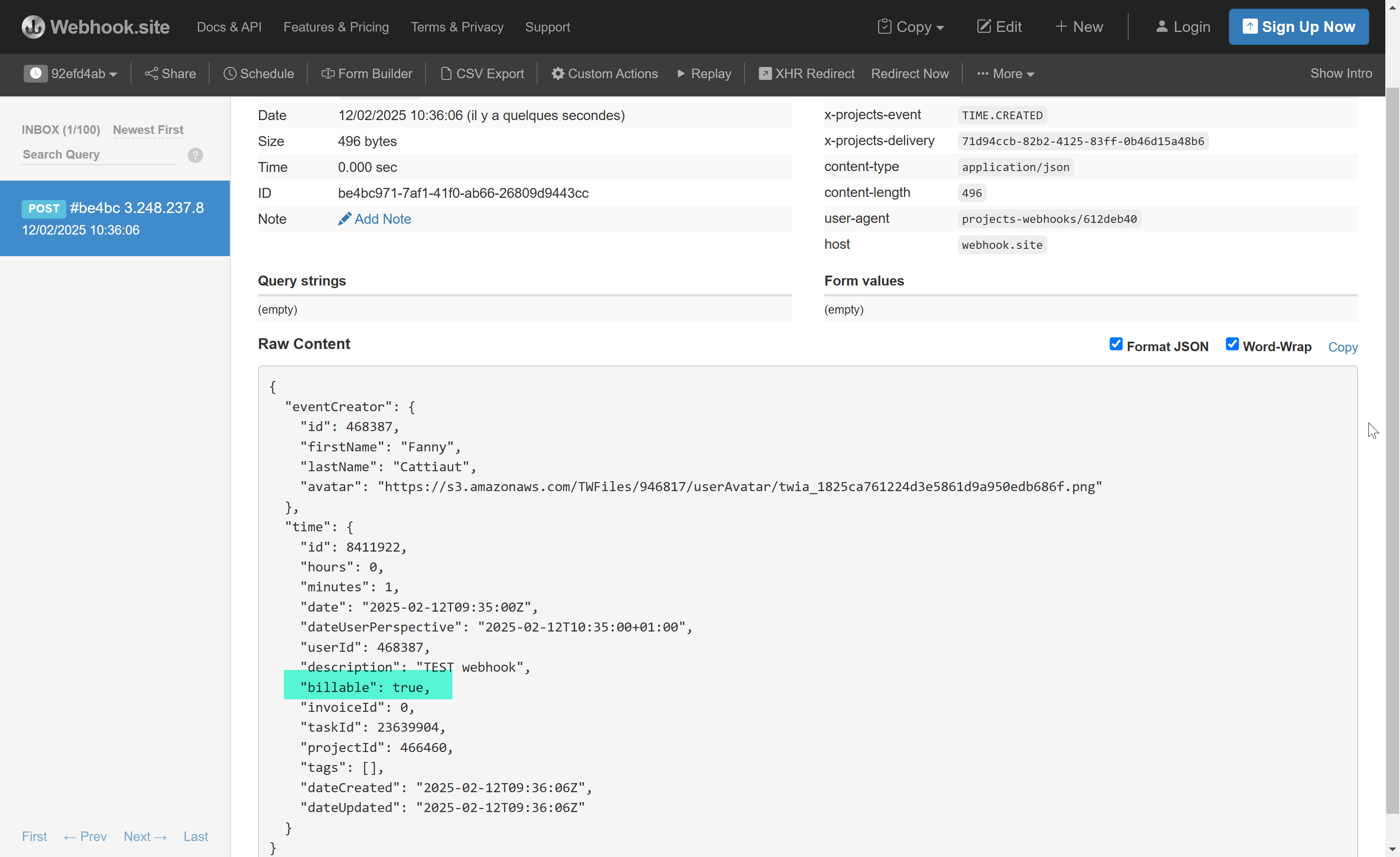
Same data through webhook in Pabbly: "billable" field missing
Hello @opti-biz,
The issue has now been resolved. Please try recapturing the response and let us know if the field is now appearing in the trigger response.
Hello
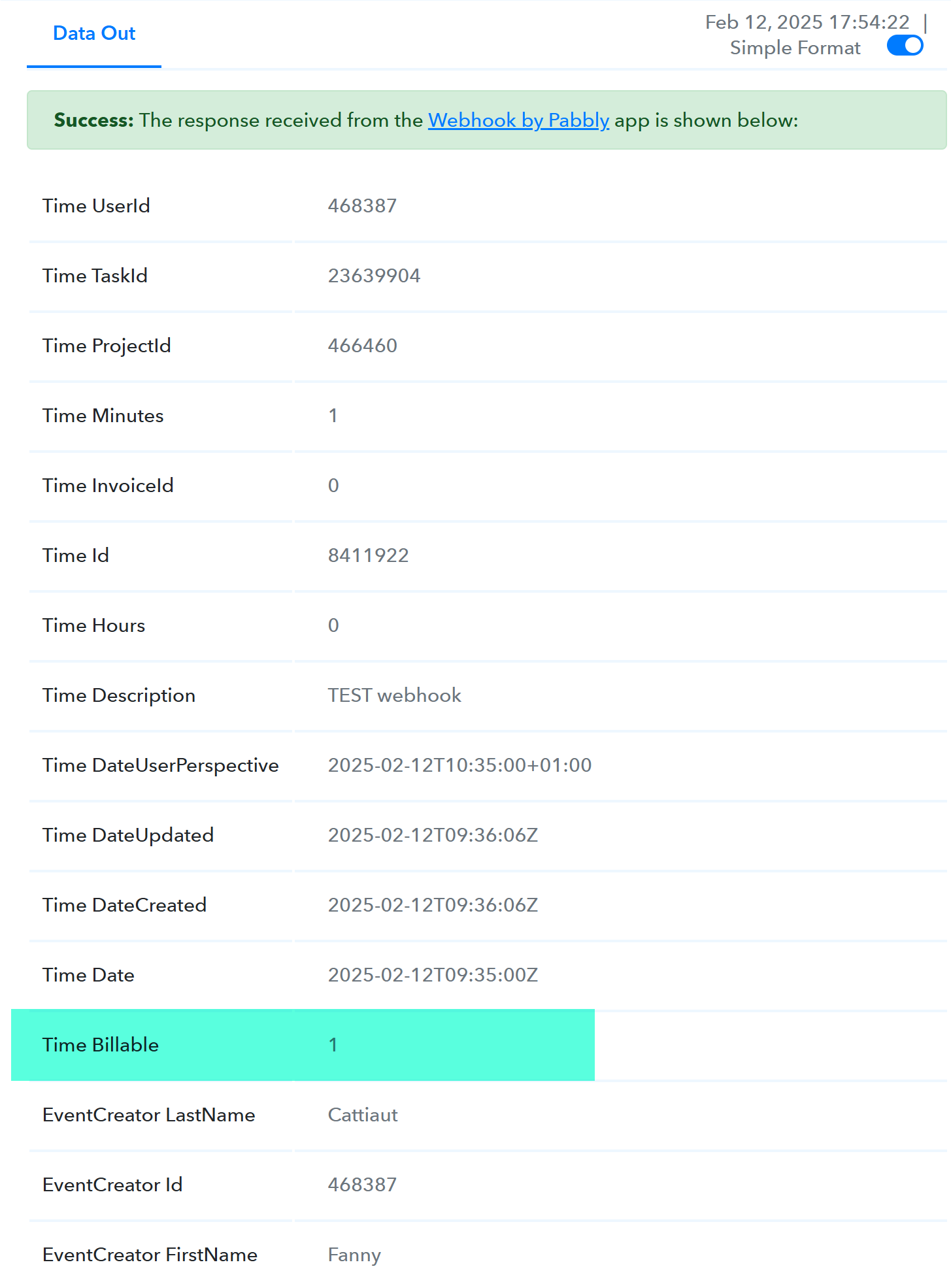
Many thanks, it now works as expected:
Thank you for the update. We are glad its working now.