Webhook response 404 error from My Pipeline
Status: Open · Asked by Ganga Narayan Das on · 0 views
Hi,
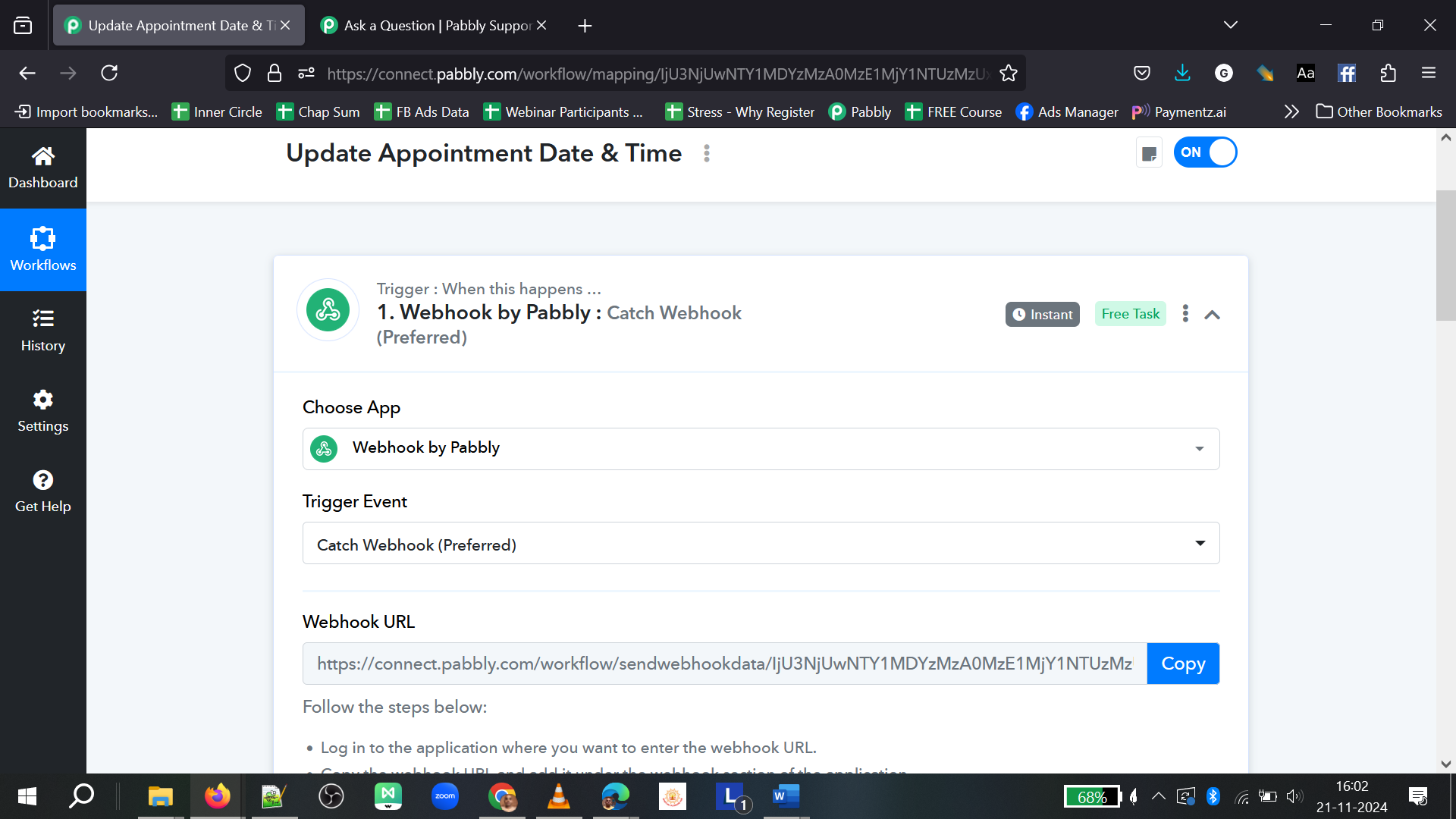
I took the webhook from pabbly put it in the "My Pipeline", when someone books an appointment as a trigger.
This sends the webhook data to pabbly where I have other automations lined up.
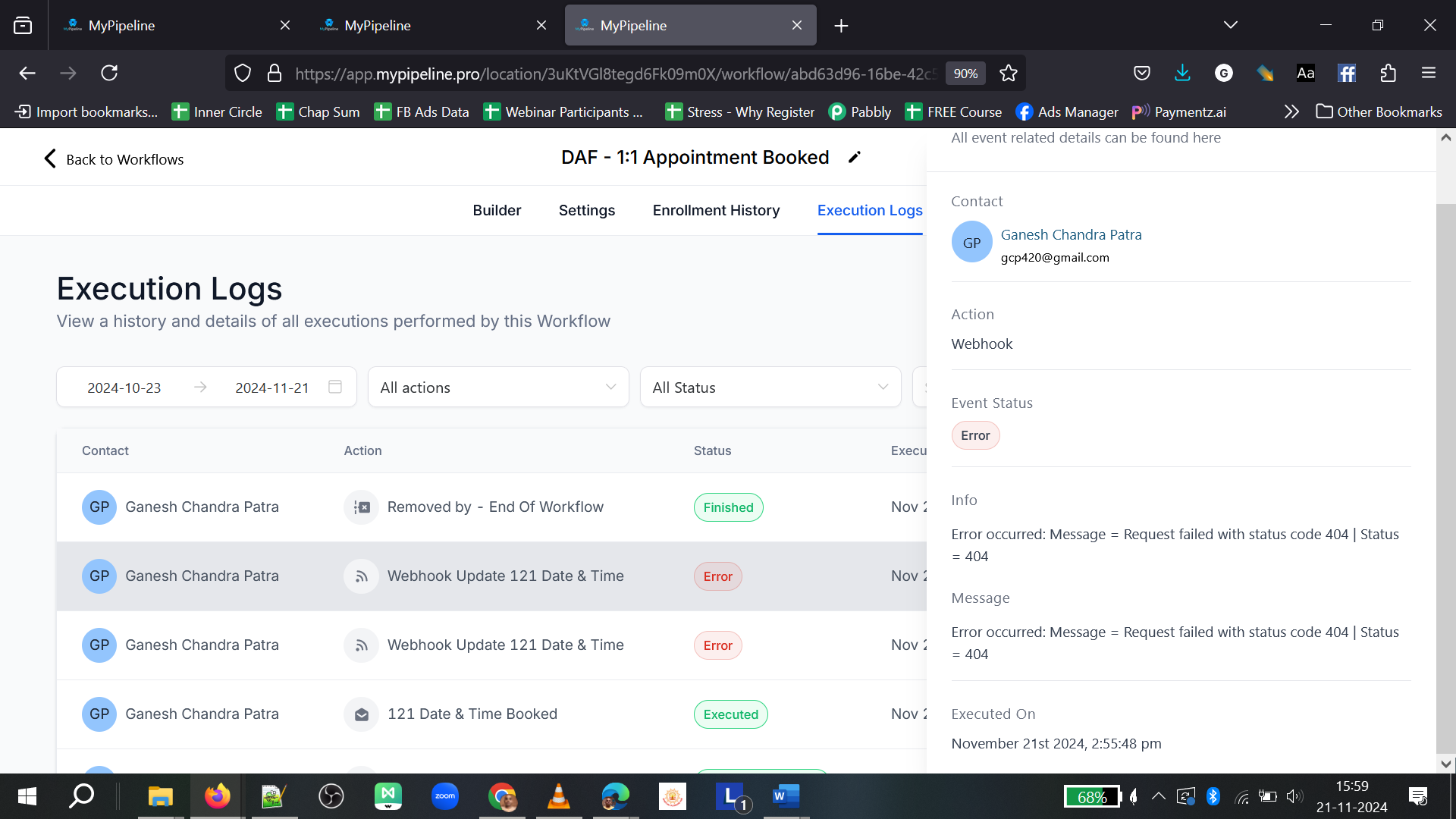
But I get error from My pipeline as sending failed, 404 error.
PFA the screenshot.
The monthly license had expired and tasks exhausted. Since I was traveling for a month long, I did not notice the emails and after I returned yesterday, resumed and paid for the subscription.
But I am getting this error. I tried several times, but not working.
Workflow
Pl help
Thanks and Regards
Ganga Narayan Das
Error screenshot from My pipeline automation workflow
Hello @ganganarayan.rns
The trigger used in your workflow is a descriptive webhook-based trigger. In such cases, the responses sent by the trigger application are beyond our control. Since the 404 error is being encountered within Pipeline, we recommend reaching out to the Pipeline team for further assistance with this issue.
Let us know if you need any additional guidance!
It was working fine so far, before the payment.
It is giving error now.
It is the same data.
And by the way webhook can carry any amount of data.
It is triggering, but pabbly is not responding.
There is no problem with my pipeline, because it is working other places.
ys
GND
Hello @ganganarayan.rns
The issue seems to be due the trigger is still waiting for the response, refer to the attached screenshot.
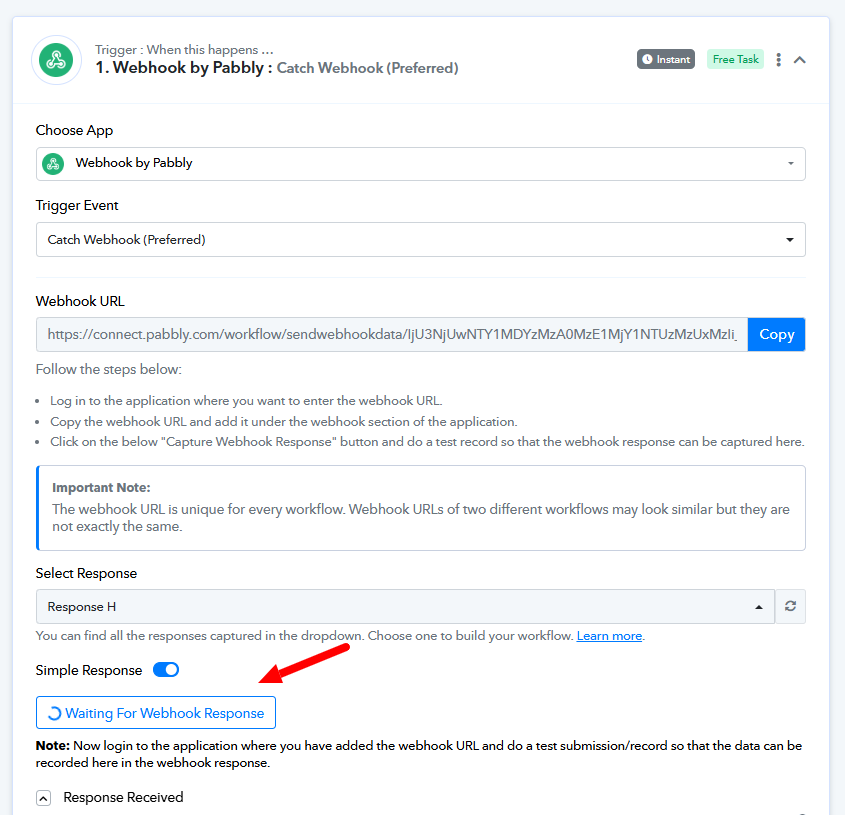
We would recommend you to set up a new workflow from scratch and let us know if the issue persists.