Webhook Select Response
Status: Open · Asked by phil on · 0 views
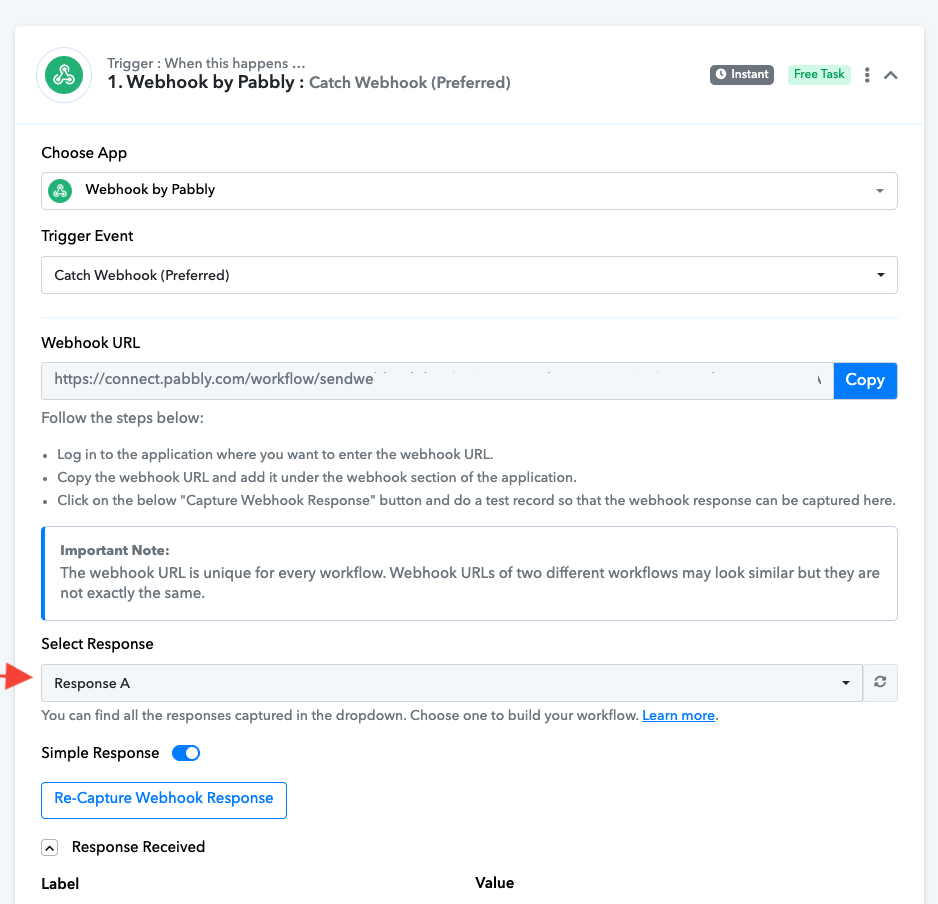
Hi, when I capture a Webhook from a Formidable Pro form entry that contains a repeater field, Pabbly stores multiple records under different "Select Response" (Response A, Response B, etc.).
Can I retrieve these responses to add them as new rows in a Google Sheet?
Or I can only switch to these responses manually using the dropdown?
Attachments
Hello @phil
Yes, you can add the responses received from the trigger step(webhook response from a Formidable Pro form entry) as a new row in Google Sheets.
To learn more about the process you can refer to this tutorial from 6:24 -
I think you misread my question. I know how to create a new Google Sheet row from a webhook response.
My problem is: "How do I select which response to use if there's more than one in the captured webhook?"
Look at this screencast, and you will see that the captured data contains two responses: "Response A" and "Response B."
https://punto-rosso.d.pr/v/gTUM4V
However, in the Google Sheets step for fields assignment, I can only create a row with the actually selected response.
What if I need to create a row for each of the two responses?
Hello @phil
Can you please share the email associated with your Pabbly Connect Account Also, please mention on submitting a form are multiple responses received
You can map the latest response to the Google Sheets step, as every time you fill out the form and click on the Save and Sent Test Request button a new response will be captured under the Select response dropdown.
"How do I select which response to use if there's more than one in the captured webhook "
In real-time, on submitting the form a new row will be added to the Google Sheets.
However, in the Google Sheets step for fields assignment, I can only create a row with the actually selected response.
What if I need to create a row for each of the two responses