WhatsApp Automation Not Working - Response Received but No Message Delivered
Status: Open · Asked by EjeasIndia on · 0 views
Dear Pabbly Support Team,
I am experiencing an issue with my WhatsApp automation workflow setup following your tutorial video:
youtube.com/watch?v=GpIqcA53FXw
Issue Summary:
1. I have successfully followed all steps in the tutorial for automating Shopify order notifications via WhatsApp using Pabbly Connect and Pabbly Chatflow
2. My WhatsApp message template is approved and shows as active
3. The workflow shows "Response Received" in the Pabbly dashboard during test runs
4. However, no WhatsApp messages are being delivered to the recipient
My Setup:
1. Trigger: Shopify New Order (working correctly - captures order data)
2. Action: Pabbly Chatflow - Send Template Message
3. Template Status: Approved
4. Webhook: Successfully configured and receiving responses
5. WhatsApp Number: +91 9220476744
Hi @Ej Tushar,
Could you please share the Workflow URL where you are encountering this issue?
Hello @Ej Tushar,
Upon reviewing your public chat flow account, it appears that the messages are not being sent due to issues with the payment method. Please ensure that you have added a valid payment method to your WhatsApp Cloud API account. Additionally, you will need to provide your GST and tax details there as well.
We recommend visiting your Payment Settings to check for any warnings or issues that may be preventing the messages from being processed.
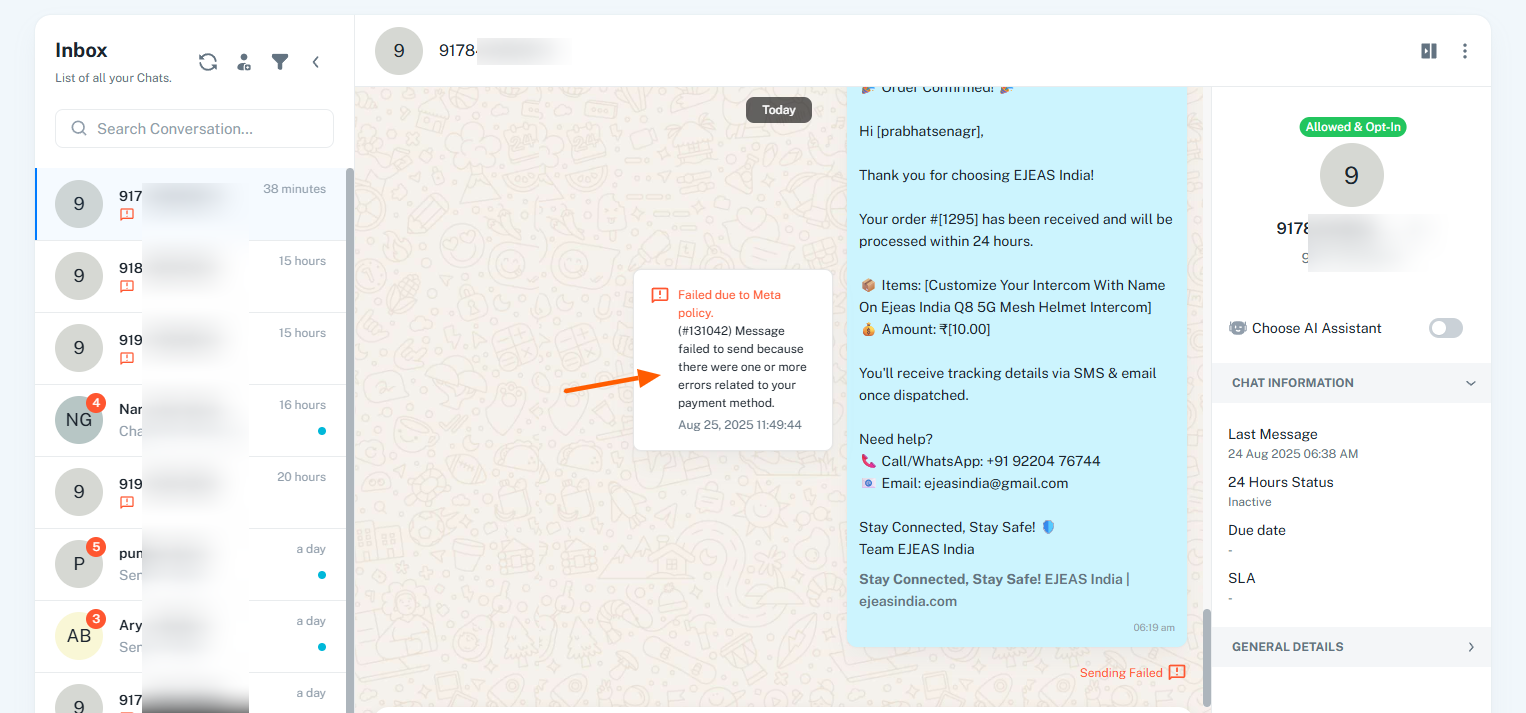
payment method also updated.
Hello @Ej Tushar,
Could you please confirm if you have also added your tax details? If not, we recommend adding them first. Once done, please wait for a day and then try sending the templates again. Kindly let us know if you are able to send them after that.