WhatsApp Connected but Flow Response Not Triggering
Status: Closed · Asked by Tims.Kishoresuresh on · 0 views
Hi,
I am Kishore Suresh. I have been trying to test and learn the platform. I connected my number using the WhatsApp Connect connection method.
I created a flow and attempted to test it, but no response is being triggered.
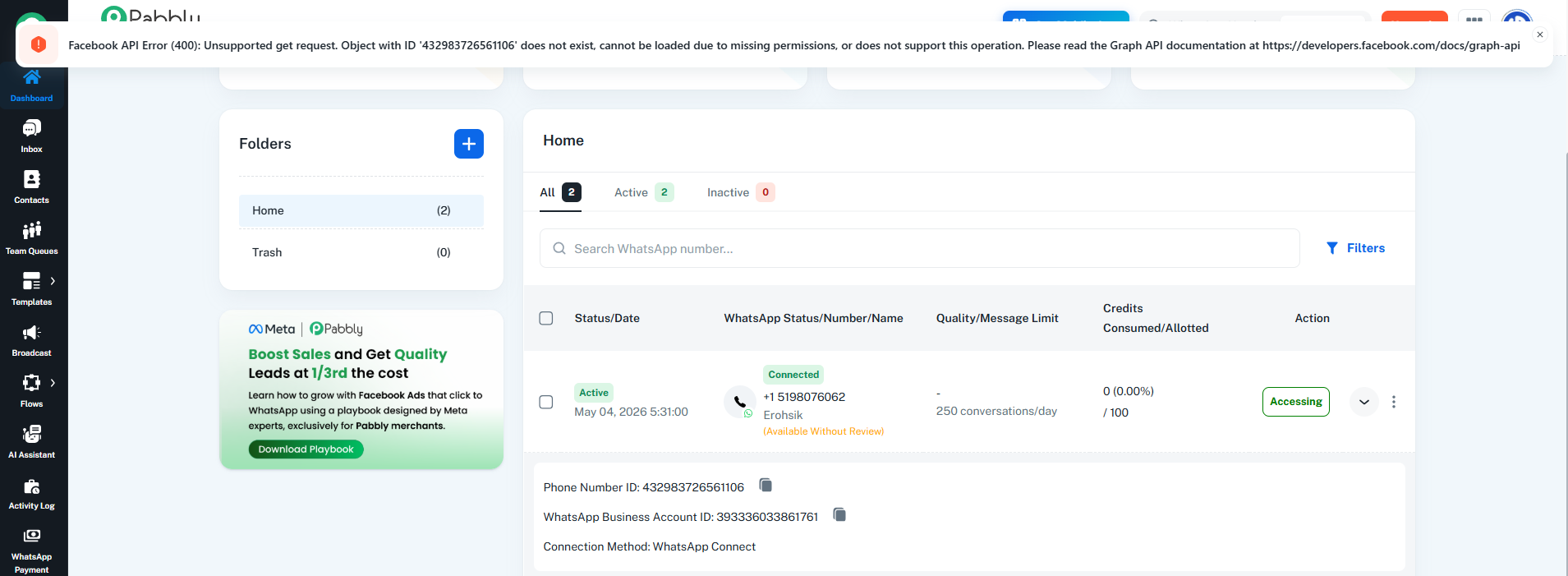
On the dashboard, my WhatsApp number status is shown as “Connected.” Kindly check and assist me with this issue.
Thank you.
Hi @Kishore,
Thank you for reaching out.
We checked your Chatflow setup and found that the WhatsApp number you connected is no longer available in the same Meta portfolio it was originally linked with. Due to this, messages are not being received in the inbox, and the flow is not getting triggered.
This can happen if:
- The number was moved to another portfolio/business
- The number has been deleted
- Or there is an issue with the WhatsApp Business account setup
Could you please confirm if any changes were made on your Meta account?
Additionally, we request you to share a screenshot or screencast of your Meta WhatsApp Business Account overview section so we can verify the configuration and assist you further.
Looking forward to your response.
Hi @Kishore,Thank you for reaching out.
We checked your Chatflow setup and found that the WhatsApp number you connected is no longer available in the same Meta portfolio it was originally linked with. Due to this, messages are not being received in the inbox, and the flow is not getting triggered.
This can happen if:
- The number was moved to another portfolio/business
- The number has been deleted
- Or there is an issue with the WhatsApp Business account setup
Could you please confirm if any changes were made on your Meta account?Additionally, we request you to share a screenshot or screencast of your Meta WhatsApp Business Account overview section so we can verify the configuration and assist you further.
Looking forward to your response.
Hi Preethi,
Thanks for your message.
In the meantime, I tried removing the number from the profile and re-adding it, which is likely why you couldn’t find it earlier. I’ve now added it again for the third time, and this time I also recorded the entire WhatsApp connection process. At the moment, everything seems to be working fine. I’m not sure what caused the issue earlier, but things are smooth now.
I’ll continue exploring the product and will reach out if I face any further difficulties.
Thanks again for your support.
Best regards,
Kishore Suresh
Hi @Kishore,
Glad to hear that everything is working fine now after re-adding the number.
It’s possible that the previous connection setup was not completed properly, which may have caused the issue earlier. Since the setup is working correctly now, we believe the concern has been resolved.
If you face any issues in the future, please feel free to open a new thread, and we’ll be happy to help.
PS: We are closing this thread as the issue is resolved. Please feel free to reach out to us if you face any issues in the future.