WhatsApp message automation for hubspot contact
Status: Open · Asked by Jsh on · 0 views
Hi team,
I have created a new contact in HubSpot CRM using ManyChat. The contact fields include first name, email address, phone number, check-in time, and pax. Now, I want to send these details to the WhatsApp number stored in the phone number field. Please help me on this.
Thanks.
Hi @Jsh,
Do you have a Pabbly Connect workflow that creates a new contact in HubSpot CRM from ManyChat? If so, could you please share the workflow URL?
Thanks & Regards,
Arshil Ahmad
Customer Support Associate
? Pabbly.com
?Rate your support
Dear Arahil,
I don't have a workflow that captures data from manychat to the hubspot crm. That is handled by manychat, and they have a hubspot integration option inside of manychat. Now, what I need is to capture those details and send them to the Whatsapp message.
Thanks.
Hi @Jsh,
Thanks for clarifying.
So you would like to send a WhatsApp message automatically whenever a new contact is added in HubSpot (created via ManyChat integration).
To achieve this, you can set up a Pabbly Connect workflow using HubSpot → New Contact as the trigger and then add your preferred WhatsApp sending action.
You can refer to this tutorial which will guide you step-by-step:
youtube.com/watch?v=ePPgTxpI5wk
Please try setting it up, and let us know how it goes. If you face any issue while configuring the workflow, feel free to share the workflow URL and we’ll assist you further.
Dear Team,
Still, the template message is not being sent via WhatsApp. Please help me on this.
We tried sending the template message from the WhatsApp Cloud API action step in your workflow and were able to do so without any issues. We received the message on our test phone number.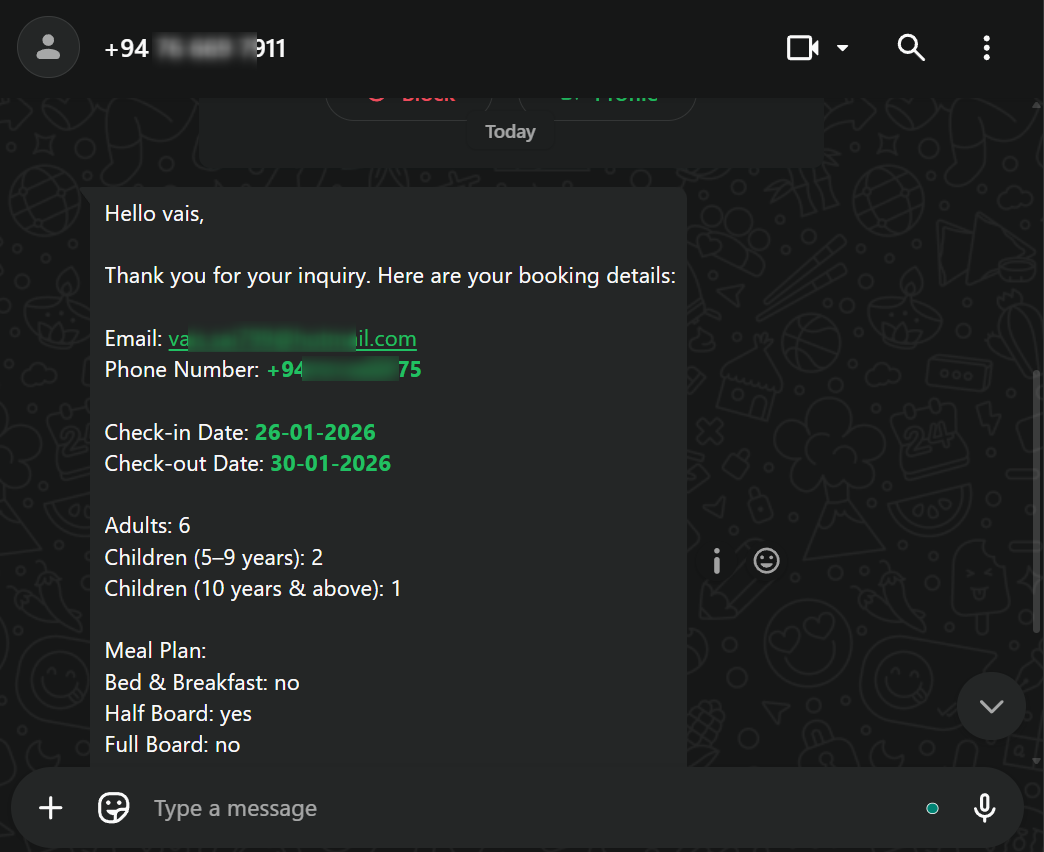
Please note that HubSpot has a trigger interval of 24 hours, which means it could take up to 24 hours for your workflow to trigger and for the WhatsApp message to be sent when a contact is added to your HubSpot account.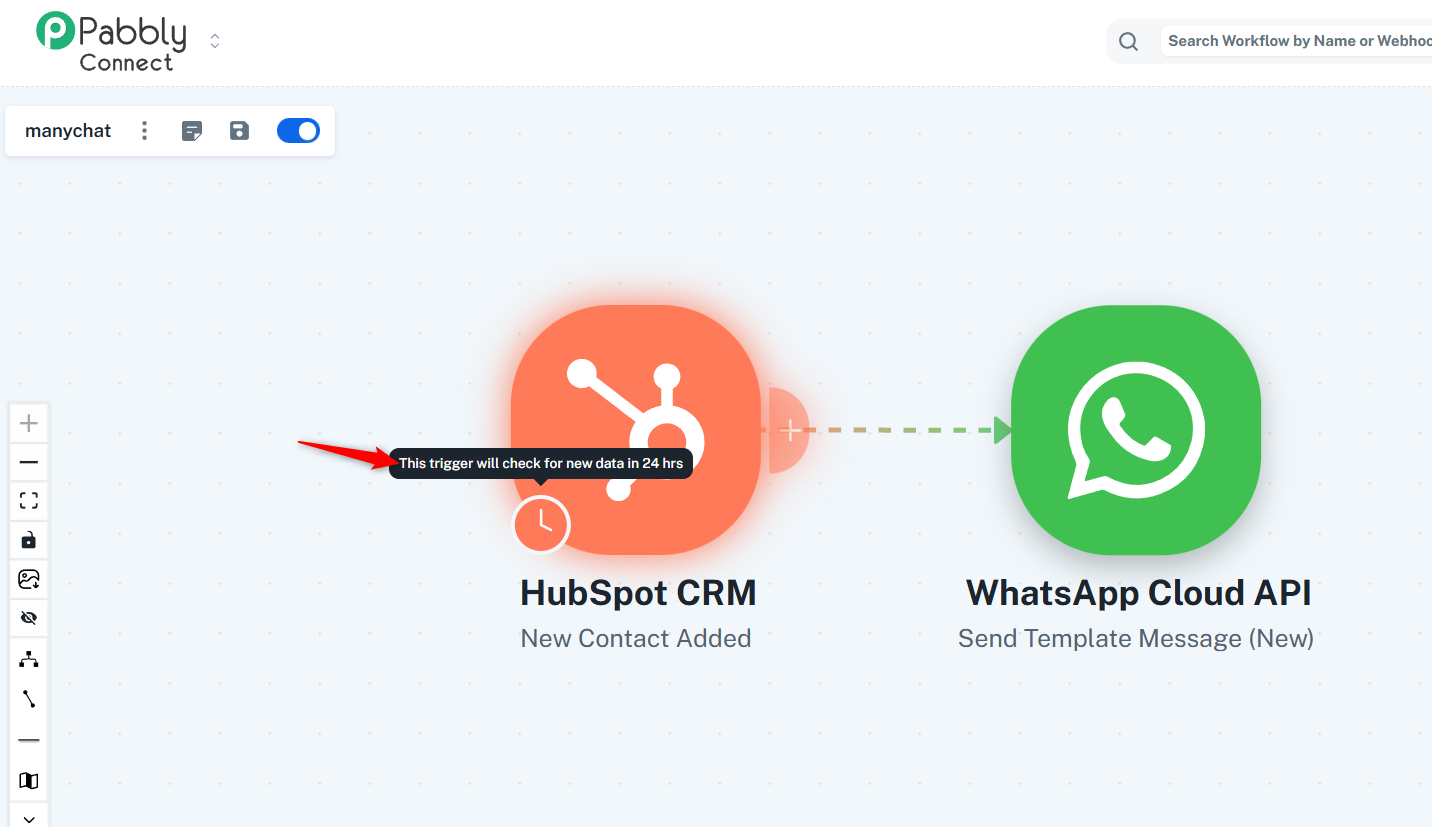
We can reduce the trigger interval time to 10 minutes for users on a paid Pabbly Connect plan. If you want the trigger interval to be reduced to 10 minutes, you can purchase a plan using the link shared below. This will help ensure that messages are sent within 10 minutes of a contact being added to your HubSpot account.
https://www.pabbly.com/connect/
Thanks & Regards,
Arshil Ahmad
Customer Support Associate
? Pabbly.com
?Rate your support