WhatsApp Message Sending Failed – Need Assistance
Status: Open · Asked by Pramods on · 0 views
Hi team,
I’m facing an issue while trying to send a WhatsApp message to a client. The message fails to send and shows a “sending failed” error.
I’ve attached a screenshot for your reference.
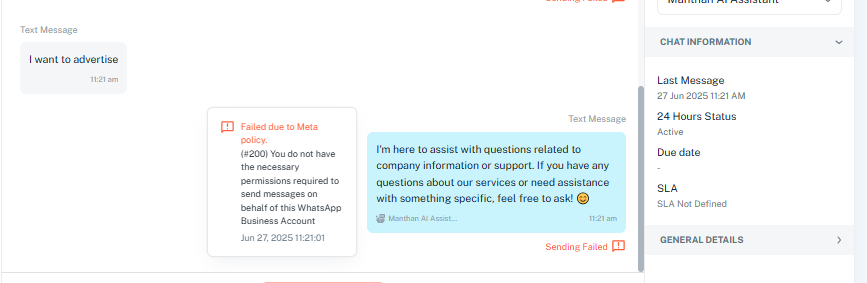
Could you please help me identify the cause and guide me on how to resolve this?
Thanks in advance!
Hello @Pramods,
Apologies for the delayed response.
Could you please share the email associated with your Pabbly Chatflow account along with a chat instance where you’re encountering the issue? This will help us investigate the matter more effectively and assist you accordingly.
this is the error i got, i am not understanding what to do.
can some one explain please, what to do?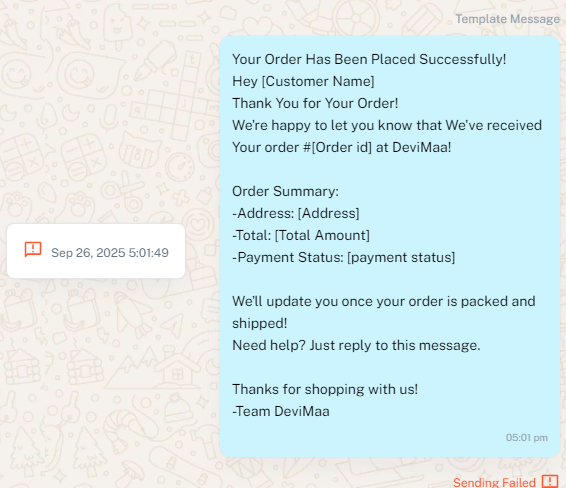
Hello @rajupuramshetti,
Could you please share the email associated with your Pabbly Chatflow account along with a chat instance where you’re encountering the issue?
Just click on the profile icon on the top-right corner of the dashboard and share us the email address shown on your screen.
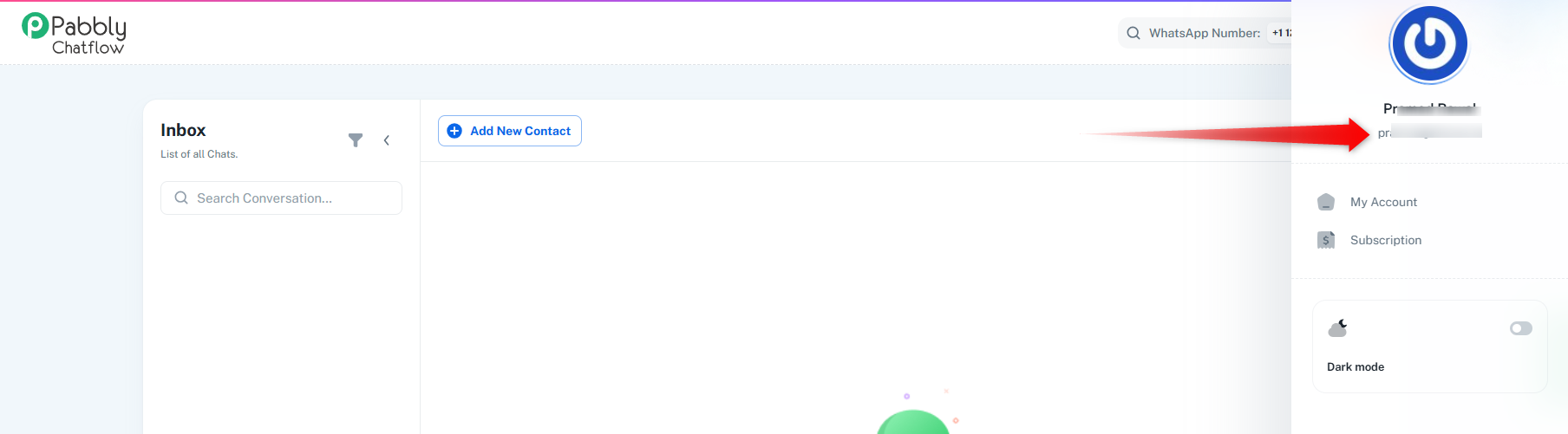
This will help us investigate the matter more effectively and assist you accordingly.
[email][email hidden][/email]
Hello @rajupuramshetti,
Could you please share the email associated with your Pabbly Chatflow account along with a chat instance where you’re encountering the issue?
Just click on the profile icon on the top-right corner of the dashboard and share us the email address shown on your screen.
This will help us investigate the matter more effectively and assist you accordingly.
[email][email hidden][/email]
The error you are receiving is related to your payment method. Please note that in order to send templates, you must have a valid payment method added along with your tax details.
When you log in to business.facebook.com, you should also be able to see a warning under the concerned portfolio where your specific number is included. This corresponds to the error message shown below:
Failed due to Meta policy.
(#131042) Message failed to send because there were one or more errors related to your payment method.
Kindly update your payment method and tax details to resolve this issue.