WhatsApp Response Received Template Error
Status: Open · Asked by Nitin on · 0 views
Attached is the fields am getting error how can i fix it ?
If you can check within my account :-
Workflow name : Ai Video Intro 50 Min Session
Temaplate used : 50_min_aivideo_registration
And, How do i use template with image Name : marathi_intro_registration_confirmed
I been trying for 3-4 days , earlier had issue with connection it was not showing template, so i have reset the entire connect, not its showing template in drop down but error in responce -
Hi @Nitin,
The template you are using has a Body, so you need to select Yes for that field.
It doesn’t have a Header, so you need to enable mapping and leave the Header Type field blank.
The language code of your template is en, and you weren’t passing this value either.
We have made all three changes to the WhatsApp Cloud API action step in your workflow, and it appears to have resolved the issue.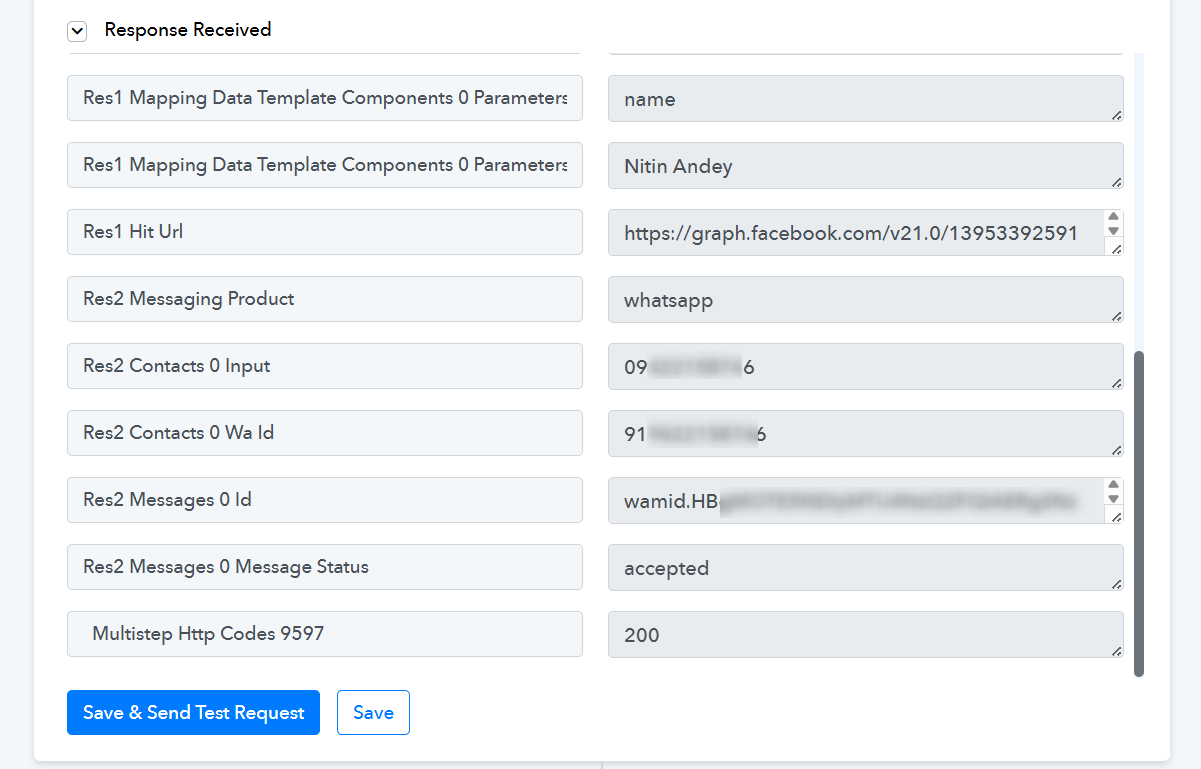
Thanks & Regards,
Arshil Ahmad
Customer Support Associate
? Pabbly.com
?Rate your support
Hi Arshil,
really appreciate your quick responce.
Can you please guide me for Template with Image
Thanks
Hi @Nitin,
Could you please share the workflow URL where you are attempting to send the template with the image?
Once we review the setup, we will be able to assist you more accurately.
Thanks.
Hi
In the same workflow i want to swith to template "marathi_intro_registration_confirmed"
workflow : https://connect.pabbly.com/workflow/mapping/IjU3NjcwNTZjMDYzMzA0MzM1MjZkNTUzMzUxMzQi_pc
Hi @Nitin,
Thanks for sharing the workflow details.
We’ve added a 3rd step in your workflow to send the template “marathi_intro_registration_confirmed”, and it is working correctly now.
Please note while configuring the WhatsApp Cloud API: Send Template Message action:
- Only enable Header = Yes if the template header expects dynamic data (for example, dynamic image or text).
- If the header is static (fixed text/image), keep Header as No and leave the header related fields blank.
- Similarly, enable Body = Yes only if there are dynamic parameters in the body.
- Same logic applies to Button parameters — configure them only if they require dynamic values.
You only need to fill the sections where the template expects dynamic inputs.
If you face any issues while setting up other templates, feel free to let us know.
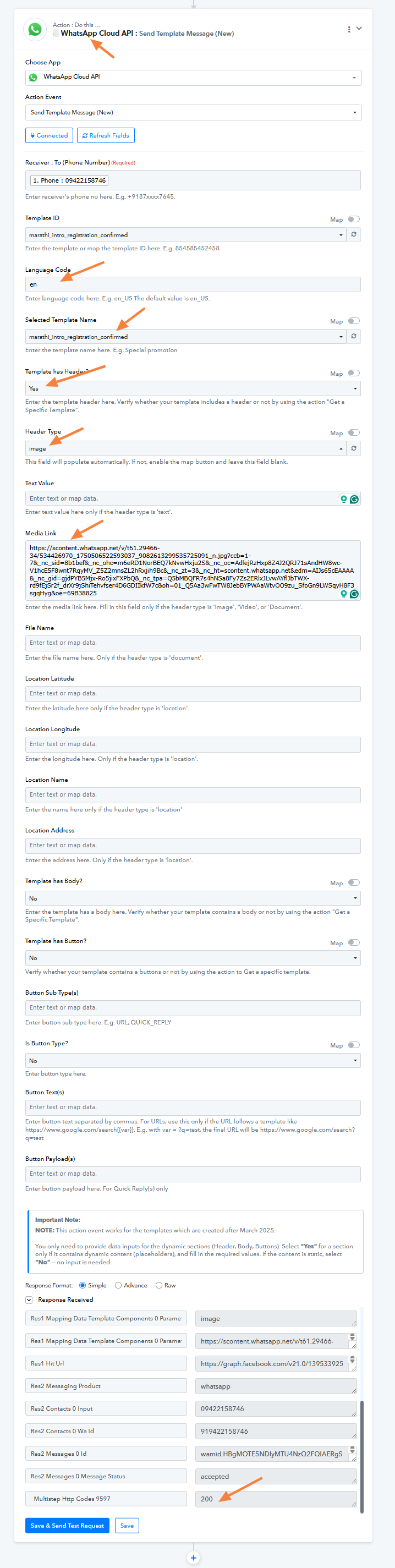
I have created workflow clone , deleted stept 2 message template and kept only message with image and enabled worksflow - and then tried save and send request - there is no error in the " Response Received" but i didnot recieve the message on WhatsApp
Workflow link : https://connect.pabbly.com/workflow/mapping/IjU3NjcwNTZjMDYzMDA0M2M1MjZiNTUzZDUxM2Ei_pc
Hi @Nitin,
As per the response the HTTP Status Code: 200, Message Status: accepted.
This confirms that the request is being successfully accepted by the WhatsApp Cloud API.
Since the API call is successful but the message is not being received, the issue appears to be at the Meta/WhatsApp delivery level rather than within the workflow configuration.
We recommend checking the message delivery logs inside Meta Business Manager → WhatsApp Manager → Message Logs to review the final delivery status (sent/delivered/failed).
If the logs do not provide clarity, we suggest reaching out to Meta Support directly for further investigation, as they will be able to review the delivery attempt at the account level.
Please let us know if you need any further assistance from our side.
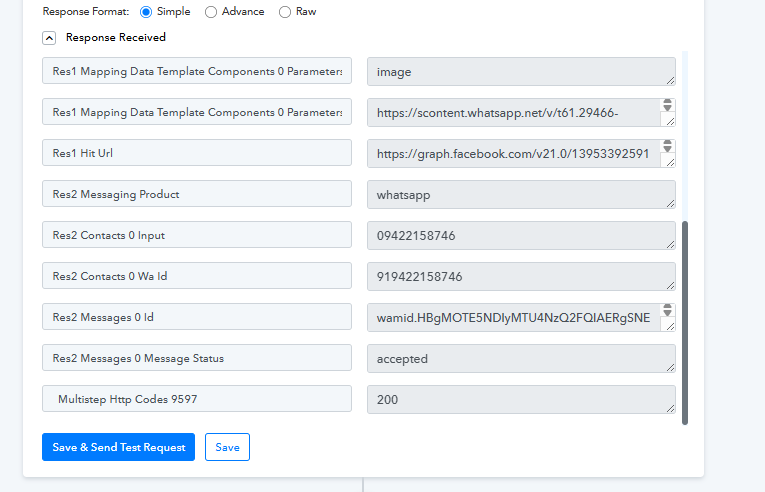
Attached is WhatsApp message log - there is no Msg processed on 11th , apart from the one i recieved at 1:46 am which was tested by Arshil. so what can be the possible reason , there is no payment error , account erro , nothing in whatsapp
Hi @Nitin,
Since you are sending multiple templates without any interaction from the recipient’s side, it is possible that the messages are being restricted or filtered by WhatsApp.
If there has been no recent reply from the customer, repeated template sends may impact delivery.
We recommend the following:
- Ask the recipient to reply once from their WhatsApp number and then try sending the message again.
- Alternatively, wait for 24 hours and then attempt to send the template again.
After this, please test once more and let us know the outcome.