while sending pdf file from gdrive to whatsapp pdf format changed
Status: Closed · Asked by saurabh23 on · 0 views
while sending pdf file from gdrive to whatsapp pdf format changed
sending pdf file from gdrive to whatsapp thru whatsapp api but sending pdf file but file become bin on whatsapp sending thru whatsapp api
Hey @saurabh23
Can you please share the task history ID from which you have noticed such behavior so that we can look into it?
i have similar issue, all pdf file convert by itself to BIN.
Task History ID -
IjU3NjUwNTZlMDYzNzA0MzI1MjZiNTUzNzUxM2I1MTZhNTQzNDBmMzMi_pc
Hello @naved,
Please allow us some time to look into the issue and we will get back to you soon.
Hello @naved,Please allow us some time to look into the issue and we will get back to you soon
Kindly update the status
Hello @naved
We were unable to find the workflow associated with your task history ID. Kindly let us know the workflow name, and the email address associated with your Pabbly account so that we can look into it and assist you accordingly.
Looking forward to your positive response.
Workflow name: Order Confirmation
my email address : [email hidden]
Hello @naved
To troubleshoot the issue in your workflow, we need to send a few test messages. Please grant us permission to access your Pabbly account and make necessary modifications to the workflows if needed.
Yes go ahead
how is the progress ?
Hello @naved,
It seems the issue is related to the image you're using. Please make sure the image or file is supported by Meta, for more info refer to these docs - https://developers.facebook.com/docs/whatsapp/cloud-api/reference/media.
we are using pdf.. it was working fine, the issue happened recently. see the workflow history. its not new
Hello @naved,
Please try setting up a new connection with AISensy and let us know if it helps resolving the issue.
Untitled Workflow
i created this new workflow but still the same issue.
on aisensy, the error say "invalid media url"
on aisensy, the error say "invalid media url"
Hello @naved,
We have added a File Uploader action to your workflow to get a proper file URL and mapped it under the WhatsApp by AiSensy: Send Template Message action.
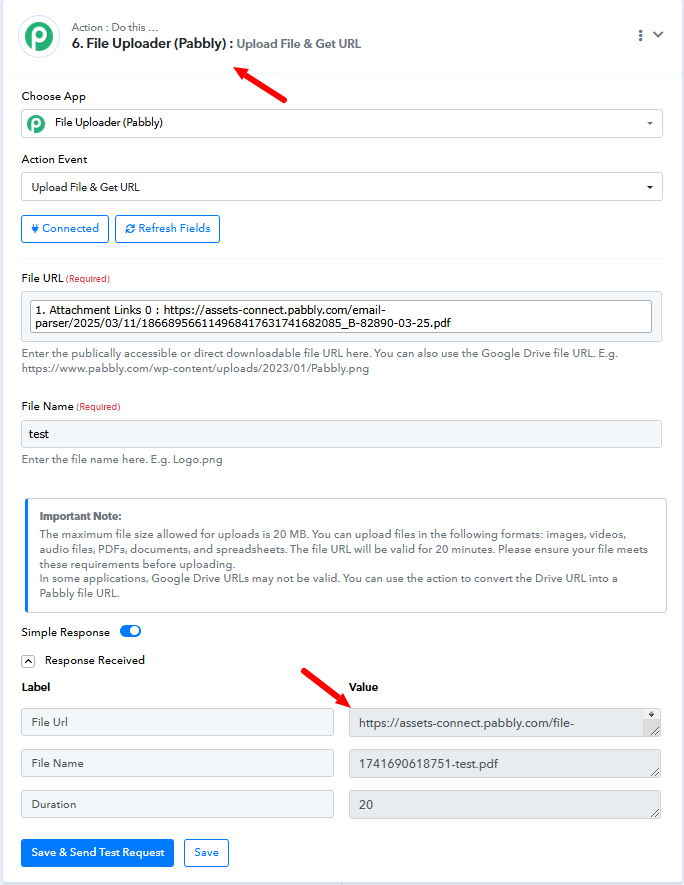
Kindly test it and let us know if it works fine for you.
yes now working with this method. thanks a lot
Hello @naved,
Thanks for the update, we'd love to hear your thoughts! If you have a moment, please rate us on Google. Your feedback helps us improve