Whisper AI with pabbly
Status: Closed · Asked by Affenjimbo on · 0 views
I just tried to build a workflow with whisper AI, and it doesn't seem to work.
There is a problem with getting the mp3 file from Google Drive to whisper AI.
There is a tutorial for salad:
youtube.com/watch?v=2UK2ZH8SvRI
Would be great if it would directly work with OpenAI without having to use another service.
Hey @Affenjimbo
Kindly let us know your use case a bit more related to ChatGPT Whisper AI and Google Drive so that we can look into it and suggest you a work around.
As we observed in your account, you have changed a lot of steps in your "Transcription" workflow. 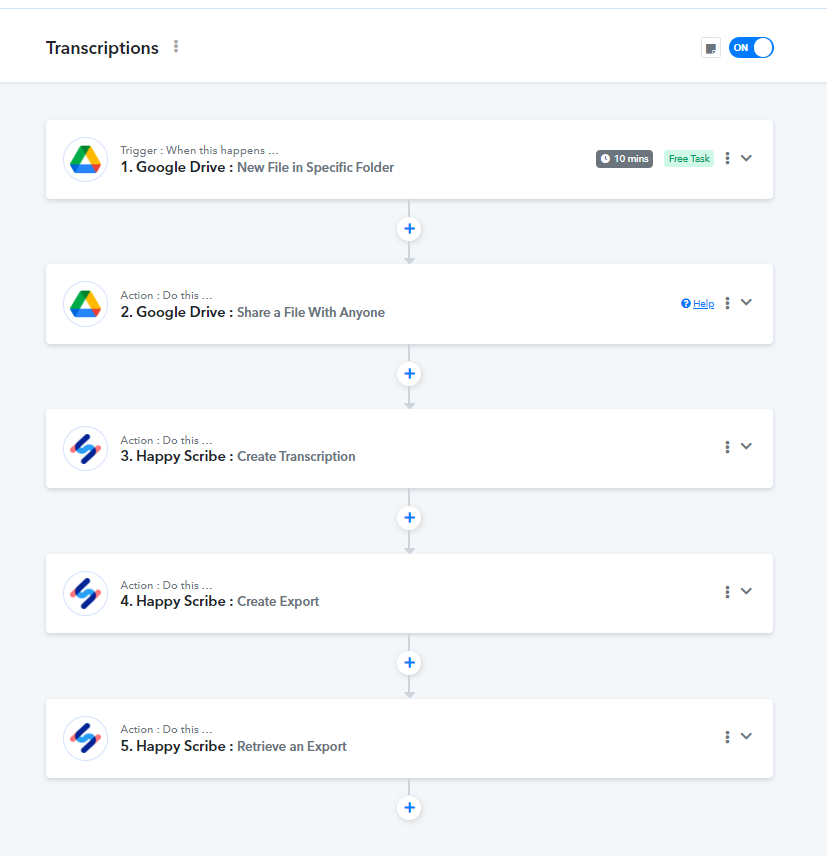
Describing your requirement to us would help us in suggesting a workflow for you.
Hi, thanks a lot for the quick reply! Yes I tried different things. Please check the workflow again.
I would like:
1. upload a mp3 to a specific folder in Google Drive
2. Transcribe this file with whisper AI
3. write the text into a Google doc file.
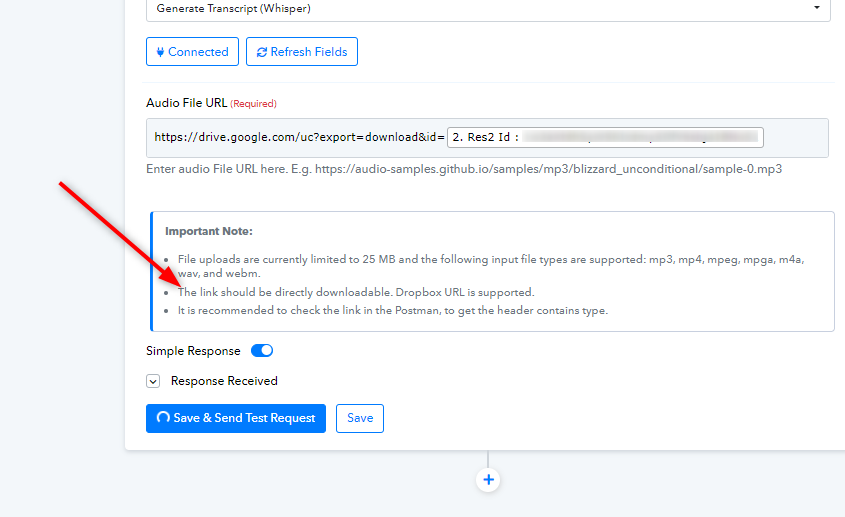
When pasting the audio URL into the OpenAI action, I get this:
Response not received in 25 seconds.
Learn more: https://forum.pabbly.com/threads/pabbly-connect-timeout-limit-error-response-not-received-in-25-seconds.855/
Hey @Affenjimbo
As mentioned in the error thread, kindly apply a delay of 5 minutes before the OpenAI step.
Also, we would advise you to use permanent link instead of the link from Google Drive response. As mentioned in the image too, please try using Dropbox to generate a permanent link for this file.