WHMCS - no invoice number and invoice items
Status: Open · Asked by dougdurie on · 0 views
hi,
I created a workflow to integrate WHMCS and ActiveCampaign, but when i checked the response, theres no invoice number and no list of invoice items? Please help. Thank you.
Hello @dougdurie
The Trigger captures all the details sent by the trigger application, you can't find the required info as it isn't sent by the application in the trigger response.
Although, you can get the required details using the Custom API Request action.
hi Preeti,
Thank you for your reply but im kinda confused.. The trigger application is WHMCS itself.. so the information should be available as expected, right?
Could you please share the Workflow URL in which you have this concern?
here's the workflow url https://connect.pabbly.com/workflow/mapping/IjU3NjYwNTZkMDYzMjA0MzI1MjZmNTUzMDUxMzUi_pc
Arshil, can you please check also why the TAG 73: WHCMS_Client is not added to the contact? Thank you.
Hello @dougdurie
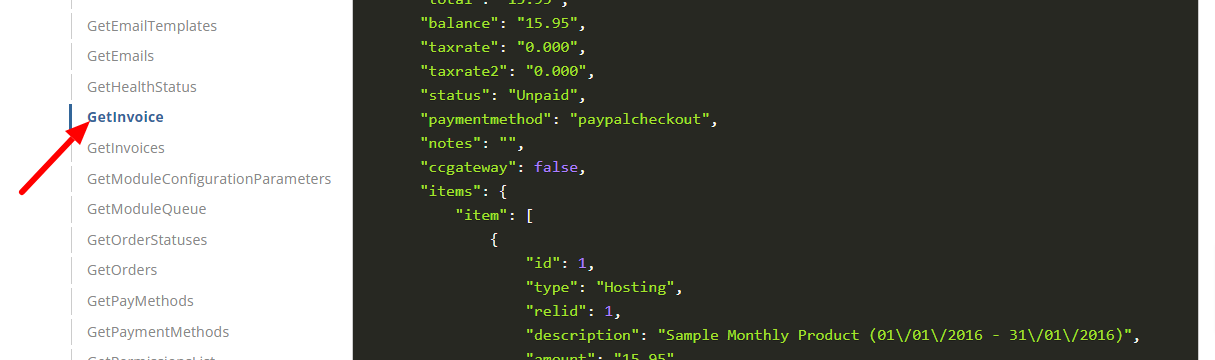
1. The invoice number and list of invoice items aren't being sent by WHMCS(Tigger application). However to get the desired details you can use the Custom API request action and get the details using the invoice ID received from the trigger application - https://developers.whmcs.com/api-reference/getinvoice/
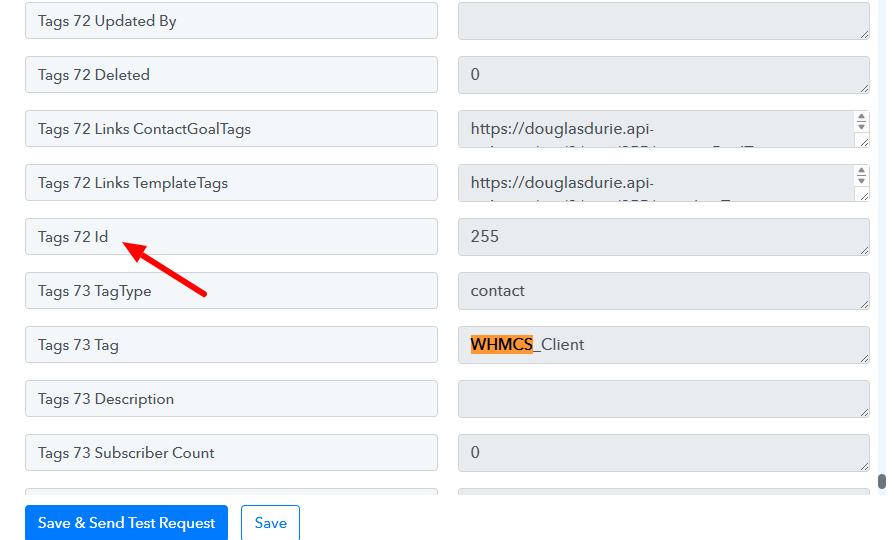
2. The tag isn't being added to the contact since the tag name is been mapped instead of the Tag ID. Kindly map the ID to achieve the desired result. Please refer to the attached screenshot for more info.
why the TAG 73: WHCMS_Client is not added to the contact
thank you Preeti.. about #1 invoice items, can you guide me how to set it up in Pabbly or if you have a sample that would be great?
Hello @dougdurie
You use API by Pabbly to get the invoice items by using the API documentation of WHMCS - https://developers.whmcs.com/api-reference/getinvoice/
Please refer to this tutorial to learn more about API by Pabbly -