Why is coupon code invalid in frontend?
Status: Open · Asked by contact on · 0 views
Hi team,
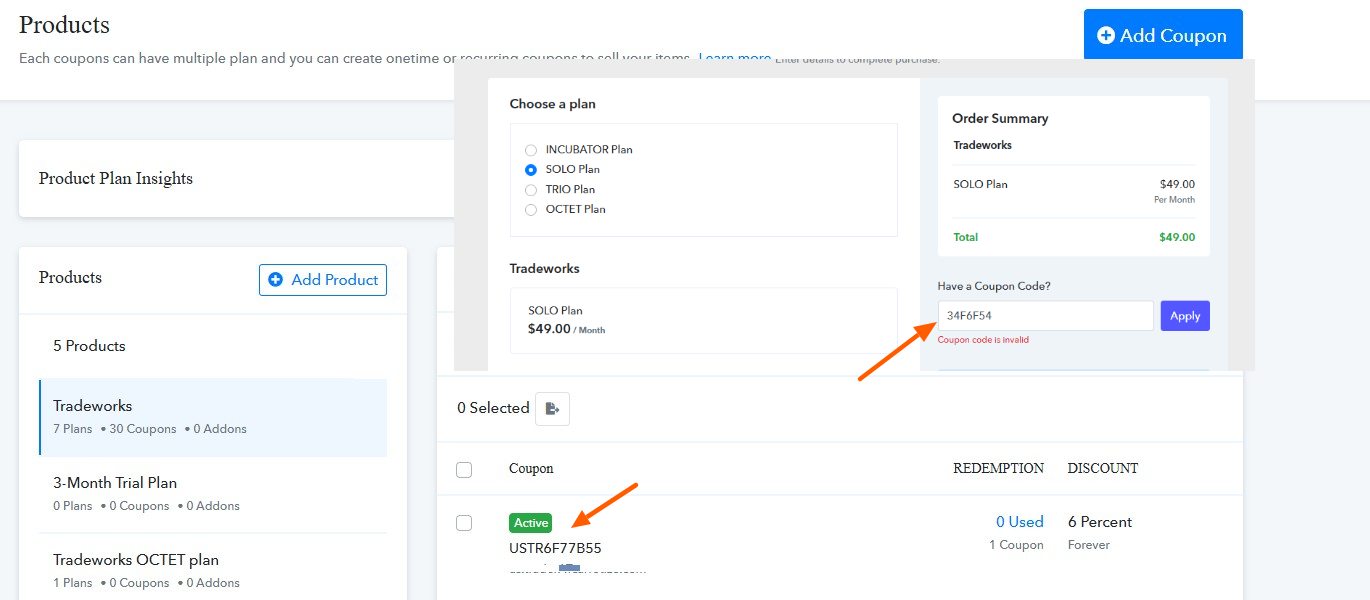
Why is coupon code invalid in frontend?
In the backend it is "Active".
Please, see attachments.
Thanks!
Hello @nitten,
Could you please check and confirm if the coupon code at the backend contains any trailing spaces? This could potentially be the reason for the issue you're facing.
If you need further assistance, kindly share the email address associated with your Pabbly Subscription Billing account so we can look into it more effectively.
Looking forward to your response.
Hi @Preeti Paryani,
The problem is not a blank space issue, unfortunately.
You can use any valid email and test it here: https://tradeworks.io/redeem-coupon-code/
The email address associated is contact [at] flauwer.com
Thanks!
Hello @nitten,
Upon checking the coupon code visible in the invoice and the one you shared are different. To help us investigate the problem more effectively and assist you accordingly, could you please share the email address associated with your Pabbly Subscription Billing account?
Please be aware that to assist you effectively, we may need to access your Pabbly Subscription Billing account. If you're comfortable with this, please grant us permission by stating in your next reply: "You have my permission to log into my Pabbly Subscription Billing account, and edit{If required}. Here is the registered email address associated with it."
Thanks,
You have my permission to log into my Pabbly Subscription Billing account, and edit. Here is the registered email address associated with it: [email][email hidden][/email]
Everytime this form is submitted a new code is generated: https://tradeworks.io/redeem-coupon-code/
So the codes a new upon evey submission, here you see both of the codes in your screenshot: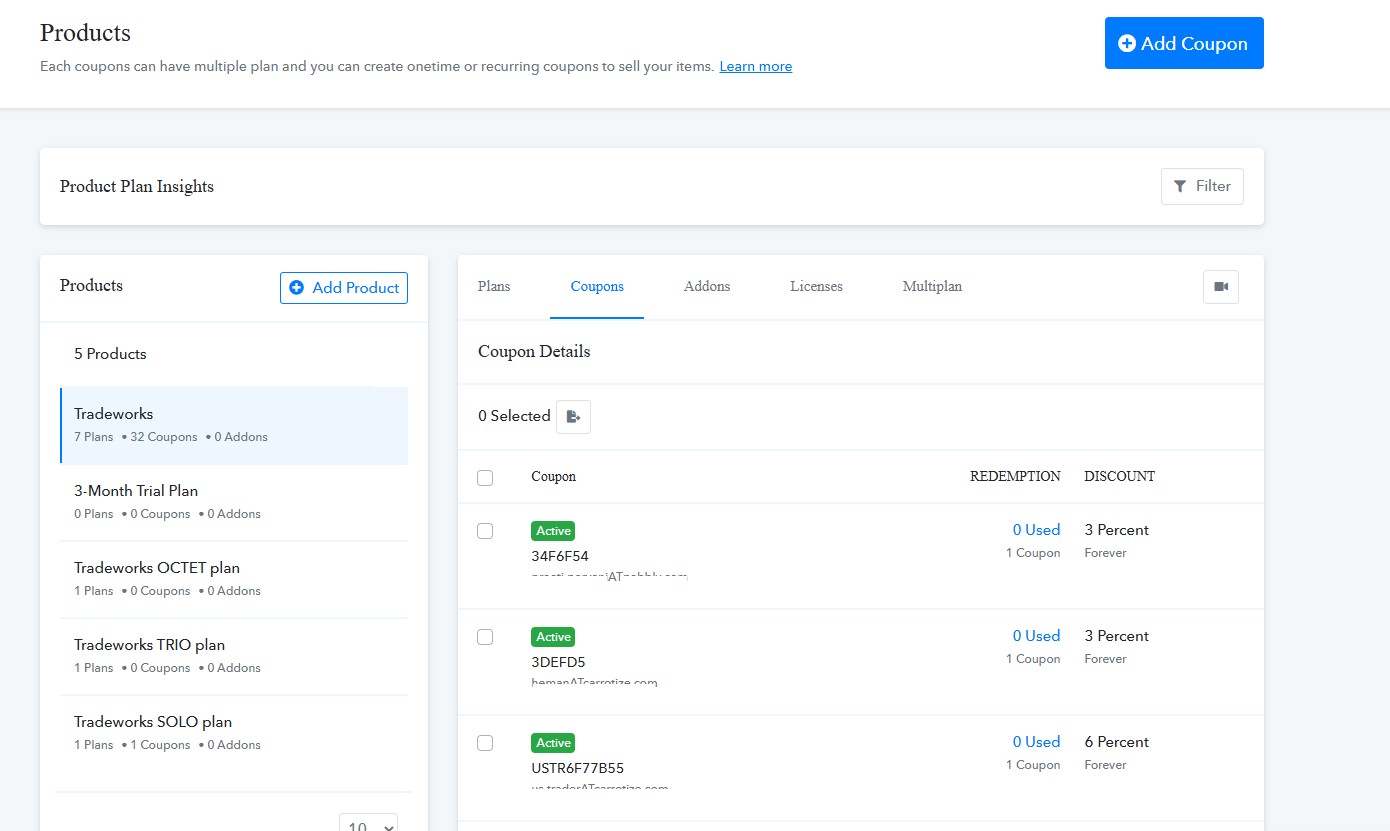
Hello @nitten,
Thanks for the details. Please allow us some time to look into the issue, and we will get back to you with the updates as we have some.
Thank you @Preeti Paryani I look forward to hearing form you on this.
Hi @Preeti Paryani any updates on this?
Currently we do not have any update on this, but as soon as we receive some from our technical team, we will get back to you.
Hi @Preeti Paryani I hope things are going OK with the tech team. It has now been two weeks, and this is essentially a question of why it does not work when I create coupon codes using the API.
I hope the tech team will soon have time to look at this.
Thanks!
Hello @nitten,
Thanks for the follow up. As of now we haven't received any update on this concern. However as soon as we hear some we will get back to you with the updates.
Hello @nitten,
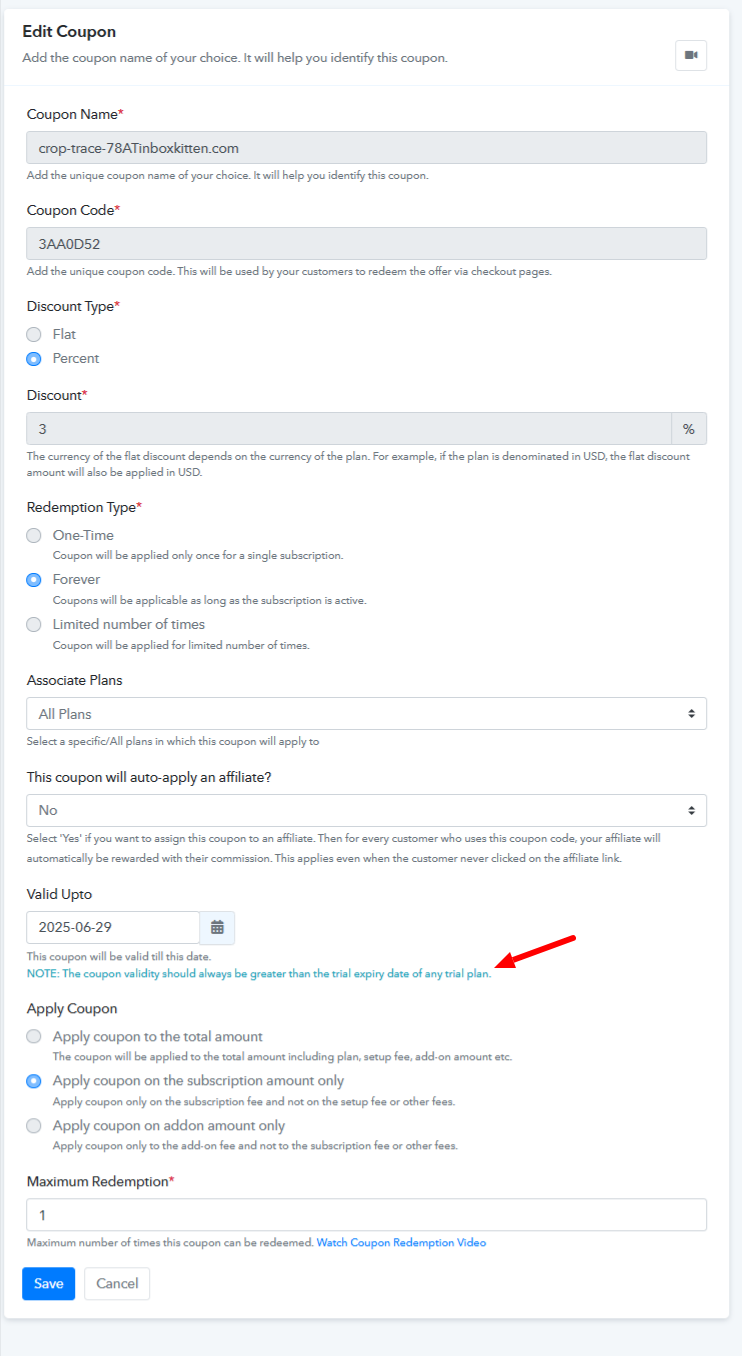
The issue appears to be related to how the coupon code has been configured, particularly with the expiry date settings.
Kindly refer to the attached image as a reference for the correct configuration pattern. Please review and update the settings accordingly.
Let us know if you need any further assistance.
Thank you @Preeti Paryani , it solved the problem if I extended the expiry date beyond the free trial period.
Hello @nitten,
Thanks for the update.