why this delay occurs despite the stated 10-minute polling interval?
Status: Open · Asked by Kalaachar on · 0 views
Hello Pabbly Connect Support Team,
I would like to understand the behavior of one of my workflows that uses the trigger: "When a new file is added to a specific folder."
According to the trigger configuration, the polling interval is every 10 minutes. However, in practice, I have observed that the workflow often starts after 20, 30, or even 45 minutes from the time the file is added.
Could you please clarify why this delay occurs despite the stated 10-minute polling interval? Is there any queueing mechanism, load balancing, rate limiting, or other factor that could cause triggers to be processed significantly later than expected?
This delay creates uncertainty in our operations because there is currently no visibility into whether a trigger has been detected and is waiting in a processing queue, or whether it has not yet been picked up at all. The absence of a trigger history or trigger status log makes it difficult to monitor the workflow and often causes unnecessary concern until the automation eventually starts.
Could you please explain:
- How the 10-minute polling interval actually works in practice.
- What factors can cause trigger execution to be delayed beyond 10 minutes.
- Whether there is any way to view pending trigger events, trigger logs, or a trigger history.
- If there are any recommended best practices to improve trigger reliability and response times.
I appreciate your assistance and look forward to your clarification.
Thank you.
Hello @Kalaachar,
How the 10-minute polling interval actually works in practice.
In polling-based triggers, Pabbly Connect checks for new updates in the trigger application at the set interval. The 10-minute polling interval means that the trigger checks the connected folder approximately once every 10 minutes for newly added files. Under normal circumstances, a file added shortly before a polling cycle should be detected during the next check.
What factors can cause trigger execution to be delayed beyond 10 minutes.
Polling-based triggers can show such discrepancies in trigger time. Even if the trigger interval is set to 10 minutes, it may take longer due to queue processing.
Whether there is any way to view pending trigger events, trigger logs, or a trigger history.
Regarding trigger visibility, we currently do not provide a trigger history, trigger status log, or a way to view pending trigger events that have been detected but are waiting for processing.
If there are any recommended best practices to improve trigger reliability and response times.
Regarding the delay, this is not something that can be influenced from your end. Our team has recently optimized the servers to reduce such delays, and the situation has improved compared to before.
At the moment, our team is not actively working on any further optimizations related to polling intervals. However, improvements to polling times are planned for the future. As soon as we have any updates regarding this, we will be sure to inform you.
Could you please share 2–3 task history IDs where the workflow was triggered more than 10 minutes after a file was added?
Additionally, please specify the exact time at which each file was added to the folder. This information will help us investigate the delay more effectively.
Thanks & Regards,
Arshil Ahmad
Customer Support Associate
? Pabbly.com
I did not record the exact time. let me do it now and get back to you
Sure, do let us know how it goes.
Thanks & Regards,
Arshil Ahmad
Customer Support Associate
? Pabbly.com
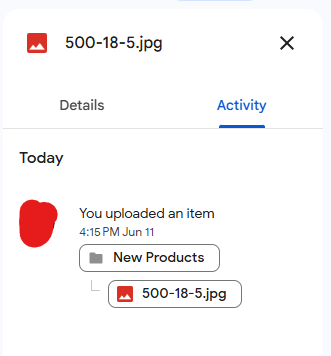 I added this file at 4:15PM.
 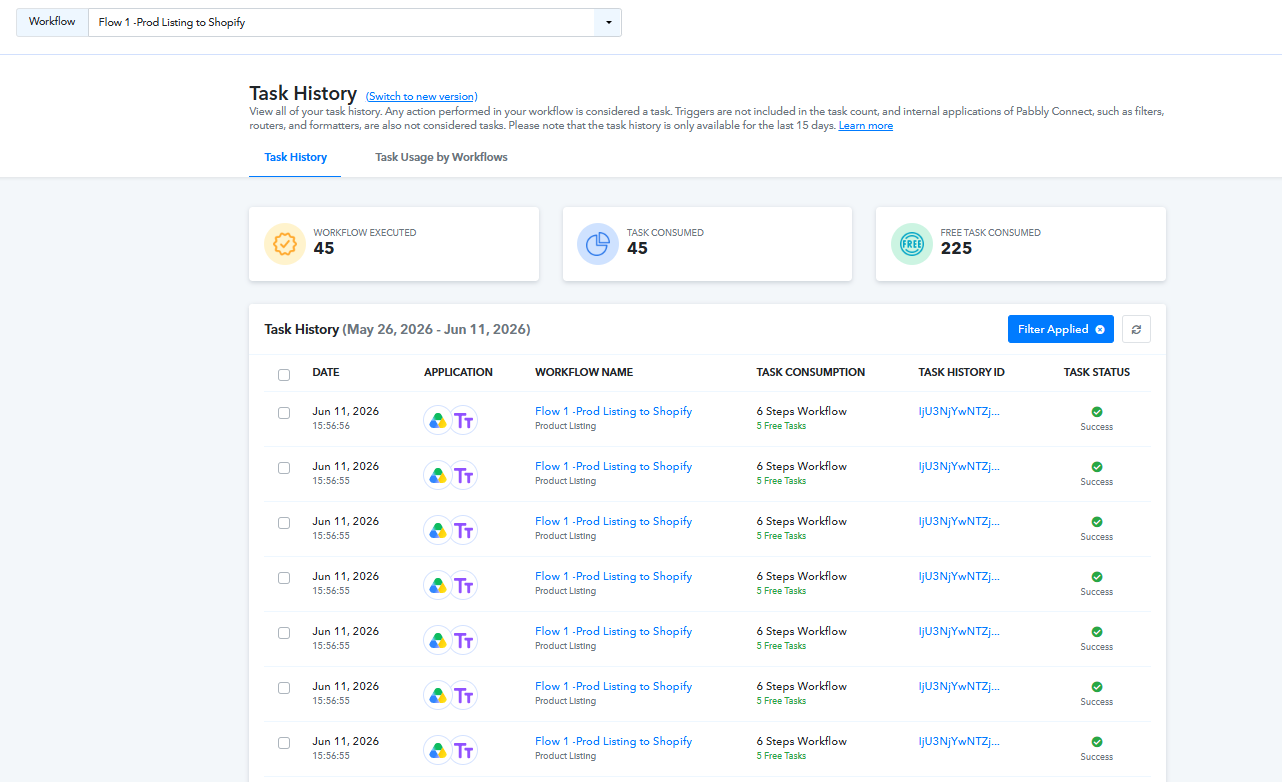 Please see the second image. they were run and executed after 56 minutes.
Hello @Kalaachar,
Thank you for sharing the details.
While reviewing the workflow and task history, we noticed that the time zone information is not clearly visible alongside the task execution timestamps. To help us investigate this more accurately, could you please confirm whether you have recently changed your account time zone settings or made any modifications to them?
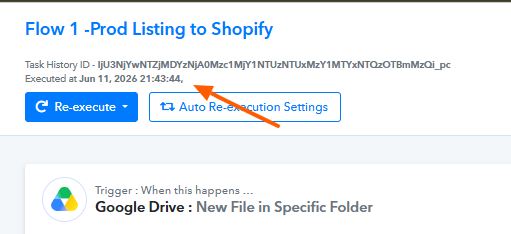
In some cases, differences in the configured time zone can lead to discrepancies when comparing the actual event time with the execution time shown in the task history.
If you have changed the time zone recently, could you also let us know what the previous time zone was.
Once we have this information, we'll be in a better position to analyze the delay and investigate the behavior further.
We look forward to your response.
- The last time I changed the time zone settings was when I initially set up my Pabbly Connect account, which was several months ago. Since then, I have consistently noticed a difference between the actual time on my laptop and the time displayed in Pabbly. If this discrepancy can be corrected, that would be very helpful.
- To estimate the trigger delay, I started a timer on my smartphone immediately after uploading files to the monitored folder. I stopped the timer as soon as the Pabbly workflow was triggered. Based on this method, I observed a delay of approximately 56 minutes.
- If possible, I would also like the task history timestamps to reflect the actual time zone of my location, so that the recorded times align with my local time.
When my account was setup, I saw India time zone.
Thank you for sharing this information.
It appears that your time zone is currently set to EST. Because of this, we are unable to accurately diagnose the exact cause of the delay in the workflow execution.
Could you please perform another upload and let us know the exact upload time (in the EST time zone) along with the corresponding Task History ID for that upload?
Thanks & Regards,
Arshil Ahmad
Customer Support Associate
? Pabbly.com