Woocommerce order with multiple products only pulling first line data
Status: Open · Asked by SAUK on · 0 views
I am trying to add a row to Smartsheets but it is only pulling the first row data. I have watched the video here: https://forum.pabbly.com/threads/woocommerce-%E2%86%92-zoho-inventory-%E2%80%93-only-one-line-item-created.32900/ but it isn't working for me.
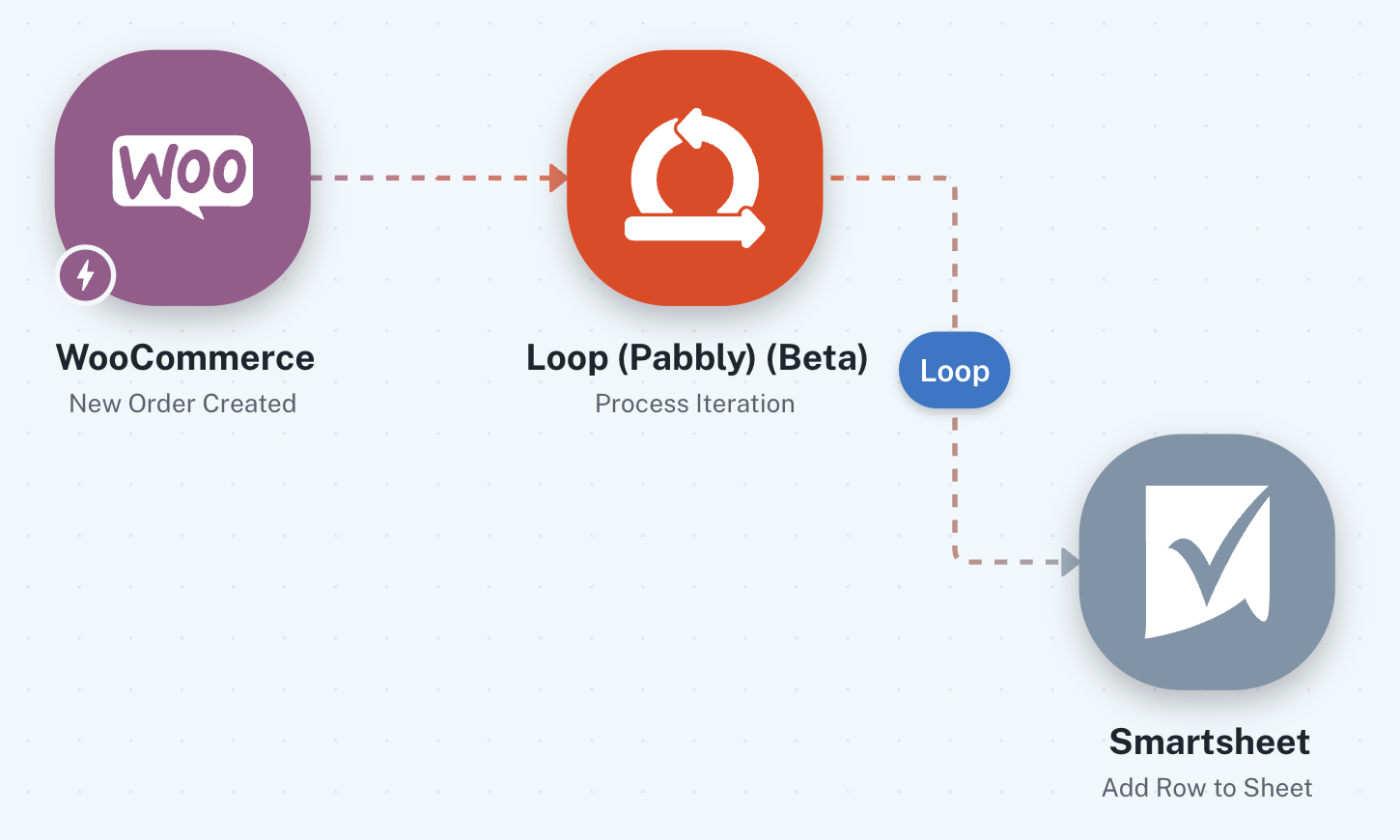
Woocommerce is set up as 'advanced' and is pulling in line_items. The loop is only pulling the first row which is probably why it is only sending a single line to Smartsheets. I tried adding JSON extractor prior to the loop and this was showing lines 0,1,2 but the loop still only shows line 0. Can you help me?
Hello @SAUK,
Thank you for reaching out to us.
We would like to let you know that within the Workflow Builder, the Loop/Iterator step will only display the first item of the array for mapping purposes. This is expected behavior in the builder interface.
However, when the automation actually runs in the Task History, the Loop step will process each object/item coming from the array one by one and execute all the steps added inside the loop accordingly.
So even if only the first line item is visible during mapping, the workflow should still process all line items during actual execution.
Please test the workflow once from the live trigger/task history and check how it goes.
This seems to be working, thank you for your help. The only thing is that it keeps copying numbers as text by adding a ' in front of it. Is there a way to stop this from happening?
Hi @SAUK,
Glad to hear that the workflow is now working properly.
Regarding the numbers being copied as text with a ' in front of them, could you please share a screenshot showing how the values are getting added in Smartsheet?
That will help us better understand the behavior and assist you further accordingly.
Here is the GoodsIN sheet:
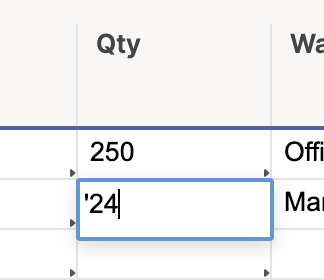
We have Smartsheet formulas on other sheets that won't work until we remove the ' from the numbers
Hey @SAUK,
Thanks for sharing the screenshot.
Could you please confirm the column type/formatting of the particular Smartsheet column where the data is being added?
Sometimes this happens when the application expects a numeric value, but via API the value is being sent as text/string. In such cases, Smartsheet automatically adds a single quote before the number to preserve the value format.
Please let us know the column type so we can assist you further accordingly.
The Smartsheet column format is text/number
Hi @SAUK,
Thanks for confirming.
Would it be possible for you to change the Smartsheet column type from "Text/Number" to only "Number" and then test the workflow once again?
After changing the column type, please try adding a new row in Smartsheet and check whether the values are now added as numbers without the single quote preceding them.
Please let us know how it goes.
There is not an option for number, only Text/Number. Not sure if EU is different to .COM
The data appears to be getting passed correctly during the automation without the single quote (') prefix.
Instead of mapping the quantity from the previous step, please enter a hardcoded value in the Quantity field as shown below. Then click on the "Save & Send Test Request" button and check whether the value gets added to your Smartsheet without the single quote (') prefix. This will confirm that the issue is not related to the mapped value.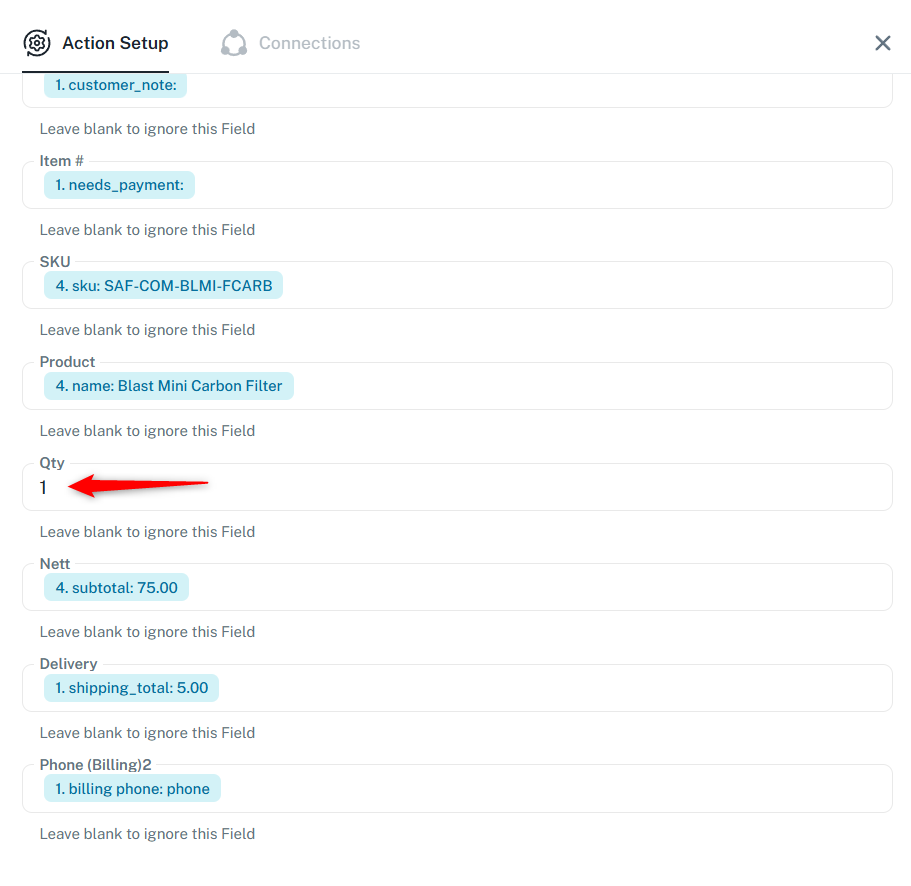
Thanks & Regards,
Arshil Ahmad
Customer Support Associate
? Pabbly.com
That sheet is NOT the one with the problem, it is the GoodsIN sheet - this is why you are not seeing a problem
That sheet is NOT the one with the problem, it is the GoodsIN sheet - this is why you are not seeing a problem
The screenshot shared above is from the workflow you shared earlier. Could you please share the specific Task History ID where you encountered the issue so we can look into it?
Thanks & Regards,
Arshil Ahmad
Customer Support Associate
? Pabbly.com
Task History ID - IjU3NjYwNTZkMDYzMDA0MzY1MjZiNTUzNzUxMzU1MTY3NTQzNDBmMzYi_pc
Hi @SAUK,
We have checked the Task History ID you shared, and as per the execution logs, only 24 is being passed in the Quantity field. The same value is also visible correctly in the Data Out section without any additional characters.
It appears that Smartsheet itself is automatically adding the single quote (') so that the value is treated as text internally.
To investigate this further and help you better with this specific concern, we can connect over a short Google Meet session and check the setup together from both ends.
Kindly book a slot using the following booking URL:
https://calendly.com/d/cyvk-c86-4xh