Wordpress Error 400 than do Filter
Status: Open · Asked by dbs00 on · 0 views
Hey
How can I filter error 400 from wordpress create a post action.
https://drive.google.com/file/d/1p_W7TIKeSJugFuerlmbGQGSHLAHRmyGK/view?usp=drivesdk
When there's an error I can't filter based on my default responses
https://drive.google.com/file/d/123AQATBb_7nCyqGbgbsq_sH4mtQRCwDv/view?usp=drivesdk
IF I set status as does not exist or is not equal to
its not doing the filter
https://drive.google.com/file/d/1LeXvoNzW-j0MczG5WJ5oLO757I10iB0f/view?usp=drivesdk
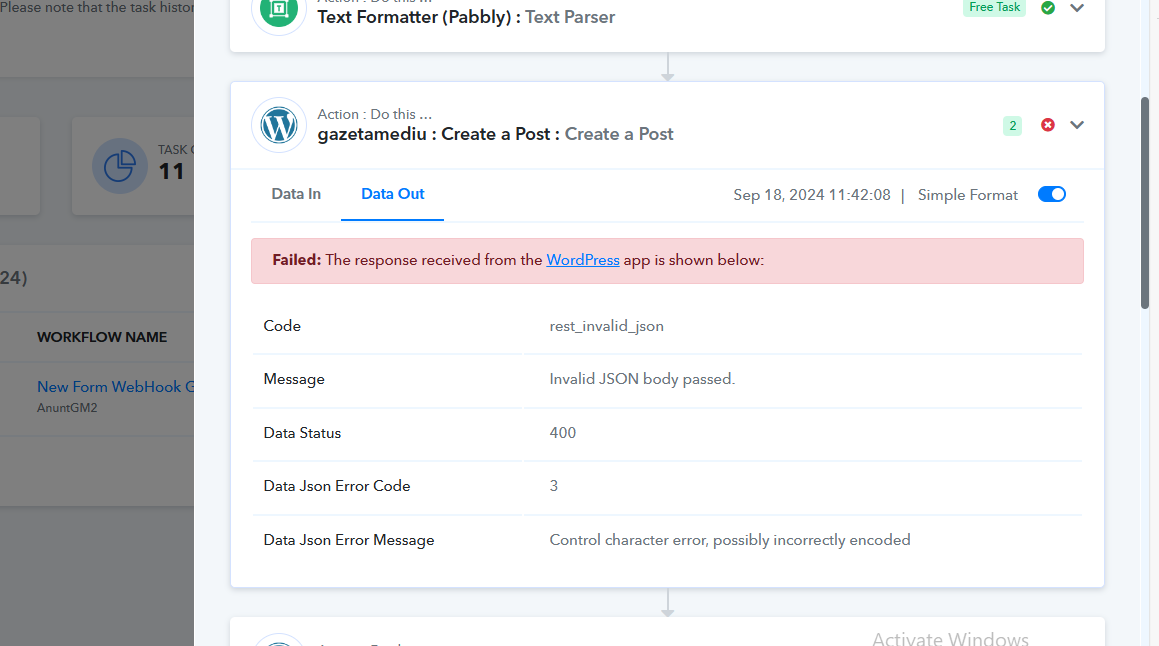
[TABLE]
[TR]
[TD]Code[/TD]
[TD]rest_invalid_json[/TD]
[/TR]
[TR]
[TD]Message[/TD]
[TD]Invalid JSON body passed.[/TD]
[/TR]
[TR]
[TD]Data Status[/TD]
[TD]400[/TD]
[/TR]
[TR]
[TD]Data Json Error Code[/TD]
[TD]3[/TD]
[/TR]
[TR]
[TD]Data Json Error Message[/TD]
[TD]Control character error, possibly incorrectly encoded
[/TD]
[/TR]
[/TABLE]
Hello @dbs00
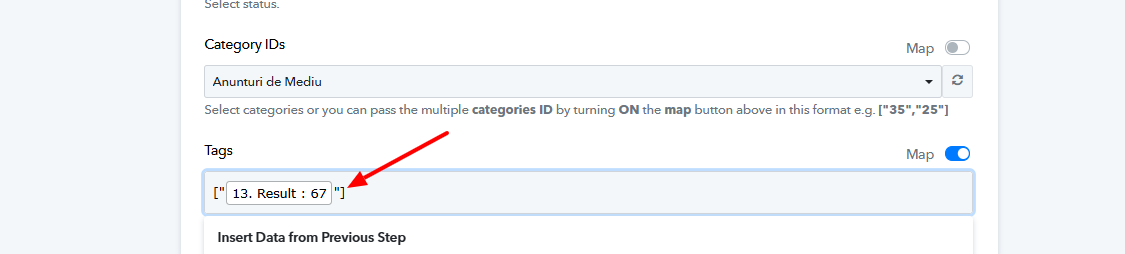
Please map data in the "Tags" field as shown in the help text. Please follow the attached image for more information.
If you face any further issues please let us know.
ok will do that, how about my question, how Can I filter based on errors, when fields change compared to the default mapping
Hello @dbs00
As mentioned above you might have faced the error code: 400 because of the mapping issue, make sure you are mapping the fields accordingly to prevent facing the errors.
As the attached image in your previous message mentions the filter step is skipped as an error occurred in step 17 since the ignore error settings are enabled in that step. You can refer to this link to learn more about skipped steps - https://forum.pabbly.com/threads/skip-the-module-on-the-failed-step.14251/
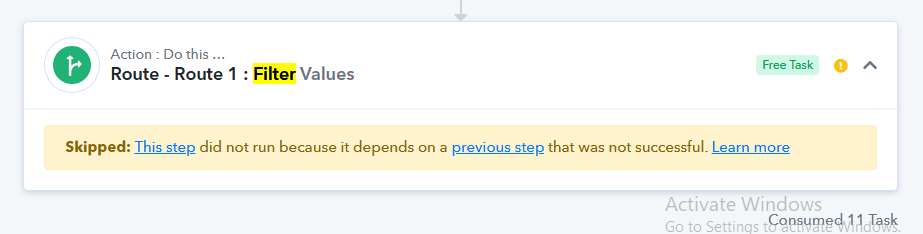
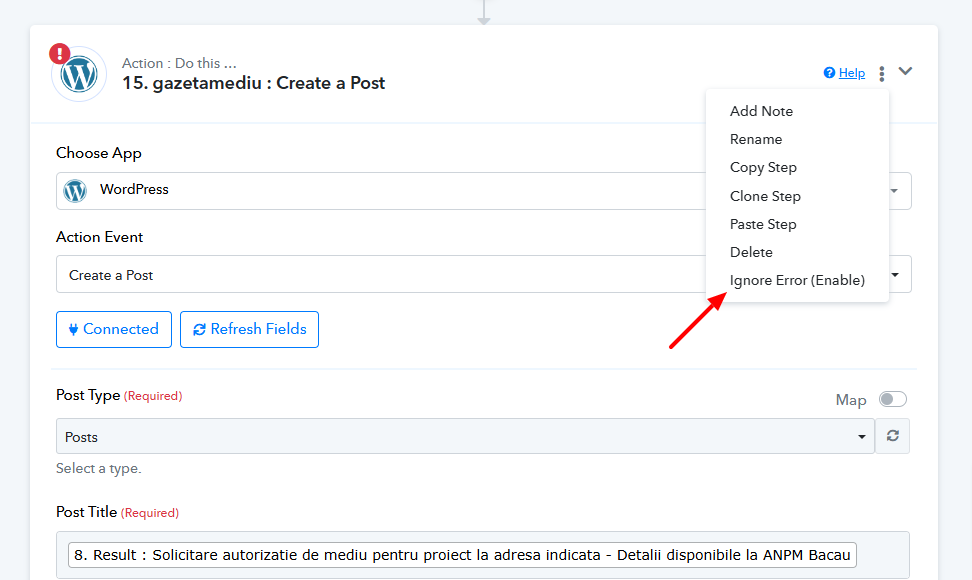
Please go to the Create a post step > click on the three dots >click on the Ignore Error option to disable it.
However, the filter step would not work as it isn't receiving the mapped field from the response of step 17 because of an error.
Hello @dbs00You might have faced the error code: 400 because of the mapping issue.
However, to filter based on an error you can create another route in the router and can capture a response from step 17 with the error code 400 and map the response accordingly in the filter. Please refer to the attached image for more info.
@Preeti Paryani the attachment doesn't work
Oops! We ran into some problems.
The requested page could not be found.
cool,
I messed up manually the wordpress posting so it will return error 400.
I set a router with a filter for the bad encoding, error 400.
tested it, works ok.
after that, I fixed the wordpress posting so I get back the previous mappings. Now the router with the failed 400 error will still work since now its showing as empty, as it can't find it anymore , since that data is different when wordpress post actions finishes correctly.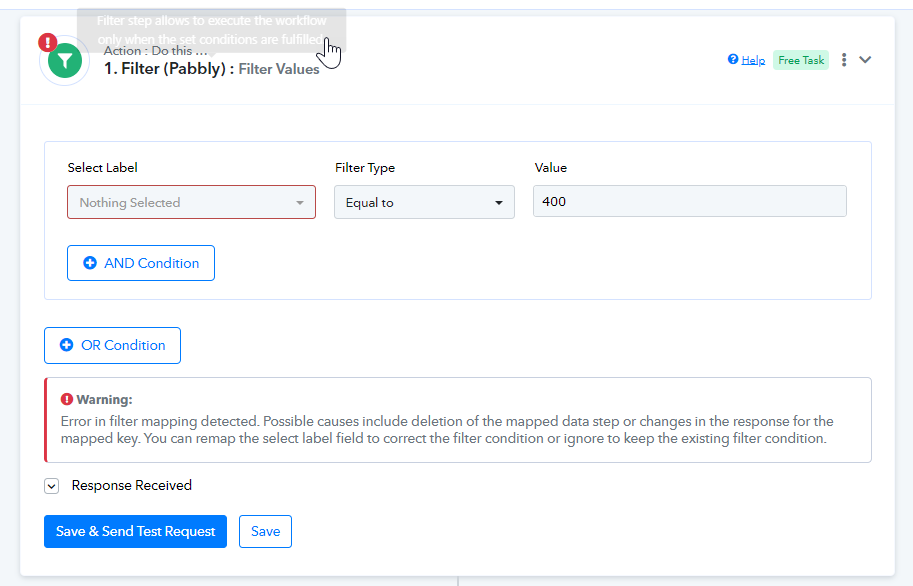
Hello @dbs00
Please note that since you captured a response with different keys, it may not be visible in the error route mapping. This is expected behavior—the responses are captured based on the conditions and then routed accordingly. However, it will work fine in real time.
Additionally, there’s no need to set up the route if you are mapping the data precisely.
Also, the previously sent message has been edited, have a look at it.