Wordpress (New Post Published) -> LinkedIN (Share Text with Image)
Status: Open · Asked by Sansu on · 0 views
Hi,
I just successfully created a connection for Wordpress (New Post Published) -> LinkedIN (Share Text with Image).
I also did the Wordpress webhook setup in wordpress.
Both applications are showing Response Received.
But when I published a new post on Wordpress, the post on LinkedIn is not reflecting.
Is there a lag? If not then what could be the issue?
Hello @Sansu,
Could you please provide us with the Workflow URL where you are facing this issue? This will help us investigate the problem more effectively and assist you accordingly.

Hello @Sansu,
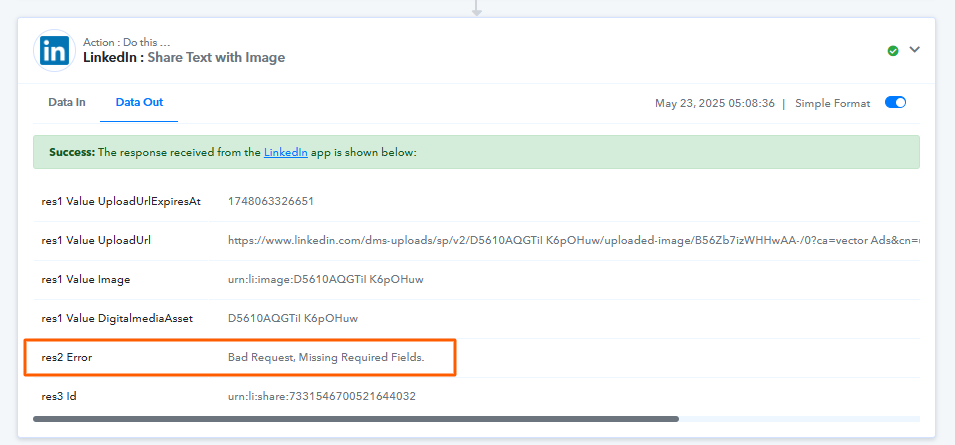
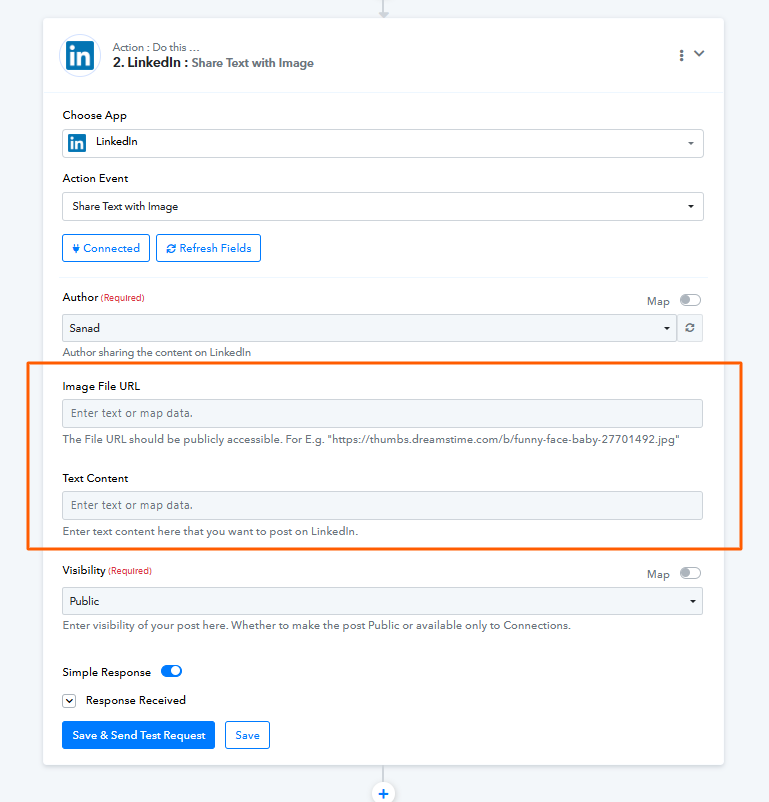
Upon reviewing the task history, we found that the LinkedIn step failed to execute due to a missing parameter. To avoid this error, please ensure that either text or an image is included in the post content.
Once added, the step should execute successfully.
Thanks for the reply.
Am I missing something here?
What I understood was that when a post is published on Wordpress, the content (text + image) will be picked from Wordpress and published on LinkedIn (text + image)
If I have to manually put everything manually in wordpress and pably (for LinkedIn) then where is the automation?
Hello @Sansu,
We understand your concern. However, to set up the automation, you’ll need to map the relevant response fields, such as those received from WordPress, to LinkedIn.
This is a one-time setup. Once configured, every time the trigger is captured, the mapped response fields will automatically be posted to LinkedIn.
I hope this clarifies why setting up the action initially is necessary for the automation to work seamlessly.
Refer to this video for better understanding - https://www.awesomescreenshot.com/video/40169709?key=08206f3398dca297a6285bab68977484
Great. Actually I could implement the integration after going through the Youtube video on the same topic.
I am able to get the wp post (text+Image) on my LinkedIn profile (text+Image).
But there is just just one more requirement.
How can I not include the link of the WP blog in the LinkedIn Post?
Hello @Sansu,
Could you please confirm what content you would like to post on LinkedIn, and which data should be included? For example, if the content is coming from WordPress, please specify the details you want to share. If the data is from any other source, kindly let us know as well.
To successfully perform the action, either text or an image must be provided for the LinkedIn post.
Looking forward to your clarification.
I want only text & Image posted but a link to the wordpress blog is also added in the LinkedIn post. How can remove the link?
We couldn't find any URL in the content you're posting—it's just the content and the image URL. Could you please share a screenshot showing the link you're referring to in your LinkedIn post?