Wordpress Post Link to Custom URL
Status: Open · Asked by dowlaghar on · 0 views
I want to integrate Wordpress with Pabbly Connect to create Bulk posting using Google Sheets. Now that the way my Wordpress Post format is When post is created, the PAGE LINKS TO rather than a ITS A NORMAL WORDPRESS URL it leads to A CUSTOM URL with the help of "Page Links To" WORDPRESS Plugin. Now when I want to Automate the BULK Post creation, I am unable to map the link to A CUSTOM URL in Pabbly connect. How to overcome this.
Hello @dowlaghar,
We assume you're facing an issue with the following workflow:
https://connect.pabbly.com/workflow/mapping/IjU3NjYwNTZlMDYzMzA0MzA1MjZhNTUzNzUxM2Ii_pc
Could you please confirm if you are trying to add a custom URL of a Google Photos album?
Looking forward to your response!
Hey first and foremost thank your for your quick response.
yes I want to add custom URL of Google Photos Album to the WORDPRESS post. When someone click on Post rather than leading to in detailed post page, click will lead to Custom URL i.e. Google Photos link
I have created new Workflow again. Here is what I want to achieve to automate my repetitive work. I get Google Photos Album link from my client. Same I need to create a post in Wordpress with "Post Title" "Custom URL(Post Link)" and "Feature Image" elements. Same thing to be operated every month.
Hello @dowlaghar,
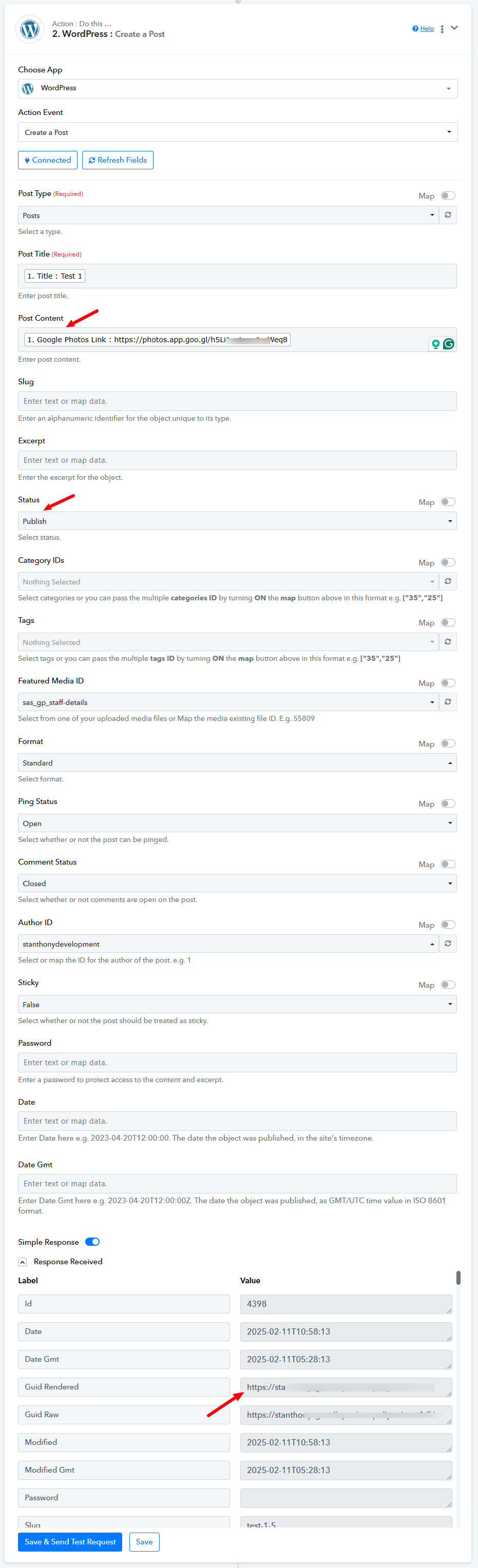
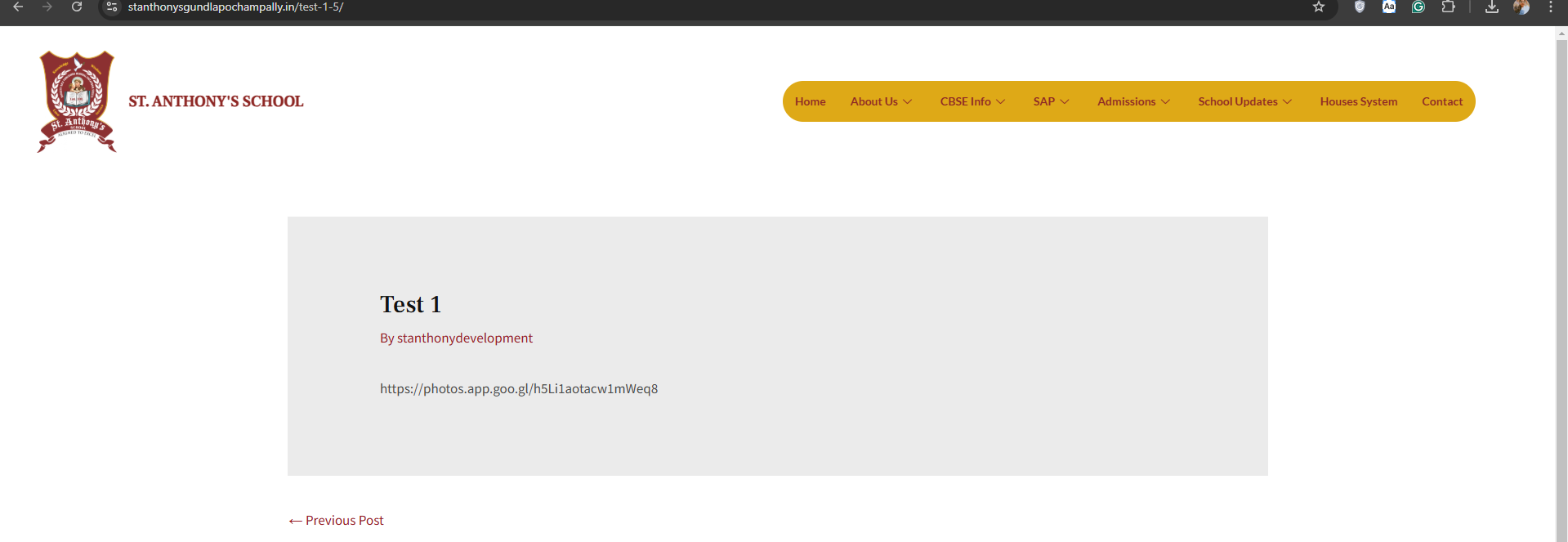
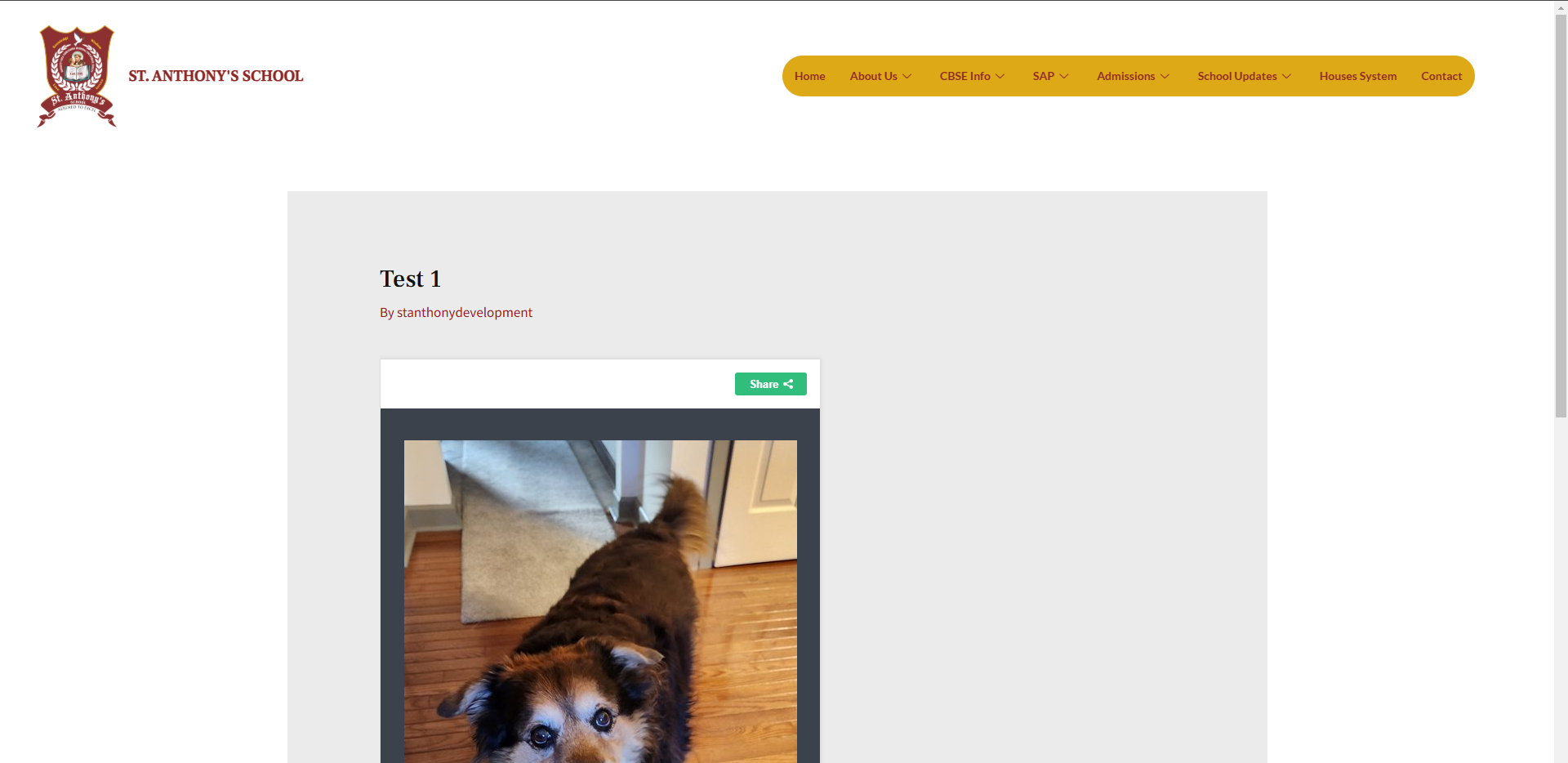
We conducted tests to determine whether your use case is feasible. During our testing, we changed the post status to "Published" and added a publicly accessible URL in the post content field. This worked as expected.
However, since the URLs you are mapping from Google Sheets are not publicly accessible, the posts are being created with a raw URL instead of displaying the expected content. To achieve the desired outcome, you will need to ensure that the URL passed in the post content field is publicly accessible.
Please refer to the attached images for further details.
Note: We have deleted the test posts created during this process.
Here is the link of my Google Sheet.
https://docs.google.com/spreadsheets/d/11B0-wj7BqrqbL5gZrGU5eITaxfxx_bC5EIddOsnRjJU/edit?usp=sharing
Here is the Field Trip post With "Title", "Feature Image" and "Google Photo Link"
On the click of Field Trip,
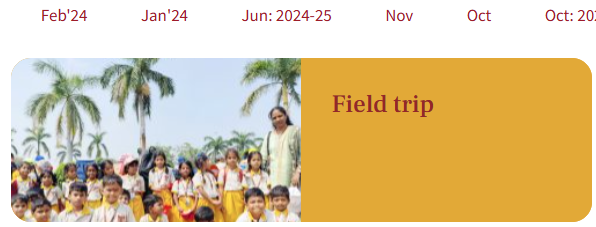
lead to Google Photos
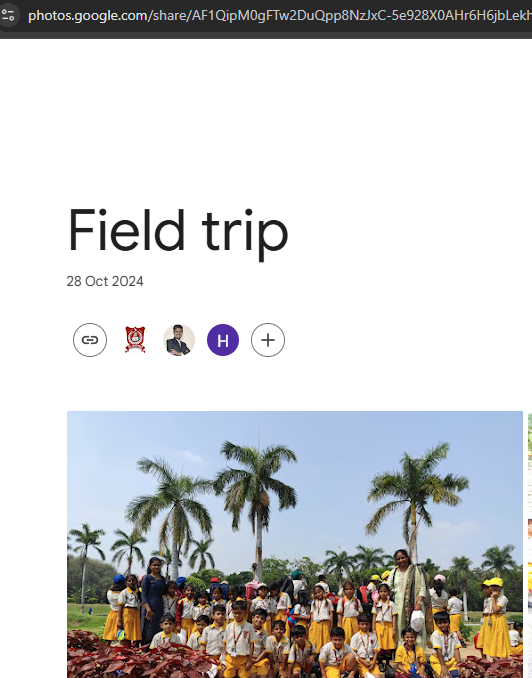
Hello @dowlaghar,
Could you please let us know where you took this screenshot from? This will help us better understand the context and explore the possibility of adding the link to the specific button.
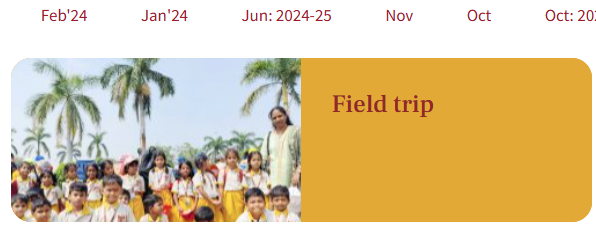
Here you will find the list of Posts I have created manually. Have a look at Backend of Post creating page
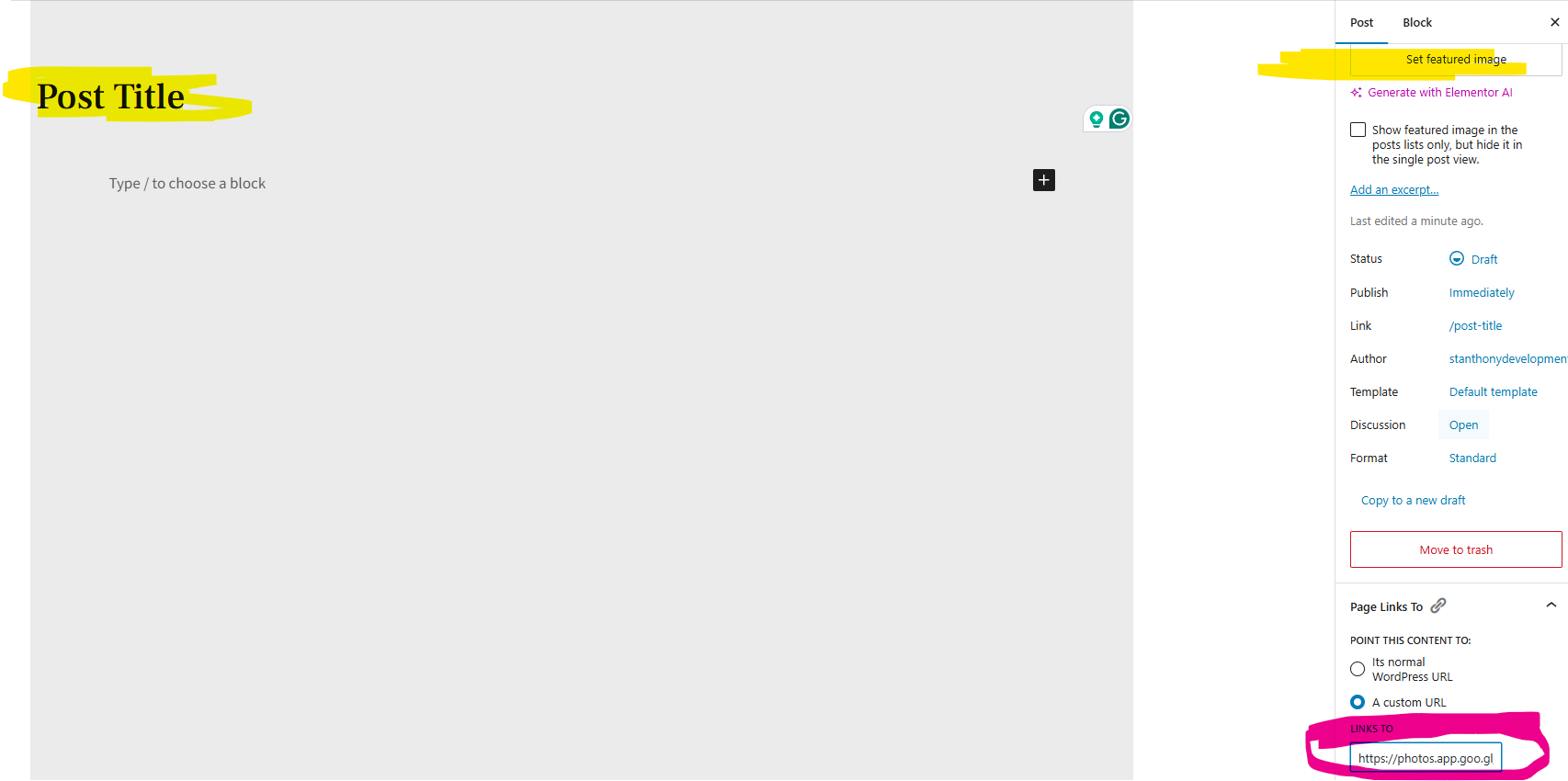
I am able to add custom link to the post using this Wordpress Plugin https://wordpress.org/plugins/page-links-to/
Once the post is created it will show in the following link
https://stanthonysgundlapochampally.in/events-2/
Post titles are
1. UNO Day
2. Field Trip
.
.
When someone clicks on the above Post Titles, it will lead to a Google Photos link the same can be view in the shared screenshot
Hello @dowlaghar,
Unfortunately, the use case you're looking to achieve is not possible.
Oh! thank you for your support.
By the way, any other possibility of achieving this? the ultimate goal is when parents visit the website they should click on the provided Google Photo link along with the Featured image.
Hello @dowlaghar,
Currently, this is not possible via API calls. You would need to add the link manually.
Okay! Fine, I will work on it.
Just want to know How to add a unique featured image to each post?
Hello @dowlaghar,
The WordPress API does not provide an endpoint to upload a featured image. If you want to add a featured image while creating a post, you can either select it from the dropdown or map the ID to dynamically add an image.
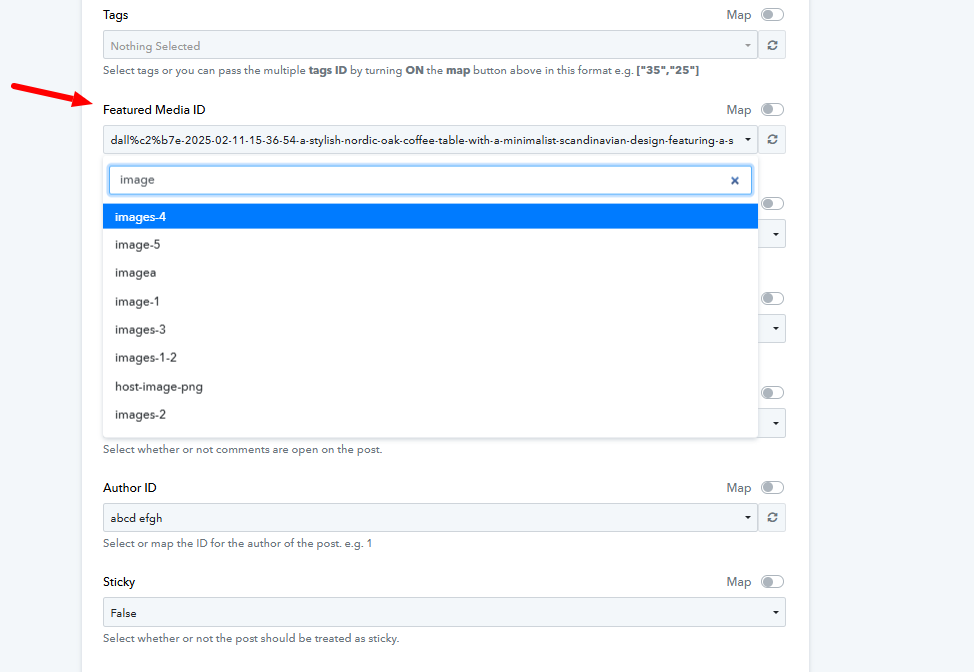
However, if you first need to upload the featured image and then assign it while creating the post, that doesn’t seem to be possible, as there is no API endpoint for this. You may refer to the workaround shown in the attached video tutorial and let us know if it works for you.