wordpress webhook + linkedin page posting
Status: Open · Asked by sultanofwind on · 0 views
Hi i have trouble to set this automation
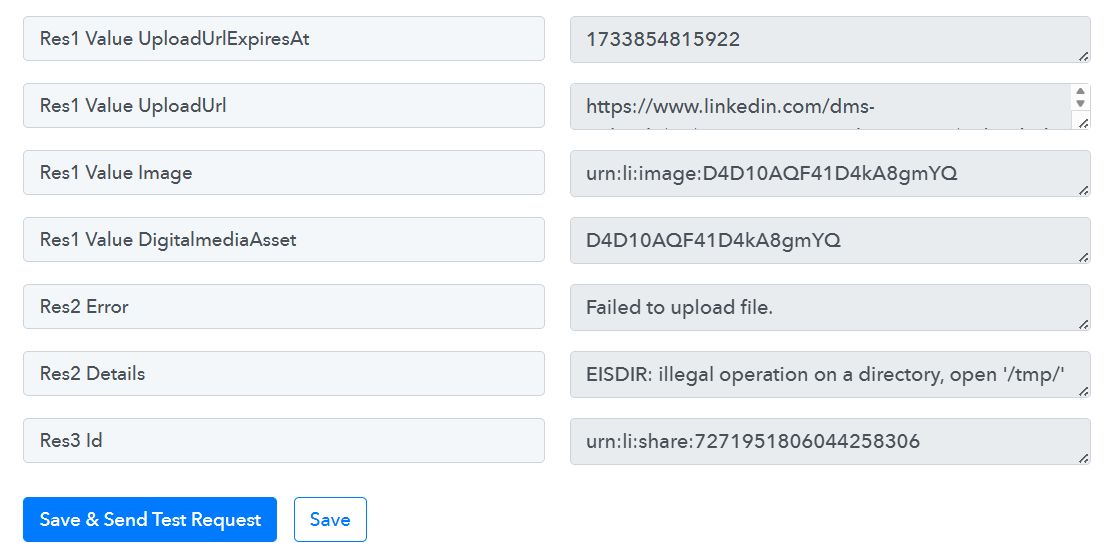
i receive this kind of response and the post is not pubblished on linkedin.
this the link of the automation
Hello @sultanofwind
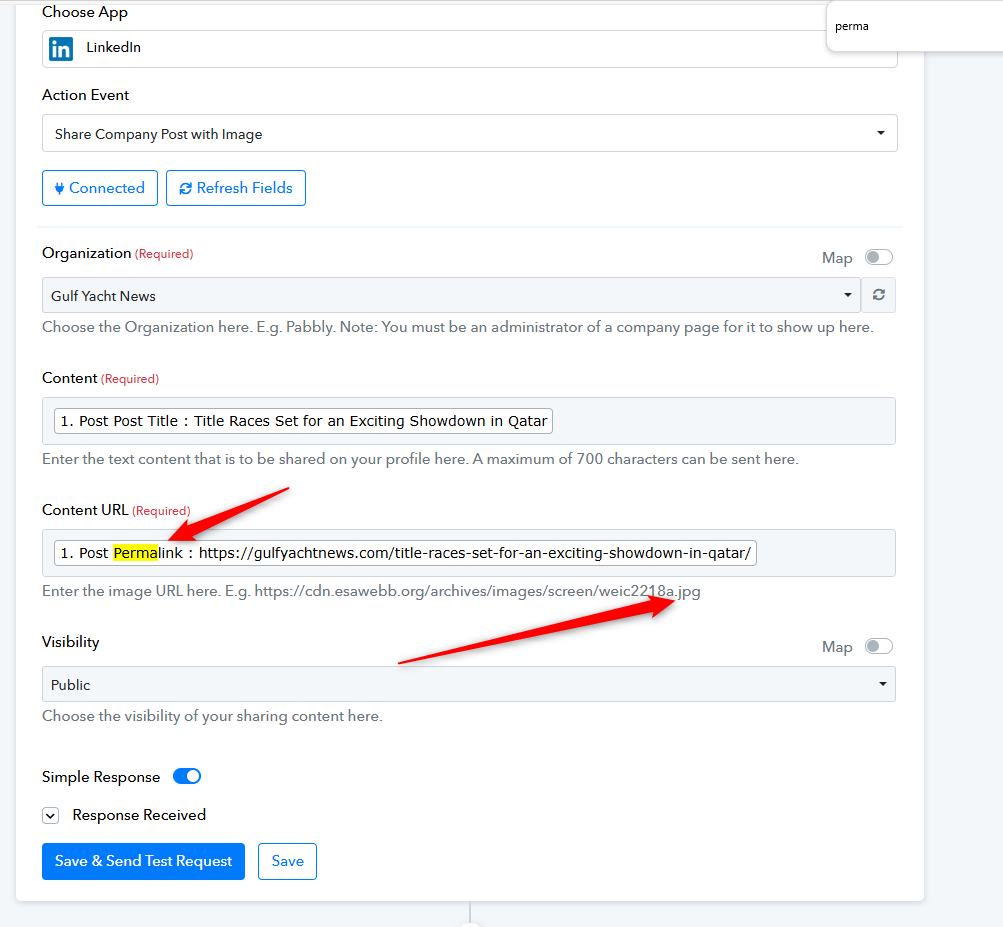
It seems you are mapping the permalink, which is causing the error. Please try adding an image URL as specified in the help text and let us know if it resolves the issue.
Hello @sultanofwindIt seems you are mapping the permalink, which is causing the error. Please try adding an image URL as specified in the help text and let us know if it resolves the issue.
i dont get the point, the image url should change to every post how can i add a single url?
i dont get the point, the image url should change to every post how can i add a single url?
if i put the thumbnail, it works it post the picture and the title but i want to post as link to the article
if i put the thumbnail, it works it post the picture and the title but i want to post as link to the article
solved thanks
Hello @sultanofwind
Thanks for the update!
Hello @sultanofwindThanks for the update!
i have cloned the task for Facebook and instagram as well, but while the testing is working properly only the linkedin one is triggering.
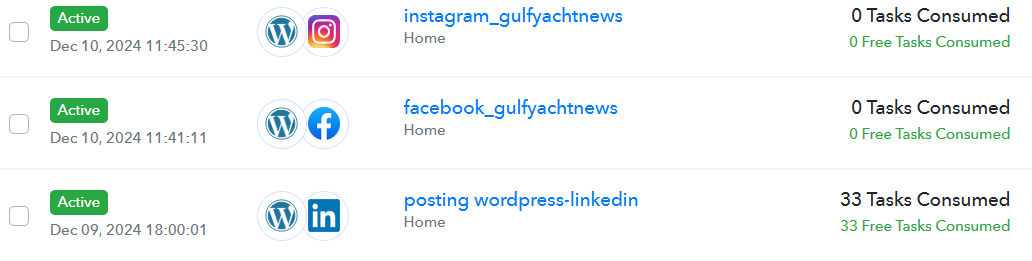
Test work out and publish but only the test
Hello @sultanofwind,
Could you please confirm if the WooCommerce webhook URL has been installed for both the instagram_gulfyachtnews and facebook_gulfyachtnews workflows in WooCommerce?
This will help us ensure everything is set up correctly.
Hello @sultanofwind,Could you please confirm if the WooCommerce webhook URL has been installed for both the instagram_gulfyachtnews and facebook_gulfyachtnews workflows in WooCommerce?
This will help us ensure everything is set up correctly.
Yes they are installed the test its working but is triggering only the linkedin one
Hello @sultanofwind,
It seems that the response from WordPress hasn't been recaptured after installing the webhook for the other workflows. Please click the Re-capture Webhook Response button, capture the response, update the mapping if necessary, and run a few tests. Let us know if the workflow gets triggered successfully.
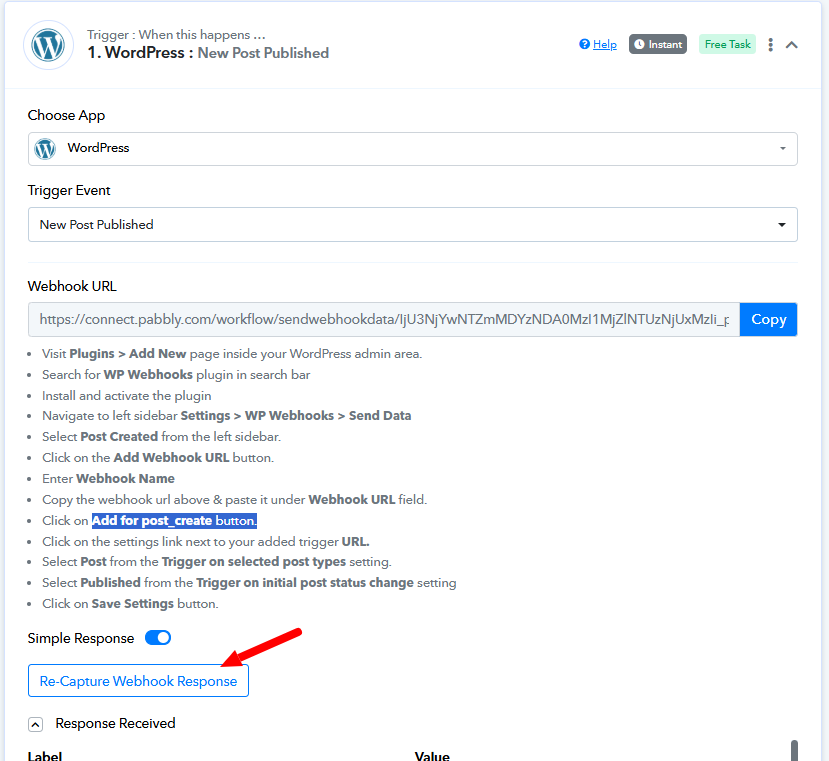
Hello @sultanofwind,It seems that the response from WordPress hasn't been recaptured after installing the webhook for the other workflows. Please click the Re-capture Webhook Response button, capture the response, update the mapping if necessary, and run a few tests. Let us know if the workflow gets triggered successfully.
after re-capture it is not taking anymore the response.
Hello @sultanofwind,
If you haven't already added the post after clicking the "Recapture Response" button, please go ahead and create a post. If you have already created one, kindly share a short screen recording of the entire process, showing how you created the post. This will help us verify if it's getting captured in the webhook response.
Hello @sultanofwind,If you haven't already added the post after clicking the "Recapture Response" button, please go ahead and create a post. If you have already created one, kindly share a short screen recording of the entire process, showing how you created the post. This will help us verify if it's getting captured in the webhook response.
i just added a new test post, it was published on linkedin (so no doubt about this process) but not captured there
Hello @sultanofwind,If you haven't already added the post after clicking the "Recapture Response" button, please go ahead and create a post. If you have already created one, kindly share a short screen recording of the entire process, showing how you created the post. This will help us verify if it's getting captured in the webhook response.
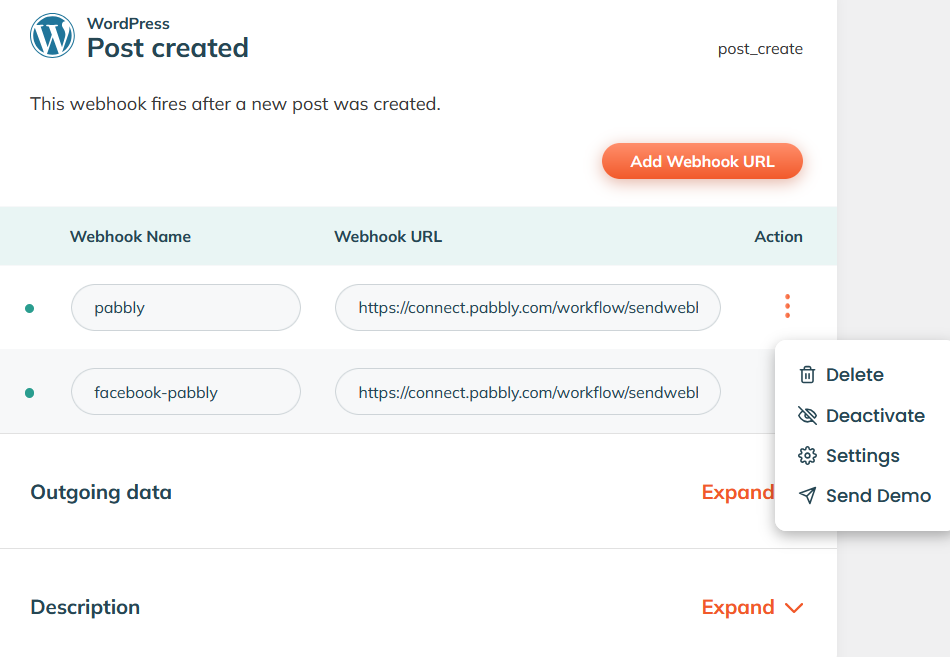
either i created a post from scratch or send demo via the webhook plugin the result is the same, the post publish in linkedin and the other one do not retrieve the data
Hello @sultanofwind
Please let us know a convenient time for you to join us on a Google Meet between Monday and Friday, either from 11:00 AM to 1:00 PM IST or 4:00 PM to 5:00 PM IST. This will allow us to better look into the issue.
we can do it tomorrow at 12 ist TIme?
Hello @sultanofwind
It seems there might be some confusion regarding the time zone. Could you please confirm a convenient time for you to join us between the above-mentioned time slots? Once confirmed, we will share the Google Meet link accordingly.
Looking forward to your response.
Hello @sultanofwindIt seems there might be some confusion regarding the time zone. Could you please confirm a convenient time for you to join us between the above-mentioned time slots? Once confirmed, we will share the Google Meet link accordingly.
Looking forward to your response.
TOmorrow at 12 IST time
Hello @sultanof wind
We have scheduled a Google Meet session for you at 12:00 PM IST today.
You can join via this URL at the defined timing - https://meet.google.com/qxb-etfp-cfm.
i
Hello @sultanof windWe have scheduled a Google Meet session for you at 12:00 PM IST today.
You can join via this URL at the defined timing - https://meet.google.com/qxb-etfp-cfm.
am online but there is no one
Hello @sultanofwind
I hope your query was successfully resolved during our meeting session.
Yes everything workink now:
another question.
if i want to pubblish a story in instagram with the link to an article and the image: is that possible?
Hello @sultanofwind
You can try using the Publish Video/Story action and let us know if it works for you.
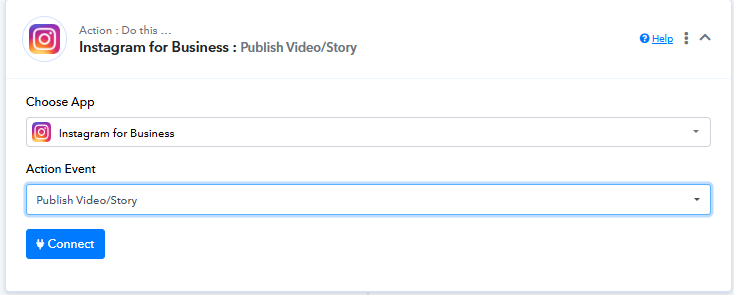
Hello @sultanofwindYou can try using the Publish Video/Story action and let us know if it works for you.
as action event i can only put the image, what if i want to add the link ?
Hello @sultanofwind
You can post an image or video to your Instagram story. However, adding a direct link to an article doesn't seem to be possible.
hello Preeti, suddenly the automation we created stopped to work.
linkedin, facebook,and instagram all 3 of them do not post anymore anytime a post is created in wordpress. I tried the test mode and its working and posting the helo word but when i post new article it doesnt trigger. any idea ?
hello Preeti, suddenly the automation we created stopped to work.linkedin, facebook,and instagram all 3 of them do not post anymore anytime a post is created in wordpress. I tried the test mode and its working and posting the helo word but when i post new article it doesnt trigger. any idea ?
Could you please share the Workflow URL you are referring to?
Could you please share the Workflow URL you are referring to?
https://connect.pabbly.com/workflow/mapping/IjU3NjYwNTZmMDYzNDA0MzI1MjZlNTUzNDUxMzUi_pc
https://connect.pabbly.com/workflow/mapping/IjU3NjYwNTZmMDYzNDA0MzA1MjZhNTUzMTUxMzUi_pc
Hello @sultanofwind,
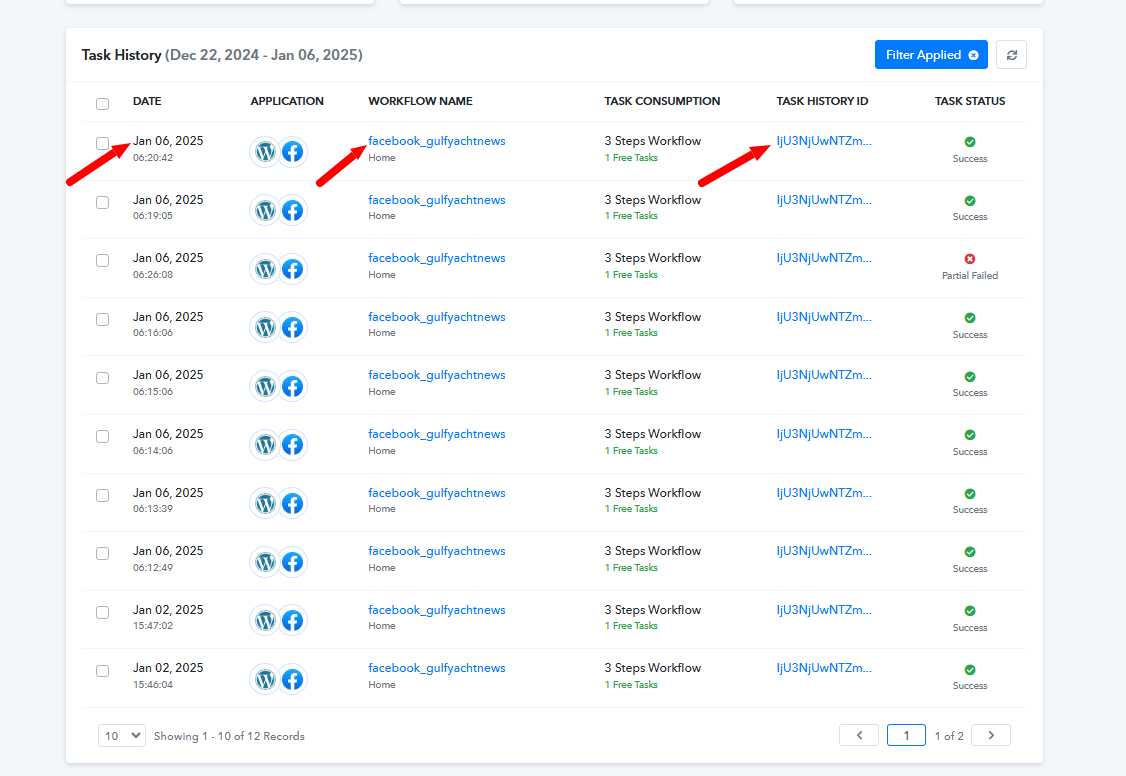
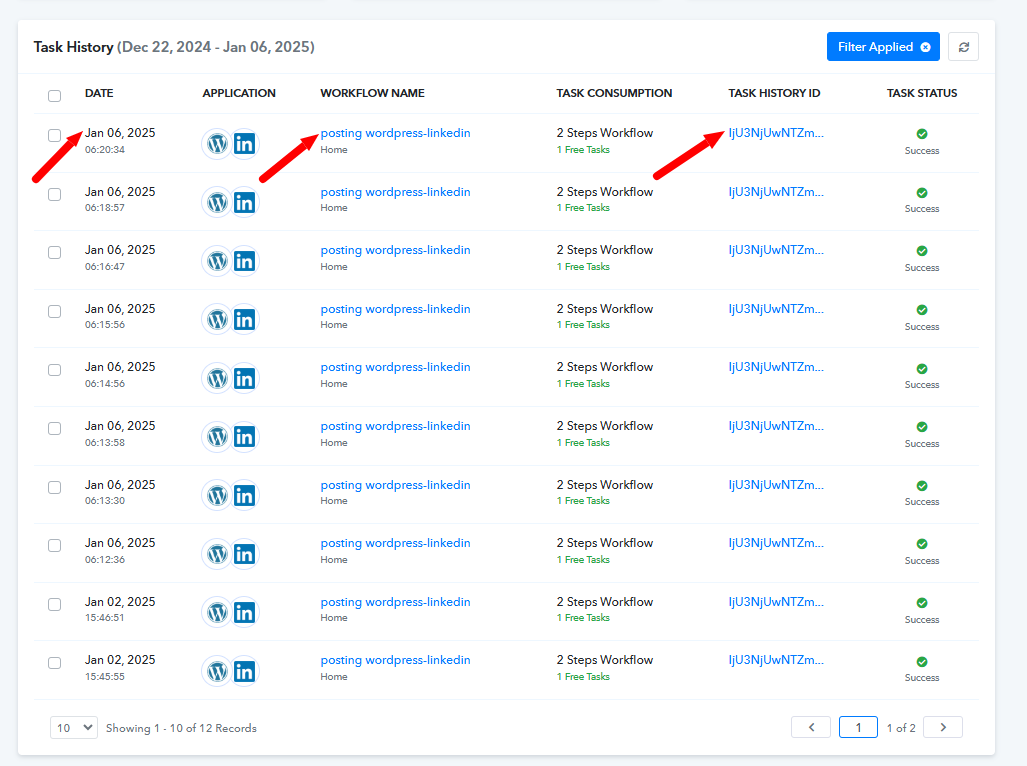
Upon checking, both the provided workflows appear to be working fine. Please refer to the attached images for more details.