Wordpress Weekly Digest
Status: Open · Asked by mohan_kumar on · 0 views
Hi,
I created a Weekly Wordpress post Digest, https://connect.pabbly.com/v2/app/workflow/share/WxNZa1AHAWJSGAJoA1xWcQkdCg4CW1Q0Bx4AEgMMB38GSwdSURAOZA5CByVWDVMyUBkEbg5RBWABFQQABlAHdAANVXlSUVQuUx4GfQNKADNbBVlxUDE#
I have following requerement, please assist me.
1. Filter to be applied based on post category
2. Filter to be applied based date range
3. How to combine 2 or more results of steps
4. js/phython query to replace multiple strings in output
5. How fetch post titles and align with post link for ex. abc read https://abc.com/read , xyz apple https://abc.com/xyz apple
Hi @Preeti Paryani, can you help on this?
Hi @mohan_kumar,
Hi,I created a Weekly Wordpress post Digest, https://connect.pabbly.com/v2/app/workflow/share/WxNZa1AHAWJSGAJoA1xWcQkdCg4CW1Q0Bx4AEgMMB38GSwdSURAOZA5CByVWDVMyUBkEbg5RBWABFQQABlAHdAANVXlSUVQuUx4GfQNKADNbBVlxUDE#
I have following requerement, please assist me.
1. Filter to be applied based on post category
2. Filter to be applied based date range
https://connect.pabbly.com/workflow/share/XxdQYlYBAWJXHQdtAF8EIwsfCg5VDFIyUElVR1dYUytVGFEEUBELYVgUACIDTFIzAksGbFENAzoAFAUBVAJSIQAaCCRcX1AqUB0AMwRBCTpfAVB4Vjc#
In this workflow, we have demonstrated how you can set up a filter based on Post Category and date range. You will need to convert the date/time into timestamp format for it to work.
3. How to combine 2 or more results of steps
5. How fetch post titles and align with post link for ex. abc read https://abc.com/read , xyz apple https://abc.com/xyz apple
Please make a short screen recording and elaborate a bit more on your exact concern.
4. js/phython query to replace multiple strings in output
We won’t be able to assist you with coding-related queries, as they are beyond our scope of expertise.
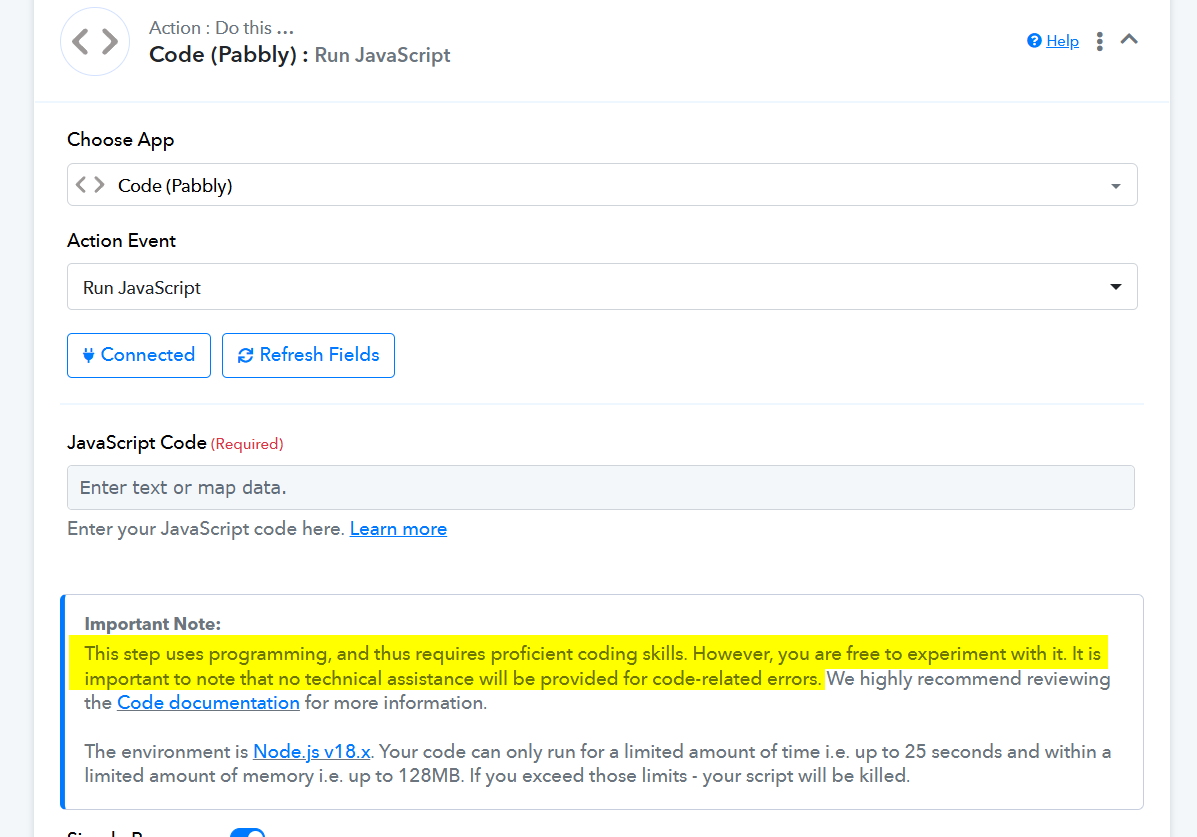
Thanks for the reply and test workflow, but still not working, can you please look into it.
Hello @mohan_kumar,
Could you please share the Workflow URL where you’ve used or accessed the shared workflow? This will help us review the setup more accurately and assist you better with the issue.
Looking forward to your response.
My query was to apply filter on category and apply dynamic last 7 days range.
Support from pabbly is too late, is this the same for paid users
any one is here to reply to my issue @Preeti Paryani
Hello @mohan_kumar,
Apologies for the delayed response. It seems the message wasn’t sent earlier due to a network issue. Below is the reply we intended to share:
To apply a filter based on a dynamic “last 7 days” range, our understanding is that you want to check between two dates with a 7-day difference. Here's how you can achieve that:
- First, take the initial date and convert it into a timestamp.
- Then, using the Date/Time Formatter, add 7 days to that same date.
- Convert the result of this step back into a timestamp.
- Now, apply the filter condition using these two timestamps—similar to how it’s demonstrated in the shared workflow.
This setup should help you successfully apply the required filter. Please give it a try and let us know if it works as expected.
Hi, thanks for the reply, I was able to get post links, but want to apply filter based on category, please guide
Hello @mohan_kumar,
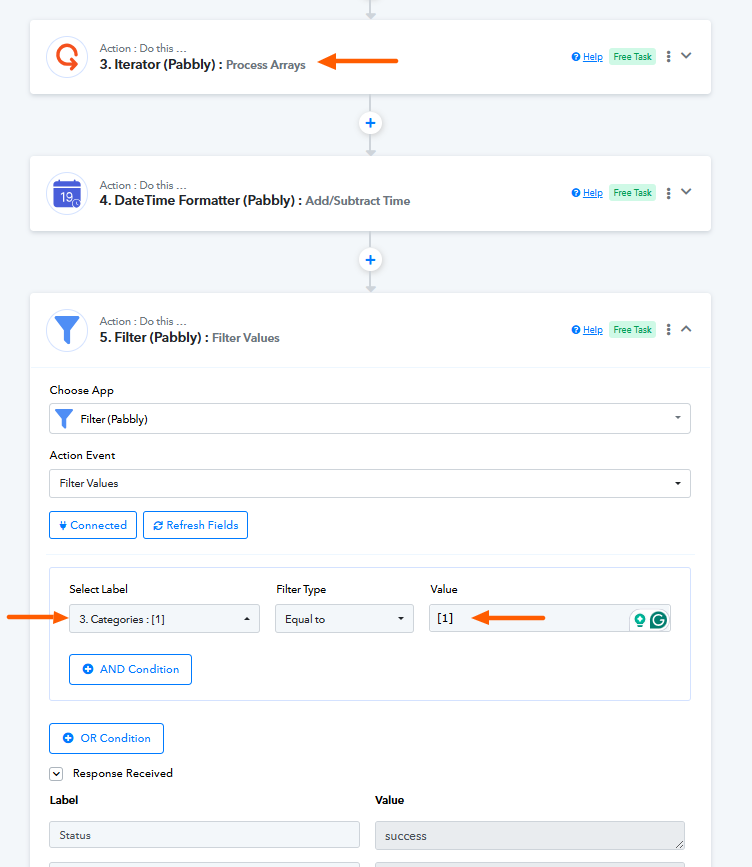
We’ve made some changes to the workflow by adding an Iterator to process the posts received from WordPress. Additionally, we’ve included a Filter to allow filtering by category. You can enter the desired category value as per your requirement.
Please refer to the attached image for guidance.
Thanks, I will check and revert