Workflow between Ezycourse and KIT
Status: Open · Asked by abilash on · 0 views
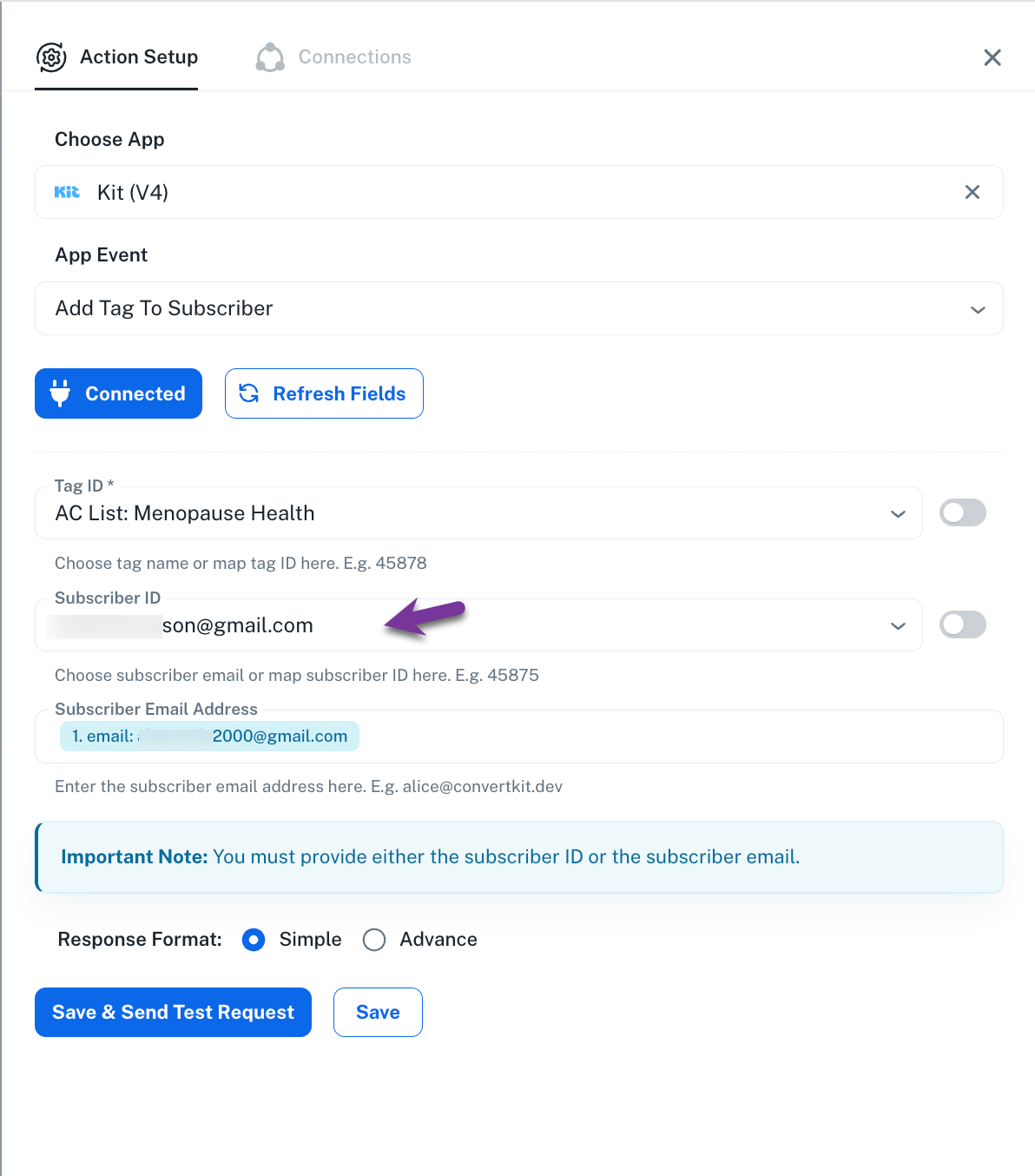
When a user signs up for a course in EzyCourse, I want to assign a tag in Kit. However, I’m facing an issue with the action setup.
A subscriber ID is being picked up, but it’s linking to a random email address in Kit. As a result, the tag is being assigned to the wrong contact.
How can I fix this?
Hi @abilash,
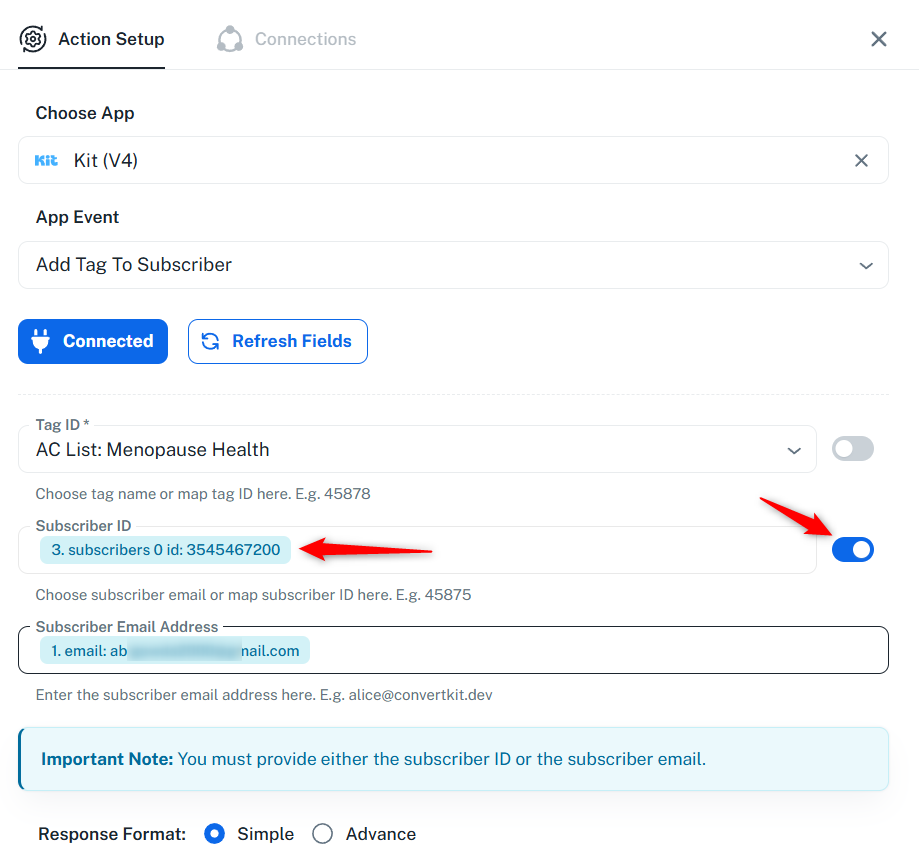
For this use case, you would need to add the Kit V4: Find Subscriber by Email Address action step to your workflow. This will provide you with the subscriber ID, which you can then map to the Kit V4: Add Tag to Subscriber action step. We have made the necessary changes on your behalf, and the tag should now be assigned to the correct subscriber.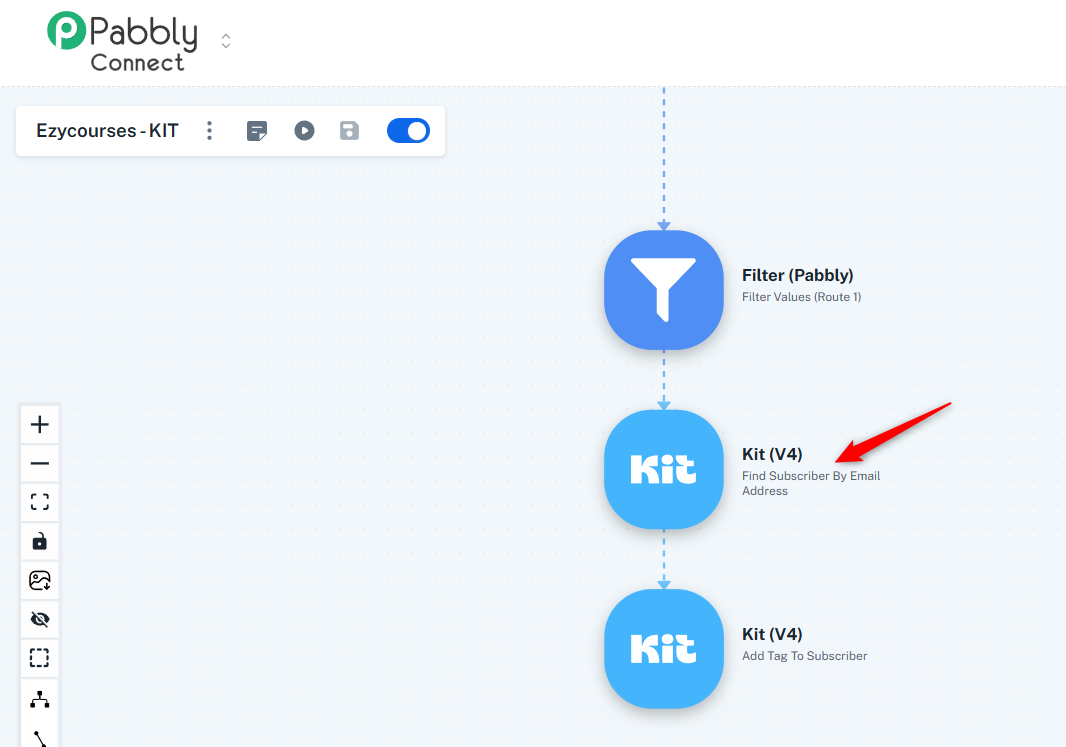
Thanks & Regards,
Arshil Ahmad
Customer Support Associate
? Pabbly.com
What about if subscriber is NEW?
Hi @abilash,
In that case, you’ll need to structure your workflow to handle both scenarios.
- First, use Find Subscriber by Email
- Then add a Router to manage two conditions:
- If Subscriber ID exists
→ This means the contact already exists
→ Directly use Add Tag to Subscriber - If Subscriber ID does not exist
→ First use Create Subscriber
→ Then use Add Tag to Subscriber
This setup will ensure that:
- Existing users are tagged correctly
- New users are created first and then tagged
Please try this and let us know how it goes.
Too many tasks.
Is there a way to remove subscriber ID from "Add tag to a subscriber" action?
Is there a way to get on a call with someone from the team?
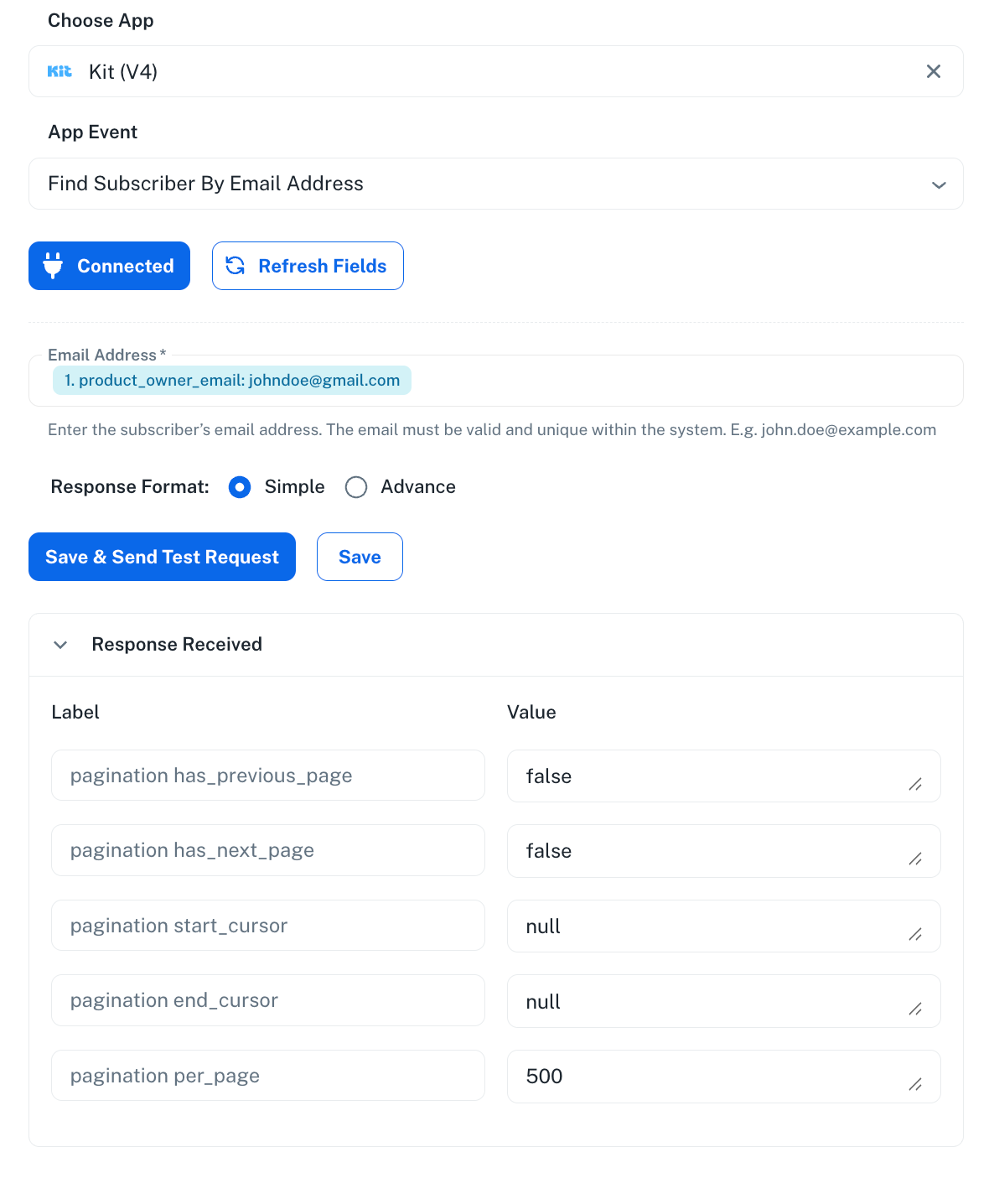
And when I try "search subscriber", I see this output. I am not sure what this does?
And how to route one webhook to multiple automations?
Too many tasks.
Is there a way to remove subscriber ID from "Add tag to a subscriber" action?
No, it's not possible to remove the Subscriber ID from the 'Kit V4: Add Tag to a Subscriber' action step. The endpoint is designed this way from Kit's end, so it cannot be removed.
And when I try "search subscriber", I see this output. I am not sure what this does?
This occurs when you attempt to search for a subscriber that does not already exist in your Kit account. You are supposed to search using an email address that already exists in your Kit account.
We added the subscriber with the email address [EMAIL][email protected][/EMAIL] to your Kit account, then searched for it, and it returned the correct details (Subscriber ID).
https://connect.pabbly.com/v2/app/workflow/mapping/IjU3NjcwNTZlMDYzMzA0MzU1MjZkNTUzNjUxM2Ii_pc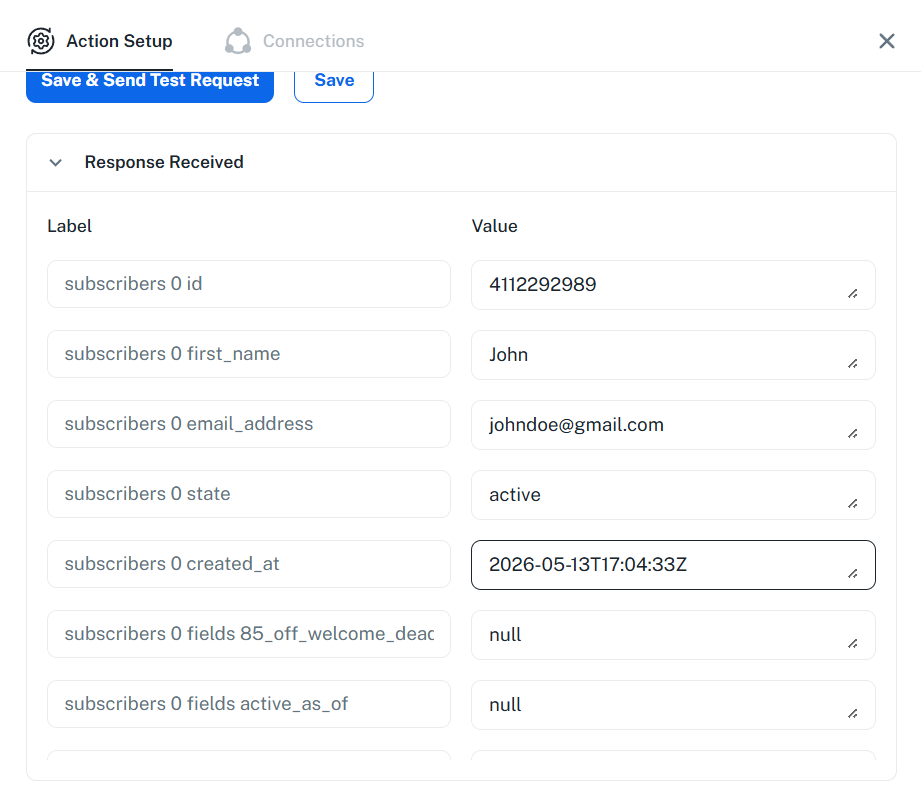
We have also set up the Filter condition in both of your routes using the correct details fetched.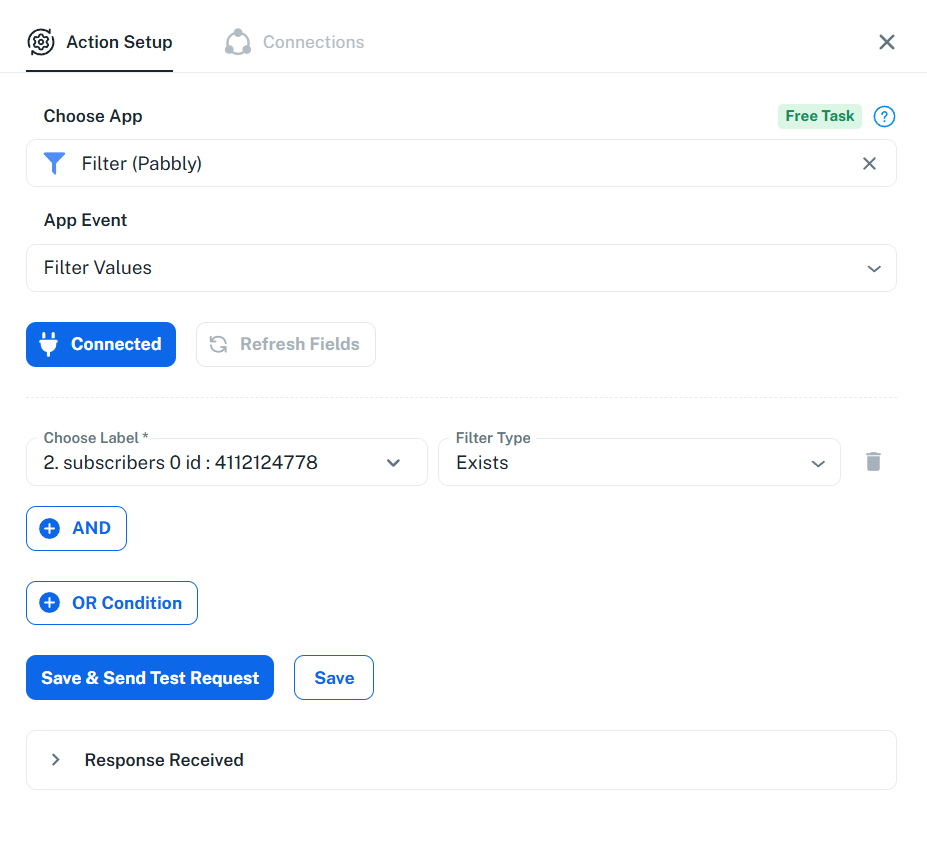
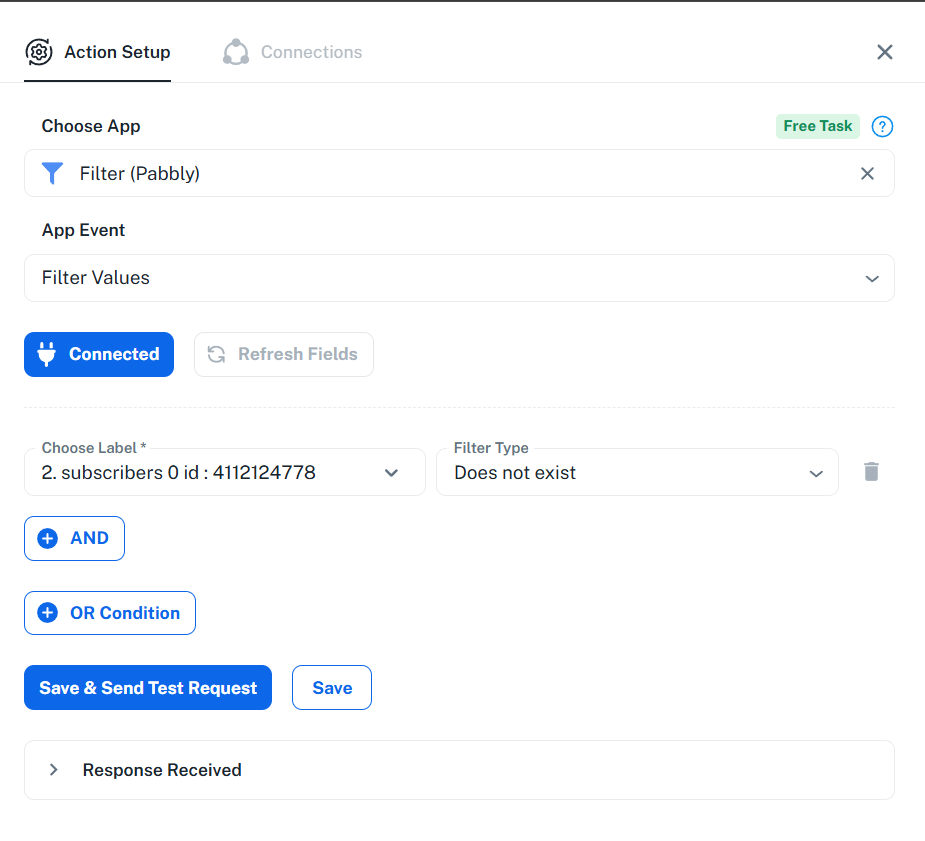
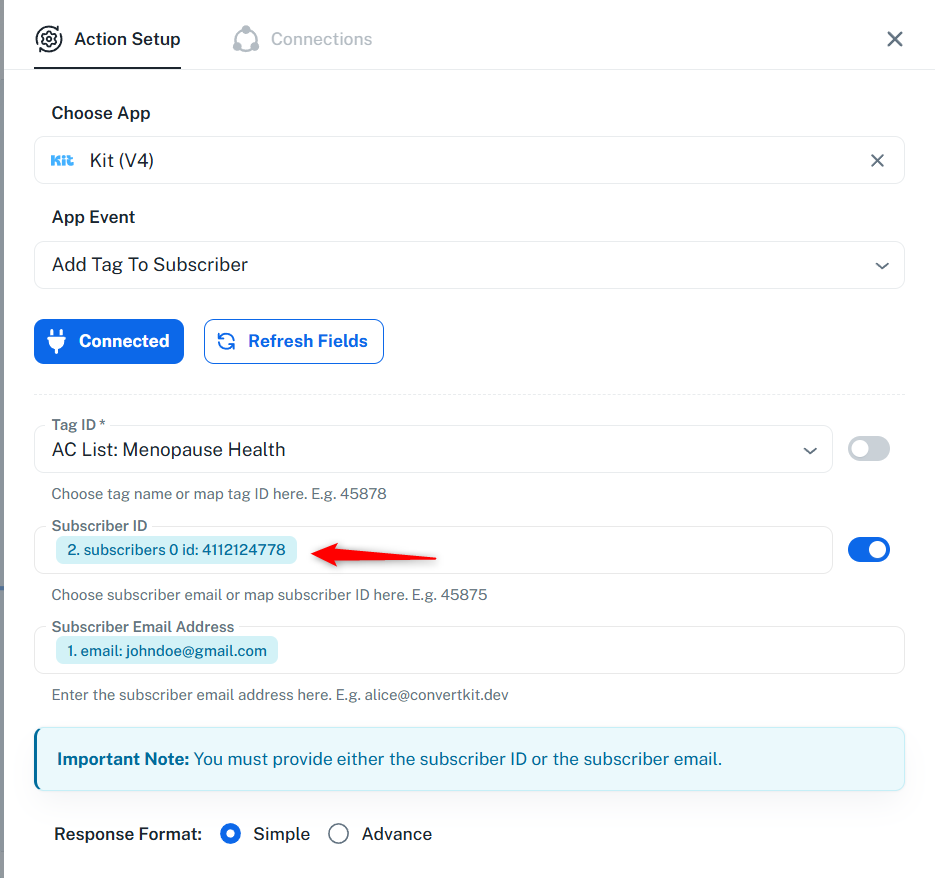
We have also added the 'Kit V4: Add Tag to Subscriber' action step to Route 1 of your workflow. This will allow you to add a tag to a subscriber if they already exist in your Kit account.
We have added the 'Kit V4: Insert or Update Subscriber by Email Address' and 'Kit V4: Add Tag to a Subscriber' action steps to Route 2 of your workflow. This will allow you to create a subscriber if they do not already exist in your Kit account, and then add a tag to that subscriber.
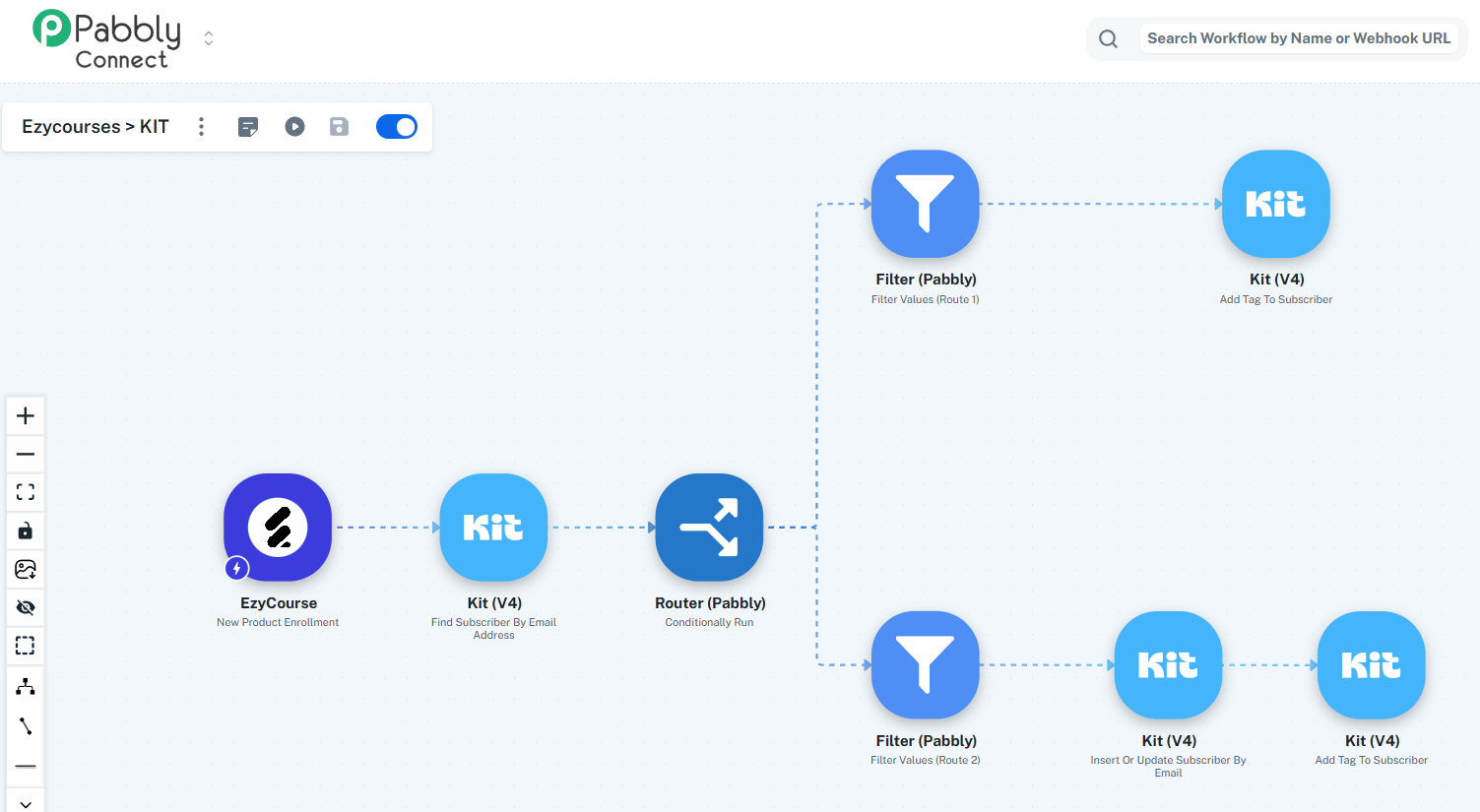
This setup will allow you to add tags to existing subscribers, as well as create new subscribers and then add tags to them.
================================================================
Assuming that you already have multiple workflows with 'Webhook by Pabbly' as the trigger step.
You can add multiple 'Data Forwarder: Forward Webhook' action steps to your workflow. In each Data Forwarder step, add a different webhook URL. Each workflow to which you want to send data should have 'Webhook by Pabbly' as the trigger step. This setup will allow you to forward data to multiple workflows from a single workflow (webhook).
Watch the video shared below to understand how you can do this.
youtube.com/watch?v=JwjWx7vx0hE:131
Thanks & Regards,
Arshil Ahmad
Customer Support Associate
? Pabbly.com