Workflow - Brevo connection
Status: Open · Asked by Broos Debrabander on · 0 views
Hi, can someone have a look at this please.
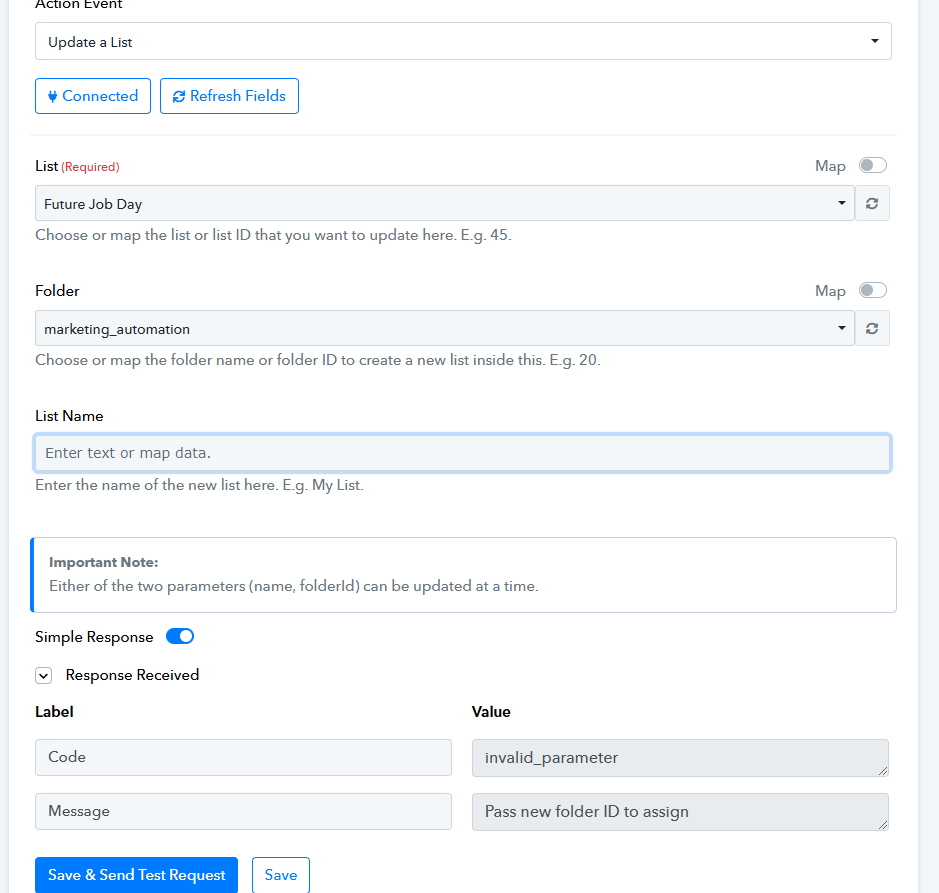
I'm trying to set up a workflow with Brevo (e-mailplatform) but I'm constantly getting the message 'pass new folder ID to assign'.
I'm picking the right data from Brevo? I'm using the right list and folder. But still keep receiving this error.
Hello @Brevo
As per the help text of the action step with which you are facing issues, either of the two-parameters (List name, Folder) can be updated at a time.
Since you have selected the same folder in which this list exists, you are getting the error message to select another list.
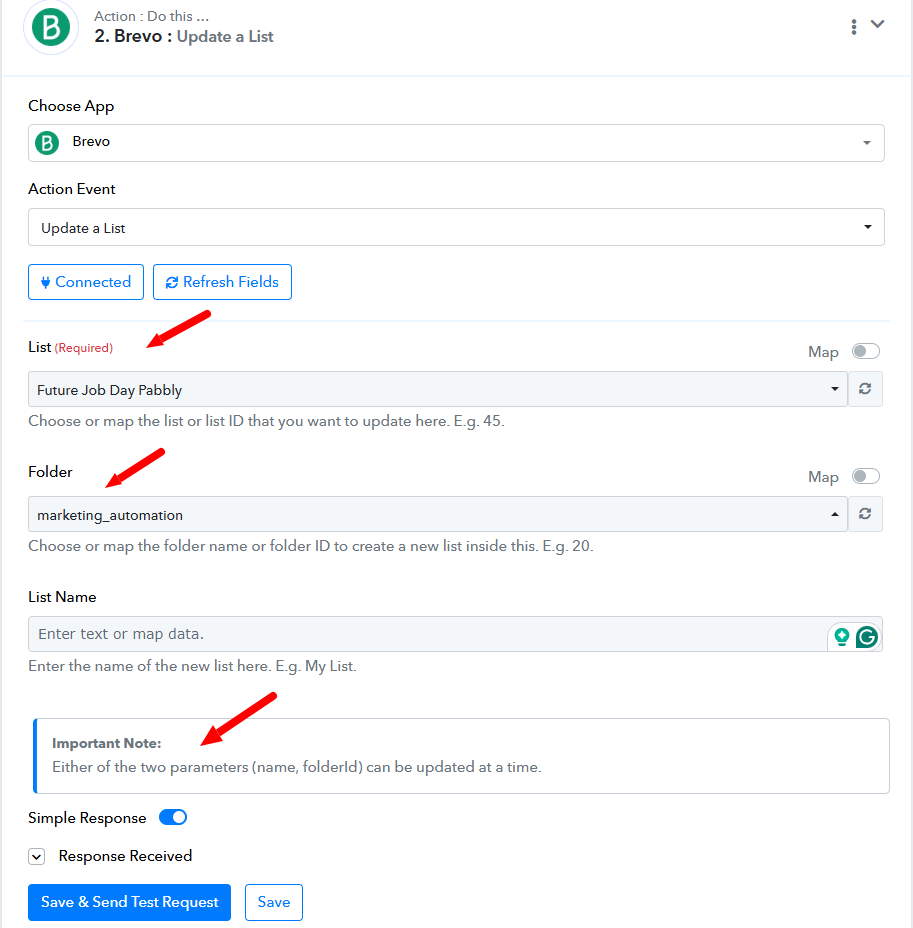
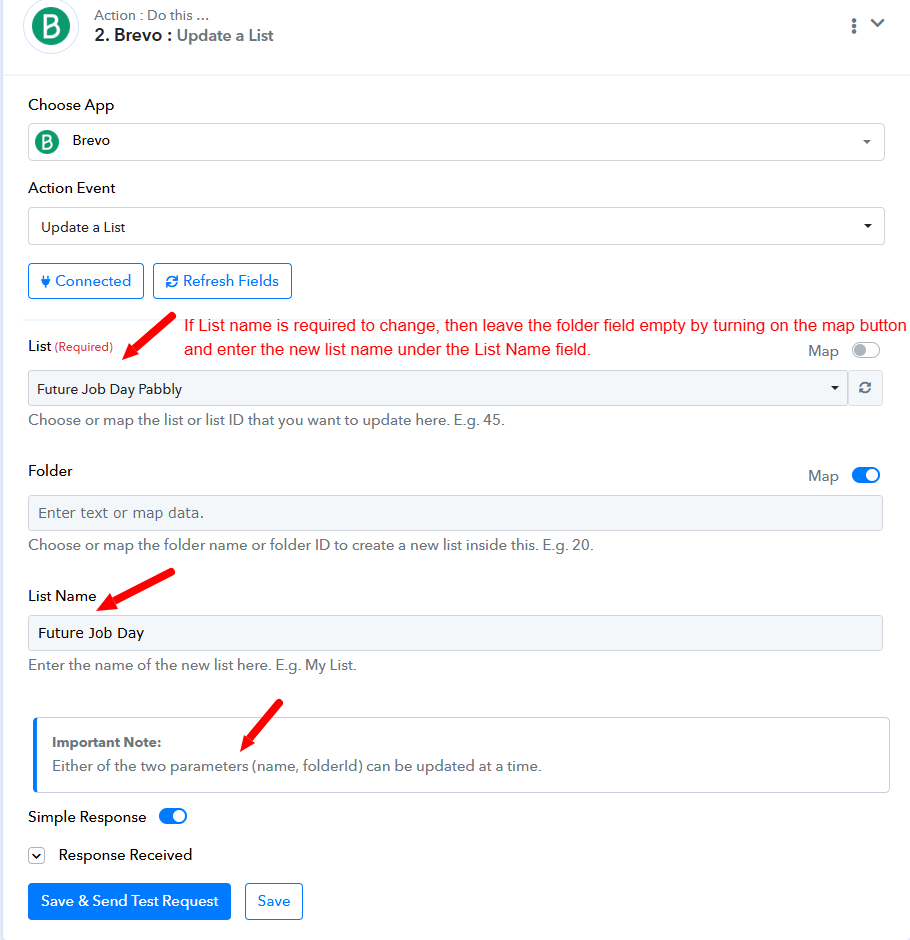
However, if you wan to change the list name then you can set up the step as per the below-attached screenshot.
Thank you!
I just tested it and this steps works.
But the complete flow isn't working...
I want people who fill in this form https://docs.google.com/forms/d/e/1FAIpQLSfC-jj2GBz33BqCrp6gTqznzF0BnJgM_CYH2P04b6YZkr8Ybg/viewform?usp=sharing
being pushed to my Brevo e-mail list as a new contact.
Thanks for investigating
Hello @Broos
Can you please set up a new workflow and check if the issue persists You can take reference from this tutorial -
I just watched the tutorial and followed the exact same steps.
Could you please check my current workflow.
I don't really quite have the time to set this flow all over again...
Thanks for you understanding
Hello @Broos
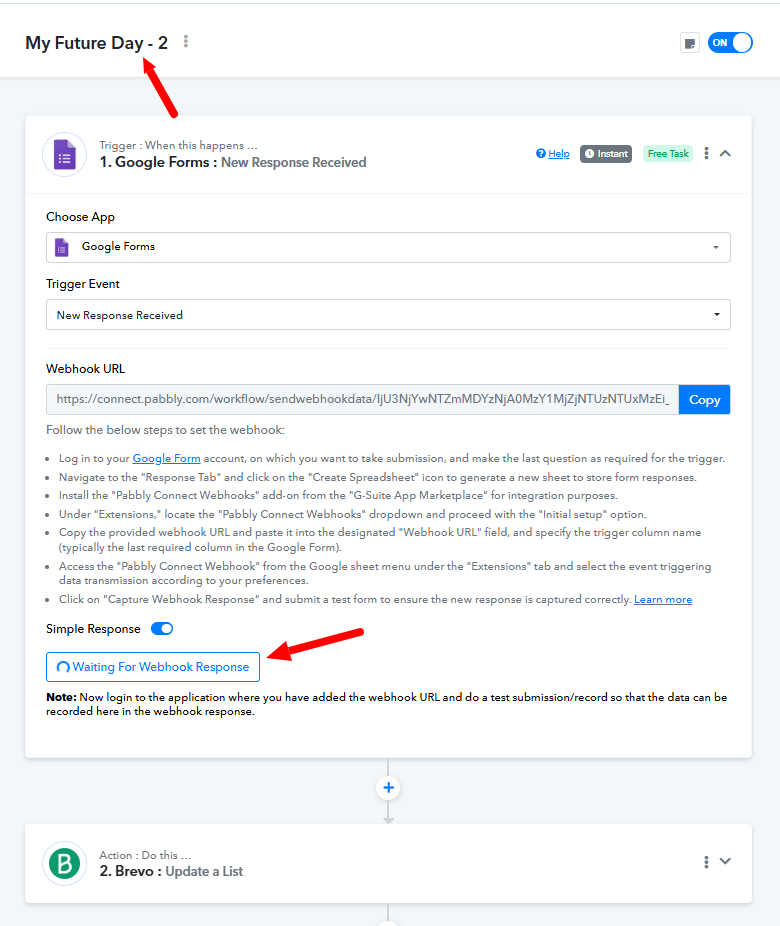
Can you please capture a response in the trigger step, so we can look into the issue Also, please confirm if the form associated with the workflow named Future Job Day - 2 is the one you provided before.
Hi
I just deleted Future Job Day - 2 that was a clone of my original/initial workflow.
Please have a closer look at My Future Day (see printscreen).
Thanks for your time and for investigating further.

Hello @Broos
The trigger for the workflow named "My Future Day" is still waiting for a response. Please ensure that the correct form associated with this workflow is submitted and a response is captured. Without this step, it will be difficult for us to assist you effectively.
Hi
Is this okay now for you to check?
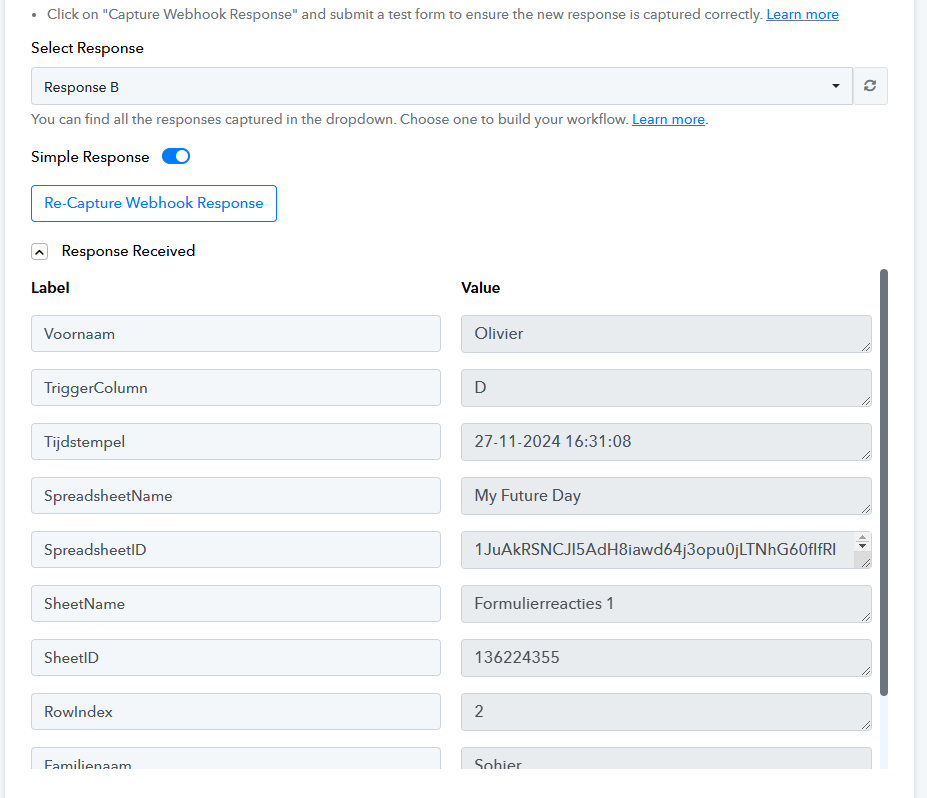
I just received this
I guess you are testing.
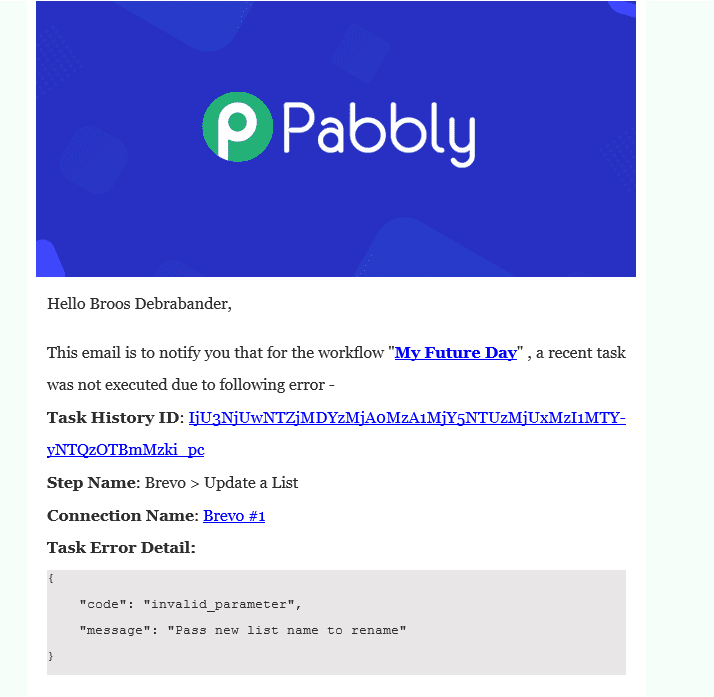
Hello @Broos
On filling this form the workflow isn't getting triggered. Can you please check if it is the correct one
https://docs.google.com/forms/d/e/1...0BnJgM_CYH2P04b6YZkr8Ybg/viewform usp=sharing
Additionally, we would appreciate it if you could grant us edit access to the associated Google Form so we can investigate the issue more thoroughly.
You have received an error email indicating that the Brevo: Update a List action step contains a static name. If we need to update the list name, a new name must be used.
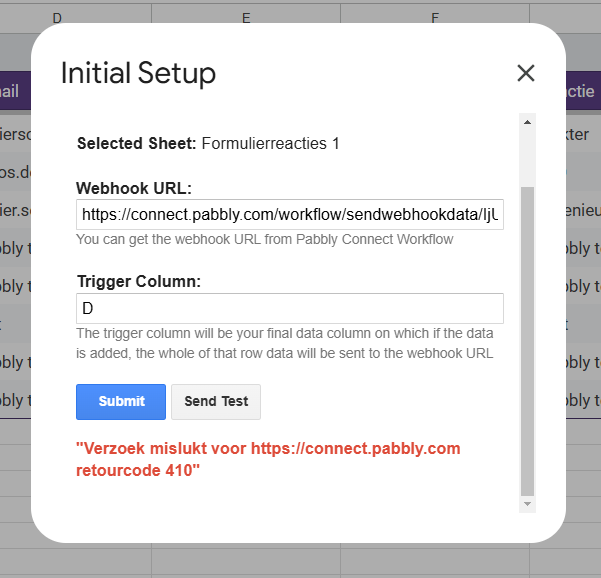
Hi
I can confirm this is the right corm. I just doublechecked. https://docs.google.com/forms/d/e/1FAIpQLSfC-jj2GBz33BqCrp6gTqznzF0BnJgM_CYH2P04b6YZkr8Ybg/viewform?usp=sharing
And what e-mailadress I can use to give you access to the form?
The list name doesn't have to be update when a candidate is added.
The list name should remain the same.
Hello @Broos
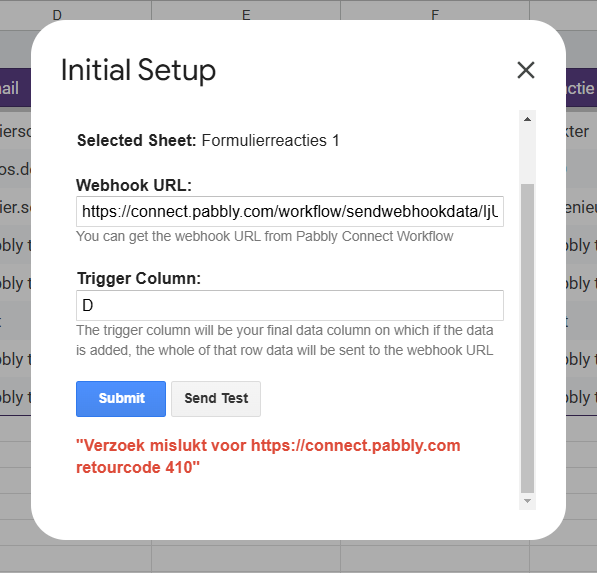
As per this screenshot provided by you, it seems there is some issue in the set up as you are getting the 410 error code.
Please provide us access at [email protected].
e-mailadress I can use to give you access to the form
Then, what action do you require to be performed after the form submission The update list action will either update the list name or the folder.
The list name doesn't have to be update when a candidate is added.
Hello @BroosAs per this screenshot provided by you, it seems there is some issue in the set up as you are getting the 410 error code.
Please provide us access at [EMAIL][email protected][/EMAIL].
Then, what action do you require to be performed after the form submission? The update list action will either update the list name or the folder.
I just want the data being filled in by candidates in my form leads to a new contact being created in Brevo.
Is this the right trigger to use then 'update a list'.
Hello @Broos
As per your requirement, the trigger should be "Google Forms: New Response Received", and the action step should be "Brevo: Create or Update Contact". Kindly set up the workflow accordingly.
If you encounter any issues during the setup, we recommend trying it in an incognito tab for a smoother experience. If you still face any errors, please let us know, and we’ll be happy to assist you further.
Thank you!
I've updated my workflow.
But something is still going wrong.
Data is still not pushed to my contactlist in Brevo.
Thanks for investigating.
Google form get's filled in correctly.
Data is correctly pushed in the google spreadcheat but the data is not getting pushed to the contact list in Brevo.
There isn't even made a new contact when data is submit in the google form.
Task History ID - IjU3NjUwNTZjMDYzMjA0MzA1MjY1NTUzNzUxM2E1MTYzNTQzODBmMzEi_pc
Based on your latest Task History, your workflow seems to be triggering successfully, and the contacts are being added to your Brevo account.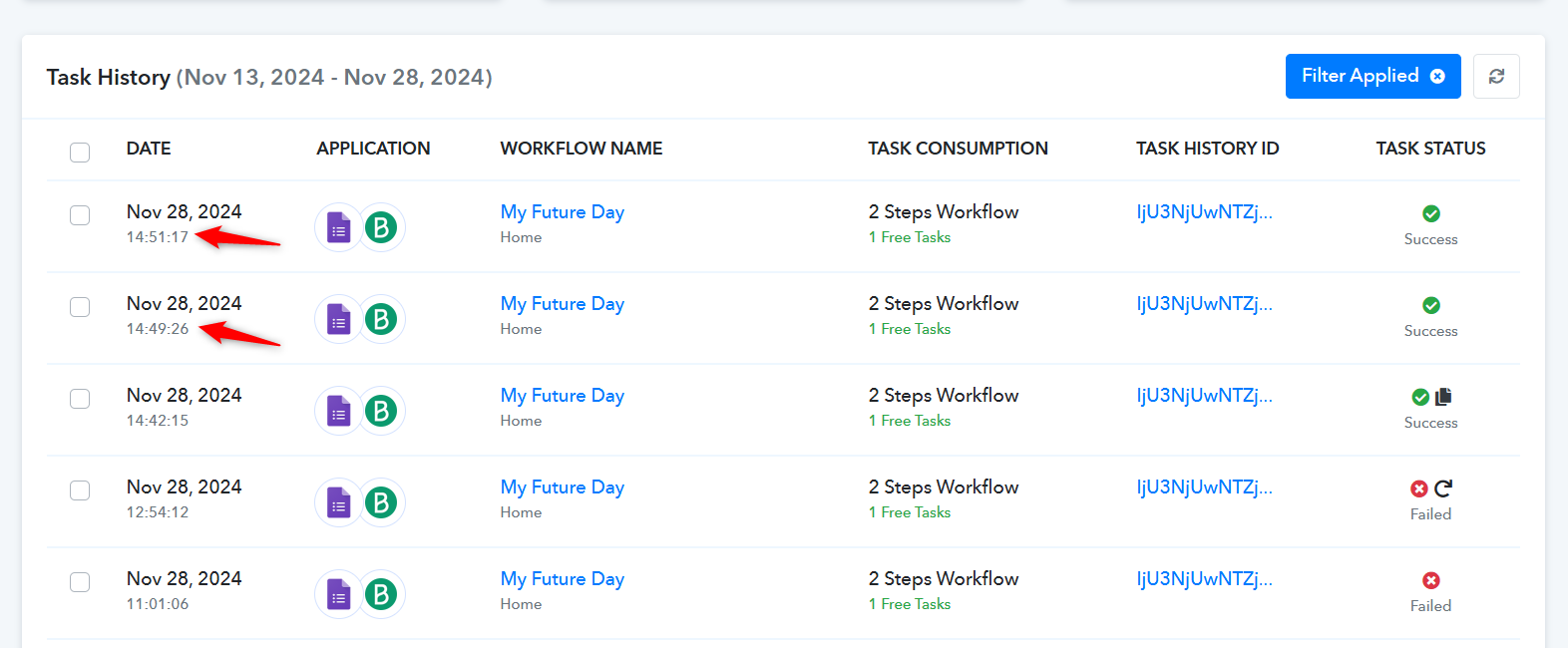
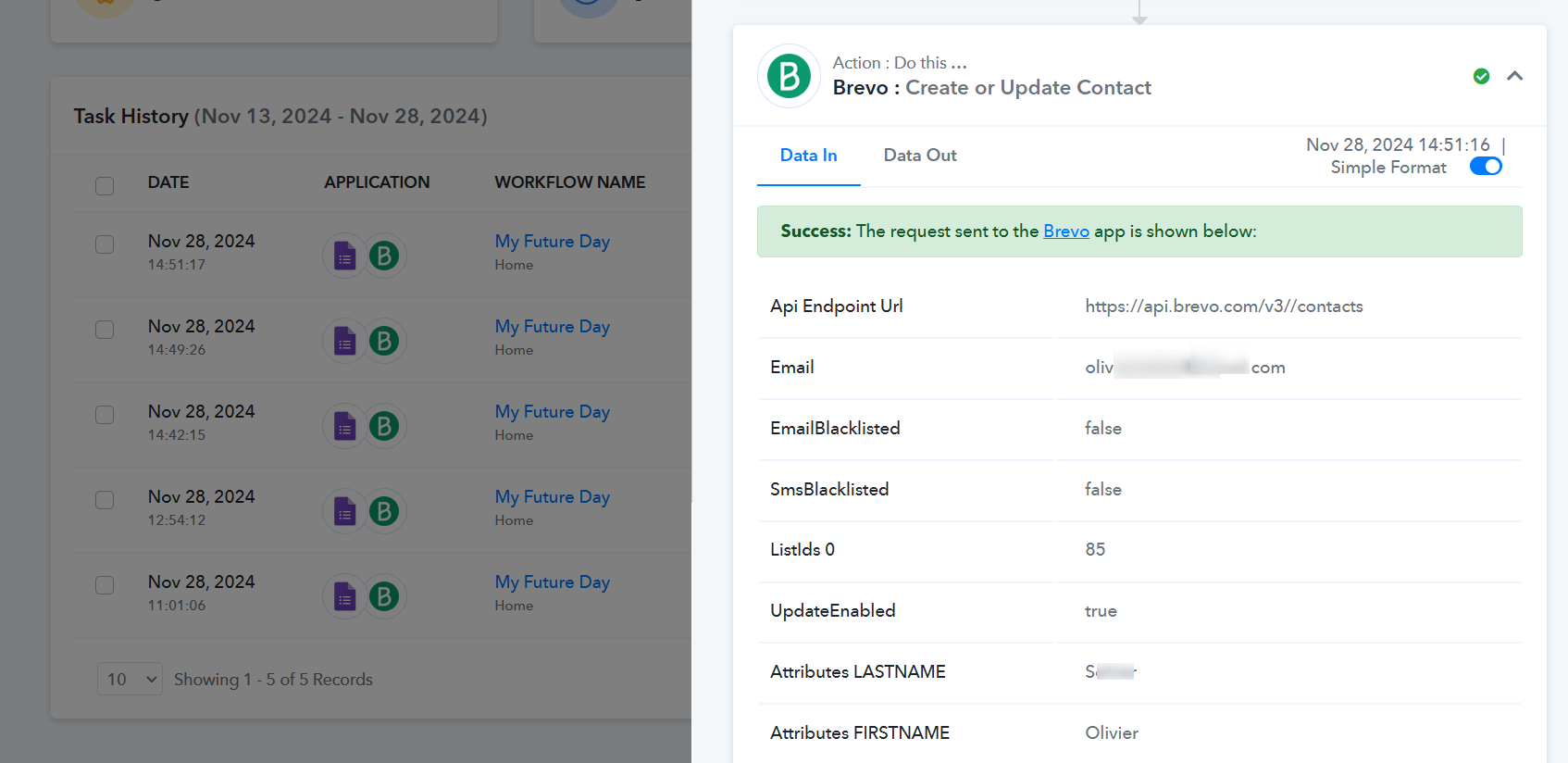
The data we see in task history doesn't match with the latest data filled in in the google form.
Thanks for investigating.

Hello @Broos
Could you please share edit access to the form with us This will allow us to thoroughly review the issue and provide you with more effective assistance. Kindly grant access to [email protected].
Let us know once it’s done!
Hi, I already shared access to this e-mailadress, last week.
Hello @Broos
Upon reviewing the Google Sheet associated with the Google Forms, we noticed that the setup has not been configured correctly. Please refer to this tutorial for a step-by-step guide to properly set it up.
Once the setup is completed, kindly add a few test entries and let us know if it resolves the issue.