Workflow created is different and executed is different steps. how?
Status: Closed · Asked by Parth Nayak on · 0 views
Workflow https://connect.pabbly.com/workflow/mapping/IjU3NjcwNTZlMDYzZTA0M2M1MjZlNTUzNTUxM2Ei_pc
history id: IjU3NjYwNTZkMDYzZjA0Mzc1MjY5NTUzNDUxMzQ1MTZiNTQzNTBmMzQi_pc
Problem 1. workflow created is with SMTP Setup but execution still shows gmail nodes in workflow 2. Workflow testing is successful with SMTP Mail delivery however execution shows not delivered multiple mails, please resolve fast as mails not getting delivered.
Hello @Parth,
Thank you for reaching out.
We checked the workflow and noticed that there are multiple task histories where the Gmail action is visible. Could you please confirm whether, at any point in the past, the same workflow contained a Gmail action before it was replaced with the SMTP action?
Regarding the SMTP action failure, we found that in the To field, you have mapped the Data Response Sender Email value coming from the JSON Extractor step.
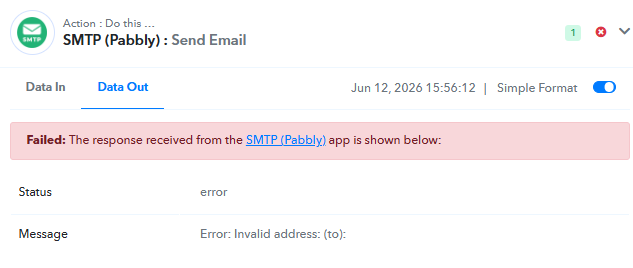
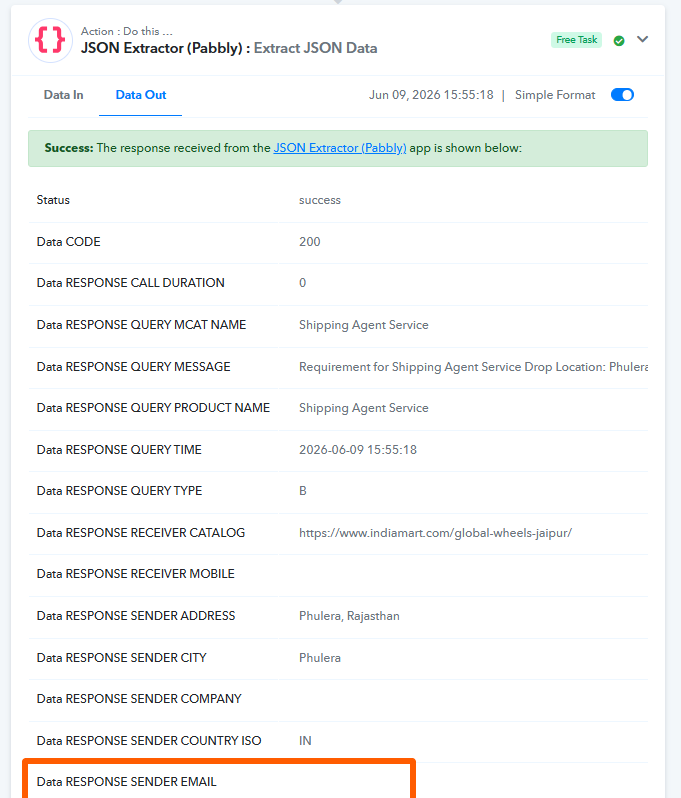
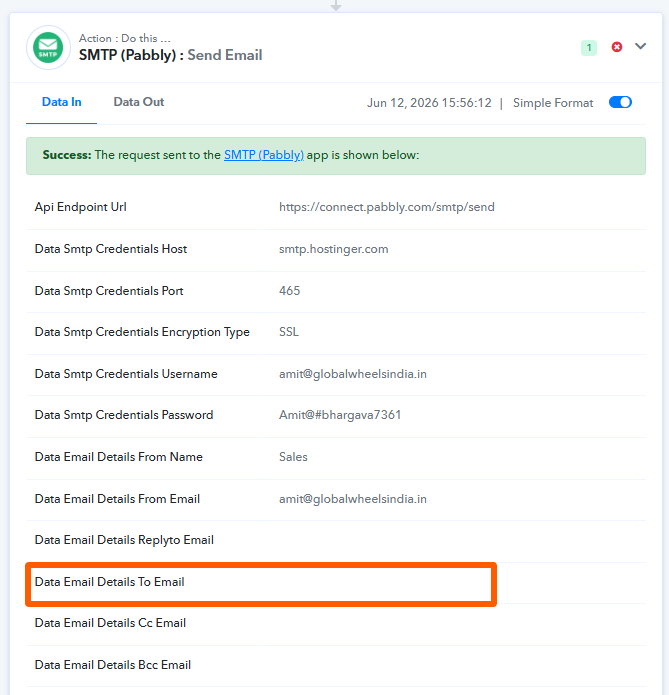
However, in the task history you shared, the Data Response Sender Email field is coming through as empty from the JSON Extractor step. As a result, the SMTP action does not receive a recipient email address, which causes the email delivery to fail.
Please refer to the attached task history screenshot for a better understanding of the issue.
yes past workflow had gmail configured but removed and history still shows gmail after removal time. i dont know why. also smtp is not working, can you fix it in workflow and guide me for future take care.
Thank you for the confirmation.
We have forwarded this concern to our technical team, and they will remove the Gmail steps that are appearing in your Task History.
Could you please confirm whether emails are now being sent successfully through SMTP (Pabbly)?
Task History ID - IjU3NjYwNTZkMDYzZjA0MzA1MjZlNTUzMDUxMzc1MTZiNTQzMzBmMzQi_pc
Thanks & Regards,
Arshil Ahmad
Customer Support Associate
? Pabbly.com
yes ticket can be closed