workflow doesn't automatically work
Status: Open · Asked by lorenzo de angiolini on · 0 views
Hello,
When adding the data into your Google Sheets, make sure to add the data to your trigger column as well in order to trigger the workflow.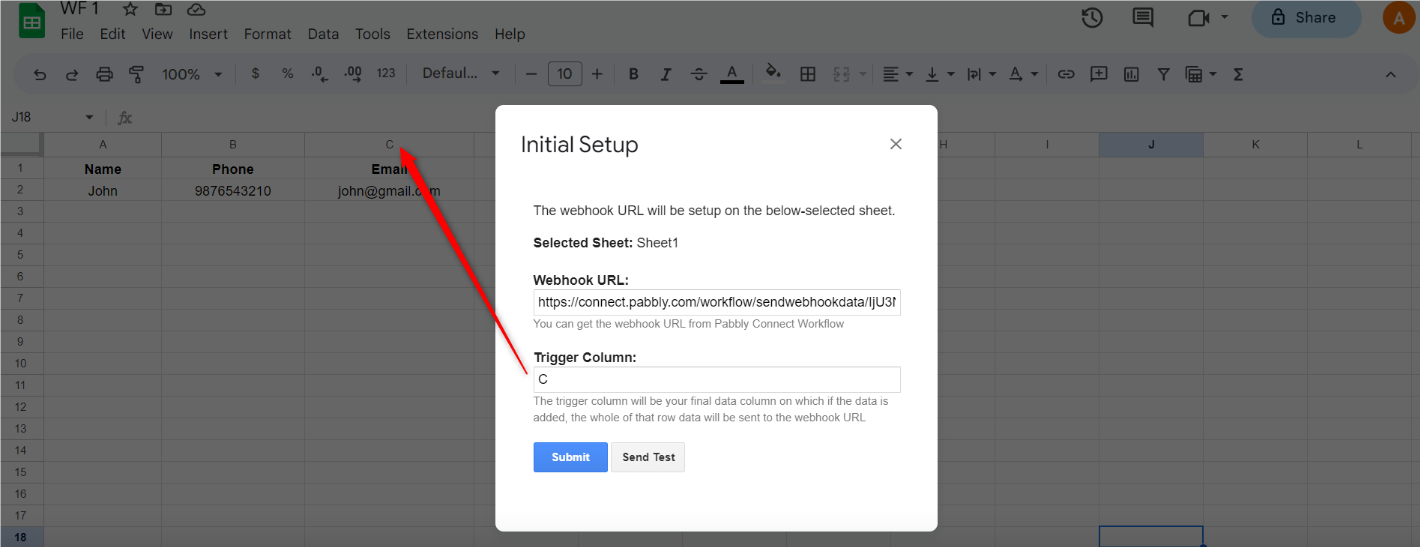
To make automation work, you need to enable 'Send On Event' if you're manually entering data into your Google Sheets. If the data added to your Google Sheets comes from another API or third-party application, you also need to enable 'Auto Send on Schedule'.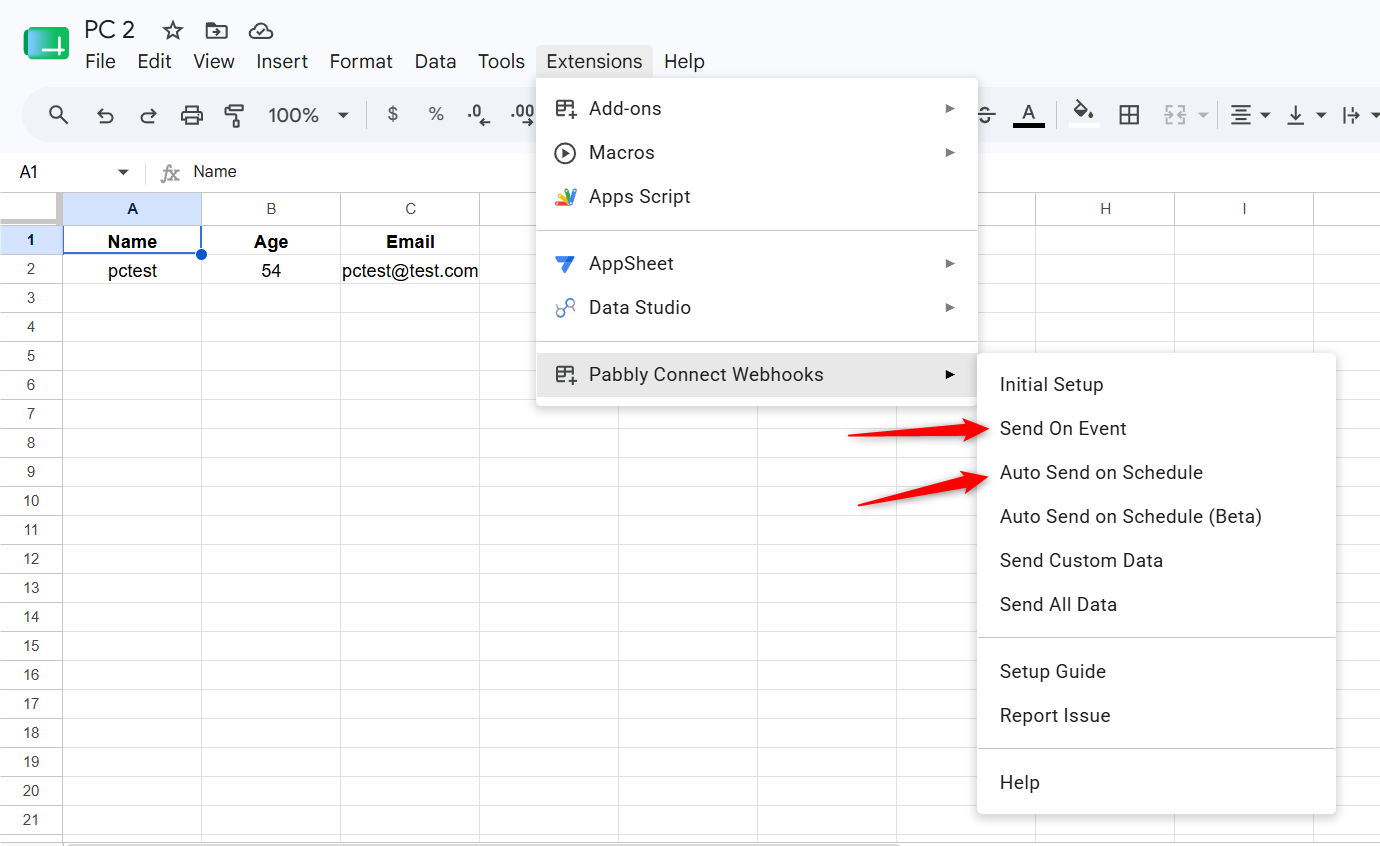
Note: If your data is being added from an external source/API, your workflow will take up to 1 hour to get triggered.
Arshil Ahmad
🌐 Pabbly.com
Thank you.
On the workflow history, I see an error on the chat gpt layer.
This is the error given:
Error Message Invalid type for 'messages': expected an array of objects, but got an object instead.
Error Type invalid_request_error
Error Param messages
Error Code invalid_type
Could you please share the Task History ID where you encountered this issue?
Thanks & Regards,Arshil Ahmad
🌐 Pabbly.com
IjU3NjYwNTZjMDYzMzA0M2M1MjY1NTUzNTUxM2I1MTY1NTQzNzBmMzci_pc
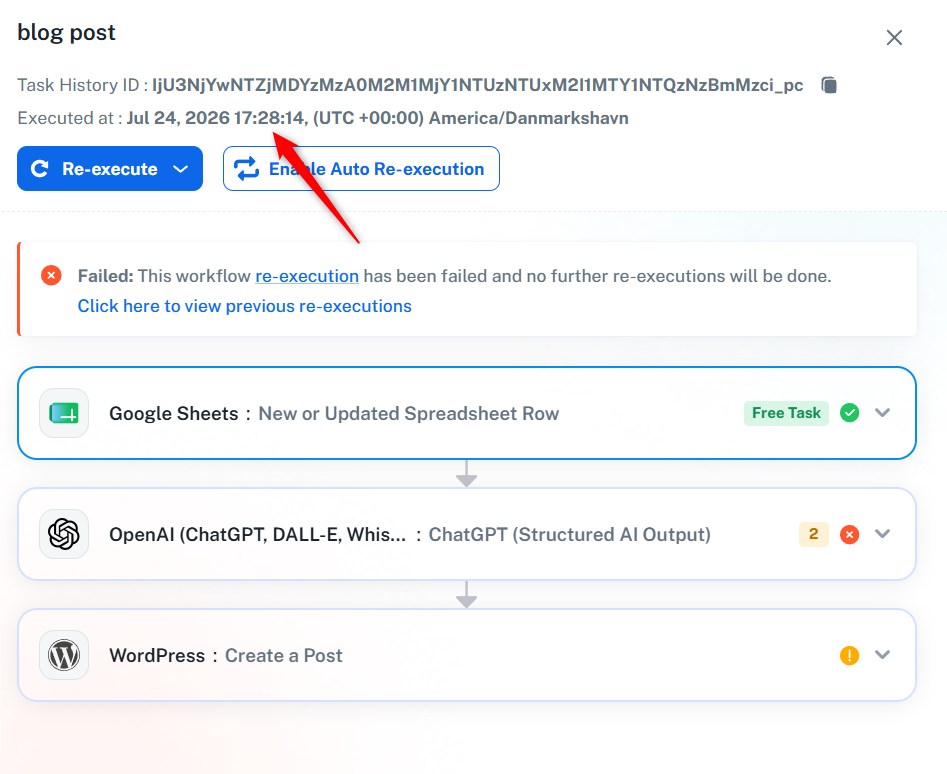
It appears that you made some changes to the workflow after this task was executed, due to which we are unable to determine the exact cause of the error.
Please execute the workflow again, and if you encounter the issue again, let us know without making any changes to the workflow.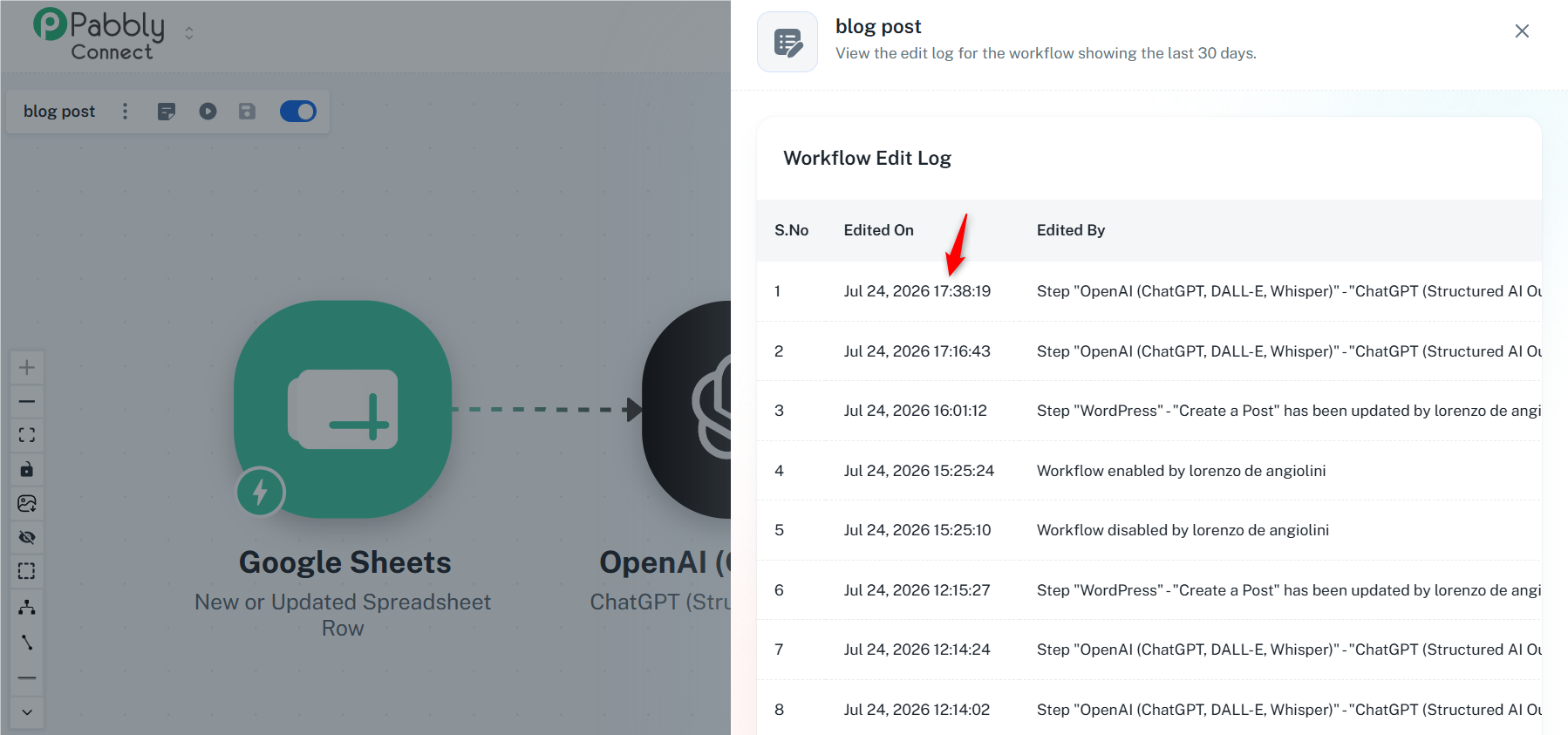
Arshil Ahmad
🌐 Pabbly.com
It’s the same error over and over again. The changes I made didn’t affect the error.
Please execute your workflow once and share the Task History ID with us. This will help us diagnose the exact issue.
Thanks & Regards,Arshil Ahmad
🌐 Pabbly.com
IjU3NjYwNTZjMDYzMzA0M2Q1MjY5NTUzMjUxMzA1MTYzNTQzNjBmMzci_pc
Thank you for sharing the Task History ID.
Based on the Task History, we can see that you are no longer encountering an error in the OpenAI action step.
However, you do appear to be encountering an error in the WordPress action step, which could be related to the presence of double quotes in the content generated by the OpenAI action step. To address this, we have added two Text Formatter steps to your workflow to replace the double quotes with single quotes.
Please execute your workflow again and let us know if this resolves the issue.
Thanks & Regards,Arshil Ahmad
🌐 Pabbly.com
thank you! it works