Workflow for Auto Reply to Facebook Comments Not Working Properly
Status: Open · Asked by Arun Gayswal on · 0 views
Hi team,
I’ve set up a workflow to auto-reply to Facebook page comments using OpenAI, but it’s not working properly. Can you please look into the workflow and help me fix it?
Thanks!
Hello @sonuku,
Upon checking the task history, the workflow appears to be working fine on our end.
Could you please share more details about the exact issue you're facing so we can look into it further?
Its not giving reply , please check properly .
Task History ID - IjU3NjUwNTZlMDYzMTA0MzM1MjZlNTUzNDUxMzY1MTY2NTQzNzBmMzki_pc
Based on your Task History, we can see that the workflow is functioning correctly and the replies are being posted on your Facebook page.
As for the reply generated by ChatGPT, Pabbly Connect has no control over it. You may need to modify the prompt in the ChatGPT action step to generate different content.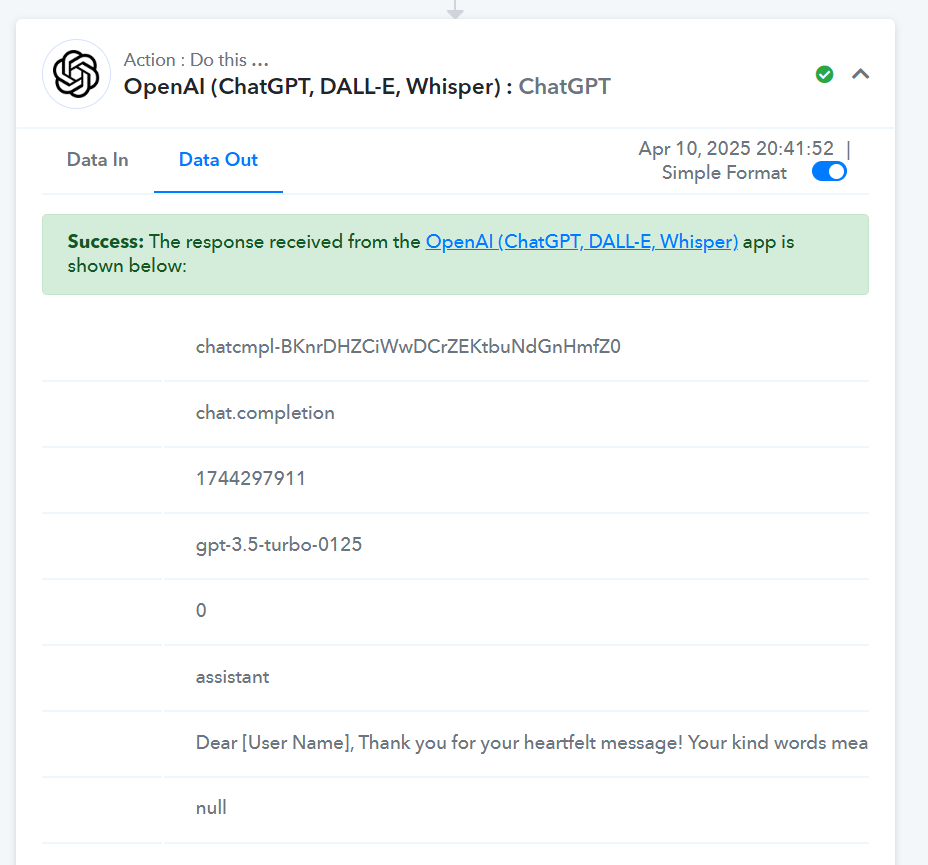
send me the post link where it replied comment
https://www.facebook.com/soulhealinghelp
Why this workflow consuming too much task .?
It appears that in the 'Reply Comment on Page Post' action step, the Post ID and Comment ID from the trigger step haven't been mapped. As a result, the reply is being posted on the same comment repeatedly. 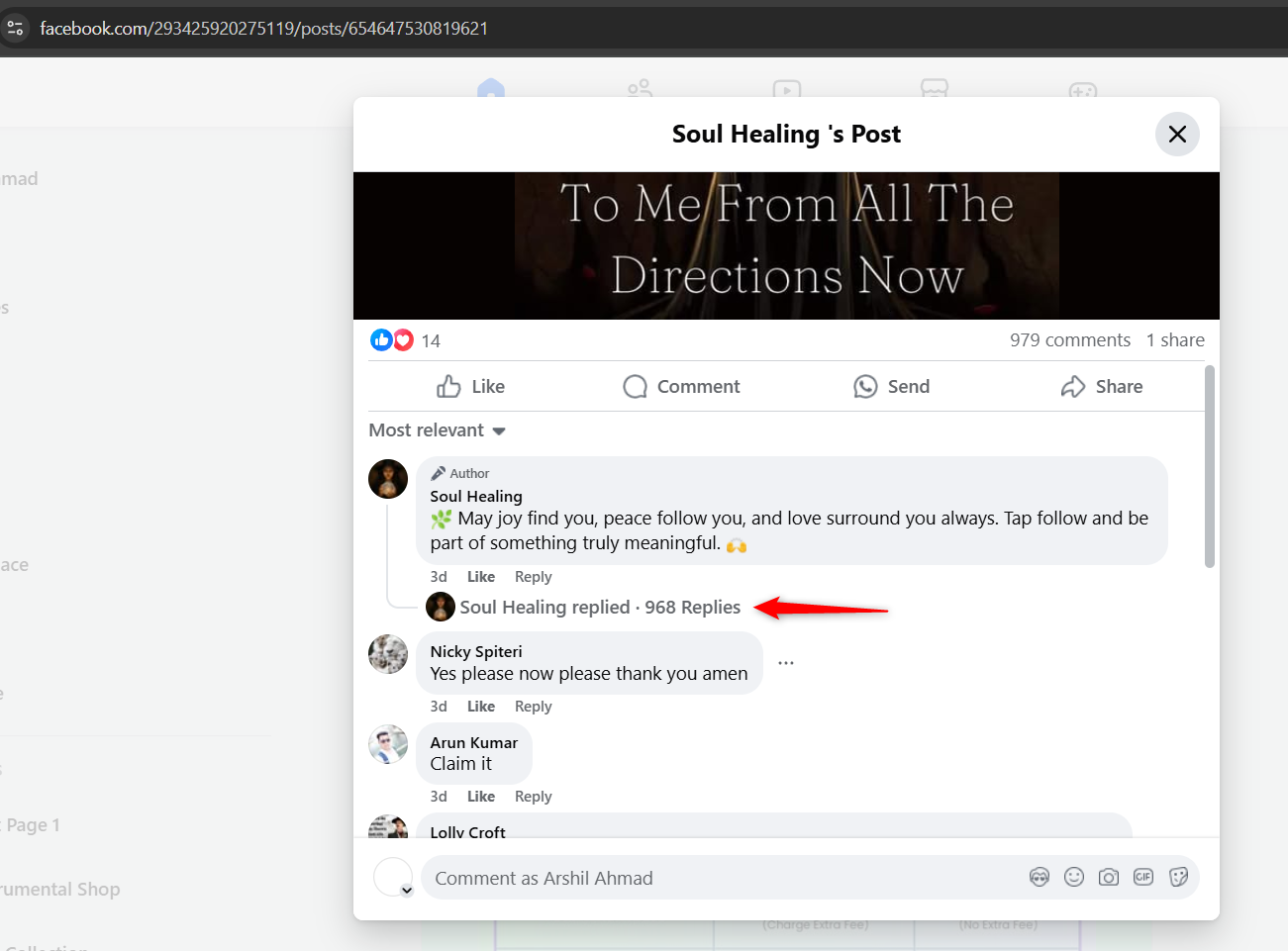
Please ensure that you map the Post ID and Comment ID correctly from the trigger step.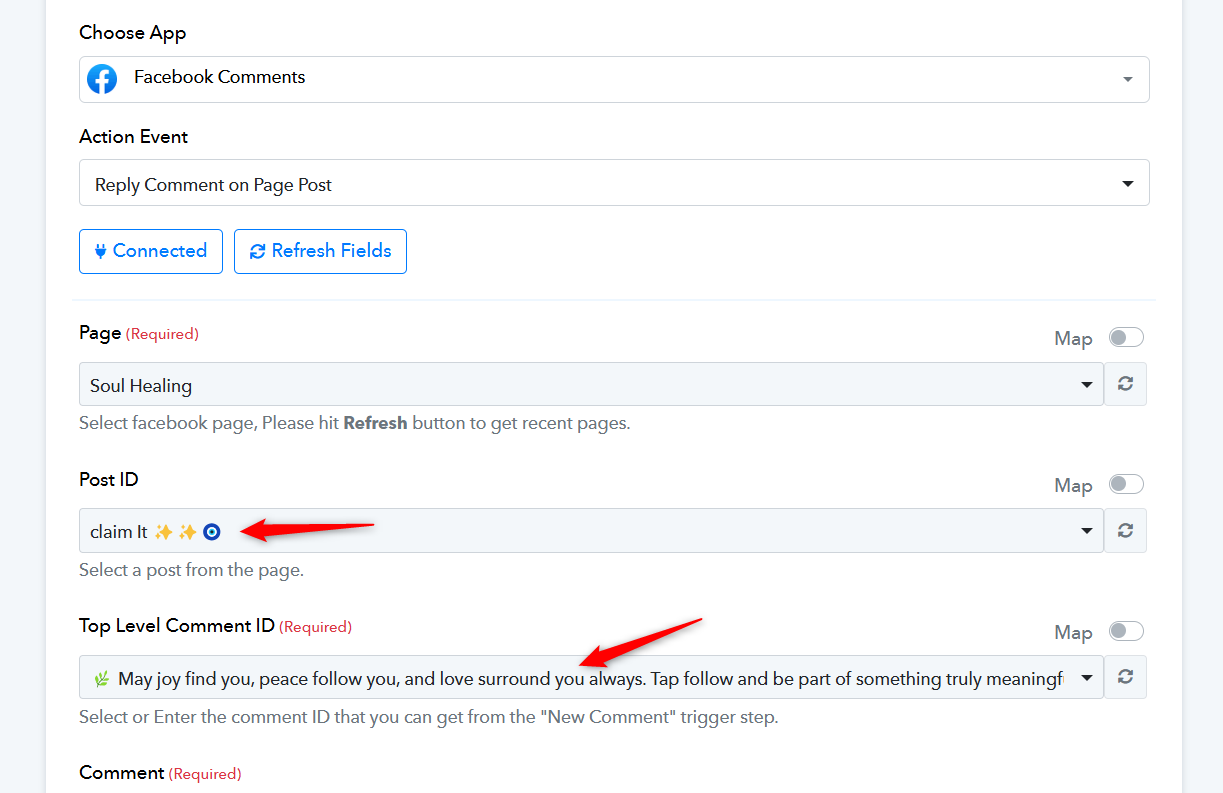
Why this workflow consuming too much task .?
We couldn't find an irregular amount of task consumption. Please note that the task consumption of this workflow depends on the number of comments received on the 'Soul Healing' page. If the number of comments is high, the task consumption will also be high.
Please set proper my workflow . I have mapped the filter post ID and comment ID . Apply the filter so that my page cannot reply own comment . because I have set other workflow post comment automation.
Hello @sonuku,
It seems you have managed to do so on your own. Please feel free to reach out to us if you need any further assistance.
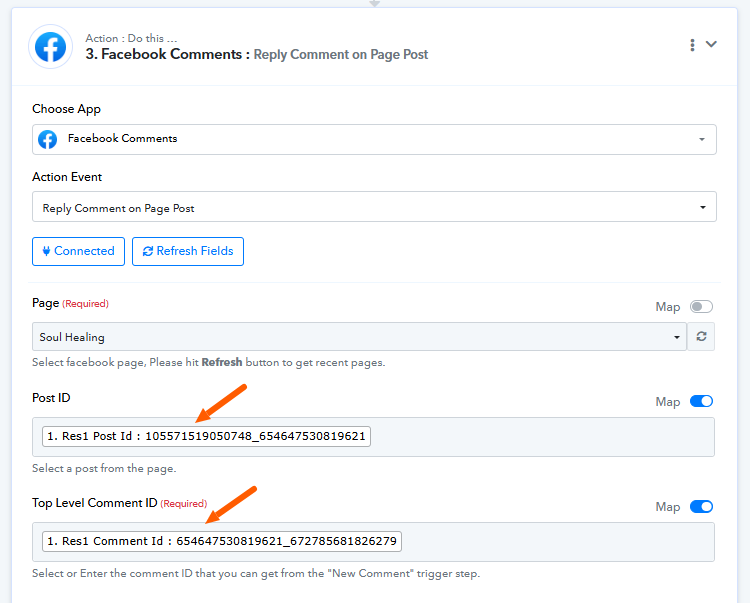
I want in this it should not reply own comment . Like it doing right now
Hello @sonuku,
You can add a Filter step with a condition to check if the comment is not made from your account ID. Set the filter type to “Doesn’t Contain” and specify your account ID in the value field.
This setup will help you manage the flow more effectively and achieve your use case as intended.
can you please do that .
Hello @sonuku,
We have made some changes to the filter and it should work fine now, refer to the attached image for more info.
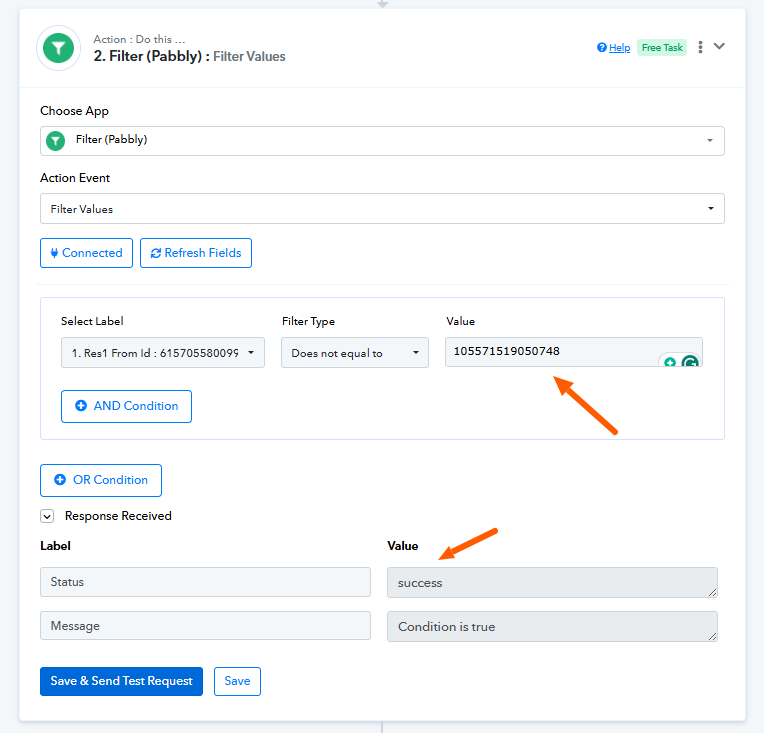
Please try adding a few tests and let us know if it works fine for you.
@ArshilAhmad Hello Arshi, do you know the reason why this "Reply comment on page post" event was removed? As far as I checked, there is now only one Reply option via Messenger. Looks like the change is from Facebook.
Hey @Pabbly Newbie,
The action is still available under the Facebook Comments application, refer to the attached image.