Workflow for error messages not working properly
Status: Open · Asked by Parth Nayak on · 0 views
Hey @Parth,
Thank you for sharing the workflow URL.
We checked the workflow and found that the overall setup was correct. However, the issue appears to have been caused by the filter step. We have now made the necessary changes to the filter configuration.
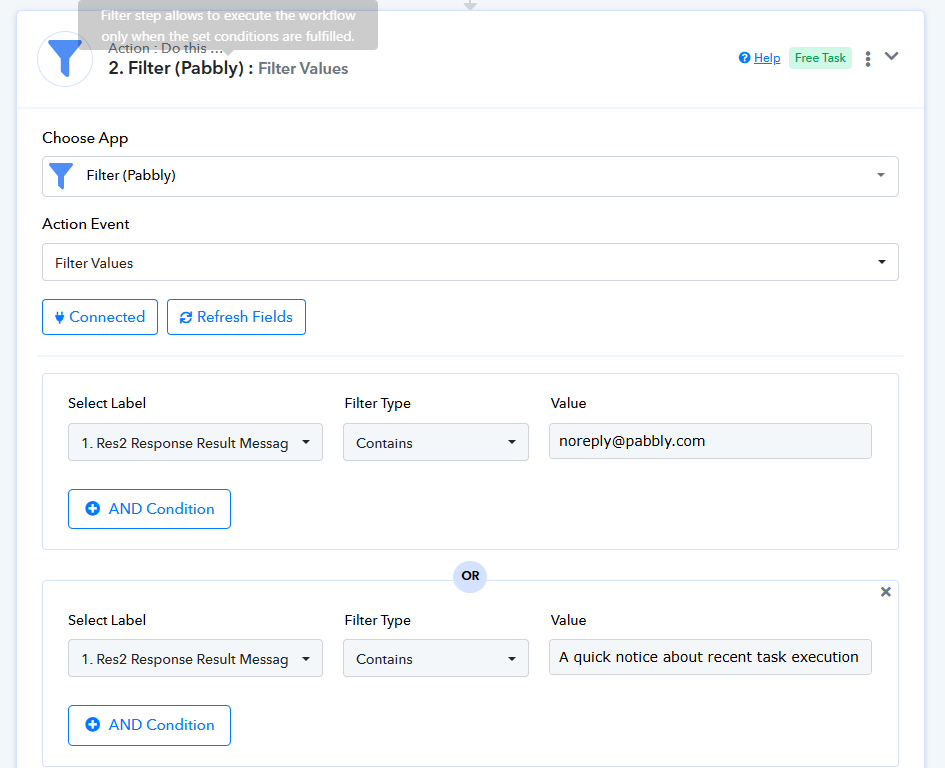
Could you please test the workflow again by generating a new error email from Pabbly's Quick Error Notifications and check whether you receive the corresponding WhatsApp notification correctly?
Please let us know the outcome, and we'll be happy to assist further if needed
as requested still not working
Hey @Parth,
I have checked the workflow and the message should have been sent on Jun 17, 2026 13:36:31 IST
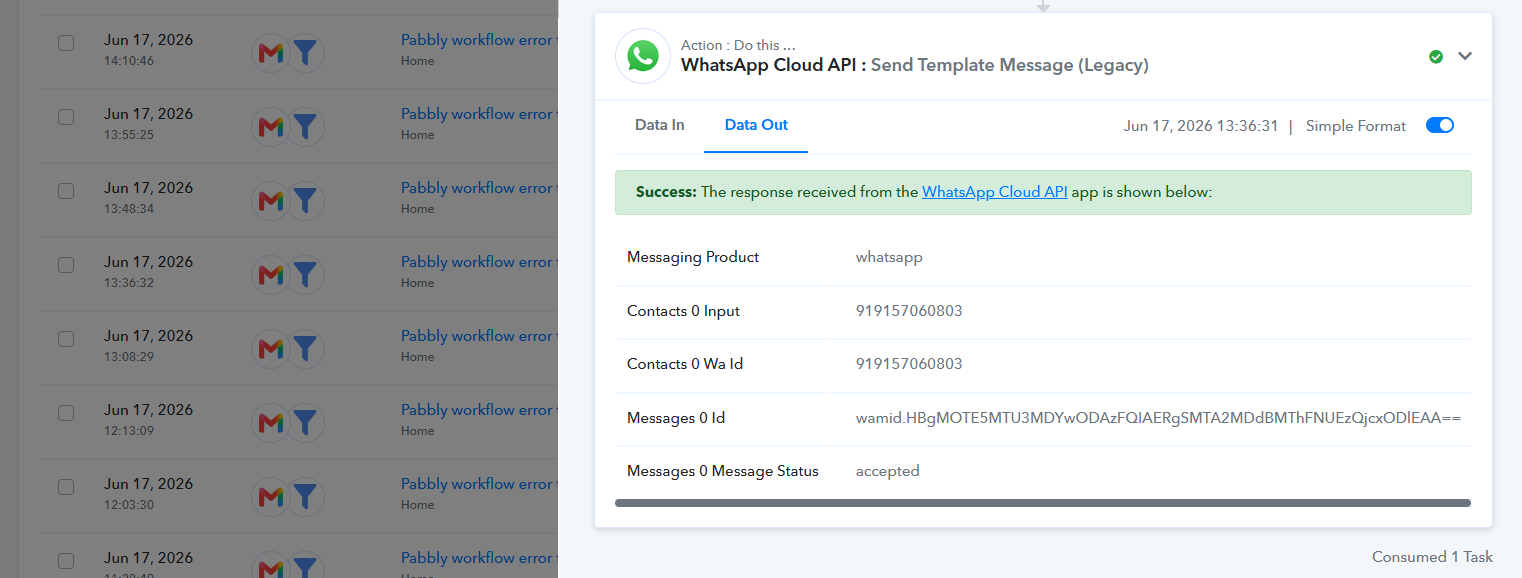
i have not received above message at that time.
Hello @Parth,
Thank you for the update.
In that case, it is possible that an error occurred while sending the WhatsApp template message.
From my understanding, you appear to be using your own WhatsApp messaging platform to send the messages. If that platform provides an inbox, message logs, or delivery logs, could you please check the records for the specific number to which the workflow attempted to send the message?
The workflow shows that the message was triggered for sending, so there may be an error recorded on the WhatsApp provider's side related to the template, delivery, or message submission.
Please check whether there are any error messages or failed delivery logs for that specific attempt, and let us know what you find. We will be happy to assist further based on the results.