Workflow not proceed to next steps
Status: Open · Asked by Sellnamics Team on · 0 views
hello, can you please check why my workflow is not proceeding to next steps? It only fires to 2 steps only, Simvoly and Filter and its not proceeding to Date and GoogleSheet steps, This is the link https://connect.pabbly.com/workflow/mapping/IjU3NjYwNTZjMDYzMjA0MzE1MjY4NTUzNTUxMzAi_pc
Task History ID -
IjU3NjUwNTZjMDYzZTA0Mzc1MjZmNTUzMzUxMzc1MTYwNTQzMTBmMzAi_pc
Hello @Clicknamics
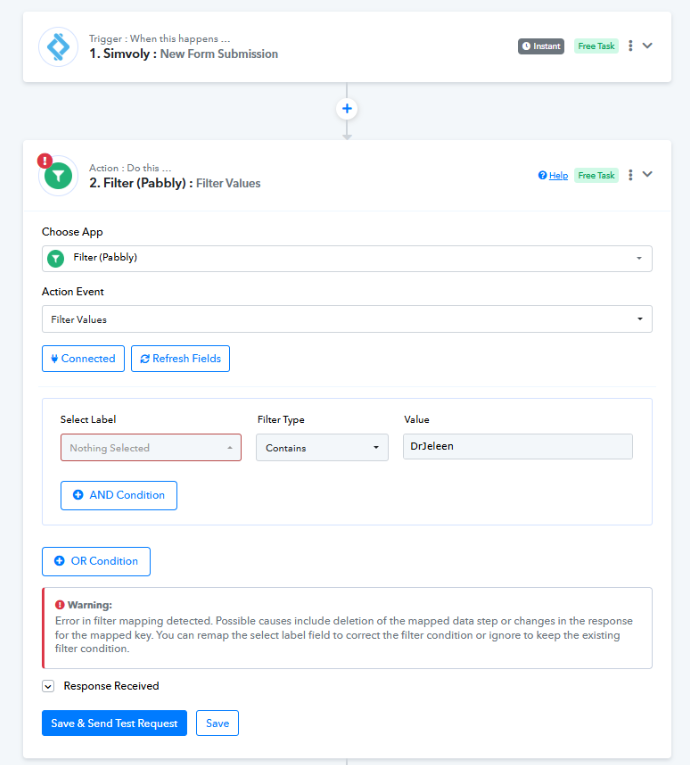
We looked into your issue and it appears that you have not set the Filter conditions in your workflow.
youtube.com/watch?v=dhTiB4h9lKg
Kindly set the filter conditions and let us know if it works for you.
@Luv I updated already the filter but nothing happens, its not proceeding to Google Sheet
Hello @Clicknamics,
Upon investigating the workflow task history, it seems the workflow is absolutely working fine.
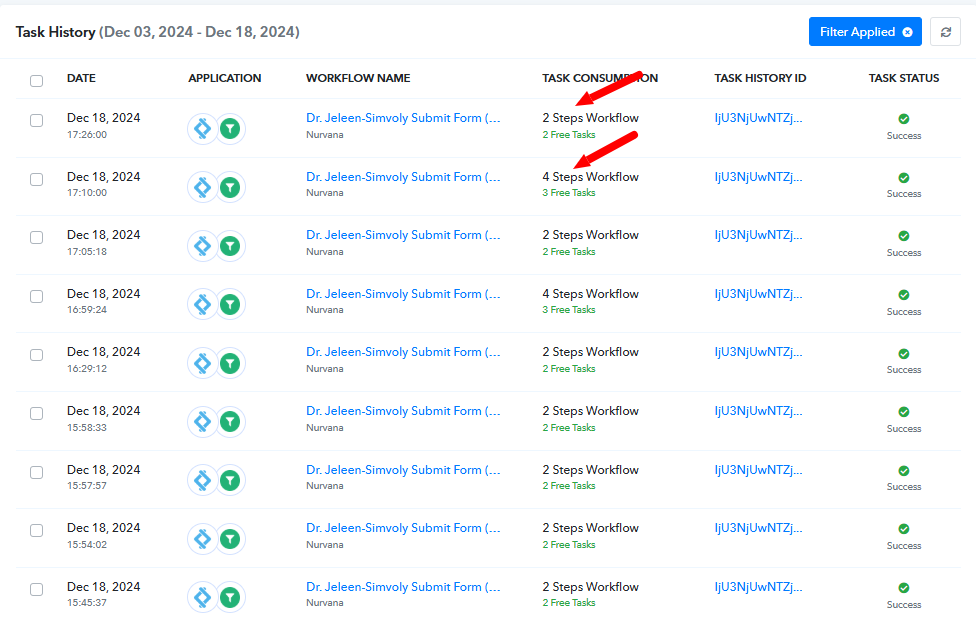
As per the recent two task history there is one which failed at the filter step since it didn't receive the 'Contact Tags 1" key in the form response, refer to the attached acreenshots.
Task History ID: IjU3NjUwNTZjMDYzZTA0Mzc1MjZiNTUzMTUxMzY1MTYxNTQzNzBmMzci_pc
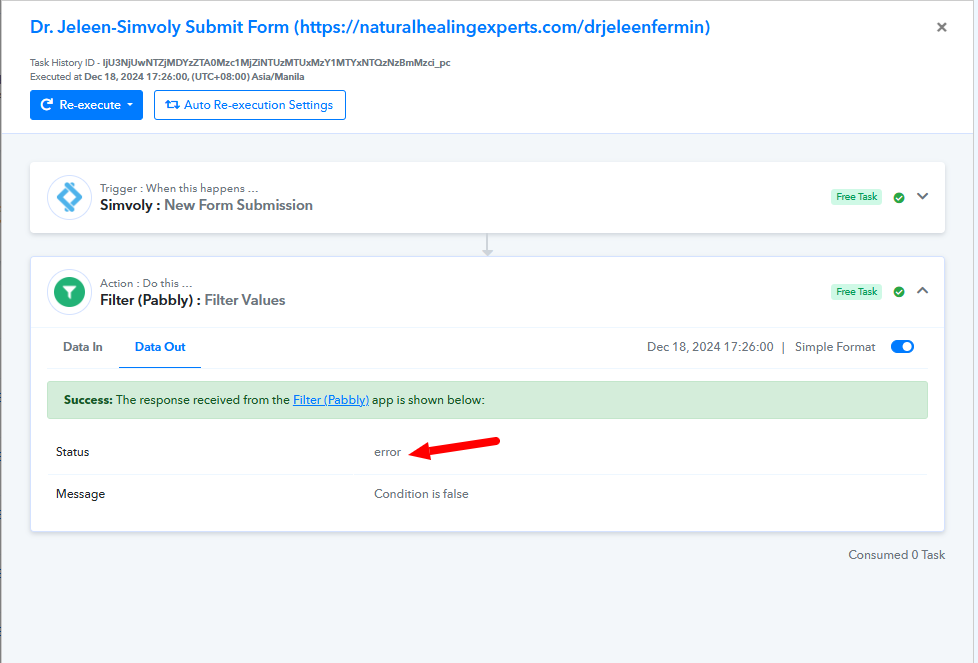
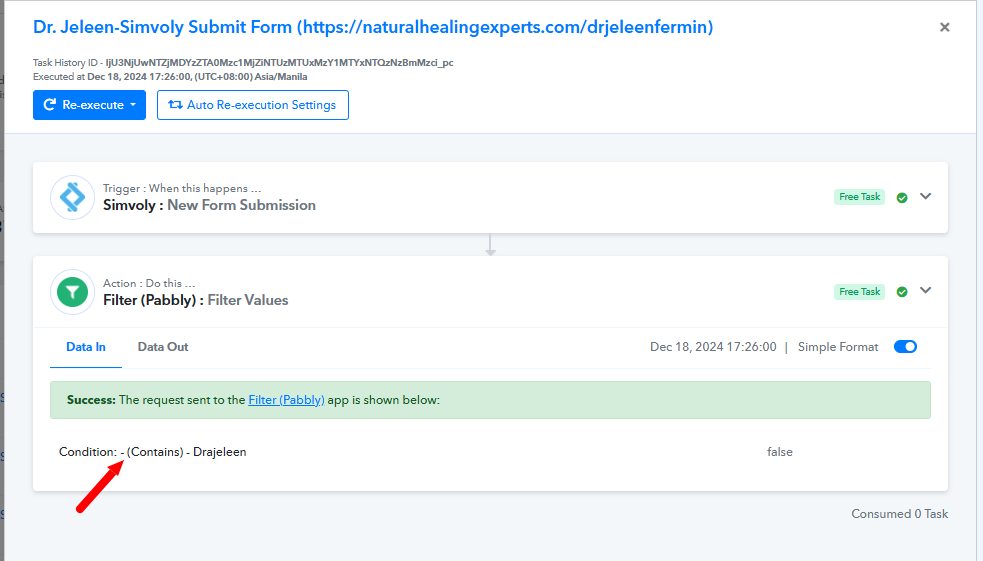
Another task history which got successful and add the row to Google sheets after executing the steps after filter.
Task History ID - IjU3NjUwNTZjMDYzZTA0Mzc1MjZiNTUzNzUxM2E1MTY0NTQzODBmMzki_pc
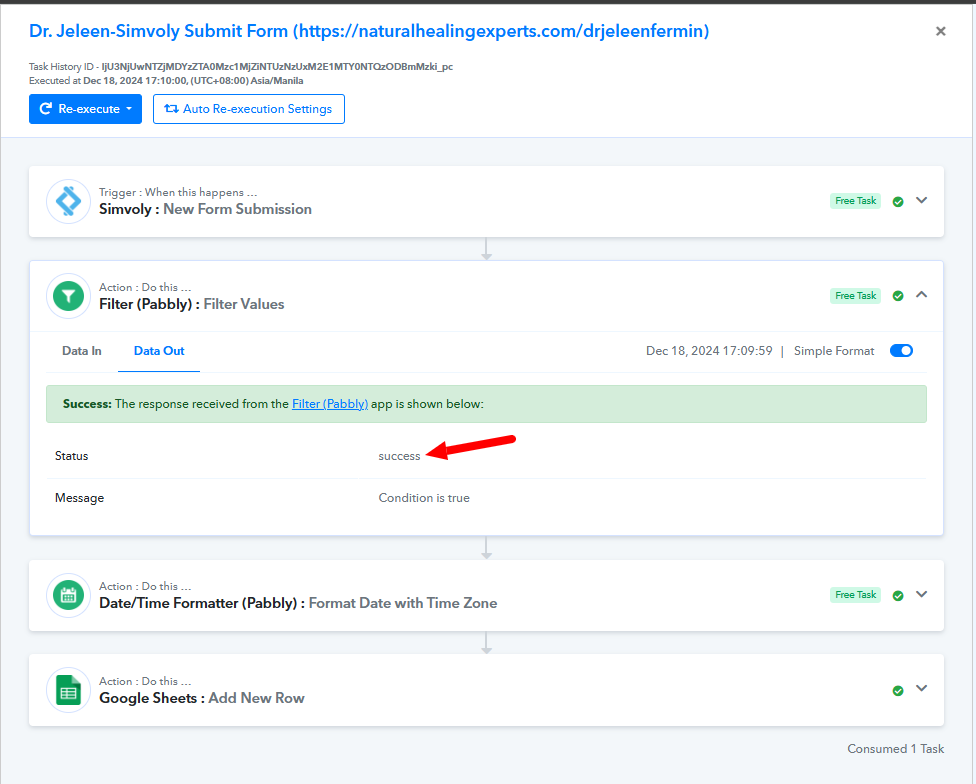
Hello @Preeti Paryani can you please check this also, this work perpectly yesterday and now the problem occurs same as the first one I sent. This is the link https://connect.pabbly.com/workflow/mapping/IjU3NjYwNTZjMDYzMjA0MzE1MjZmNTUzMTUxM2Ei_pc
Hello @Preeti Paryani can you please check this also, this work perpectly yesterday and now the problem occurs same as the first one I sent. This is the link https://connect.pabbly.com/workflow/mapping/IjU3NjYwNTZjMDYzMjA0MzE1MjZmNTUzMTUxM2Ei_pc
Based on your Task History, we can see that you are not receiving 'Contact Tags 2' in the majority of your form submissions. As a result, nothing is being mapped to the filter condition, the condition is not met, and your workflow stops at Step 2.
https://drive.google.com/file/d/1-dz6nwnX4PwBLrU0I_p4K2_uAlqYicFs/view?usp=sharing
@ArshilAhmad I have receive that tag as you can see on the screenshot, I think there is need to check on your system, this the same workflow is working perfectly with others, this is the only time it has a problem.
You received that tag during the workflow setup but are no longer receiving it during automation. Please check the video shared above.
@@ArshilAhmad yes I did test upon setup and test on live both works and after that its not working anymore, Also why your video has no sound? I don't understand what you are saying on video because there is no sound. See the screenshot I attached it shows my live test works but after that its not working, it's not like this before.
Hey @Clicknamics
It appears that you have not set the Filter conditions properly. Kindly refer to the image below,
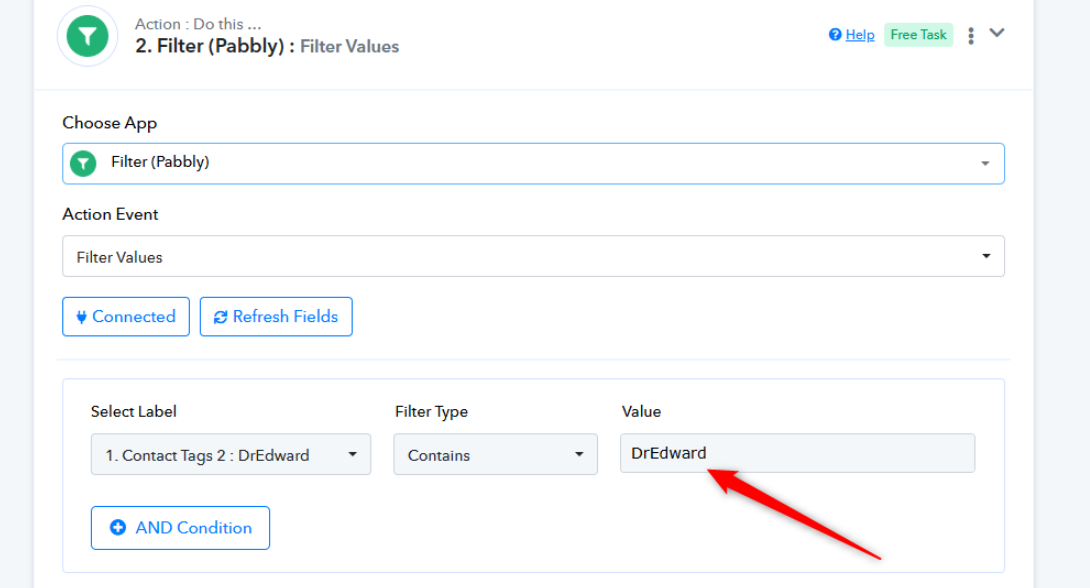
Any responses with tags "DrEdward" only will pass through the filter.
Kindly make the changes and let us know.
@Luv what's wrong you see on the filter? I tested that and it says "Success" Condition is true"
@@ArshilAhmad yes I did test upon setup and test on live both works and after that its not working anymore, Also why your video has no sound? I don't understand what you are saying on video because there is no sound. See the screenshot I attached it shows my live test works but after that its not working, it's not like this before.
In the video shared above, we demonstrated that you are not receiving the 'Contact Tags 2' field during automation. This issue cannot be replicated in your workflow setup by clicking 'Save & Send Test Request'; it occurs during automation.
You can verify this in your Task History ID, where you will observe that the 'Contact Tags 2' field is no longer being received in the Simvoly trigger step.
Please review your individual Task History IDs as demonstrated in the video. You will notice that the 'Contact Tags 2' key is missing in the Simvoly trigger response.