Workflow not triggering
Status: Open · Asked by Wolfgang Phoenix on · 0 views
Hi,
I have a workflow looking at my emails looking for a sender and a subject, then a workflow should trigger, but it's not, What I can see not all emails are being scanned, only random ones, please see the last couple, I receive hundreds of emails daily,
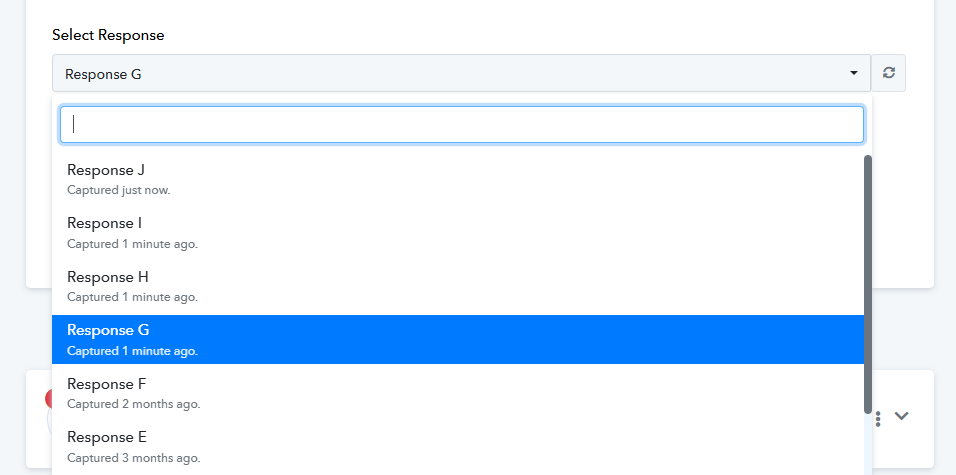
You can see between G and F it was 2 months, impossible,
also from G to J, only there because I am logged in on the system.
Please help me resolve this.
So basically the the "if" does not trigger.
Hi @Wolf,
Could you please share the Workflow URL where you have this concern?
Hi, sure here is the URL https://connect.pabbly.com/workflow/mapping/IjU3NjYwNTZmMDYzNDA0MzY1MjZmNTUzZDUxMzMi_pc
Hello @Wolf,
Thank you for sharing the details.
We’d like to inform you that in your case, the new email responses can be monitored under the History section. While setting up the workflow, the Select Response dropdown in the builder captures sample responses. If you click the refresh button beside it, it will fetch the latest three responses from the history for preview.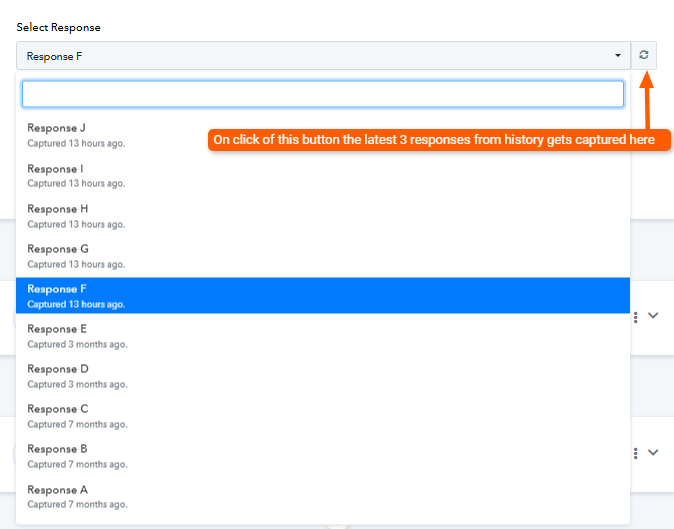
To track which emails have been received and processed, we strongly recommend referring to the History tab, as it provides a complete log. Upon reviewing your workflow history, we noticed multiple two-step executions, which indicates that multiple emails were received and processed on that date.
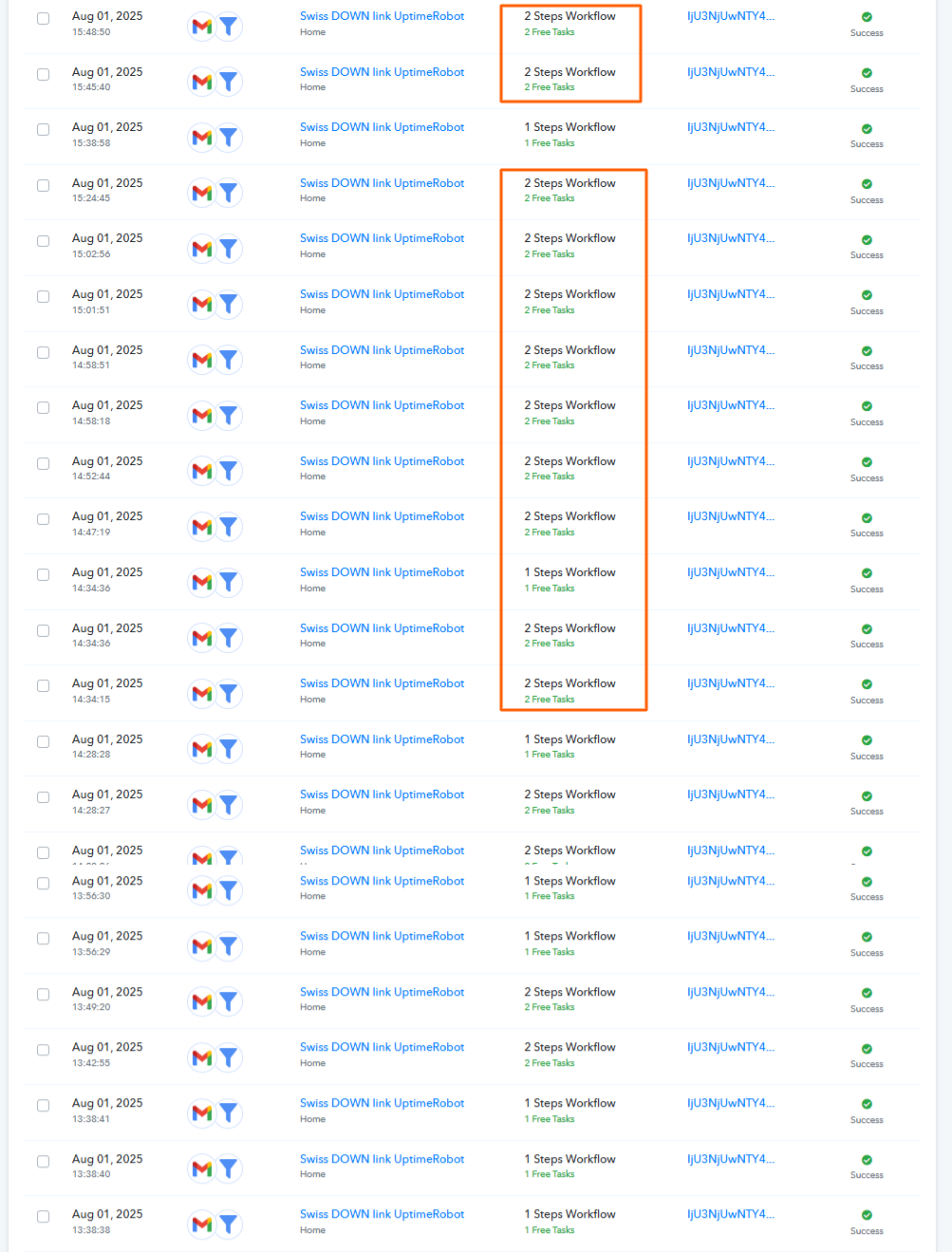
If you believe any specific emails were not captured, please share the approximate time of receipt, along with the subject line or some email content, so we can investigate further.
Hi, thanks for the detailed explanation, I'll work through the log to see why the workflow is not triggering, appreciate the feedback.
Glad I could help.