Workflow runs manually but fails automatically – Module 2 API by Pabbly: Execute API Request returns HTTP 500 / blank response
Status: Closed · Asked by Henry Liesche - Nexana HQ on · 0 views
Hello Pabbly Support,
I am having an issue with this workflow:
Workflow name: AiTable Leads - Enrichment - daily
Project/domain: regional-einkaufen24.de
Problem
When I run the workflow manually step by step, everything works correctly.
However, when the workflow runs automatically via the scheduler, it gets stuck at Module 2.
Affected module
- App: API by Pabbly
- Event: Execute API Request
Error shown in Data Out
- HTTP Status Code: 500
- Message: The application processed the request but returned a blank response.
Important notes
- The module was already recreated from scratch
- The workflow was saved again
- All mappings were refreshed
- Manual execution works without any problem
- The issue happens only during automatic/scheduled execution
Please check
- whether the scheduler/runtime is using stale module state or cached data
- why the exact same request works manually but fails during the scheduled run
- whether this is a platform-side execution issue in Pabbly Connect
If needed, I can provide:
- Workflow ID
- Task History ID
- Screenshots of Data In / Data Out
- Screenshots of the module configuration
Thank you.
Hi @Nexana,
The issue appears to be related to multiple tasks being executed at the same time. Please add a Delay After Queue step as Step 2 in your workflow, then monitor the workflow and check whether this resolves the issue.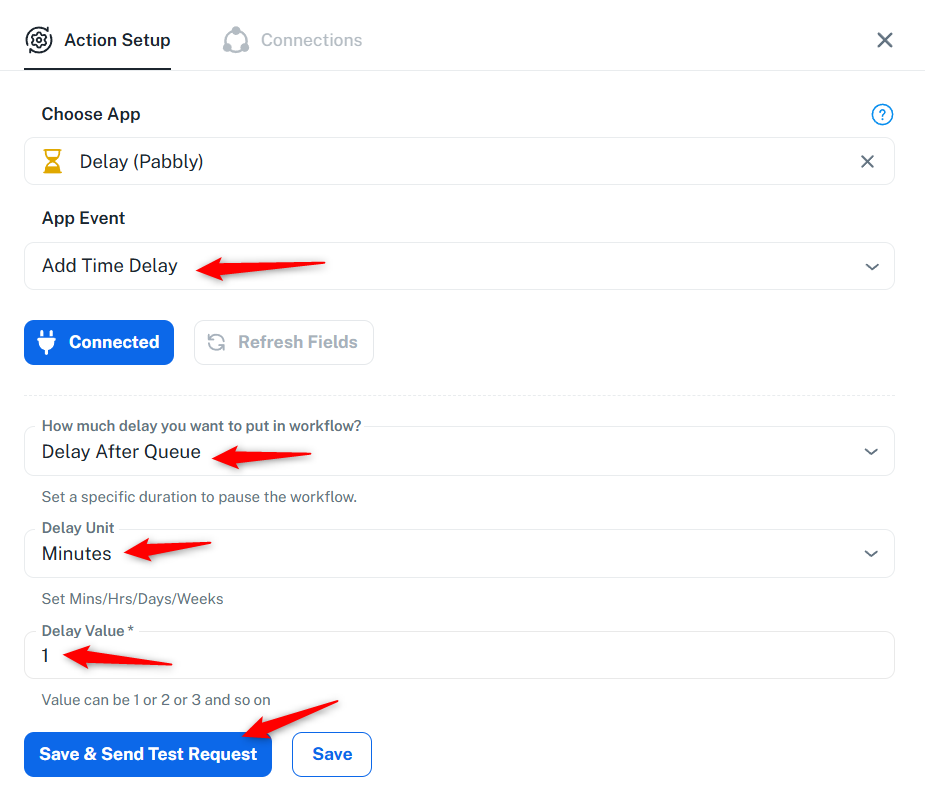
Thanks & Regards,
Arshil Ahmad
Customer Support Associate
? Pabbly.com
Hi Arshil,
I tried this before but it does not fix the problem, as this modul is the frist after the trigger, see below: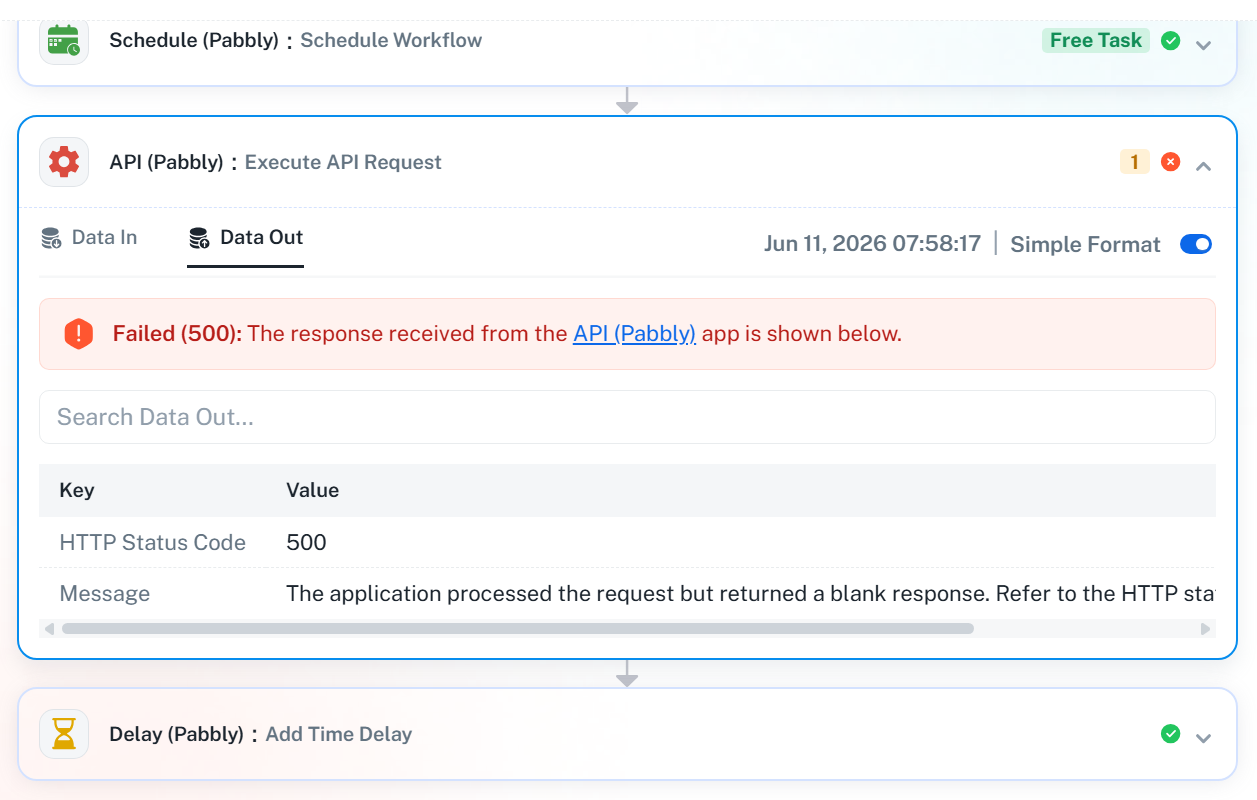
Hey @Nexana,
Thank you for sharing the test results.
We have escalated this concern to our technical team for further review. Specifically, we are investigating the issue where the request executes successfully when tested in the workflow builder but fails during automatic execution in the task history.
Our team is currently reviewing the behavior, and as soon as we receive an update from them, we will get back to you with our findings.
We appreciate your patience in the meantime.
Hey @Nexana,
We checked your workflow with our technical team and identified the cause of the issue.
We noticed that in the API action, the Authorization header label had an extra trailing space added after the header name. Because of this, the request was behaving differently during automated executions, which was causing the failures in the task history.
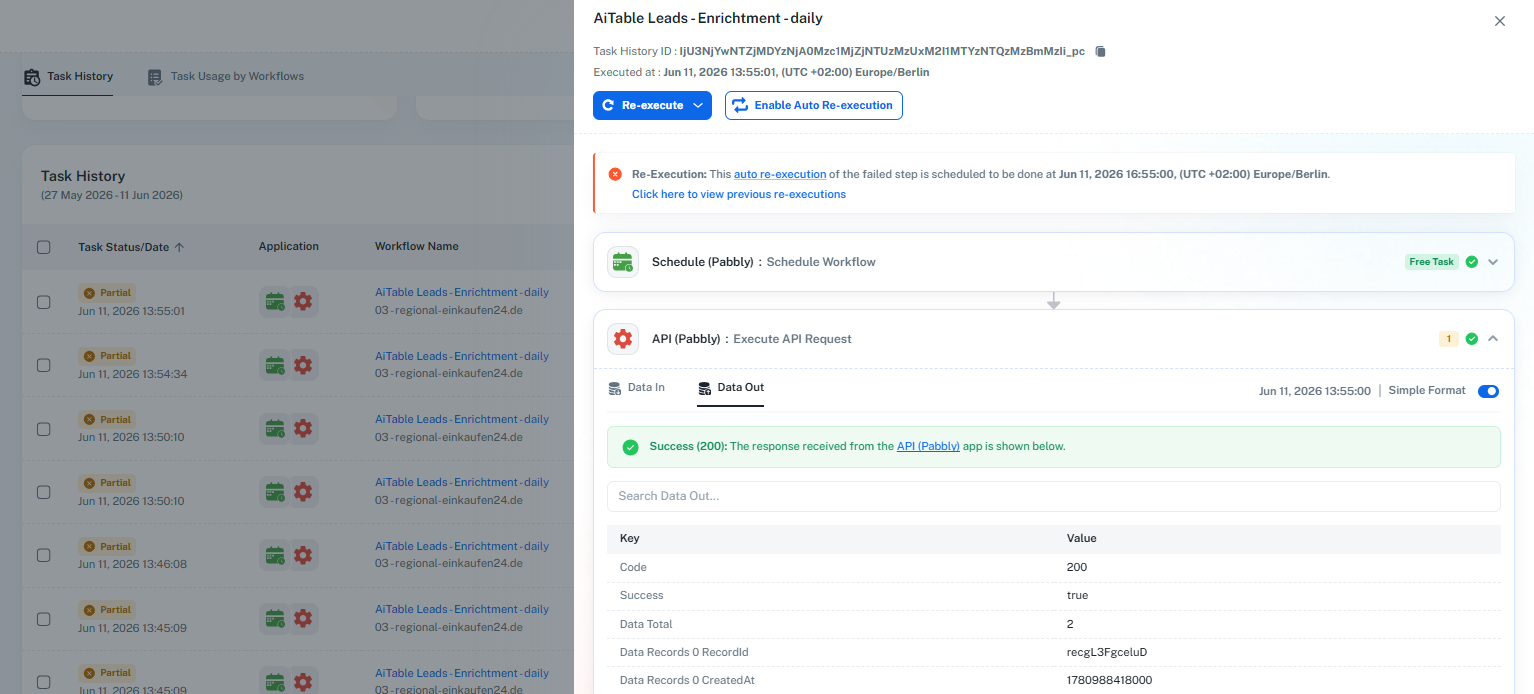
We have now removed the extra space from the header label, saved the action, and re-executed one of the affected task histories from our end. After making this correction, the subsequent action executed successfully.
We recommend monitoring the workflow with new executions and checking whether the issue persists. If you continue to face any problems, please share the relevant Task History IDs with us, and we will be happy to investigate further.
Now: Scheduled run fails in final AITable update step although manual execution works and PLZ is already formatted as text
I am facing a workflow issue in Pabbly Connect with this workflow:
Workflow name:
AiTable Leads - Enrichment - daily
03 - regional-einkaufen24.de
Task History ID:
IjU3NjYwNTZjMDYzNjA0Mzc1MjZhNTUzZDUxMzQ1MTZiNTQzMzBmMzgi_pc
Problem summary
The workflow now runs past Module 2 correctly.
However, the final AITable “Update a Record” module still fails during the automatic scheduled run.
Important behavior
- If I execute the workflow manually step by step, the final AITable update works correctly.
- In the automatic run, I can see the correct values in the mapped fields, including PLZ.
- But the final AITable update still returns this error:
Data Out
- Success: false
- Code: 400
- Message: field:PLZ Single Select field value must be string
Why this seems incorrect
The field PLZ in AITable is not a Single Select field.
It is configured as Single Line Text.
To avoid a datatype problem, I also added a Text Formatter step before the final AITable update so that the postal code is explicitly passed as text/string.
Even after that, the same error still appears in the automatic scheduled execution.
Current status
- Module 2 issue is resolved
- Manual step-by-step execution works
- Final module works manually
- Automatic execution still fails in the last AITable update step
- The mapped values shown in Pabbly look correct
- The PLZ field in AITable is Single Line Text, not Single Select
- A Text Formatter step was already added before the final update
Request
Could you please check whether:
- Pabbly Connect is using stale/cached AITable field metadata
- the scheduled runtime is using an older schema for the PLZ field
- the field type is interpreted differently in automatic runs than in manual test runs
- the final module is sending the value correctly as a string during scheduled execution
At this point it looks like:
- the field mapping is correct,
- the values are correct,
- the field type in AITable is correct,
- but the scheduled run may still be using old metadata or a cached field definition.
If needed, I can provide:
- screenshots of the AITable field type
- screenshots of Data In / Data Out
- screenshots of the workflow modules
- the exact workflow configuration
Thank you.
Henry
Hello @Nexana,
Thank you for the details.
We checked the AITable Update Record action and noticed that the PLZ field is receiving the value 16766 as a number, while the API error indicates that this field is currently expecting a string value:
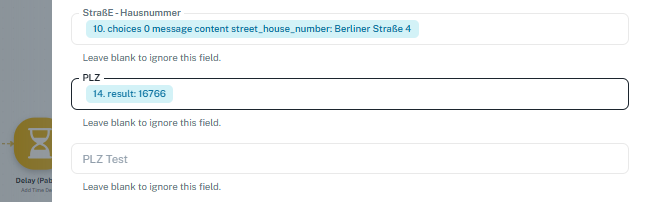
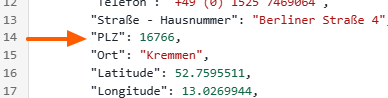
field P LZ Single Select field value must be string
We recommend either:
- Verifying the field type of PLZ in AITable and changing it to a Number field if appropriate, or
- Passing the mapped PLZ value within double quotes to ensure it is sent as a string.
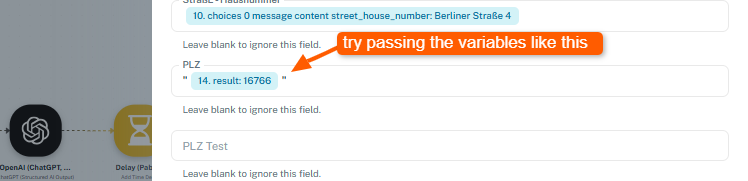
Please test this and let us know whether the scheduled execution succeeds afterward.
This resolved the issue, and the workflow runs perfectly.
THANK YOU for your really great support!!!
Thank you for the update! We’d love to hear your feedback, and it would mean a lot if you could leave us a quick review on Google.
Thanks & Regards,
Arshil Ahmad
Customer Support Associate
? Pabbly.com
Done
We appreciate your feedback!
PS: We are closing this thread as the issue is resolved. Please feel free to reach out to us if you face any issues in the future.