Workflow step not executed.
Status: Open · Asked by Peter Duy on · 0 views
Hello,
A step of a workflow did not run and I can't find the reason.
I received an email stating that the reason was as follows:
Error Code
400
Error Message
Invalid JSON payload received. Unknown name "": Root element must be a message.
Error Status
INVALID_ARGUMENT
Error Details 0 @type
type.googleapis.com/google.rpc.BadRequest
Error Details 0 FieldViolations 0 Description
Invalid JSON payload received. Unknown name "": Root element must be a message.
Task History ID -
IjU3NjEwNTY1MDYzNTA0MzM1MjY5NTUzYzUxMzY1MTYwNTQzNyI_3D_pc
Hey @SAM SAM
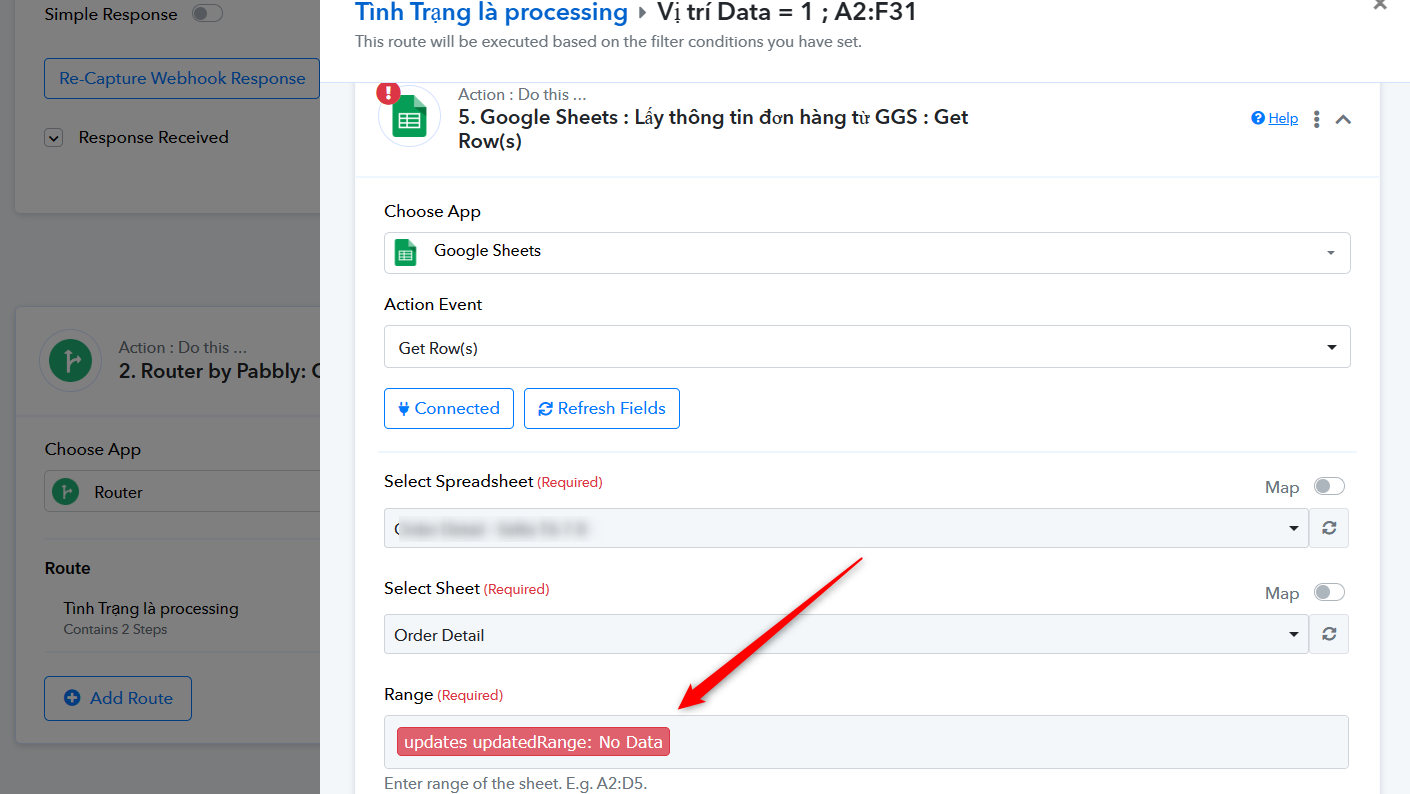
It seems that you haven't properly mapped the data in your "Get Row(s)" action step. Due to this disruption in your mapping, you will need to remap the values once and then give it another try.
Hello
I think I need some help here.
I have been refining the workflows and as far as I can see everything should work. However the data is not coming through to my spreadsheet?
I must be missing a vital step, or making a fundamental mistake.
Could you help please
Thanks
David
Hey @Davidw27
Could you please provide a detailed description of your issue, possibly with a short video or a screenshot, as well as the URL of the workflow where you're encountering difficulties? This will enable us to investigate further.
Hello
I think I need some help here.
I have been refining the workflows and as far as I can see everything should work. However the data is not coming through to my spreadsheet?
I must be missing a vital step, or making a fundamental mistake.
Could you help please
Thanks
David
Hello
I have made a screen recording but it says it is too large to upload so I have uploaded it to gdrive and this is the link
https://drive.google.com/file/d/1W3Y1690llmUMHPlRH9_DuCrgG1nvhH03/view?usp=drive_link
I trust this helps
Thanks
David
Could you please make the URL publicly accessible so that we can review it? Also, share the Workflow URL you have tried to set up.
I am not sure how to make the google drive URL public? I thought anyone with the link would have access? Can you advise please
Hello @Davidw27
You would have received a mail to provide access to the mentioned emails. Please provide us with the access so we can look into the recording.
I have responded to the email so you should now have access - Thanks
Hello @Davidw27
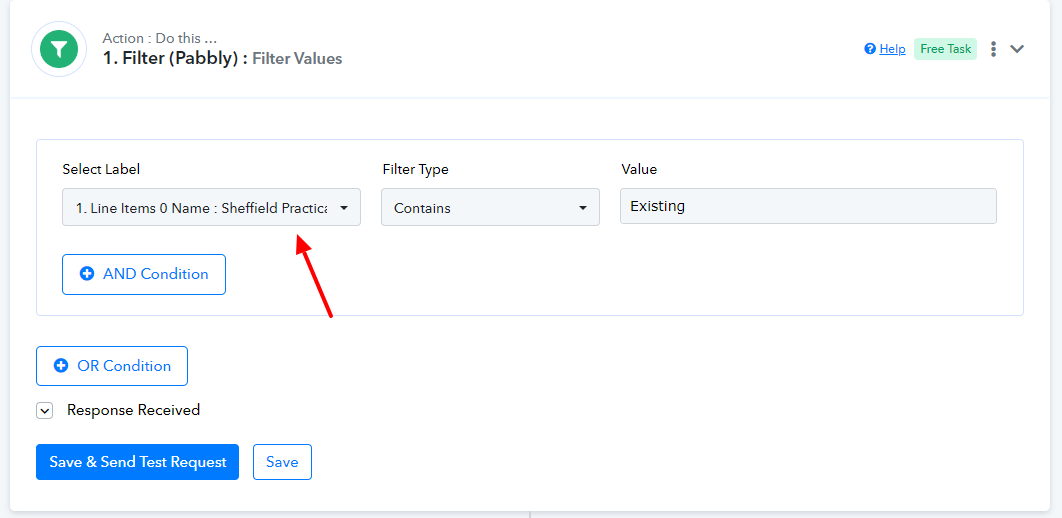
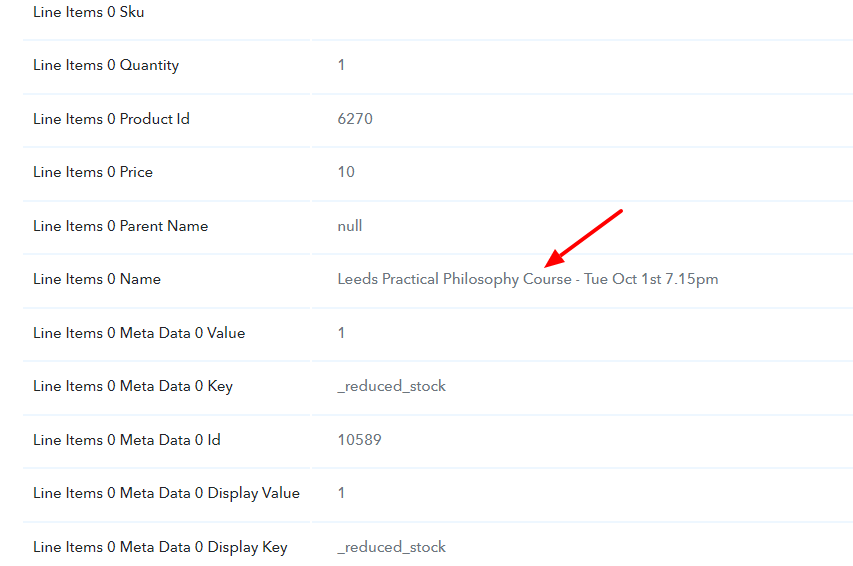
We have checked your workflow and noticed that the mapped response field doesn't contain the filter texts hence the received data isn't getting added to either of the sheets. Please refer to the attached screenshots for more information.
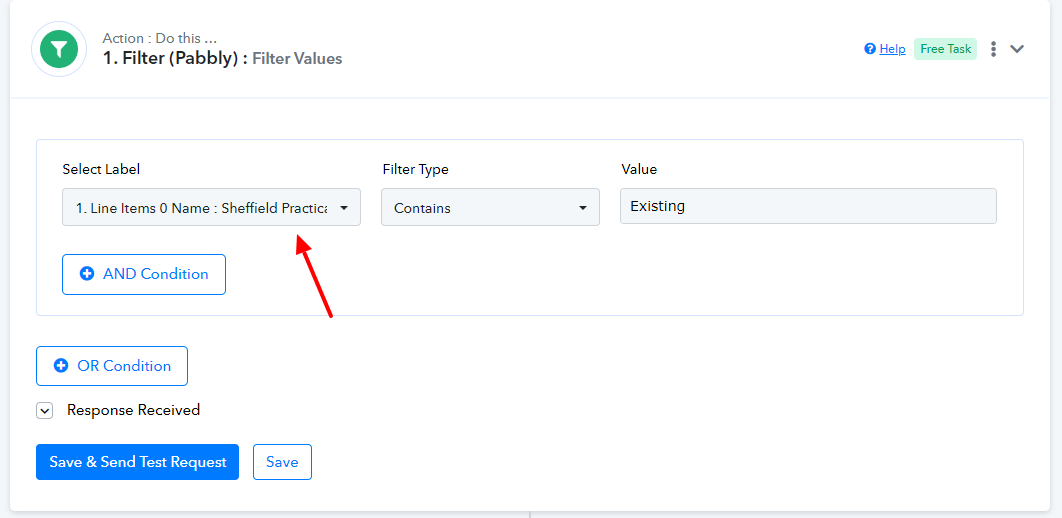
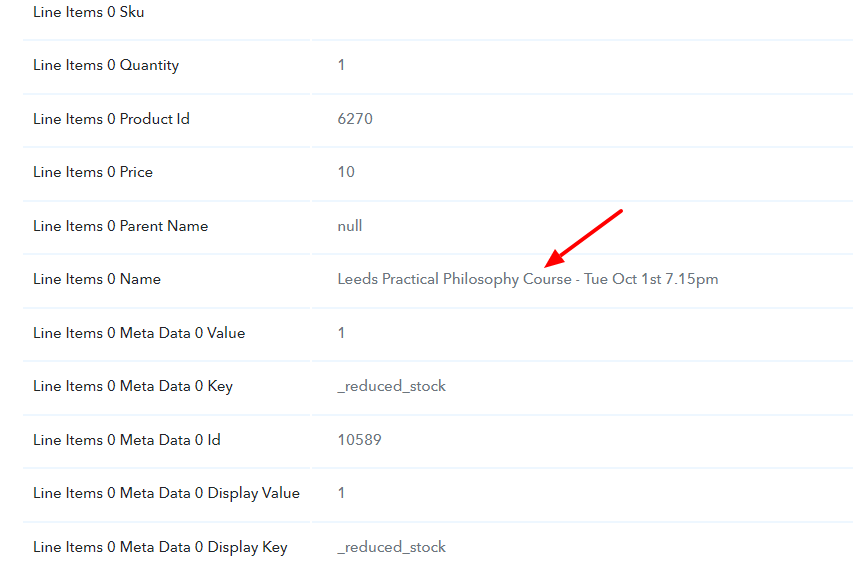
Also note that we have checked the response received from the "WooCommerce: New order created" step, but we didn't see the filter texts in any of the response fields.
Please look into this at your end and let us know if you need any further assistance.
Attachments
Hello
Thanks for getting back to me.
When I checked the fields that you point to the " the mapped response field doesn't contain the filter texts " The Line item 0 Name was there.
Am I missing something?
Best wishes
David
Hello
Thanks for getting back to me.
When I checked the fields that you point to the " the mapped response field doesn't contain the filter texts " The Line item 0 Name was there.
Am I missing something
Best wishes
David
Hello @Davidw27, You need to turn off simple response and after that you need to use the iterator then after you can use filter action.
If you are still not able to solve this on your own feel free to DM me and we can do a free zoom call. FYI I'm not from Pabbly Connect team, just a freelancer who helps other Pabbly users.
Contact me - https://www.facebook.com/himeshsoni07
Email - [EMAIL][email hidden][/EMAIL]
Hello Himesh
Thank you for your kind offer of a zoom call
Would you have any time tomorrow GMTime
I’m available anytime
Hello Himesh
Thank you for your kind offer of a zoom call
Would you have any time tomorrow GMTime
I’m available anytime
Can you please reach out to my email or Facebook
You can contact me from here
You can email me here:- [EMAIL][email hidden][/EMAIL]
Or you can send FB message here:- https://www.facebook.com/himeshsoni07
Contact me - https://www.facebook.com/himeshsoni07
Email - [EMAIL][email hidden][/EMAIL]