workflow working during test but not executing on the time specified in the sheet
Status: Open · Asked by alphaclub2307 on · 0 views
my workflow for posting reel is not working on the time specified. i am attaching the url pls see make changes just please fix it
Hi @alphaclub2307,
Task History ID - IjU3NjUwNTZhMDYzMjA0MzU1MjZhNTUzNjUxMzM1MTZhNTQzNDBmMzci_pc
Based on your Task History, we can see that the time specified in the Delay step had already passed the workflow’s execution time, which is why the workflow stopped at the Delay step and the next step wasn’t executed.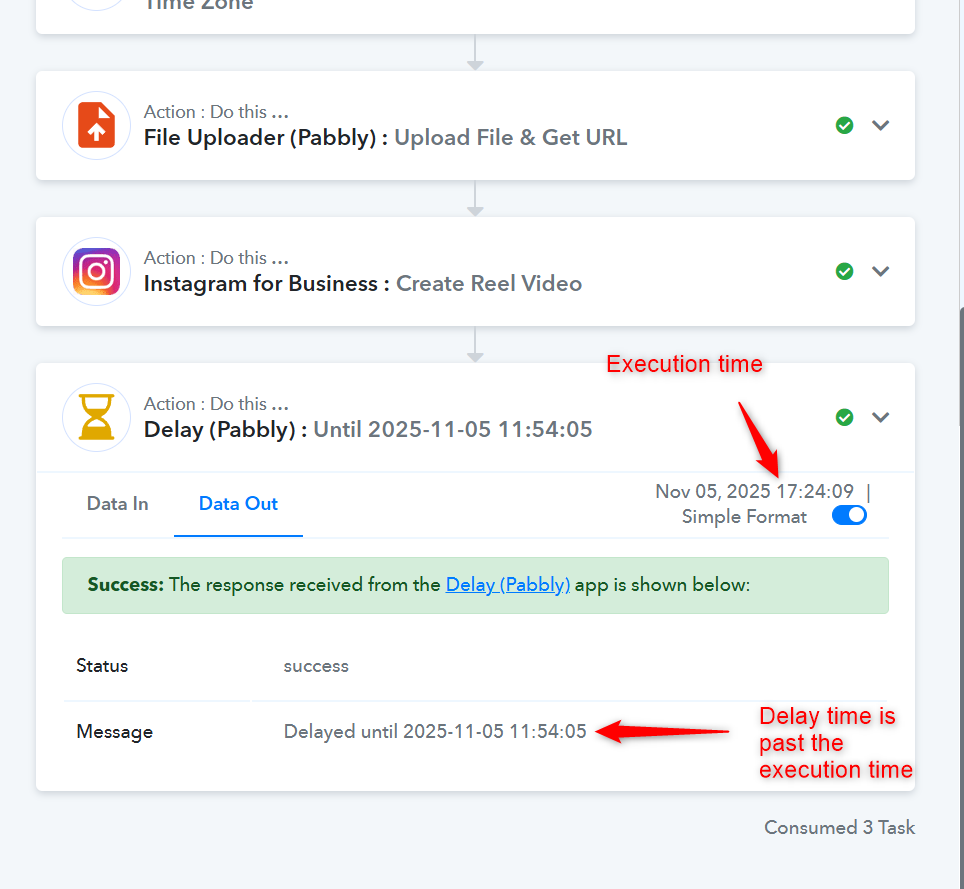
Thanks & Regards,
Arshil Ahmad
Customer Support Associate
? Pabbly.com
?Rate your support
So what should i do next, I tried to put new time and execution in google sheet but it is not working. can you tell me step by step what should I do
I only have free 33 tasks remaining. If the workflow starts working fine. I want to buy the subscription so Let me know ASAP so that i can fix on free plan and once I am satisfied I will buy
Hello @alphaclub2307,
Please ensure that the time mapped in your Delay Until action is in UTC format and is a future timestamp. If the mapped time has already passed in UTC, the workflow will stop at the Delay step.
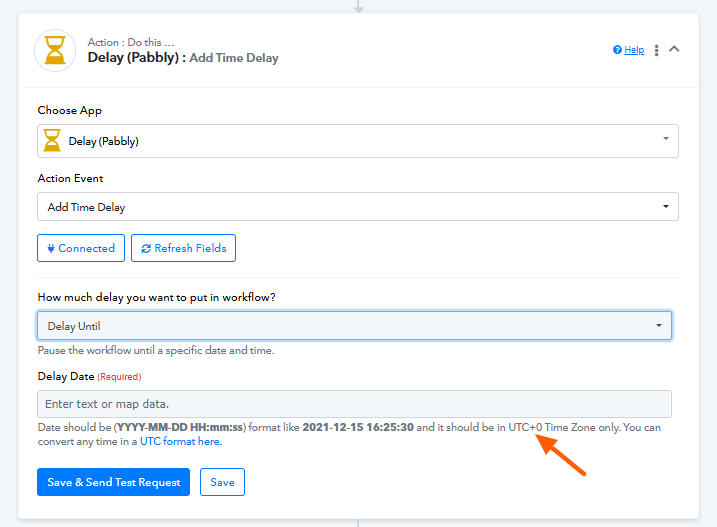
You can either:
- Add the UTC time directly in your Google Sheet, or
- Keep your local time and use the DateTime Formatter (Pabbly) : Format Date with Time Zone action in Pabbly to convert it to UTC before mapping it in the Delay step.
This will ensure your workflow executes at the correct time.
Hi Preeti, i did do everything correctly from my end. I watched the tutorial video and already did the formatter. Is there any way you can just access and make changes and let me know what to now do in my google sheet. I have tried everything and I am unable to diagnose exactly what is wrong. even the execution time and delay time I am confused.
Please tell me what to do next, I already have the delay thing
Hello @alphaclub2307,
We have made a slight change in the DateTime Formatter action, changed the from format. Please try testing the workflow for a future date and let us know how it goes.
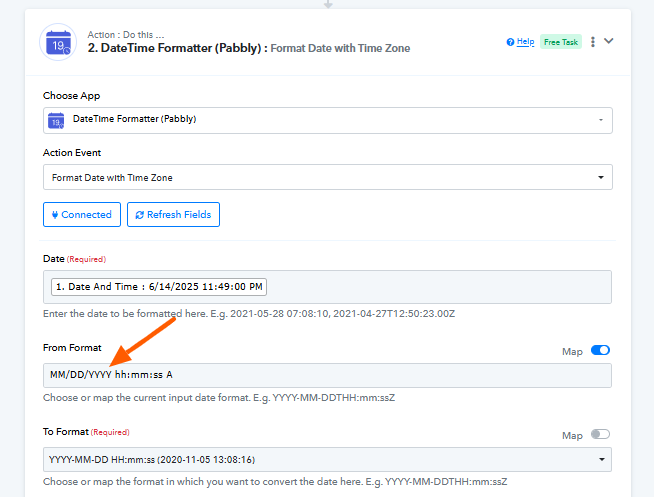
Hey you can check the latest history here. I ran after changing the format to which you changed but It just is not happening. I really dont know what is the problem, I have consumed to many tasks it just keeps on going till the last step but never executes. IjU3NjUwNTZh...
https://connect.pabbly.com/workflow/mapping/IjU3NjYwNTY0MDYzMzA0MzQ1MjZhNTUzMjUxMzQi_pc
We’ve made some changes to your Date/Time Formatter that should resolve the issue. Please test your workflow again, and make sure to enter a future date and time, as you did in your most recent test.
Task History ID - IjU3NjUwNTZhMDYzMjA0Mzc1MjZhNTUzMTUxM2E1MTY1NTQzMDBmMzIi_pc
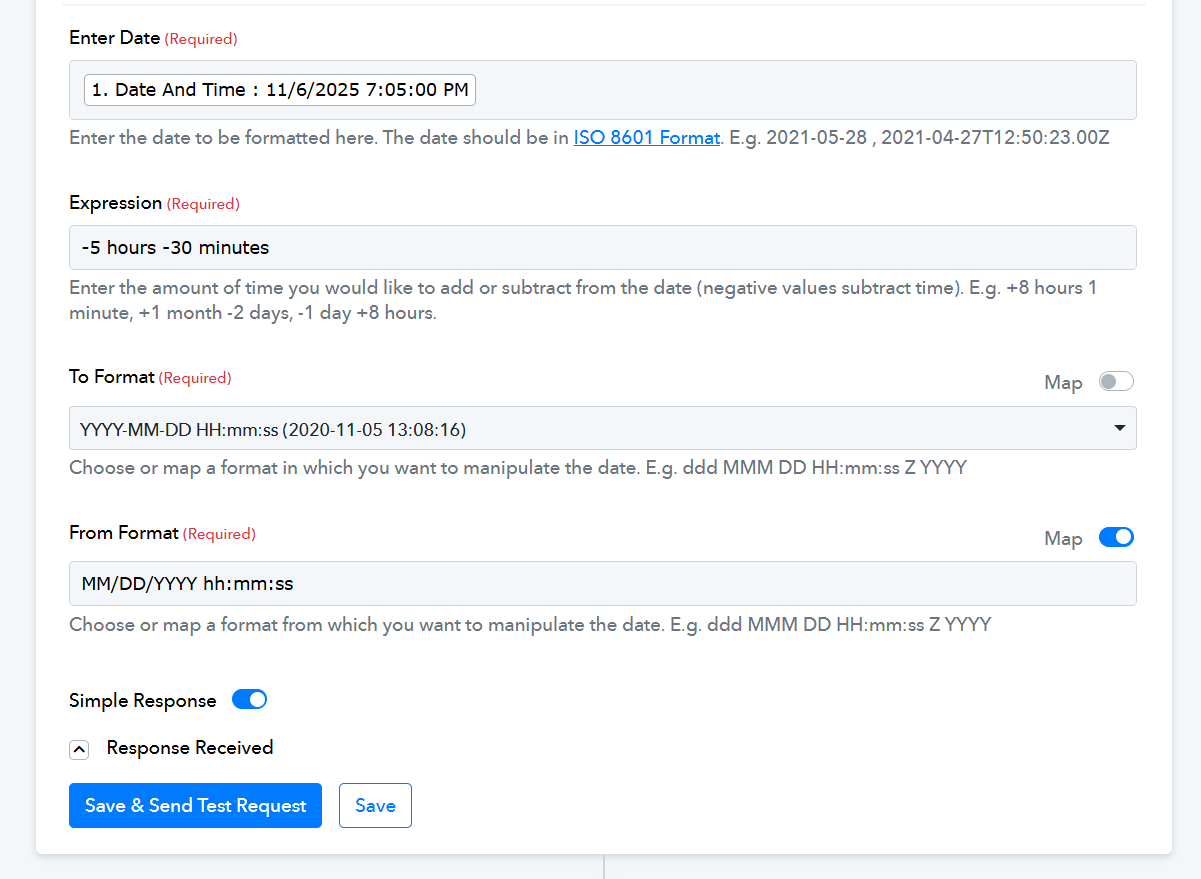
Thanks & Regards,
Arshil Ahmad
Customer Support Associate
? Pabbly.com
?Rate your support
Do i have to change the time in google sheets to this iso format now? if yes how to do it
No, you don’t need to change the date and time format in your Google Sheets; please keep it the same as before.