YouTube link and Thumbnail not showing up.
Status: Open · Asked by Under Muffin on · 0 views
When Pabbly posts to the webhook on my discord the link and thumbnail don’t show up anymore. The video duration and date of publish do show up as seen below. All this used to about a week ago. 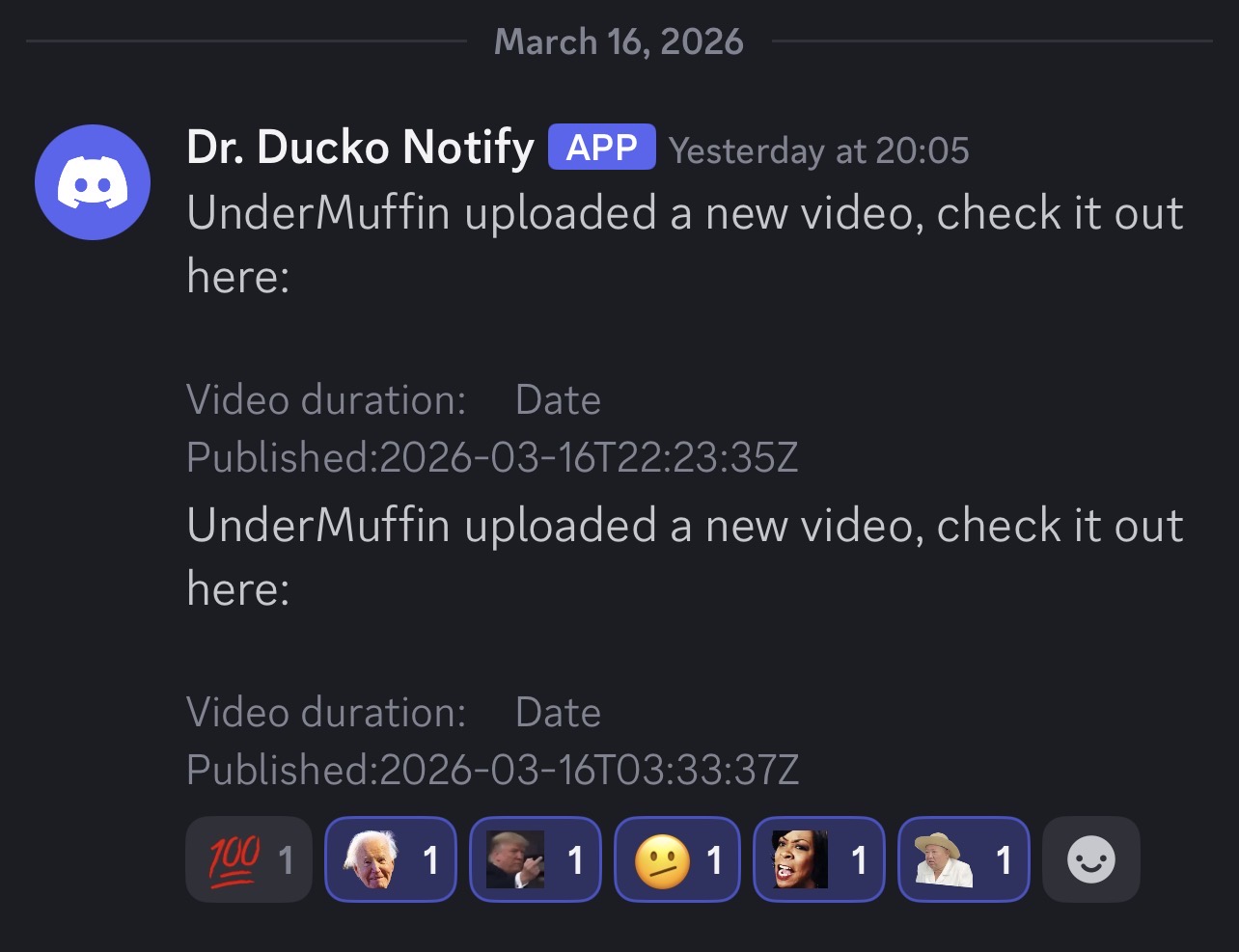
But if I log in to my Pabbly account and send the test it shows up just fine.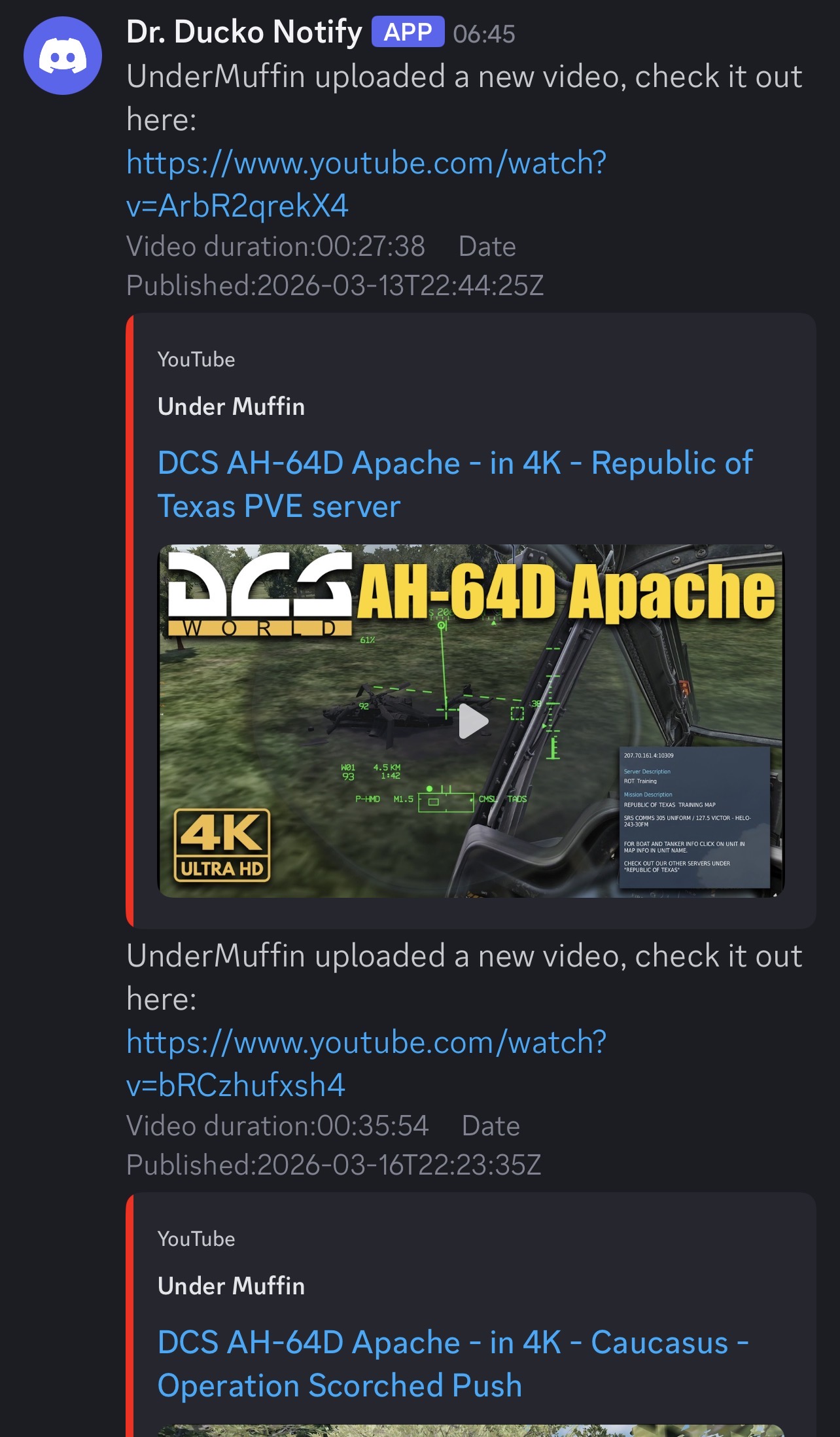
I’m not sure if the task history is correct.
What should I try to do to fix this?
Thanks!
Hi @Under Muffin,
Thank you for sharing the details.
Upon reviewing the task history, it appears that the key you mapped to the video URL is not returning in the task history. We recommend mapping the other available video URL fields instead and then testing the workflow again.
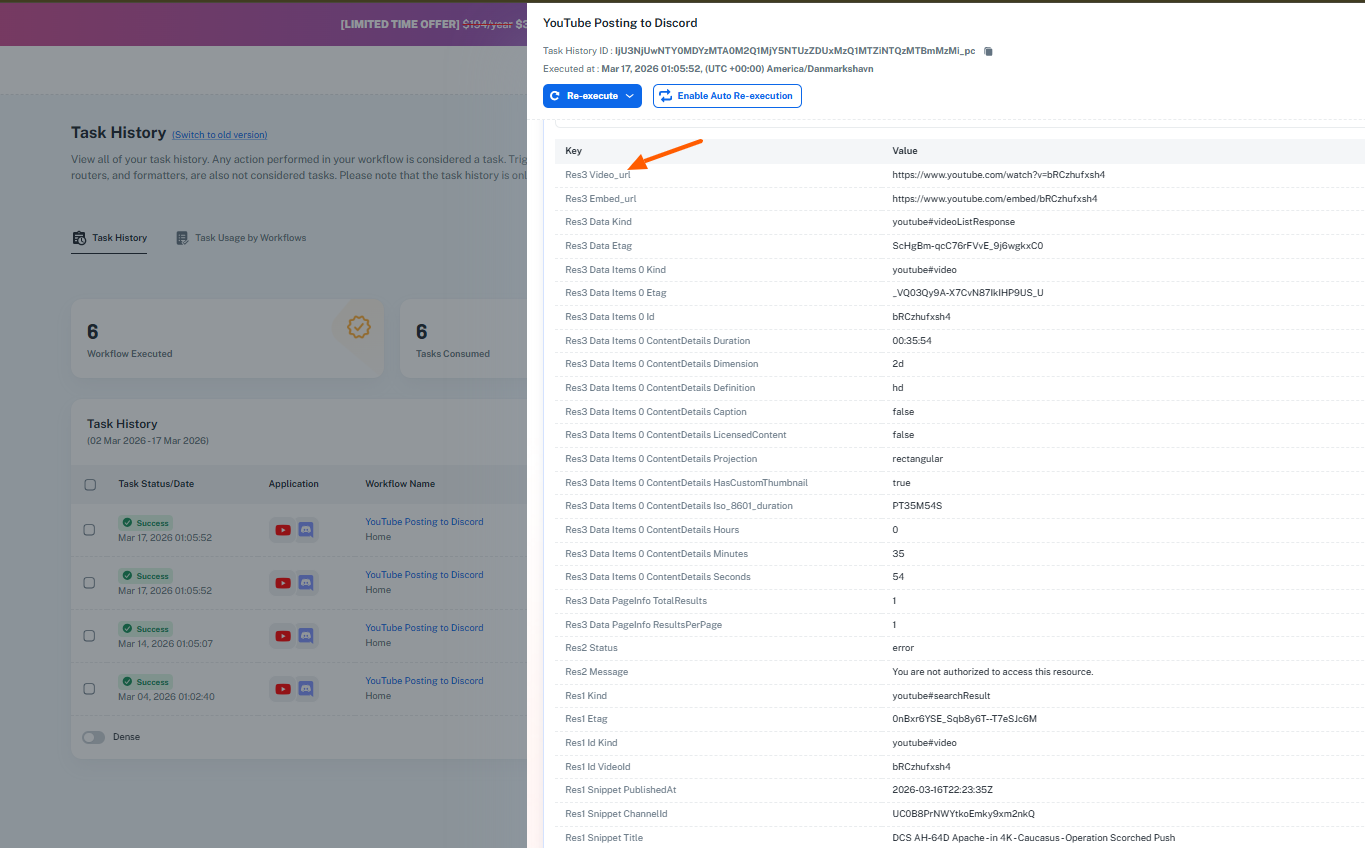
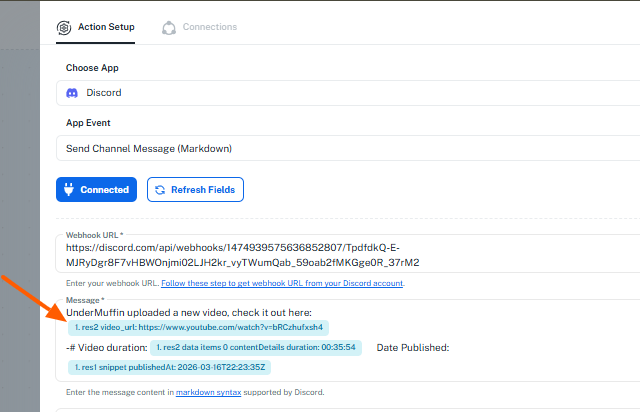
Please try this and let us know if it helps.
Thank you Preeti, I will try that this evening when I get home from work and post an update.
I tried adding the Res3 Video_url key but it seems that I don't have that variable in my stream?
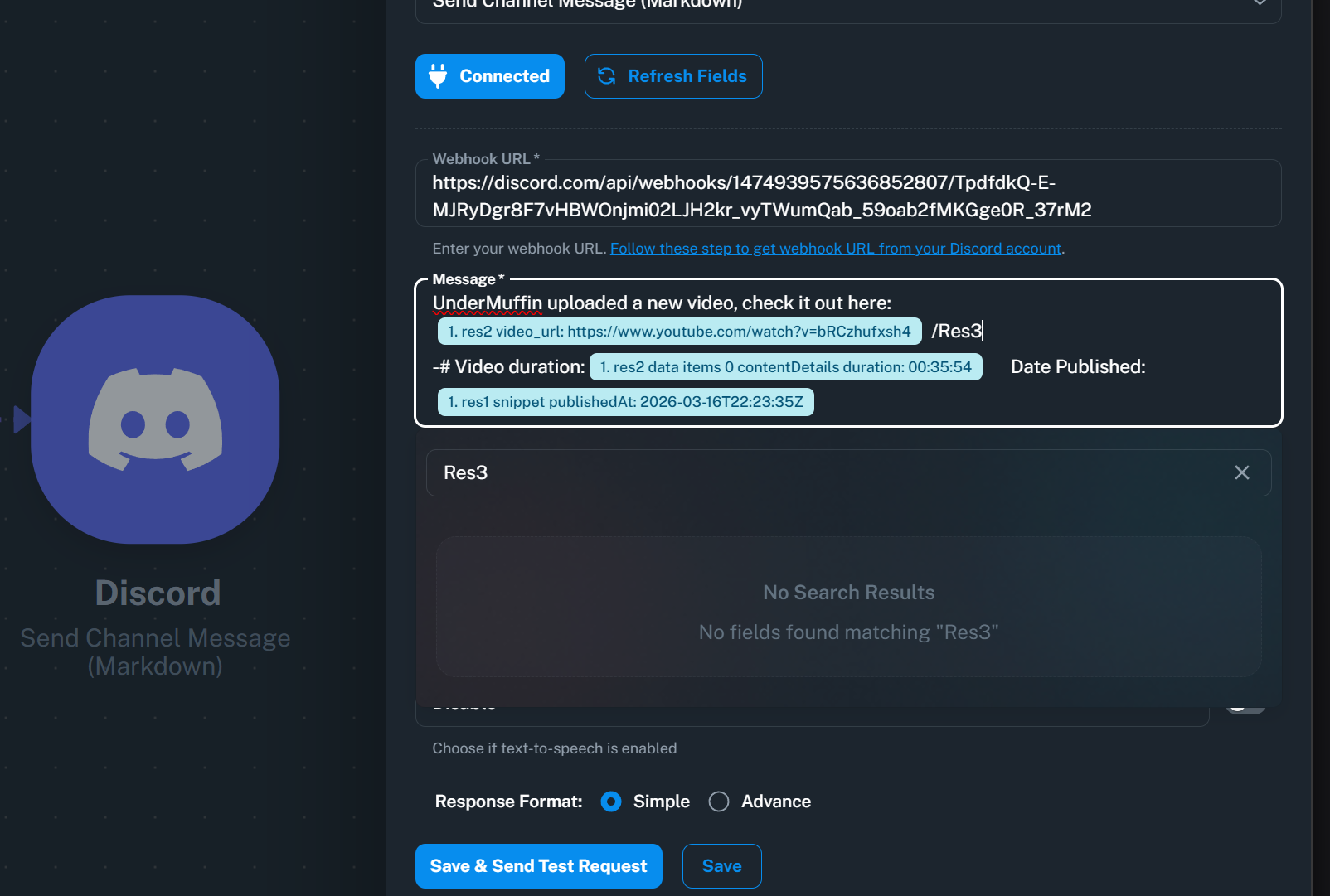
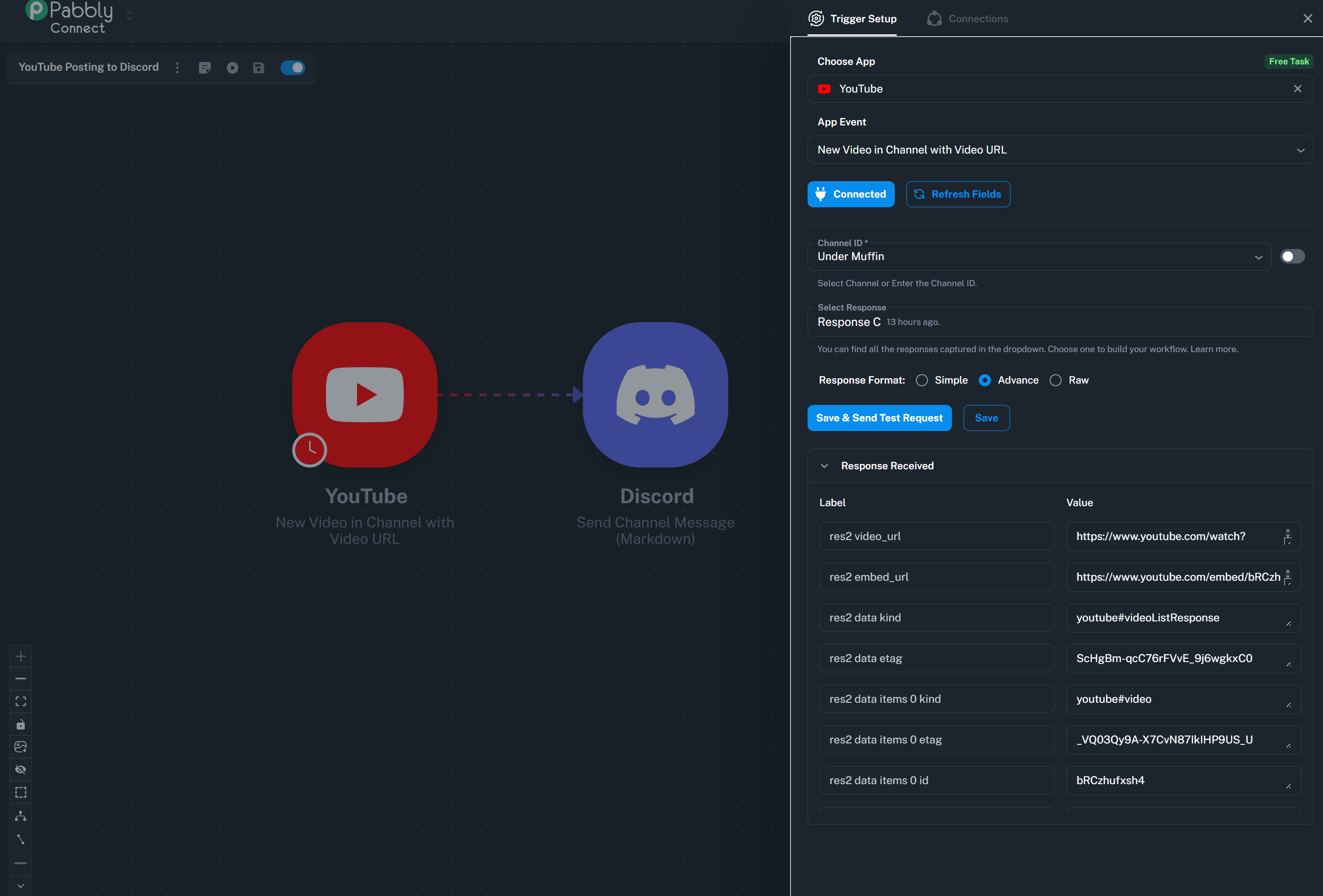
It seems Res2 is the highest number in the Response Recieved on the Youtube app trigger setup.
Thanks
Hugh
Hello @Under Muffin ,
Thank you for sharing the detailed task history — this helped clarify the issue.
We can see that in your workflow, the res2 step is returning an authorization error, which means some of the data from that step is not being received during actual execution.
Because of this, if your Discord step is mapped using any fields coming from res2, those values will be empty in real-time runs. This is why the link preview (thumbnail and title) is not appearing.
However, we can confirm that the field:
? res3 video_url is consistently available and returning a valid YouTube link in all executions.
We recommend updating your Discord webhook mapping to use:
? res3 video_url
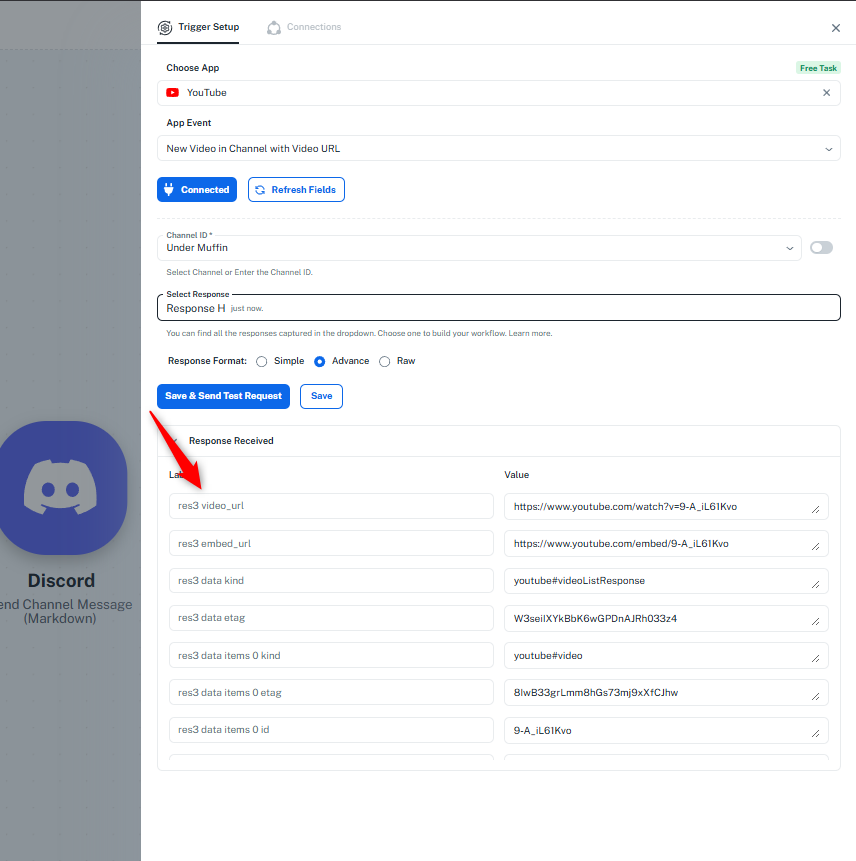
This should resolve the issue and ensure that the link preview appears correctly.
Please make this change and test the workflow again. Let us know how it goes—we’re happy to assist further if needed
Please excuse my ignorance but I don’t understand how to update to the res3 video_url. Can you give me the steps needed for how I update to this field in the discord webhook mapping?
The fields that seem to pop up when I type the ‘/‘ are only res1 and res2 type fields, I don’t see res3 in the drop down list.
Thank you.
Hello @Under Muffin ,
Thanks for your message.
We’ve already updated your workflow so that the Discord step now receives the correct video URL and duration. Here’s what we did:
- In your workflow, the trigger was still using an older response that didn’t include the res3 video_url.
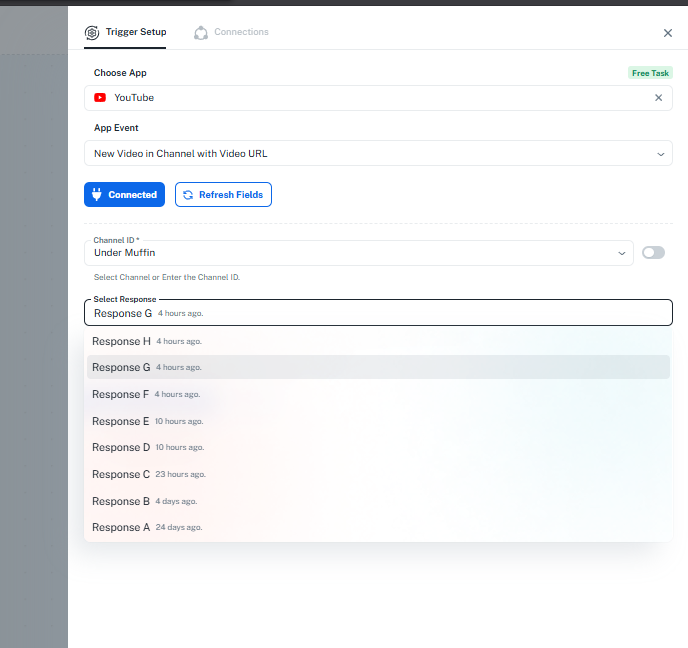
- We opened the Select Response dropdown in the trigger step and chose the latest response where res3 is present.
- Then we mapped the res3 video_url and duration fields to the Discord webhook step.
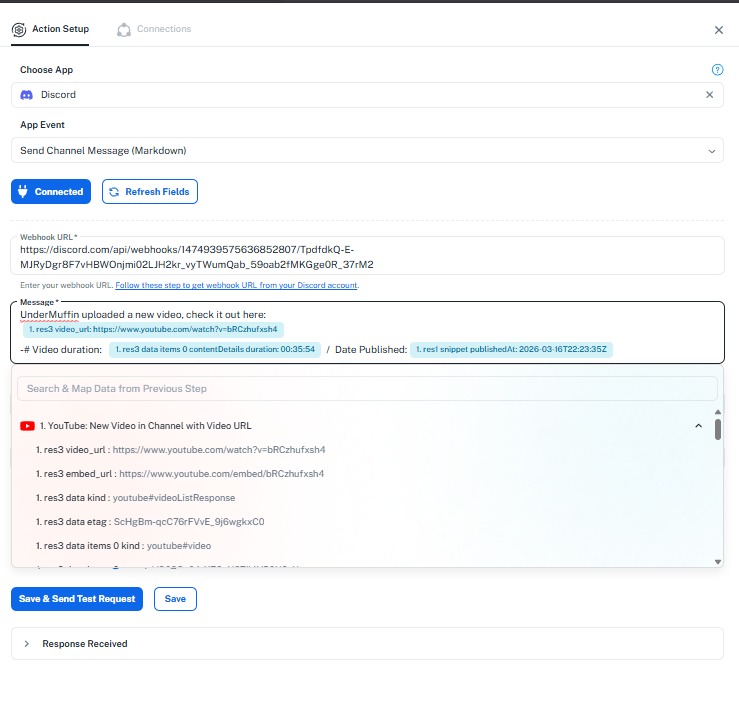
With this setup, the video link, thumbnail, and duration should now appear correctly in Discord.
Please test it and confirm—it should work as expected.