Zoho Books create invoice failing - error code 6 json is not well formed
Status: Closed · Asked by sunstorm on · 0 views
Hi Everyone
I am trying to automate the process of invoice creation for orders placed through Shopify.
Despite following all the steps mentioned in this video
, I am getting an error code 6 "json is not well formed". How do I fix it?Hello @sunstorm,
Upon checking the action step, we noticed it wasn’t configured correctly. We have made a few adjustments—please ensure that you enter the Template ID instead of the Template Name in the Template ID field.
Kindly try performing the action again and let us know if it works as expected.

Hi Team
Thanks for the quick response. However, a noob question - how do I find template ID?
Hello @sunstorm,
To find your Template ID in Zoho Books, follow these steps:
- Log in to your Zoho Books organization.
- Click on Settings (top right corner of the page).
- Under Customization, select PDF Templates.
- In the Templates sidebar, choose Invoices.
- Select an invoice template, and you will find the Template ID in the URL.
Thanks again. Managed to find template ID and key it in. However, now it is throwing a different error code 3032. I know that both CGST and SGST has to be applied but I am not sure how and what to configure for the same? 
Hello @sunstorm,
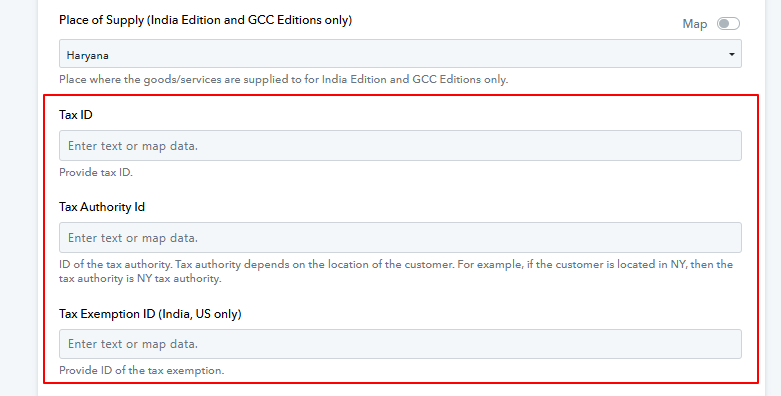
Based on the place of supply, you’ll need to enter the applicable tax. Please refer to the attached image for more details. You can find the required information in your Zoho Books.
Kindly fill in the details and let us know if everything works fine for you.
Hi Preeti
I tried but couldn't figure this out. Where will I find this information in my Zoho Books?
Btw, both the customer as well the biller (my organization) are based out of Haryana in case it helps in figuring this out.
Hello @sunstorm,
Please allow us some time to look into this issue and we will get back to you with the updates as we have some.
Hi Team
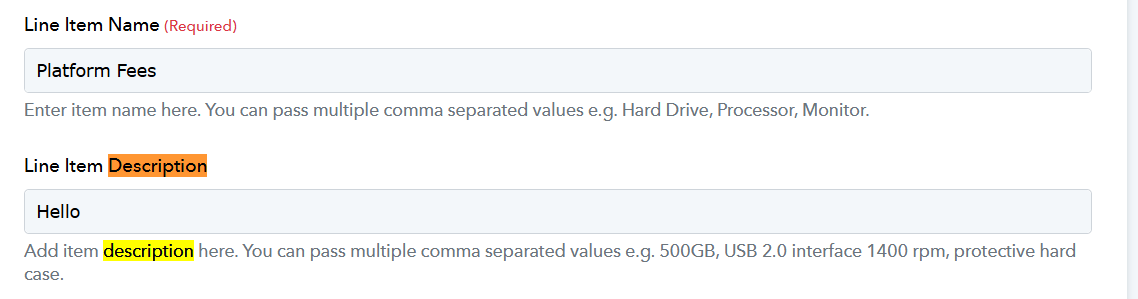
Through lot of trials and errors, could figure out this taxID related issue. Now I am receiving yet another error code 4091. Surprisingly, I am receiving this error despite having keyed in both line item as well as a description.

It seems that you are no longer encountering the issue, and the invoice has been created.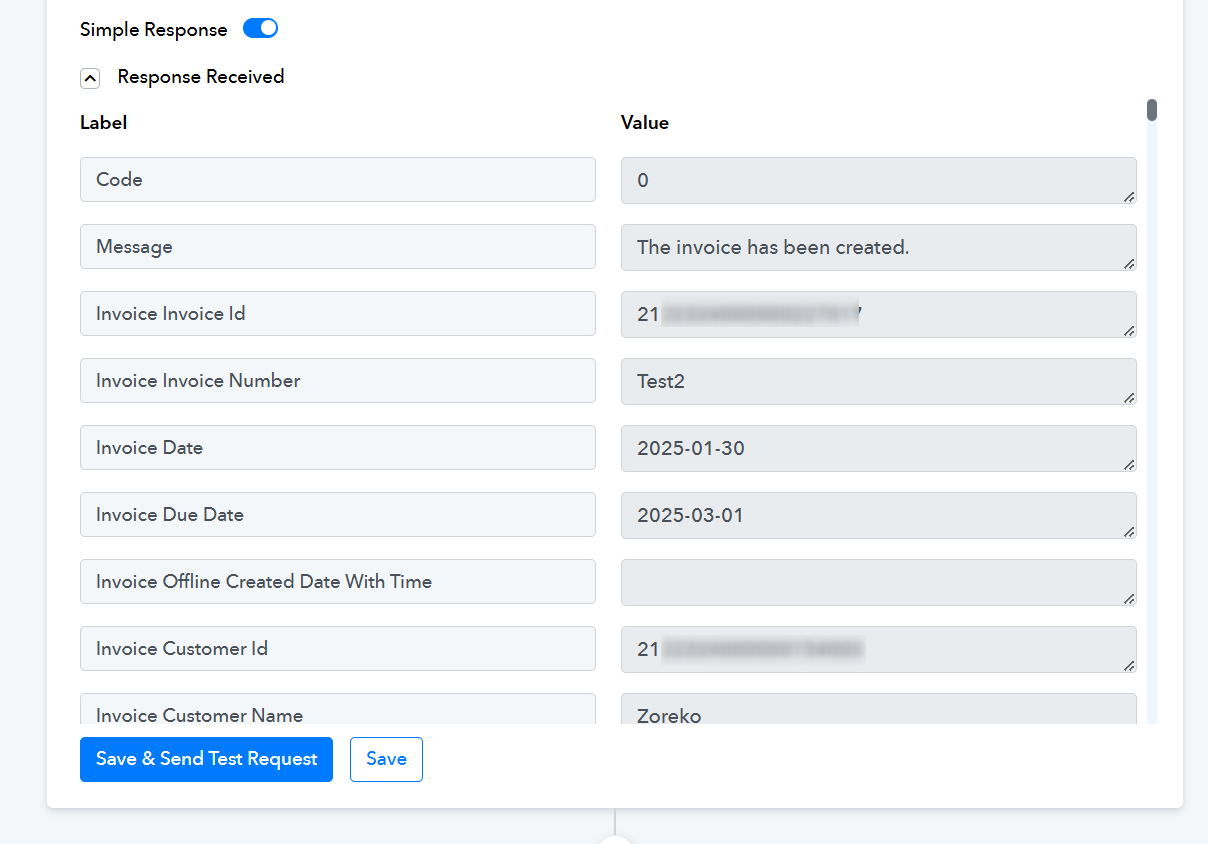
Hi Team
After some more trial and error, was able to finally figure this out. The trick was giving two tax IDs - one for each CGST and SGST. Things sorted out after that!
Thanks everyone for your support.
Hello @sunstorm,
Thanks for the update, we'd love to hear your thoughts! If you have a moment, please rate us on Google. Your feedback helps us improve.