Zoho Books Estimate missing Contact person field
Status: Open · Asked by hypecatcher on · 0 views
Hi,
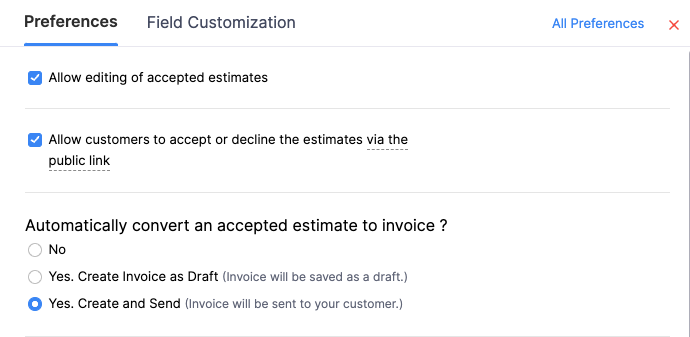
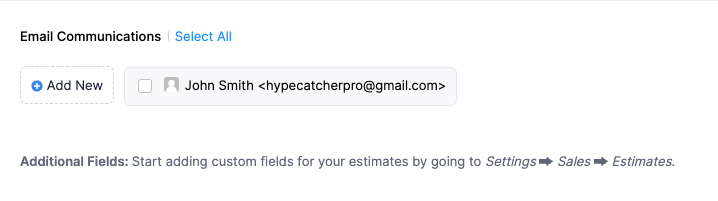
In Zoho Books I selected the option to 'Create and Send' an invoice to the client right after he approves the Estimate in the client portal. However, it doesn't work, the invoice is just created as a draft and I have to send it manually by clicking "Send". I asked Zoho support why, they told me that in the Estimate creation, within the 'Email communications' section at the bottom, the email of the client must be checked (cf attached screenshots). I asked them what field is concerned by this in their API, they told it's the 'Contact person' field, which is different from the 'Contact ID' field currently available within the 'Create Estimate' action.
Can you guys please add also the 'Contact person' field to the 'Create Estimate' and 'Create Estimate (beta)' actions?
Thank you for your help.
PS: I was wondering, is it possible for you to add all the available fields of their API at once to Pabbly's Zoho Books integration, so that we don't have to ask for specific fields whenever needed?
Attachments
Hi @hypecatcher,
Please allow me some time to discuss this with my team. We will get back to you with an update soon.
Hello @hypecatcher
We are pleased to inform you that our team has added the required field in the "Create Estimate" action, you will now be able to use it as per your requirement.
Please test it at your end and let us know if it works for you.
Hi thank you for your assistance.
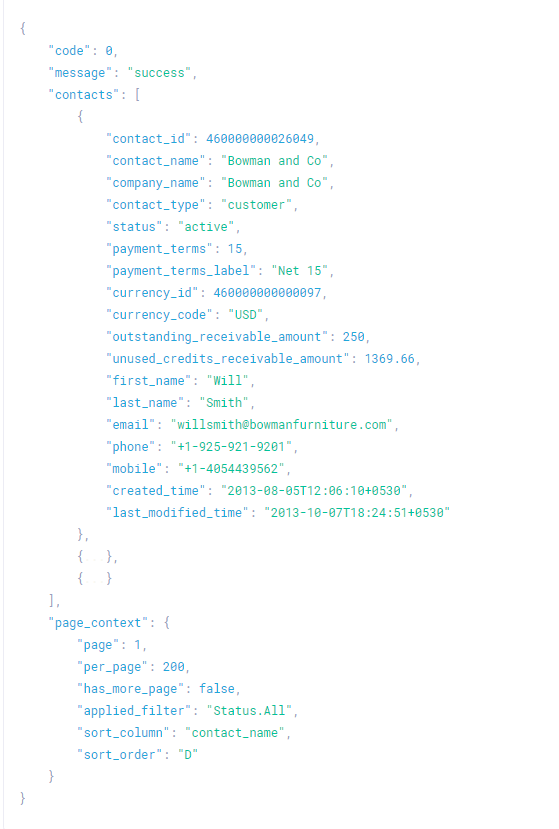
I noticed you deprecated the 'Create Estimate (beta)' action but I was using it all over my workflows. I tried to replace it by the 'Create Estimate' action but now I'm facing a problem: there is no 'Contact person ID' field within the response from the 'Get Contact by Email' action. There is only the 'Contacts 0 Contact Id' field which is actually for the 'Customer ID' field (I tried to use on both fields, didn't work). This the response that I should get when using the 'Get Contact by Email' action ("contact_person_id" is the field I need): https://www.zoho.com/books/api/v3/contacts/#mark-as-active
All my workflows are on hold right now as the Create Estimate action won't work if I don't specify this field.
Can you guys please look this up asap?
Many thanks for your help.
PS: If I may asking again, is it possible for you to add all the available fields of their API call & response at once to Pabbly's Zoho Books actions, so that we don't have to ask for specific fields every time?
Hello @hypecatcher
You can use the deprecated actions and replace them with the newly created actions later on.
Also, I have escalated your query regarding:
the response that I should get when using the 'Get Contact by Email' action ("contact_person_id" is the field I need): https://www.zoho.com/books/api/v3/contacts/#mark-as-active
to our integration team.
The endpoint that we were using didn't return the required ID. However, our team will look into it, and if there are any possibilities we will let you know.
The deprecated action 'Create Estimate (beta)' is not available anymore. I cannot use it.
Hello @hypecatcher
The deprecated action can not be used in new workflows. However, it will work fine in the workflows where it is previously installed.
You can use the new "Create Estimate" action in your new workflows as it contains the "Contact person" field as per your requirement.
Hello @hypecatcher
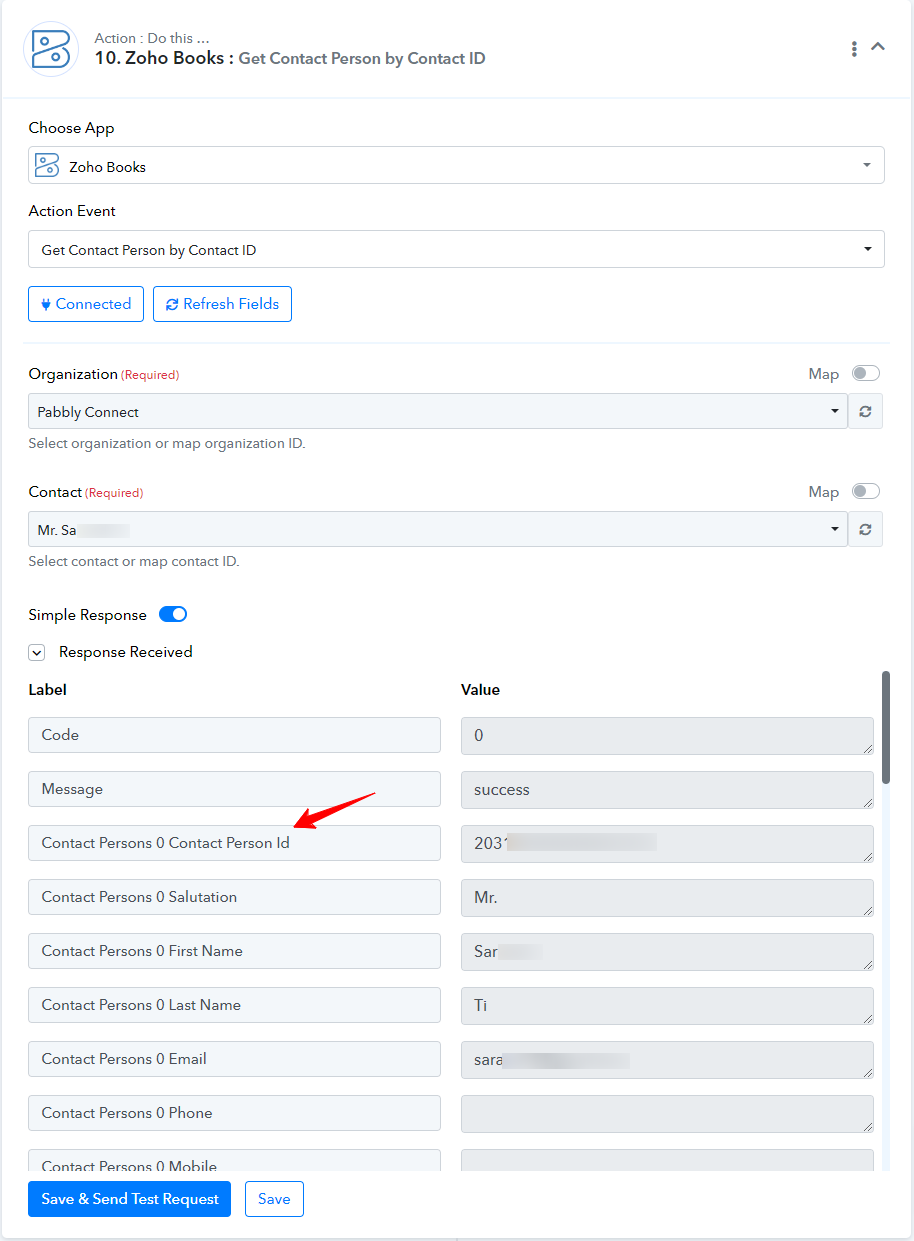
We are pleased to inform you that our team has added a new action step to fulfill your requirements. You can now utilize the 'Get Contact Person by Contact ID' action to retrieve the contact person ID.
Please refer to the attached screenshot for more information.