Zoho CRM Accounts Updates to Zoho Books Customer
Status: Closed · Asked by Abhilesh Jha on · 0 views
Getting error of "Contact Does Not Exist" when I am updating an existing Client/Acount in Zoho CRM: https://connect.pabbly.com/workflow/mapping/IjU3NjYwNTZkMDYzZjA0M2Q1MjZmNTUzNzUxM2Ii_pc
Hello @taxajca
We have checked the workflow and tried to get the contact using the mapped organization ID and Customer ID but it also shows the same response Customer doesn't exist refer to the attached image for more info.
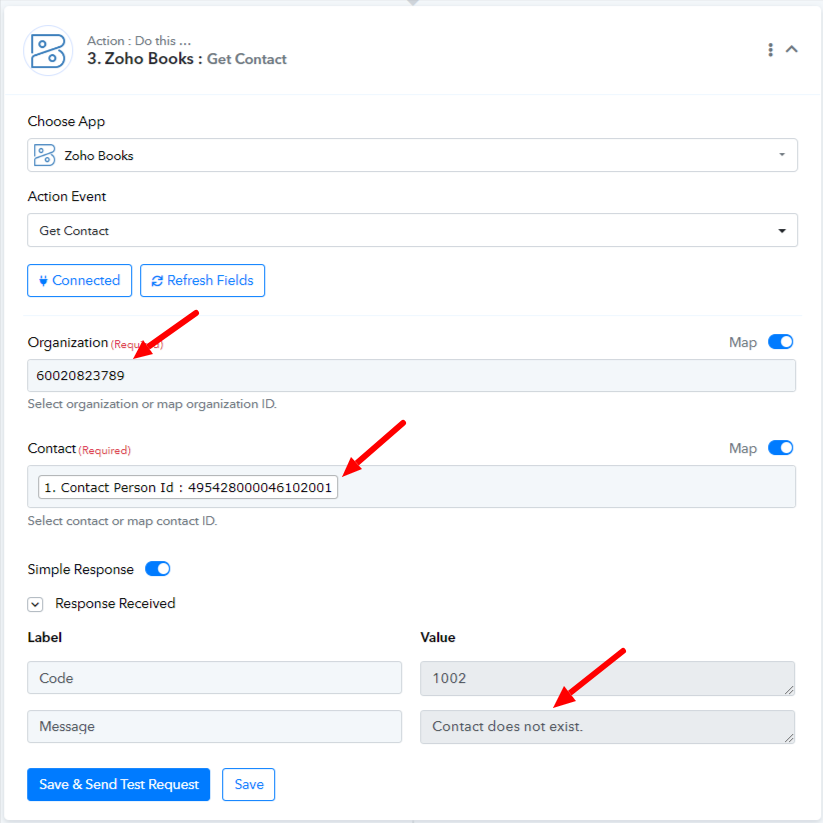
Kindly double-check if the static organization ID belongs to the customer to be updated.
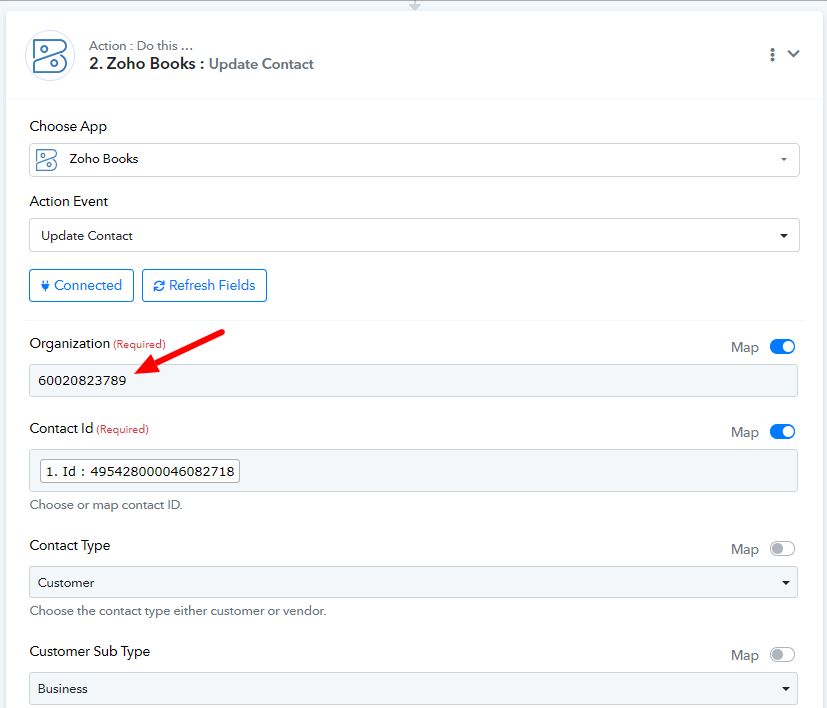
Yes Organisation ID is for my organisation in Zoho Books in which I manage my books and customer is also a part of it already. Organisation ID field I chose my company name out of other clients that i manage in zoho books but here its showing static id which is also correct and same
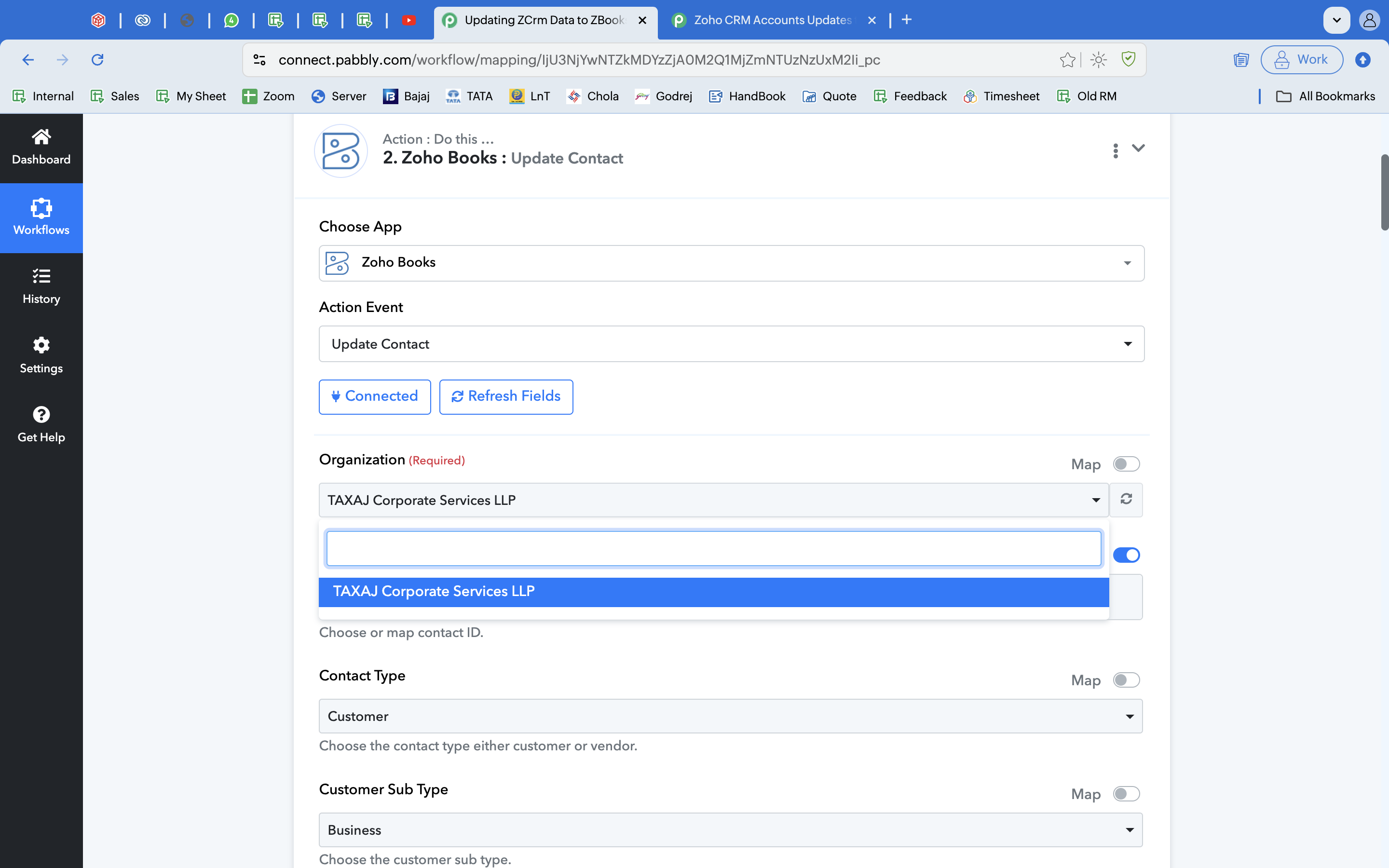
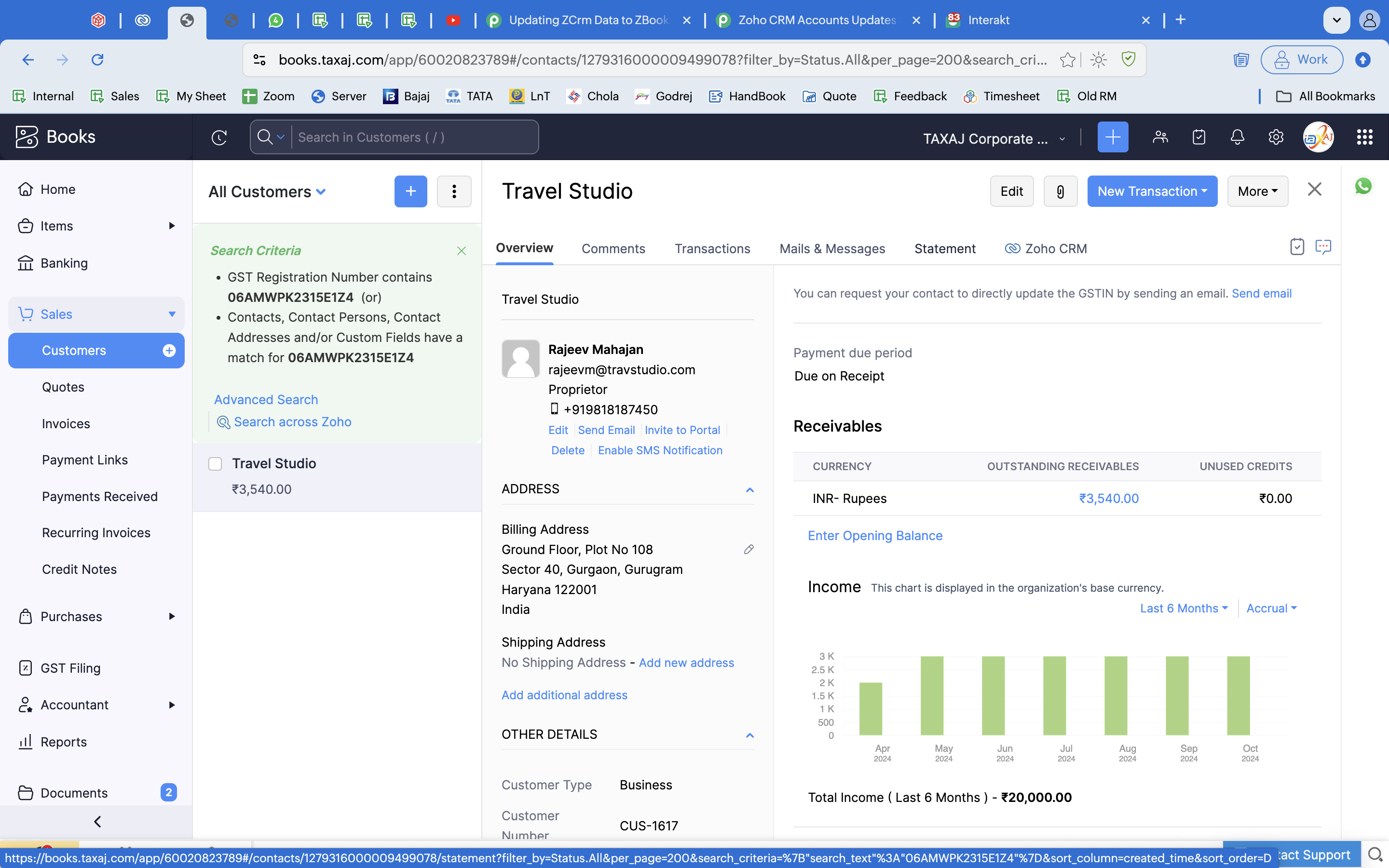
Could you please share a screenshot of the contact associated with the contact ID '495428000046082718' being present in 'TAXAJ Corporate Services LLP' organization?
I cant find the contacts id but with the name of customer, this is the one i have shared screenshot of. I have tried selecting all the id's but still getting same error. Anything else that needs to be chosen?
Attachments
Hello @taxajca
Please add the Get Contact by Email action step before the Update Contact step and the map the email of the contact from trigger step to get the contact ID and then you can map the contact ID to the Update Contact step.
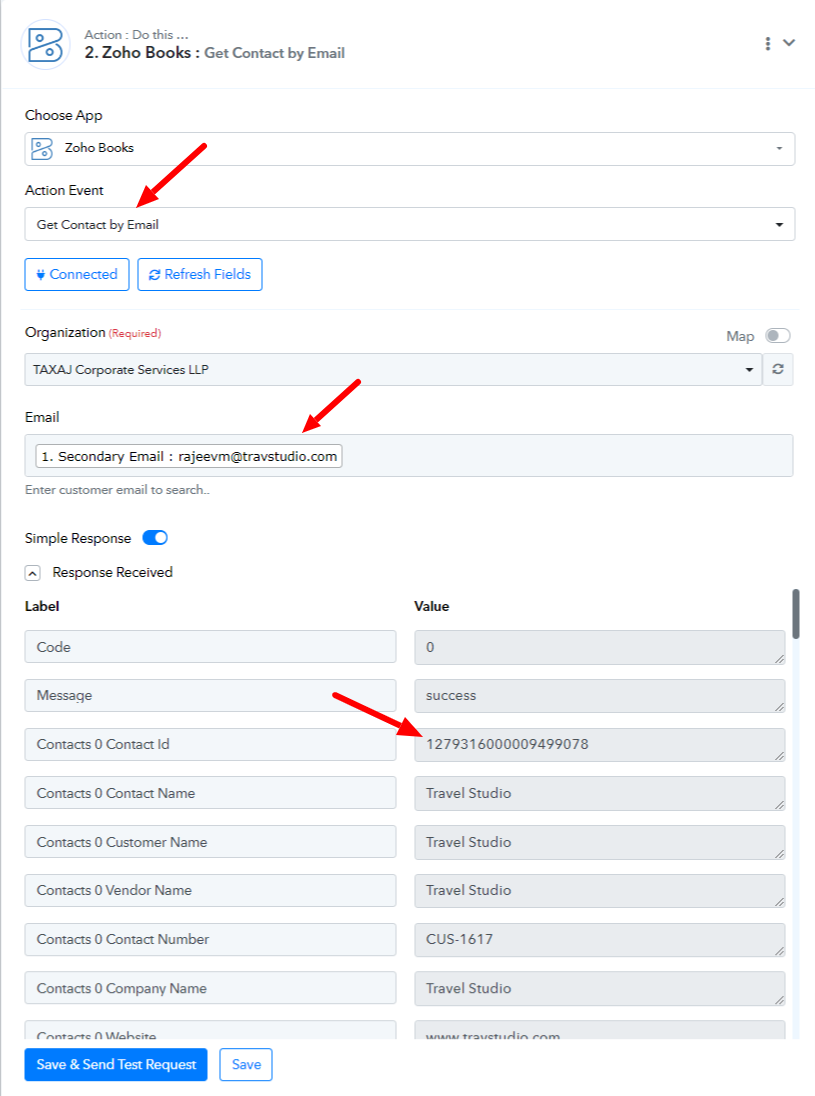
Please try and let us know if it works for you this way.
Done and works, thanks preeti :) I am now a great fan of pabbly. Has helped me lower my burdens to a lot of extent including saving of some manpower too :D
Hello @taxajca
Thanks for the update!