Zoho Invoice Contact Lookup not working
Status: Open · Asked by susie@susiewashesandfixes on · 0 views
- Change in column in Google Sheets triggers creation of Zoho Invoice.
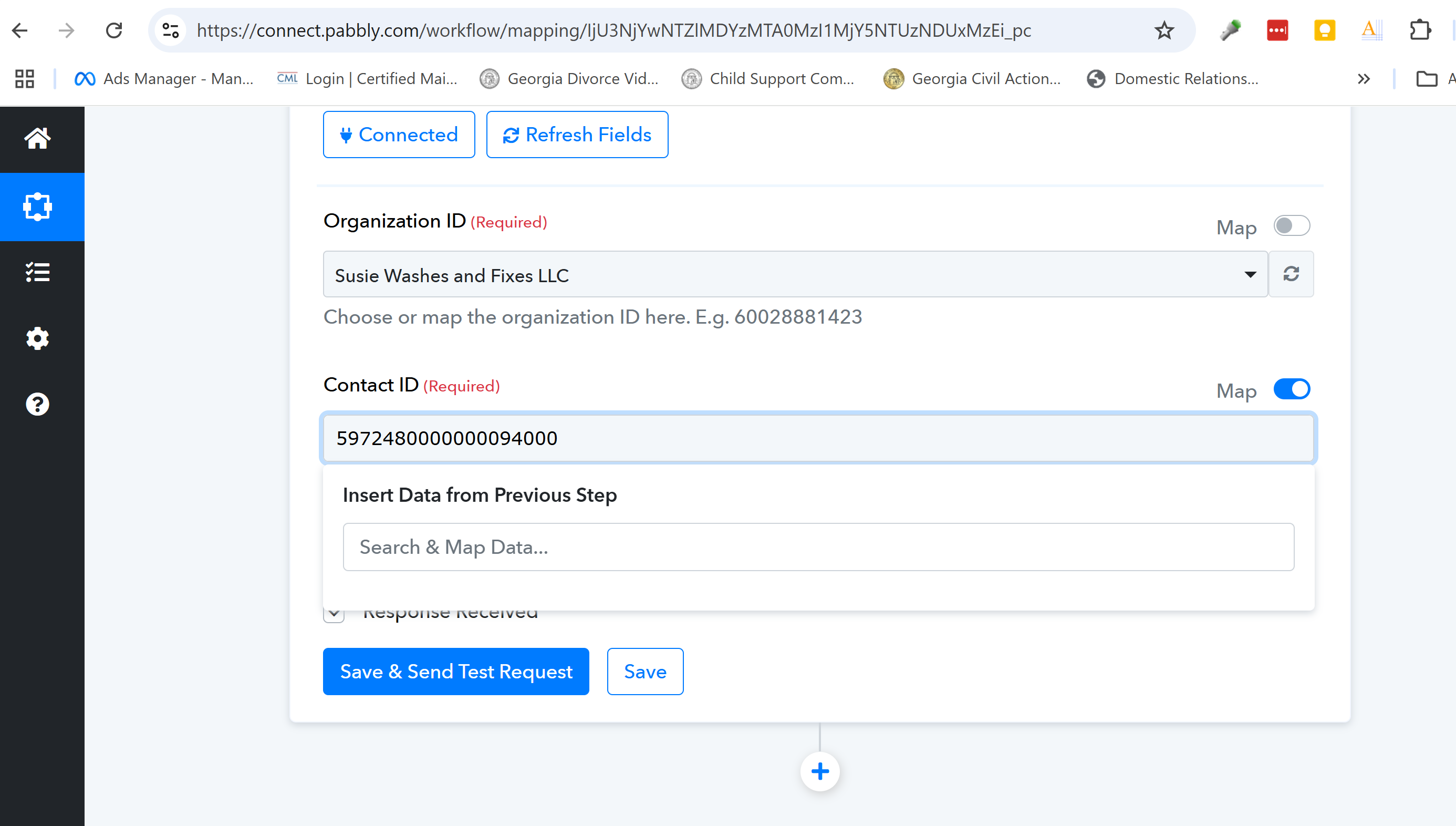
- Before the Zoho Invoice is created, I need to lookup the contact. I am unable to map the field from Google Sheets (email address) to look up the contact in Zoho Invoice (email address). It only wants to identify 1 customer name/number.
- Change in column in Google Sheets triggers creation of Zoho Invoice.
- Before the Zoho Invoice is created, I need to lookup the contact. I am unable to map the field from Google Sheets (email address) to look up the contact in Zoho Invoice (email address). It only wants to identify 1 customer name/number.
Try Hard Refresh with ctrl+shift+R and try again. if this doen't work try with new workflow or try in incognnito mode. If you are still not able to solve this on your own feel free to DM me and we can do a free zoom call. FYI I'm not from Pabbly Connect team, just a freelancer who helps other Pabbly users.
Hi @susie@susiewashesandfixes,
Please follow the steps given in the video to setup Google Sheets as your trigger step and captured data from your spreadsheet: