Zoho SalesIQ - Conversation access
Status: Open · Asked by Justin Meriwether on · 0 views
I'm trying to create a Workflow that can get the Conversation info from a SalesIQ closed/ended chat and put it into a Zoho CRM record. However, the information provided by the SalesIQ > Workflow > Webhook does not give any access to the Conversation data itself, just the initial 'question'. The webhook provides the Conversation ID, but I am having trouble finding the best way to use this ID to access the Conversation transcript URL or the Conversation transcript data.
Can someone please point me in the right direction?
Thank you,
Justin M.
Hi @JustinPM123,
Webhook by Pabbly trigger is based on descriptive webhooks, and we don’t have any control over the data that the source application sends. We simply provide a webhook and display the data received from the source application. Therefore, the conversation transcript doesn’t appear to be coming from your source application.
It seems Zoho SalesIQ has an endpoint that you can use to fetch the conversation details:
https://www.zoho.com/salesiq/help/developer-section/get-conversation-details-v2.html
If you want this endpoint to be added to the Zoho SalesIQ action application, you can submit your request on our dedicated platform:
https://pabbly.featureos.app/b/Integration-Request
Our integrations team will review your request and, if possible, add the desired action event to Pabbly Connect.
Hello Arshil,
I am trying to retrieve the SalesIQ Conversation data, after receiving a webhook, using the Action: SalesIQ > Custom API Request. But I am receiving this error: Allowed domains: [salesiq.]. Learn more: https://forum.pabbly.com/threads/custom-api-request.19458/
Is the URL Endpoint I am using not valid?
Here is my current workflow URL: https://connect.pabbly.com/workflow/mapping/IjU3NjYwNTZhMDYzNDA0Mzc1MjZiNTUzYzUxMzIi_pc
The SalesIQ action step can be found in Router > HouseDTF
Could you please specify your Zoho SalesIQ Server URL? It depends on the region in which your account is located.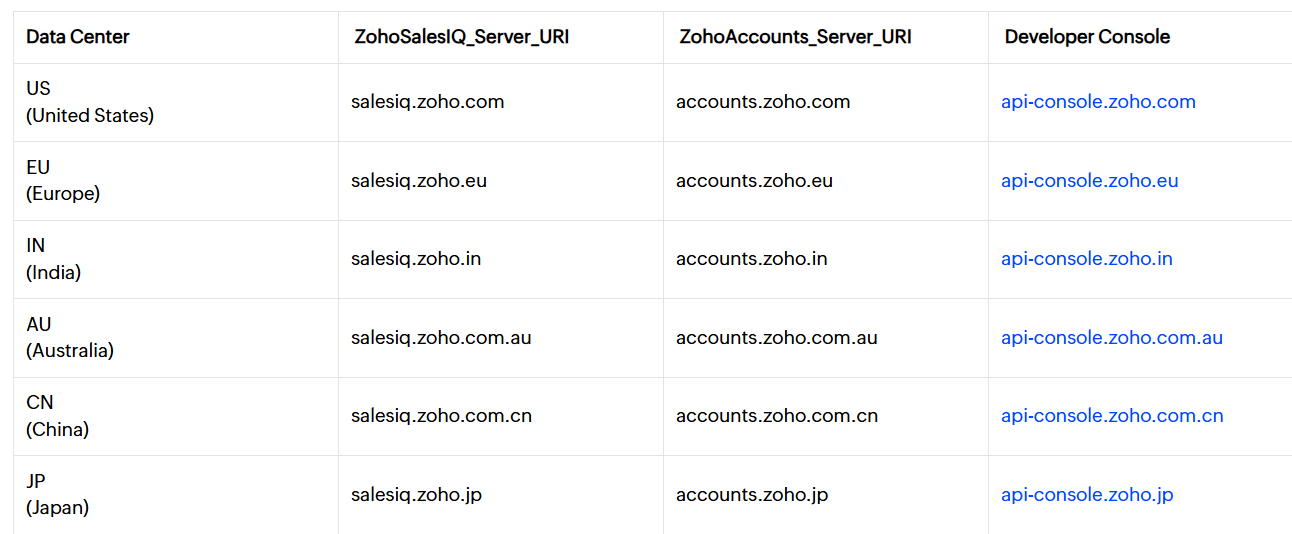
Thanks & Regards,
Arshil Ahmad
Customer Support Associate
? Pabbly.com
This is what I have in the URL field: https://salesiq.zoho.com/api/v2/xxxxxxx/conversations/{{chat_id}}
Yes, I entered that URL in your workflow on your behalf. Could you please confirm the server URL region once?
Thanks & Regards,
Arshil Ahmad
Customer Support Associate
? Pabbly.com
The Zoho server region we use should be US. All of our Zoho app logins use the zoho.com domain.
Thank you for the confirmation. We have forwarded this concern to our technical team for further investigation. Please allow us some time to review the issue. We will get back to you with an update as soon as we have more information.
Thanks & Regards,
Arshil Ahmad
Customer Support Associate
? Pabbly.com
Our technical team has fixed the domain-related error. You are now receiving a blank response from the Zoho API, which usually occurs when there is no matching history or when the provided IDs are inactive.
We suggest performing a test using an active conversation with live data and then trying again.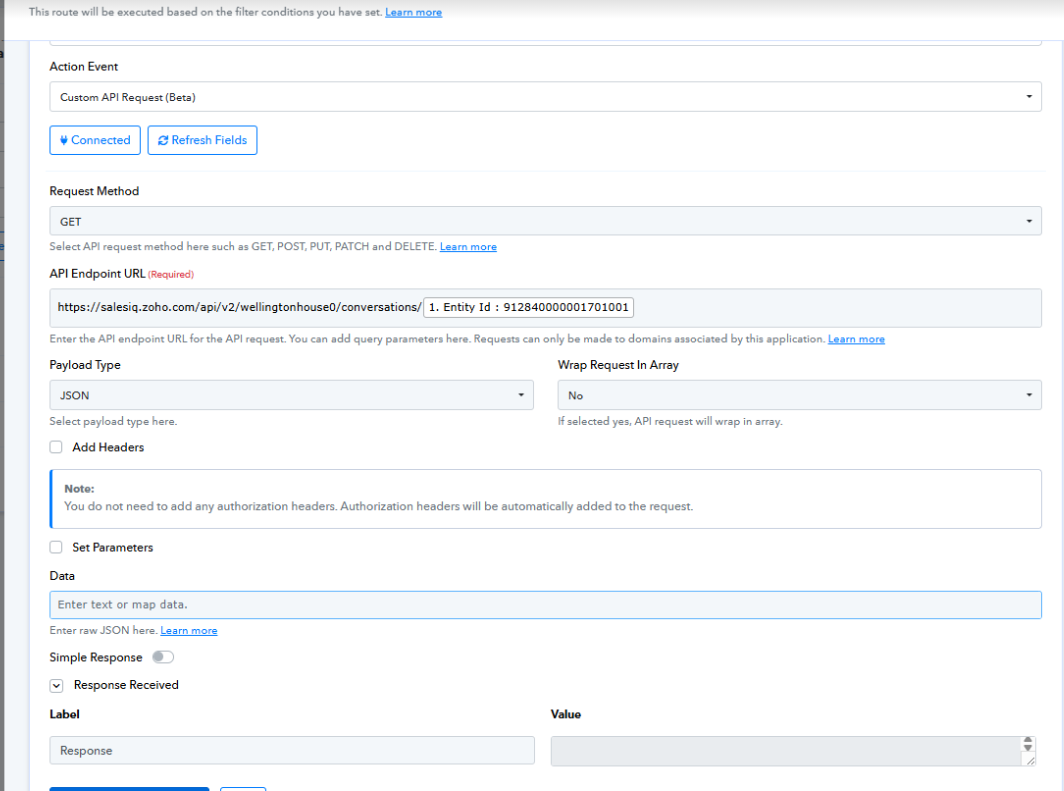
Thanks & Regards,
Arshil Ahmad
Customer Support Associate
? Pabbly.com