Zoho Sheet Updated Entries Issue
Status: Open · Asked by iRest Institute on · 0 views
I updated a Zoho Sheet by copy and pasting 13 rows at the same time. The trigger brings in all of them, but the rest of the steps only execute the first row. How do I set it to process all rows? The Iterator doesn't seem to apply.
As a note, when I do this in Google Sheets, the trigger brings in each row separately. So I'm trying to figure out how to get the same result with Zoho Sheet.
Hi @iRestAdmin,
Copying and pasting 13 rows at the same time should trigger your workflow 13 times. Could you please make a short screen recording of copying and pasting multiple rows again and show only one row triggering your workflow?
@ArshilAhmad Sorry, I'm not setup to take screen recordings. You should be able to see from the task history I sent you that it shows 13 rows of data.
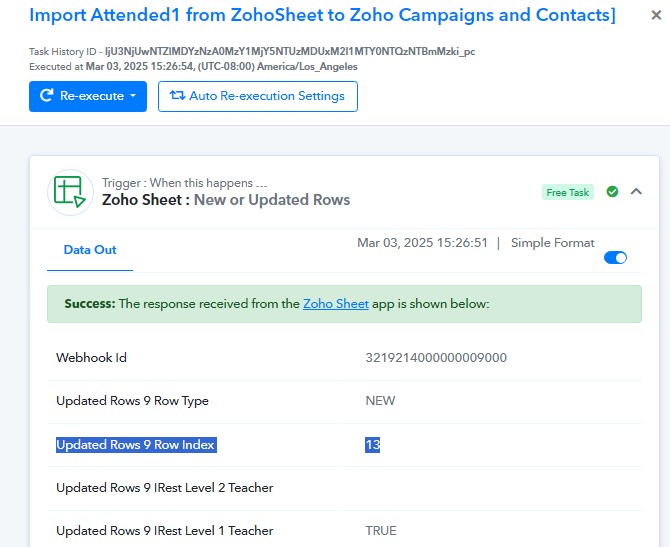
Please disable 'Simple Response,' then click on 'Re-Capture Webhook Response' and capture a new response from Zoho Sheets. This should provide you with the response in the form of an array.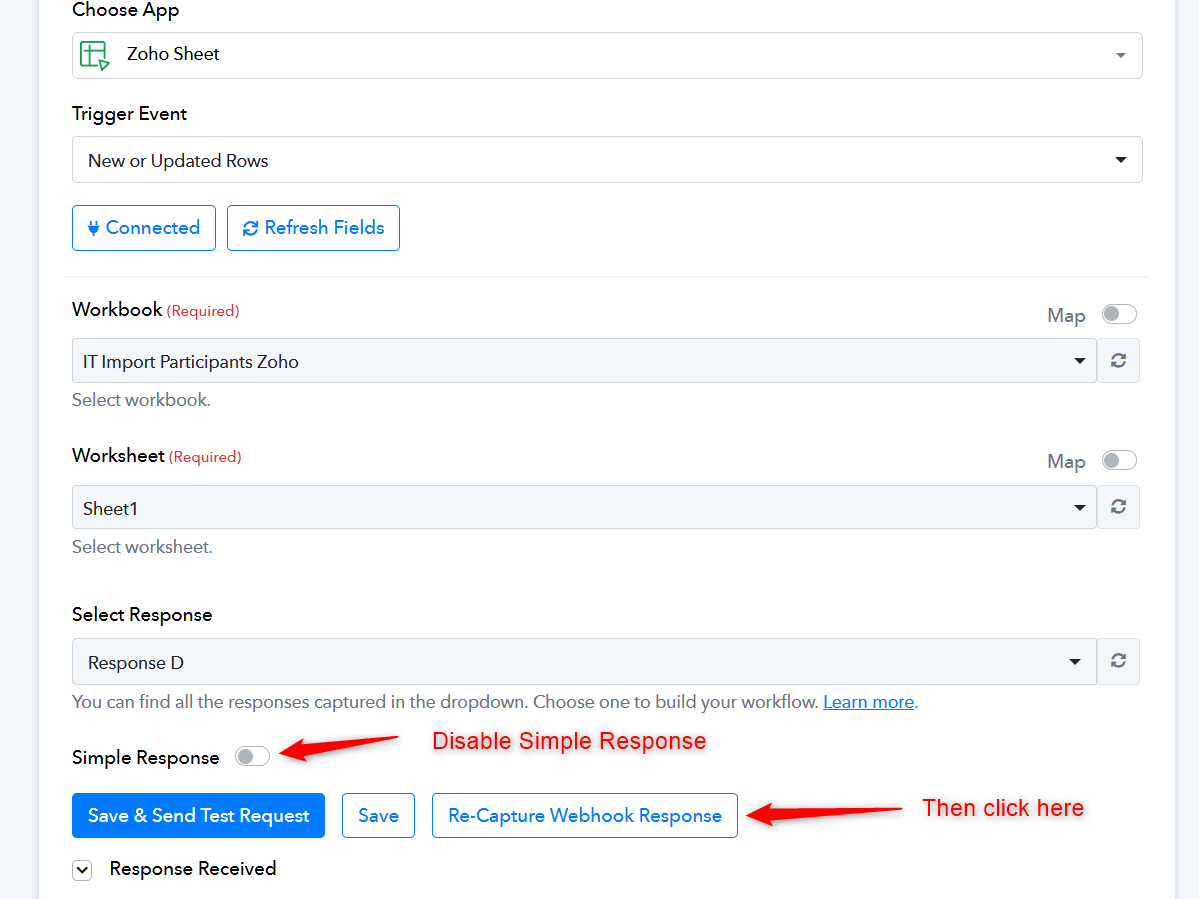
Then, add an Iterator as step 2 of your workflow and map the response from the Iterator in the action steps of your workflow. During automation, whenever multiple rows are added or updated at the same time, the Iterator will feed each row one by one into the action steps.
@ArshilAhmad Thank you so much. That seems to be working nicely. I'll do a bit more testing and let you know if I run into any more trouble.