zoom recording to youtube upload
Status: Closed · Asked by deepak jaswani on · 0 views
Hello Deepak,
Thank you for reaching out.
Kindly refer to this video tutorial and follow it step-by-step to create an automation workflow to upload Zoom recordings to your YouTube channel - https://www.youtube.com/watch?v=F7psacL6b_E
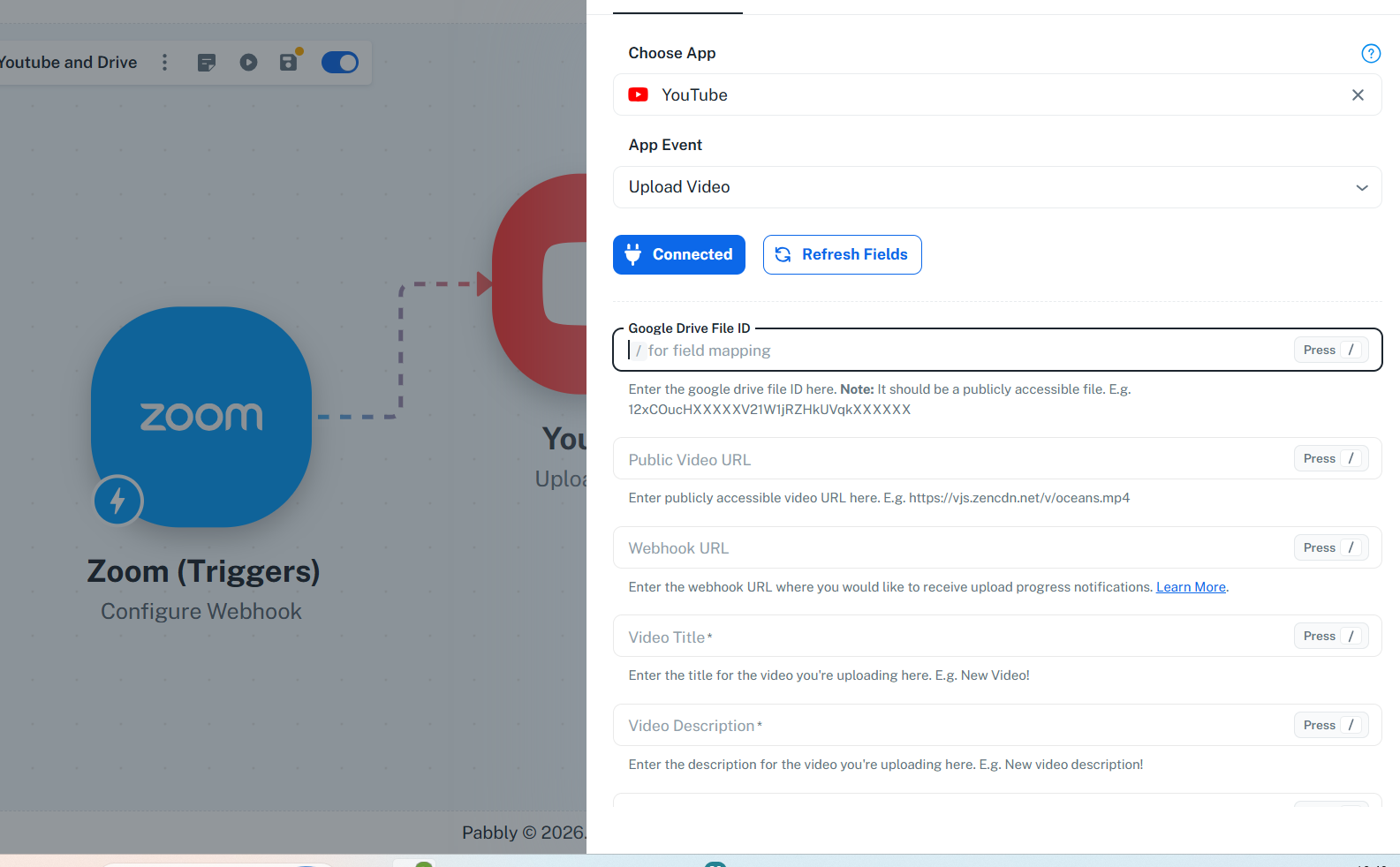
As per the screenshot that you have shared, you can ignore the first Google Drive File ID field as the file is not on Google Drive, so you just need to map the Public URL of the recording to the second field as YouTube has updated its API so Google Drive files can be uploaded by providing only the Google Drive File ID, as it is within their infrastructure.
Thanks & Regards,
Adeel Akhtar
🌐 Pabbly.com
One another question, output of zoom recordings are coming as 3 objects 0,1,2... and as we need to filter download which is MP4, which can come either in 0th, 1st or 2nd object . it is not consistent. how to filter to use only download url if file type is MP4.

Hello Deepak,
Thank you for reaching out.
In this case, you must add a router after the Trigger and pass each variation in each route so when the MP4 file comes in either variaton it must be executed through the respective route. In each route, the mapping in the action will be according to the trigger responses 0, 1, and 2.
Thanks & Regards,
Adeel Akhtar
🌐 Pabbly.com