Zoom Registration Fails
Status: Closed · Asked by Pallav Chaudhary on · 0 views
I'm trying to MAP zoom meeting id to Zoom registration task via "variable". But when I do so, it fails with error code 3001 "Meeting is not found or has expired."
When I map the meeting id directly, it works. How to go about it? Zoom meeting id in variable has been entered without the spaces.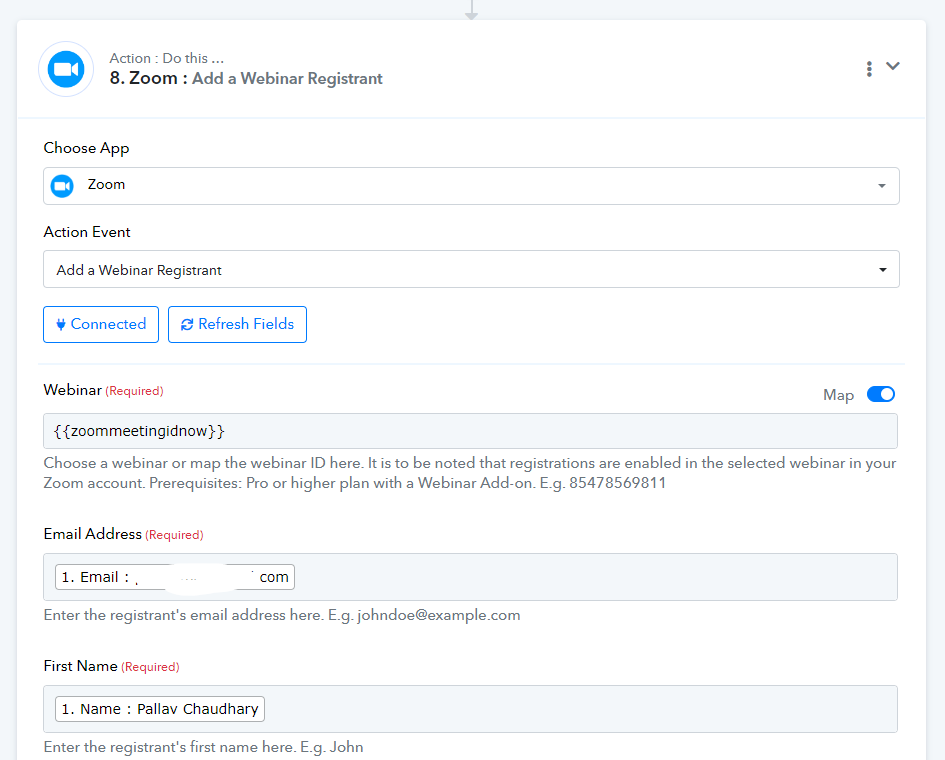
Hey @Pallav
It appears that you are not mapping the correct response from the previous step. Kindly enter it in the correct format as mentioned in the help texts. 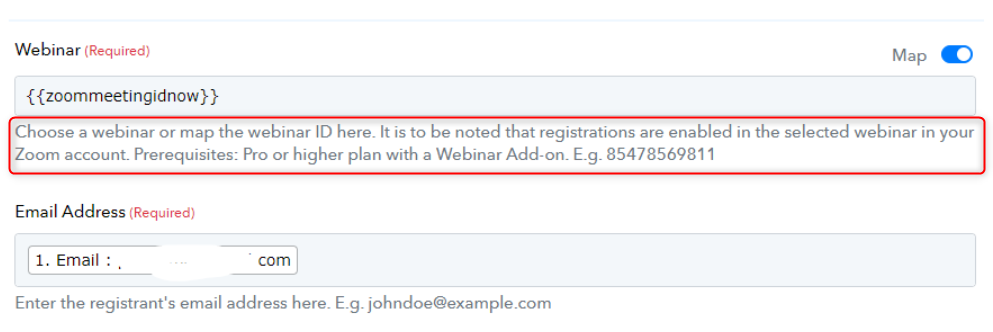
The Webinar ID should be entered in number format as mentioned.
Please make the changes and let us know if it works for you.
I'm using Pabbly variable to pass the Zoom meeting id which is a number. Same number when entered directly works fine.
I need to use a variable because there are multiple workflows that use it.
Hey @Pallav
Please generate a new meeting or use a different meeting ID. Since error code 3001 indicates that the meeting either cannot be found or has expired, please verify the validity of the meeting ID.
Kindly inform us of your results.
I can read that error message. Would really appreciate if you can also read my post completely.
Same meeting id when pasted directly works fine but gives this error when passed through a variable.
Hello @Pallav,
We tried making some changes in the workflow 'UYPP Zoom Registration'. It appears that you're connection is improper. 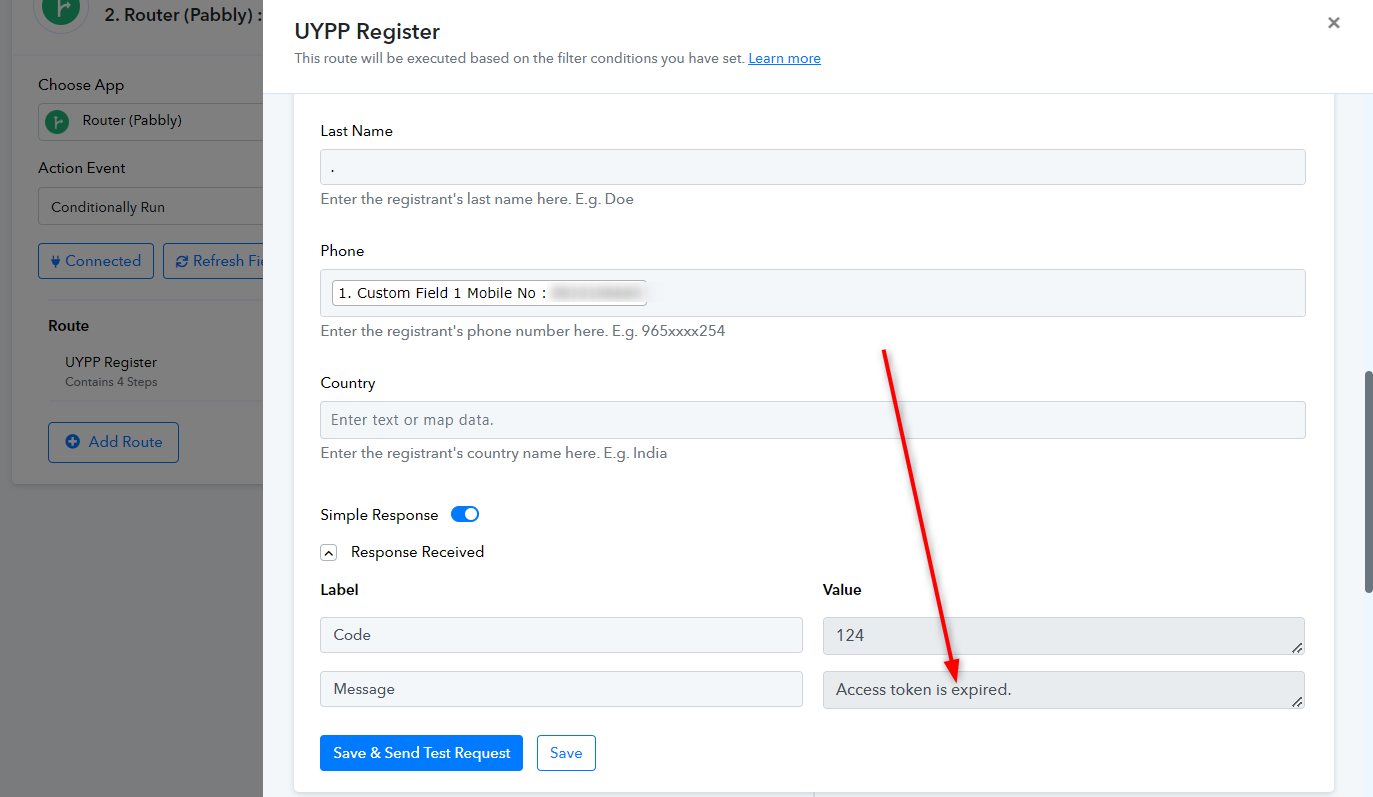
Please make a new connection or update the already existing one and try again. 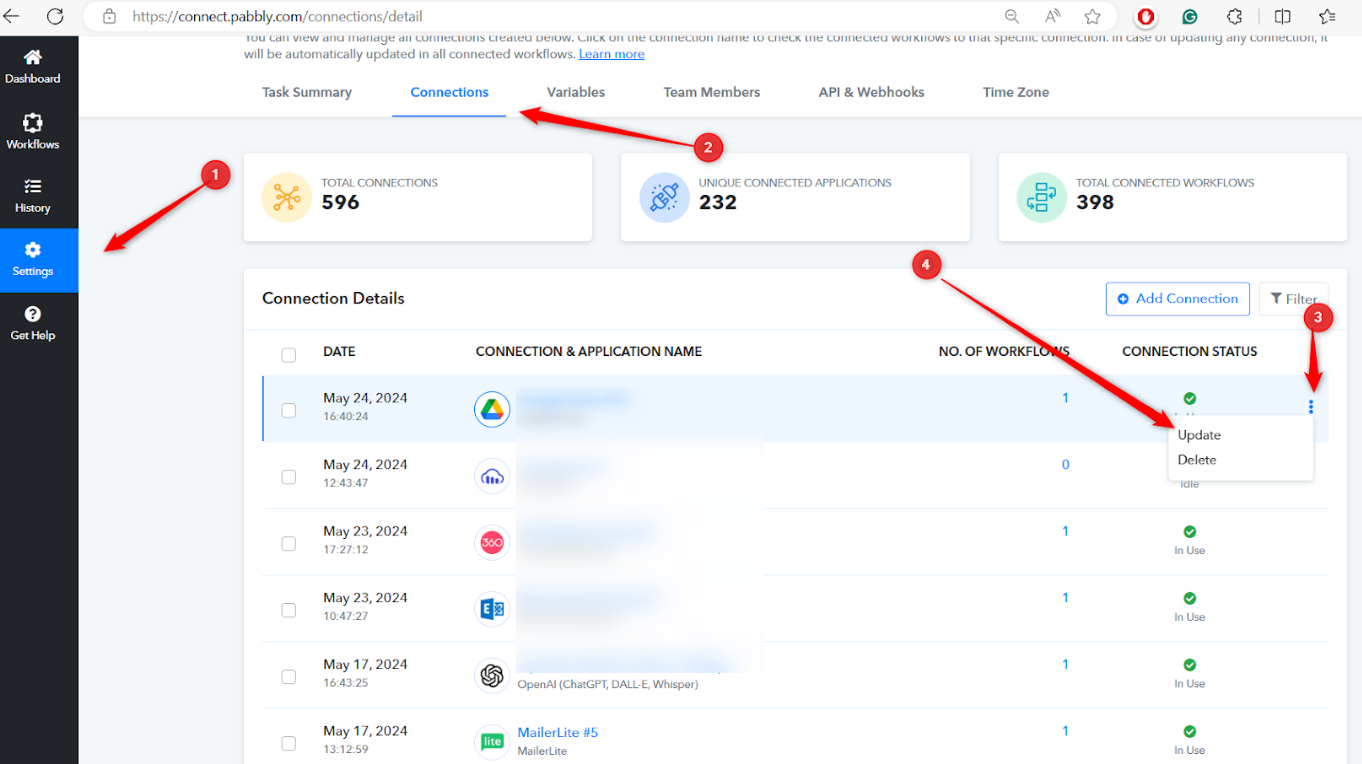
Please check in this workflow ".UYPP Elementor LP - facebook".
Hey @Pallav
Kindly allow us some time to look into this issue. We will surely get back to you once it is fixed.
Your patience is greatly appreciated.
Please let me know if it has been fixed. Thanks.
Hey @Pallav
Thank you for waiting.
Unfortunately, at this time, we do not allow the use of custom variables in dropdown fields, which is why the error occurred. You will need to input the ID directly or map it from a previous step based on your specific use case.
Hello @Pallav
We have successfully fixed this issue from our end. Kindly make a new connection and try testing your workflow again.
Let us know if it works for you.