Zoom webinar description not available.
Status: Open · Asked by tycoon1962 on · 0 views
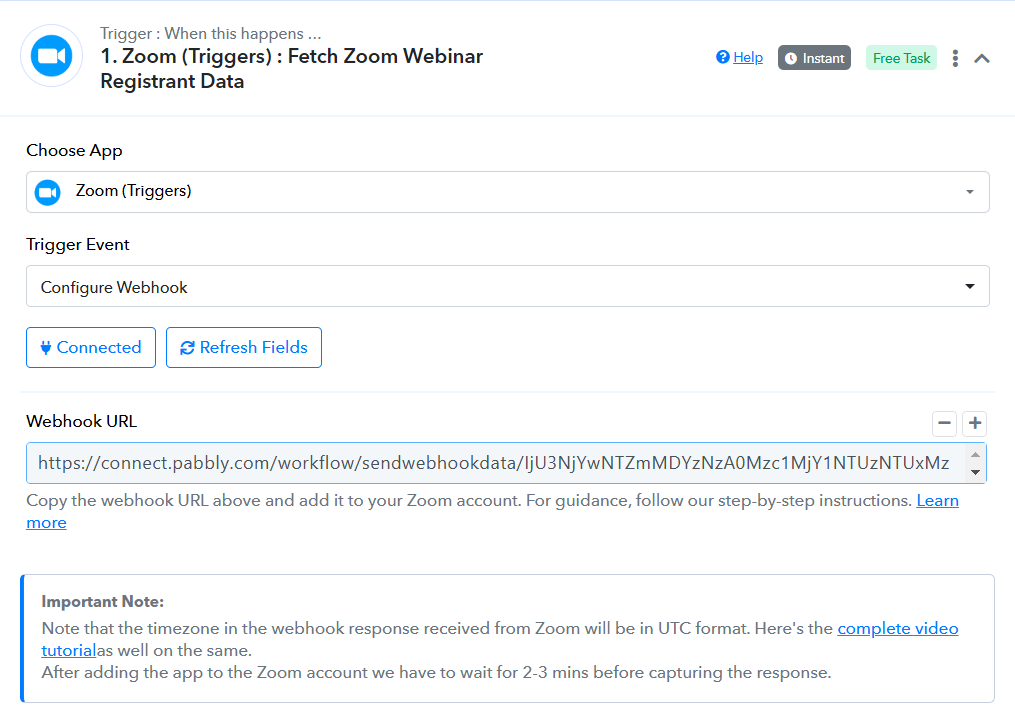
In my workflow
Webhook is not fetching the Webinar Description.
Any suggestions?
Thanks.
Hello @tycoon1962
The trigger used in your workflow is a descriptive webhook-based trigger. In such cases, the responses sent by the trigger application are beyond our control. If you need to receive the Webinar Description in the webhook response, we recommend reaching out to the Zoom team to ensure that the desired data is included in the webhook payload. Let us know if you need further assistance!
Hello Preeti,
I've opened a ticket with Zoom and hoping to get a positive reply.
By the way, is there an alternative to get that information?
Thanks
Hello @tycoon1962
Okay, let’s hope for a positive response from the Zoom team. Do let us know if you need further assistance in the meantime!
I found this but don't know how to apply it:
https://devforum.zoom.us/t/webinar-description-is-not-being-set-via-the-api/7730
Guidance requested.
Zoom webhook trigger should be providing webinar id and then you should be able to use this action - Retrieve a Webinar to get full information about that particular webinar.
Yes, that's what I understood from the post. I also know I must use the API to retrieve the webinar information.
It's the exact process or steps that I don't know.
Yes, that's what I understood from the post. I also know I must use the API to retrieve the webinar information.It's the exact process or steps that I don't know.
Why do you need to use API Why can't you use action "Retrieve a Webinar"
How? I haven't used that in the past. Can you show me the step(s)?
Hello @tycoon1962
You can use the Retrive a Webinar to get the webinar details, please refer to the attached image. You can either select a Webinar from the drop-down under the webinar field or can map the webinar ID by turning on the map button.
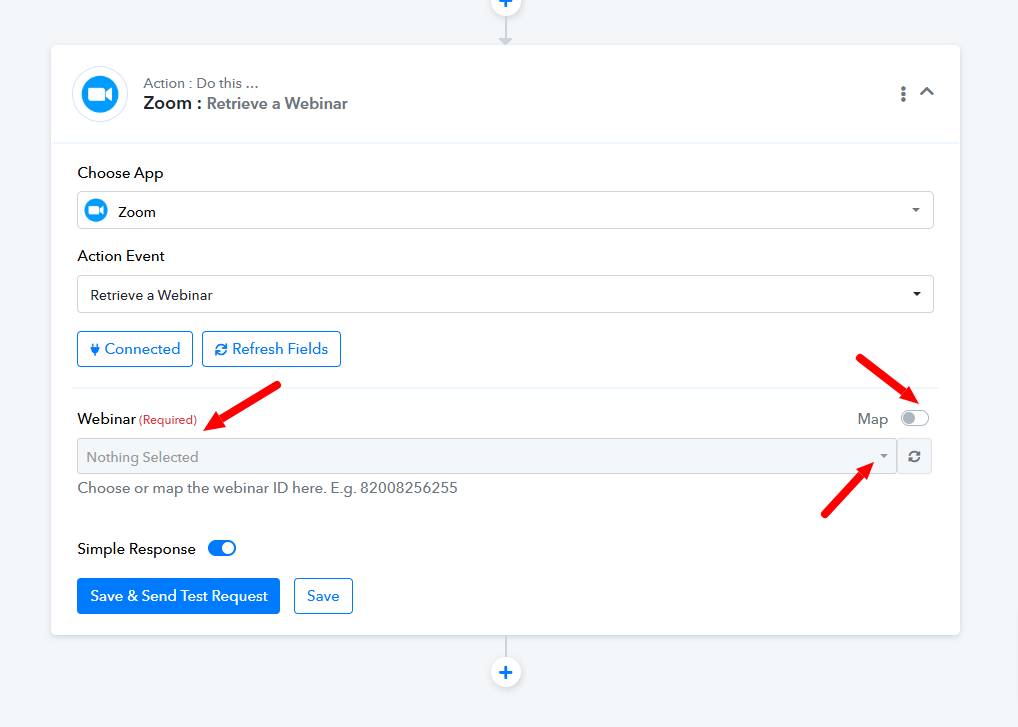
Please let us know if it works for you.
Thank you, Preeti & Fagun. My challenge is resolved.
Hello @tycoon1962
Thanks for the update!