Getting an invalid_client error with microsoft excel connection
Status: Closed · Asked by Kari Myers on · 0 views
invalid_client. This appears to be a failure exchanging the authorization code for a token. Please verify the client ID/client secret and redirect configuration for Pabbly’s Microsoft Excel OAuth application.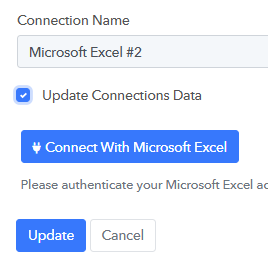
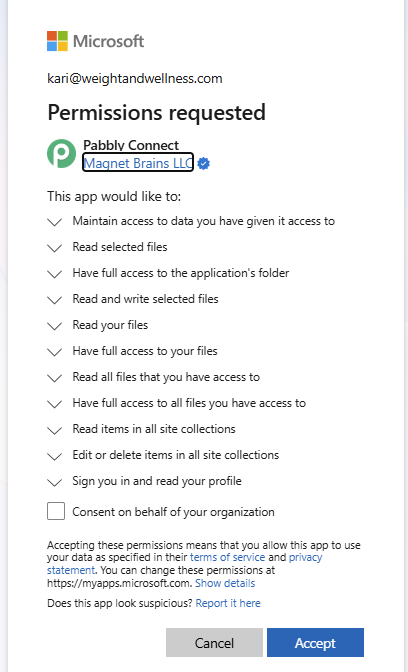
This worked fine last night, then failed this morning. Nothing changed with my Microsoft account.
I'm getting the same error. We performed the verification with Azure and it's not an Azure problem, since it does grant us all the necessary permissions to connect.
Getting the same error - any fix? I did not change anything and cannot create a new connection as suggested.
Hello Byron and Marcel,
Have you tried updating the connection? Please confirm. If you are getting any error updating the connection, please share the screenshots as well.
Thanks & Regards,
Adeel Akhtar
🌐 Pabbly.com
Who are Byron and Marcel?
I have tried updating the connection and creating a new connection. All end in the invalid_client error.
Kari Myers | Technology & Systems Manager
Hello Kari,
Byron and Marcel have also posted on the Public forum thread, which you started, as they are also facing the same issue. Kindly ignore the message addressing them. Here is the Forum thread link - https://sales.pabbly.com/forum/threads/getting-an-invalid_client-error-with-microsoft-excel-connection.196978
Further, I've replied to you separately on the Ticket - TCK-196976 where you can continue the conversation. You created multiple communications for the same issue via Chat, email, and Forum.
Thanks & Regards,
Adeel Akhtar
🌐 Pabbly.com
Hello All,
Thank you for sharing all the details.
After an initial review, it seems to be a Technical issue with the OAuth verification. I've now escalated the issue to the Technical Team for further investigation. We will get back to you as soon as we hear from the Team. It may take up to 48 hours to get back to you.
We regret the inconvenience caused to you.
Thanks & Regards,
Adeel Akhtar
🌐 Pabbly.com
Hello,
Thank you for your patience.
The reported issue with the Microsoft integration has now been resolved from our end.
To resolve the issue in your account, kindly create a new connection with the respective Microsoft application and update your workflow to use the newly created connection.
Once the new connection is established, the application should work as expected.
Please test it from your end and let us know if you continue to face any issues.
Hello All,
Thank you for sharing all the details.
After an initial review, it seems to be a Technical issue with the OAuth verification. I've now escalated the issue to the Technical Team for further investigation. We will get back to you as soon as we hear from the Team. It may take up to 48 hours to get back to you.
We regret the inconvenience caused to you.
Thanks & Regards,
Adeel Akhtar
🌐 Pabbly.com
Thanks and Regards,
Preeti Paryani
Customer Success Associate,
Pabbly.com
Our process is now running normally; the problem has been resolved.
Hello Byron,
Thank you for the confirmation. We are not closing this thread as the issue has been resolved.
Thanks & Regards,
Adeel Akhtar
🌐 Pabbly.com